 Edi Durjana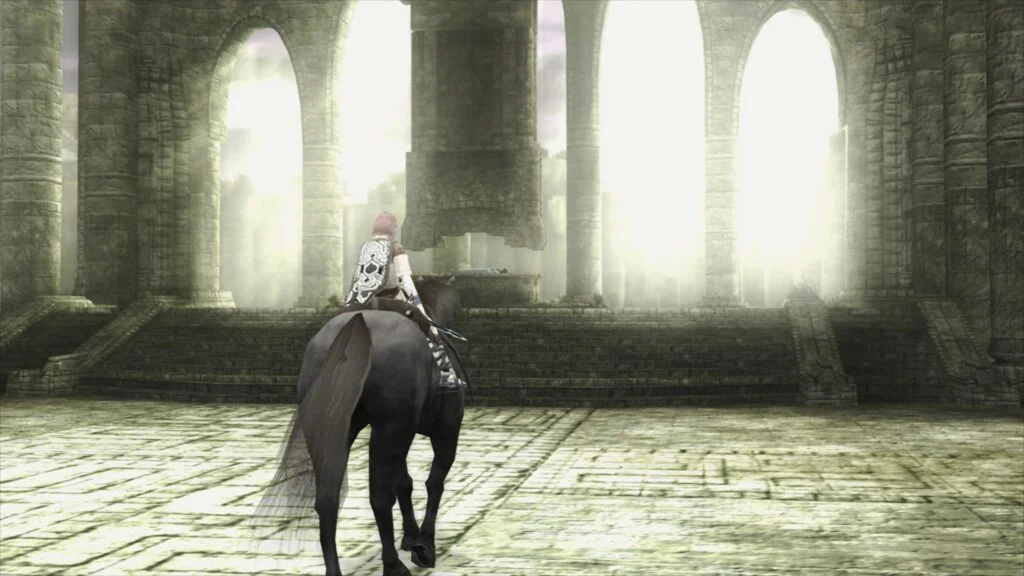
The landscape of video game preservation and emulation has taken a significant leap forward with the official introduction of LRPS2, a completely revamped and heavily modified PlayStation 2 core designed natively for the Libretro API. Developed to replace older, legacy iterations that suffered from architectural limitations and outdated codebases, LRPS2 brings modern software engineering standards to the emulation of Sony’s legendary 128-bit console. Currently available for Windows, Linux (x86_64), and macOS, the new core leverages contemporary rendering backends, including Vulkan, Direct3D 11 and 12, and OpenGL, aiming to deliver unprecedented compatibility, visual fidelity, and stability for enthusiasts worldwide.
Background and Development Context
For years, running PlayStation 2 software within the RetroArch ecosystem relied on older ports of PCSX2 that struggled to keep pace with the rapid evolution of modern graphics application programming interfaces (APIs). These legacy cores frequently encountered performance bottlenecks, rendering anomalies, and maintenance hurdles due to their aging underlying architecture. Recognizing the growing demand for a streamlined, up-to-date solution, developers undertook a massive overhaul, custom-tailoring a modern fork of PCSX2 to integrate seamlessly with the Libretro application programming interface.
The culmination of this engineering effort is LRPS2, a core built from the ground up to utilize modern hardware capabilities efficiently. Unlike its predecessors, LRPS2 benefits from a cleaner, more modular codebase that drastically reduces technical debt. This modernization not only resolves long-standing bugs but also opens the door for advanced graphical features that were previously difficult or impossible to implement reliably within the Libretro frontend framework.
The Star of the Show: paraLLEl-GS and Compute-Based Graphics
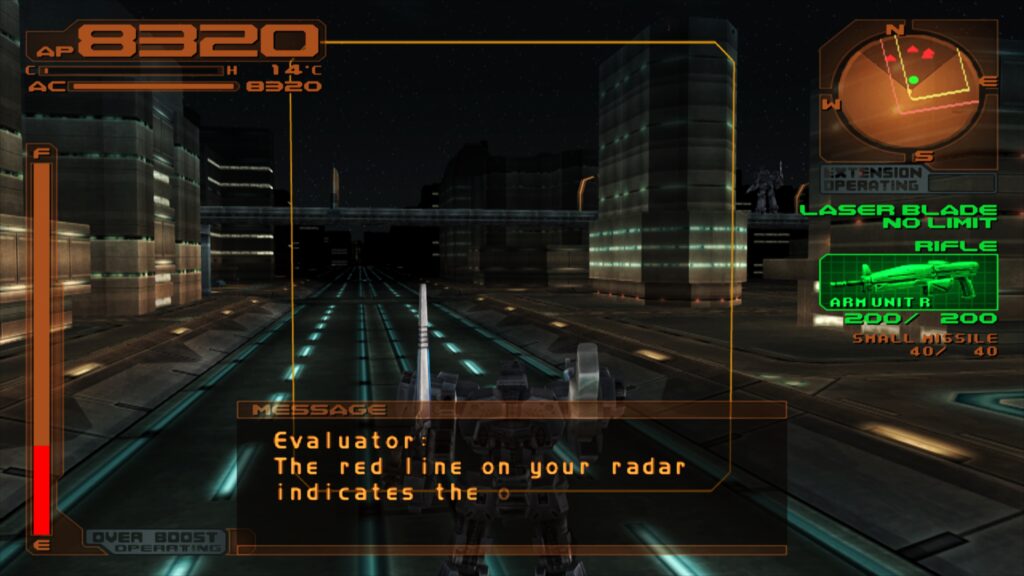
By far the most anticipated and technically ambitious feature of the LRPS2 release is the inclusion of paraLLEl-GS, a revolutionary graphics renderer created by lead developer Themaister. Following in the footsteps of paraLLEl-RDP—which transformed Nintendo 64 emulation through compute shader technology—paraLLEl-GS reimagines the PlayStation 2 Graphics Synthesizer entirely as a Vulkan compute program.
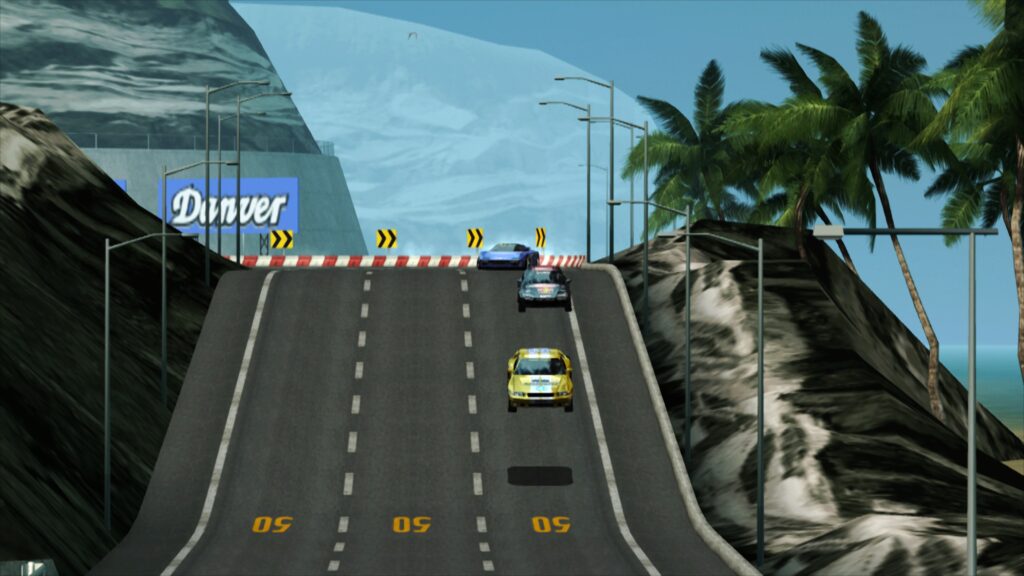
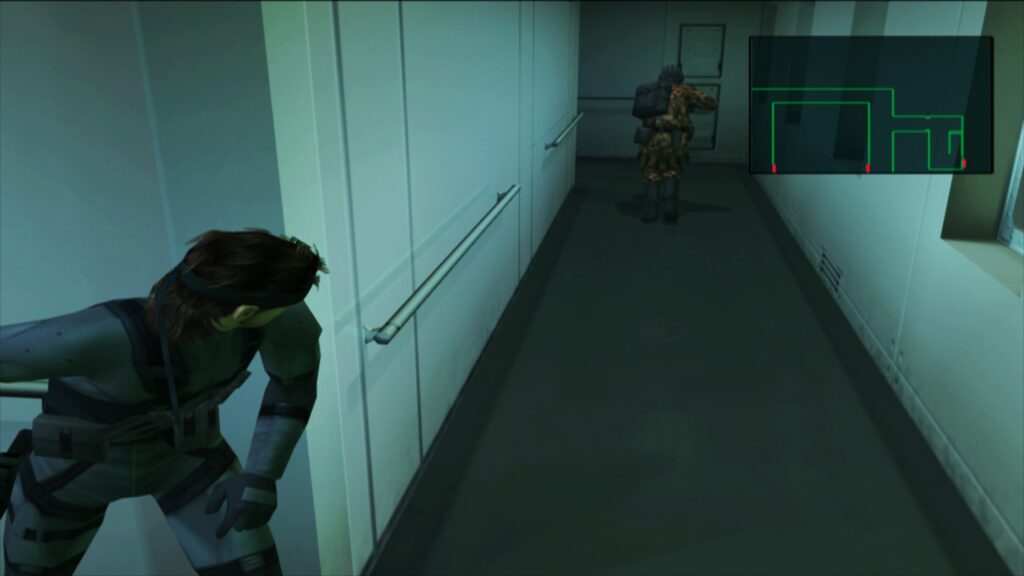
Designed exclusively for the Vulkan graphics API, paraLLEl-GS aims to achieve the uncompromising accuracy of a traditional software renderer while introducing powerful modern enhancements. The standout capability of this renderer is its robust implementation of Super-Sample Anti-Aliasing (SSAA). When configured to 16x SSAA alongside high-resolution scanout enabled, paraLLEl-GS virtually eliminates the shimmering, jagged edges, and texture crawling that notoriously plagued native 3D geometry on the original hardware.
Furthermore, high-resolution scanout allows users to effectively double the internal resolution without resorting to the aggressive, game-specific hardware hacks often required by conventional scalers like GSdx. The resulting image quality frequently surpasses traditional high-resolution rendering methods while maintaining a remarkably consistent visual presentation across a wide library of titles, reducing the configuration burden on the end user.
Comprehensive Rendering Backend Support
While paraLLEl-GS serves as the cutting-edge option for Vulkan-compatible systems, LRPS2 also maintains extensive support for traditional GSdx rendering backends to ensure broad hardware compatibility. Users can configure the core to utilize Vulkan across Windows, macOS, and Linux, Direct3D 11 and 12 on Windows platforms, and OpenGL on Windows and Linux environments.
This multi-backend flexibility guarantees that users operating on diverse hardware configurations—ranging from high-end desktop gaming rigs to modest systems—can find a stable rendering pipeline suited to their specific processing capabilities. However, developers have noted certain hardware constraints; for instance, integrated graphics processors (IGPs) from Intel often lack the robust compute shader performance required to run paraLLEl-GS at full speed, making traditional GSdx or software rendering modes the preferred alternative for those specific machines.
Setup and Installation Procedures
Deploying LRPS2 within RetroArch requires a specific sequence of installation steps to ensure proper asset organization and database referencing. Because the core relies on complex per-game compatibility hacks and database indices, users must follow a structured setup protocol via RetroArch’s built-in online updater.
First, users on supported operating systems must navigate to the online updater and select Update Core Info Files to guarantee that the core populates correctly under its proper designation within the menu system. Next, the core can be acquired via the Core Downloader under the Sony – Playstation 2 (LRPS) category.

System files are handled through a dedicated bundle accessible via the Core System Files Downloader, which automatically generates the required pcsx2 directory inside RetroArch’s system folder. This bundle populates the directory with the GameIndex.yaml file—essential for applying per-game compatibility hacks and GSdx renderer adjustments. Users must subsequently supply their own legally dumped PlayStation 2 BIOS files and place them within the newly created bios subdirectory. Once configured, games stored in uncompressed formats such as CHD can be scanned and launched seamlessly.
Platform-Specific Considerations and macOS Rosetta Integration
While LRPS2 offers robust cross-platform support for Windows and Linux (x86_64 architectures), compatibility is notably absent for mobile operating systems such as Android and iOS, as well as ARM-based Linux distributions.
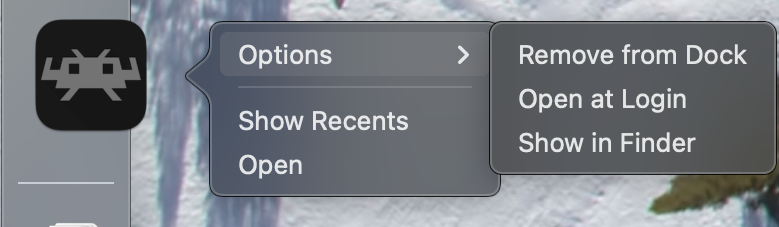
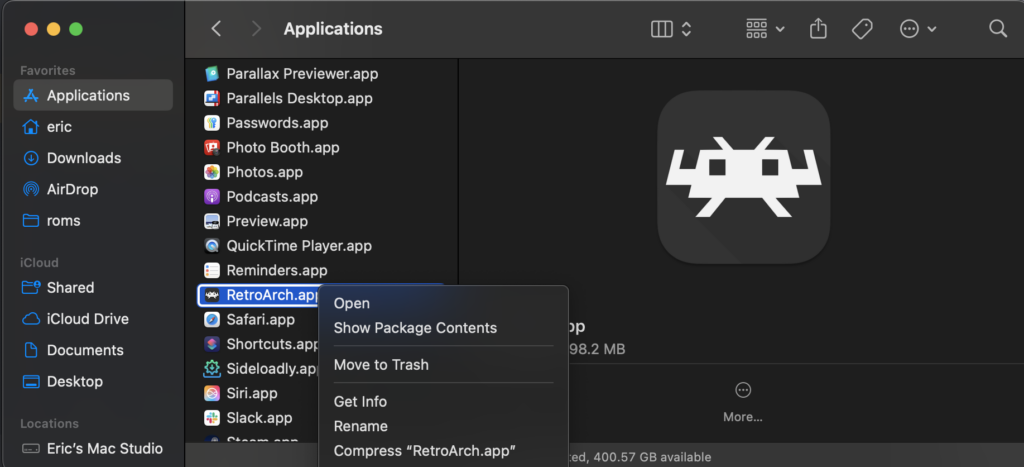
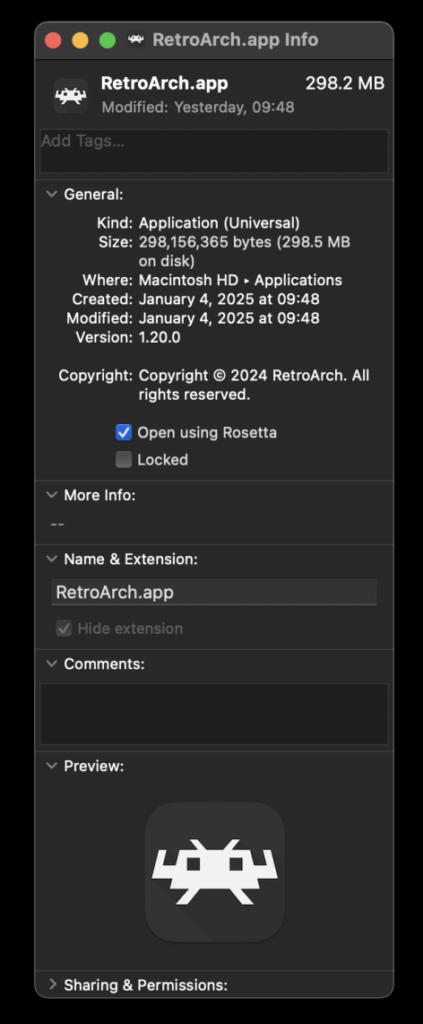
For users operating on macOS systems powered by Apple Silicon (M-series processors), an additional configuration step is mandatory. Because the core currently requires architecture translation layers, users must run RetroArch via Apple’s Rosetta 2 environment. This is achieved by locating the RetroArch application in Finder, accessing the Get Info menu via a right-click, and checking the Open using Rosetta box. Once this setting is active, the LRPS2 core becomes visible and fully operational within the macOS version of the frontend.
Troubleshooting and Known Technical Hurdles
As with any major software release, early adopters of LRPS2 have encountered specific operational quirks and hardware-dependent errors, prompting the development team to publish targeted troubleshooting guidance.

A frequently reported issue involves users experiencing a black screen accompanied by functioning audio when utilizing the default Direct3D 11 video driver on Windows systems. Developers recommend switching the active video driver globally—or applying a core override specifically for LRPS2—to Direct3D 12 to restore visual output.
Similarly, users attempting to run the software renderer alongside the Vulkan video driver on Linux may experience unexpected application crashes. Until this interaction is fully diagnosed and patched, operators are advised to switch to the glcore driver on Linux or utilize Direct3D alternatives on Windows.
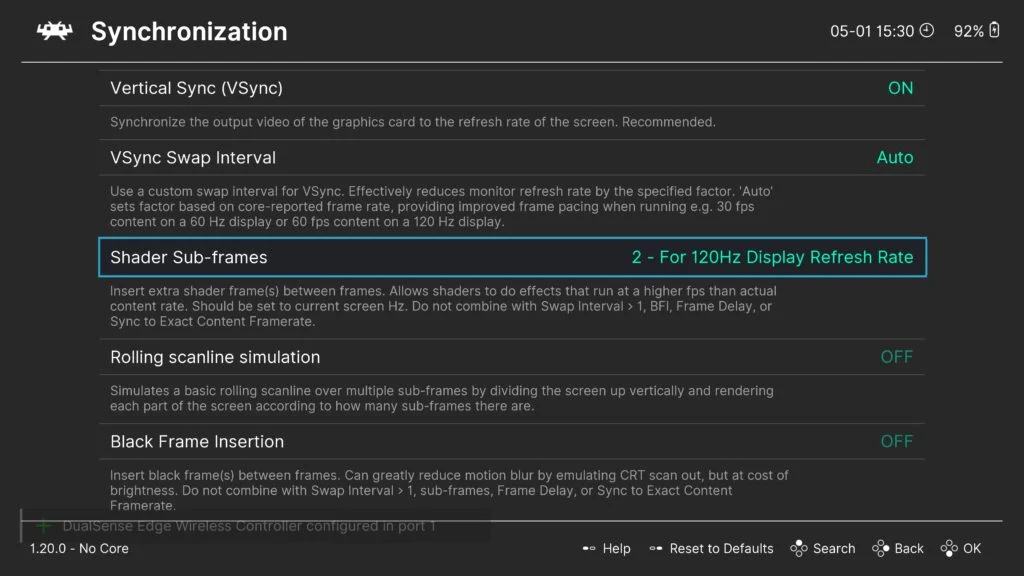
Regarding performance pacing, enthusiasts seeking optimal frame delivery can experiment with the Sync to Exact Content Framerate setting found within RetroArch’s video configuration menu. For variable refresh rate (VRR) displays, disabling VSync within RetroArch while enforcing it via external GPU control panels has been shown to yield smoother results, though specific legacy titles may require individual tuning.
Broader Implications for Retro Gaming and Preservation
The release of LRPS2 and the ongoing development of compute-based renderers like paraLLEl-GS mark a maturation point in the emulation community. Moving away from patchwork compatibility fixes toward mathematically rigorous, compute-driven hardware emulation represents a sustainable path forward for preserving complex sixth-generation consoles.
By standardizing these advanced emulation techniques within a widely accessible frontend like RetroArch, the developers of LRPS2 have significantly lowered the technical barrier for players wishing to experience PlayStation 2 software at modern resolutions. As the internal game database expands and community contributions refine the codebase, LRPS2 stands poised to become a definitive standard for high-fidelity, archival-grade PlayStation 2 emulation on personal computers.