 Farhan hamdan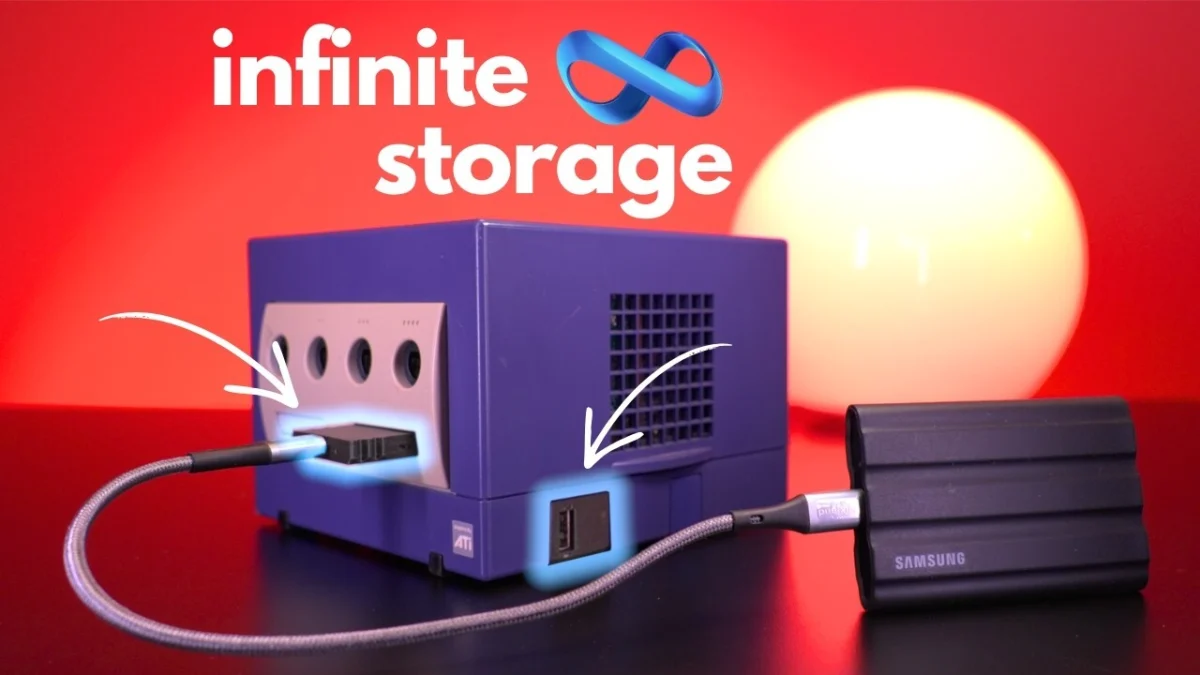
The landscape of retro gaming hardware has been significantly enhanced by a recent demonstration from Tito of Macho Nacho Productions, highlighting the "USB Dolphin" adapter for the Nintendo GameCube. This innovative peripheral, developed by Makeo, offers a transformative solution for storage and network capabilities, connecting to either the console’s SP1 port located on the bottom or via the front memory card slot. While earlier discussions of the SP1 version focused primarily on its Ethernet and RetroNAS support, Tito’s latest video zeroes in on the adapter’s capacity for vast USB storage, a feature compatible with both iterations of the device. This emphasis is particularly crucial for enthusiasts seeking to house extensive libraries of GameCube games, presenting a significantly more economical alternative to acquiring large-capacity SD media.
The advent of devices like the USB Dolphin marks a pivotal moment in the ongoing efforts to modernize and preserve classic gaming experiences. The original GameCube, released in 2001, featured a proprietary 8 cm optical disc format and relied on small, proprietary memory cards for save data, offering no native support for modern mass storage or widespread network connectivity beyond a niche Broadband Adapter. For decades, the retro gaming community has grappled with these limitations, devising ingenious methods to overcome them and unlock the console’s full potential. The USB Dolphin stands as a testament to this persistent innovation, providing a robust, cost-effective, and highly functional solution for contemporary GameCube users.
The Genesis of GameCube Digital Archiving
To fully appreciate the significance of the USB Dolphin, it is essential to understand the historical context of GameCube modification and digital storage. When Nintendo launched the GameCube, its design philosophy prioritized proprietary formats and a relatively closed ecosystem. Games were distributed on Nintendo’s proprietary miniDVDs, and save data was stored on compact memory cards, typically ranging from 59 to 2043 blocks (equivalent to 8MB to 256MB). While adequate for the time, these limitations became increasingly apparent as digital game preservation gained traction and the desire for larger, more convenient storage solutions grew among enthusiasts.
Early attempts at digital loading involved complex modifications, such as the XenoGC modchip, which allowed the console to play burned discs, or the use of specific exploits with games like Phantasy Star Online to boot homebrew applications like SDLoad. These methods paved the way for the development of SD card adapters, most notably the SD2SP2, which utilized the console’s Serial Port 2 (SP2) located on the bottom. The SD2SP2, often paired with custom firmware like Swiss, allowed users to load game ISOs directly from microSD cards, dramatically simplifying the process of playing digital backups and homebrew. However, as GameCube game libraries expanded, often reaching into the hundreds of gigabytes or even terabytes, the cost of high-capacity microSD cards became a significant barrier for many. A 1TB microSD card, for instance, can cost upwards of $100-$150, a substantial investment when considering the cost of the console itself.
Parallel to storage advancements, network connectivity also presented a challenge. Nintendo did release a Broadband Adapter (BBA) and a Modem Adapter for the GameCube, primarily for online multiplayer in a handful of titles like Phantasy Star Online and Homeland. The BBA, a rare and sought-after peripheral, now commands premium prices on the secondary market, often exceeding $100-$200. Its scarcity made network-based game loading, particularly through solutions like RetroNAS, an expensive endeavor for most. The USB Dolphin directly addresses both of these historical pain points: providing affordable mass storage and accessible network capabilities without the prohibitive cost of original hardware.
Unpacking the USB Dolphin: Features and Functionality
The USB Dolphin is not merely a single device but a pair of adapters designed to cater to different user preferences and technical requirements. Both versions integrate seamlessly with the GameCube’s hardware, leveraging existing ports to introduce modern connectivity.
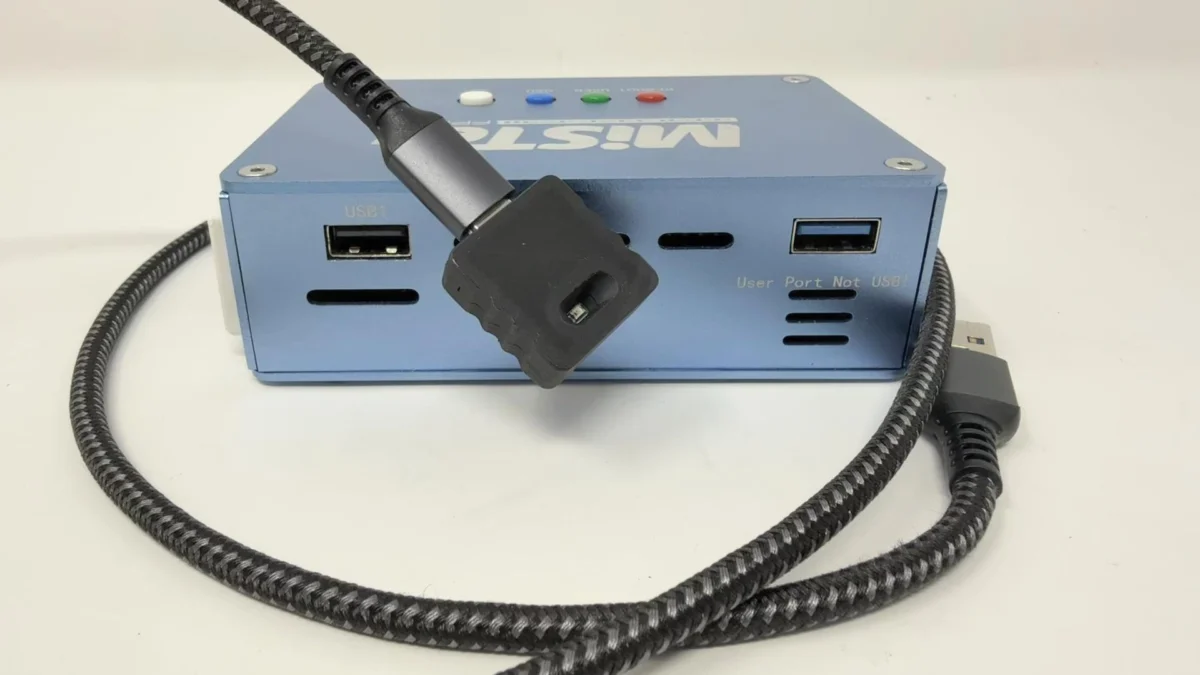
The first variant connects to the GameCube’s Serial Port 1 (SP1), located on the underside of the console. This port, originally intended for potential accessories that never materialized, has been repurposed by the modding community for various applications. The SP1 version of the USB Dolphin offers dual functionality: it supports both USB mass storage and Ethernet connectivity. The Ethernet capability is particularly noteworthy as it allows the GameCube to connect to a local network, enabling features like loading games directly from a network-attached storage (NAS) system via solutions such as RetroNAS. This method bypasses physical media entirely, offering unparalleled convenience for managing a large digital library. As noted in the original coverage, various USB Ethernet adapters are compatible, with the TP-Link UE300 being a commonly tested and reliable option. The use of a right-angle USB extension cable can further enhance aesthetics and cable management, neatly tucking connections around the side of the console.
The second variant of the USB Dolphin plugs into one of the GameCube’s front memory card slots. This design sacrifices the Ethernet functionality but retains the crucial USB storage capability. For users who prioritize mass storage and do not require network loading, this version offers a straightforward and accessible solution. Its front-facing design might be preferred by some for ease of access, though others might prefer the hidden nature of the SP1 port. Both versions are designed to work in conjunction with Swiss, the indispensable homebrew utility that enables the loading of game backups, homebrew applications, and other custom content on the GameCube. Swiss recognizes the connected USB storage, allowing users to browse and launch their digital game libraries with ease.
The technical specifications of the USB Dolphin underscore its utility. It supports standard USB storage devices, including external hard drives (HDDs), solid-state drives (SSDs), and USB flash drives. While specific maximum capacity limits are often dictated by the file system used and the GameCube’s operating environment (Swiss), modern USB drives typically offer capacities ranging from 1TB to 10TB or more. For context, a typical GameCube game ISO ranges from 0.5GB to 1.35GB. A 1TB drive could comfortably store hundreds, if not thousands, of GameCube titles, along with homebrew and other digital content. This vast capacity fundamentally alters the way users can interact with their GameCube libraries, moving from a curated selection of games on SD cards to virtually every game ever released for the console on a single, easily manageable drive.
A New Paradigm for Storage: Cost and Capacity
The most compelling argument for the USB Dolphin, as highlighted by Tito’s demonstration, is its unparalleled cost-effectiveness for large-scale storage. When considering the price per gigabyte or terabyte, external USB hard drives offer a significantly better value proposition than high-capacity SD cards. A 2TB external HDD can often be purchased for under $60, while a 4TB drive might be found for under $100. In contrast, a 512GB microSD card can cost upwards of $50, and a 1TB card easily surpasses $100. For users aiming to consolidate a comprehensive GameCube collection, the savings become substantial.
Let’s consider a practical example: A user wishing to store 2 terabytes of GameCube games.
- MicroSD Card Solution: This would require at least two 1TB microSD cards, costing roughly $200-$300, plus the cost of an SD2SP2 adapter ($10-$20). Total: $210-$320.
- USB Dolphin Solution: A single 2TB external USB hard drive for around $60, plus the USB Dolphin adapter (pricing typically around $30-$50). Total: $90-$110.
The difference is clear: the USB Dolphin, paired with an external HDD, offers a significant cost reduction, making terabyte-scale storage for the GameCube accessible to a much broader audience. This economic advantage is a key factor driving its adoption within the retro gaming community.
Bridging the Gap: Ethernet and Network Play

Beyond its storage capabilities, the Ethernet functionality of the SP1 version of the USB Dolphin represents a monumental leap for GameCube connectivity. Prior to this, the only viable option for network functionality was the original Broadband Adapter, a component whose scarcity and cost made it largely impractical for most enthusiasts. The USB Dolphin effectively democratizes network access for the GameCube, opening doors to a range of possibilities.
The most prominent application of this Ethernet support is network-based game loading through RetroNAS. RetroNAS is a software suite designed to turn a Raspberry Pi or similar low-power computer into a dedicated file server for retro consoles. By connecting the GameCube via the USB Dolphin’s Ethernet port to a network where RetroNAS is running, users can stream game ISOs directly from the NAS to their console. This eliminates the need for any local storage medium, whether SD card or USB drive, within the GameCube itself. The convenience of having an entire game library accessible over a network, managed centrally, is a game-changer for digital archivists and collectors. It also streamlines the process of adding or removing games, as changes can be made directly on the NAS without physically interacting with the GameCube’s storage.
Furthermore, the revival of network capabilities could potentially foster renewed interest in online multiplayer for the handful of GameCube games that supported it, or even inspire new homebrew applications that leverage network communication. The ability to connect the console to a modern network environment vastly expands its utility beyond its original design parameters.
Community Endorsement and Developer Vision
Tito from Macho Nacho Productions, known for his thorough and insightful reviews of retro gaming hardware, has played a crucial role in bringing the USB Dolphin to wider attention. His video demonstration, which meticulously walks viewers through the setup and functionality of the device, serves as a powerful endorsement. Tito’s focus on the "More Storage Than You’ll Ever Need… Why Not?" philosophy resonates deeply with a community increasingly invested in comprehensive digital game preservation. His practical advice, such as using a right-angle USB extension for cleaner cable management, also reflects a user-centric approach that enhances the overall experience.
While direct statements from Makeo, the creator of the USB Dolphin, are not extensively publicized in the original article, their vision can be inferred from the product’s design and features. Makeo likely sought to create an affordable, versatile, and high-capacity solution that addresses the long-standing needs of the GameCube modding community. The emphasis on both USB storage and Ethernet connectivity suggests a desire to provide a comprehensive upgrade path for the console, catering to different levels of user engagement and technical ambition. The product’s availability through Makeo’s dedicated store (makstech.io) indicates a commitment to supporting the retro gaming hardware ecosystem with well-engineered and practical solutions.
The broader GameCube modding community has largely welcomed the USB Dolphin with enthusiasm. Forums and social media channels dedicated to retro gaming have seen increased discussions surrounding the adapter, with users sharing their experiences, troubleshooting tips, and showcasing their expanded game libraries. This community-driven adoption further validates the product’s utility and impact.
The Broader Impact on GameCube Preservation
The USB Dolphin’s introduction has profound implications for the preservation of GameCube games and the console’s legacy. As physical media degrades over time and optical drives inevitably fail, digital backups become increasingly vital for ensuring that these games remain playable for future generations. The USB Dolphin provides an exceptionally robust and scalable solution for storing these digital archives. By enabling the use of inexpensive, high-capacity USB hard drives, it lowers the barrier to entry for collecting and maintaining comprehensive GameCube libraries.
This accessibility is crucial for long-term preservation efforts. When storing an entire console’s library, or even multiple console libraries, on a single drive, the logistical challenges of managing countless SD cards are circumvented. Furthermore, the use of standard USB storage devices means that these archives are more easily transferable and recoverable across different systems, reducing the risk of data loss compared to proprietary or less common storage formats.
The ability to load games via Ethernet from a central NAS further strengthens preservation efforts. A well-maintained NAS can serve as a secure, redundant repository for entire retro game collections, ensuring their longevity and accessibility. This network-centric approach also facilitates community-driven preservation, allowing for easier sharing of verified game dumps and homebrew content (within legal and ethical boundaries).
Looking Ahead: The Future of GameCube Modding
The USB Dolphin represents a significant milestone in the ongoing evolution of GameCube modding. It demonstrates that even decades after a console’s release, innovative hardware solutions can continue to emerge, breathing new life into classic systems. This device, alongside software like Swiss, solidifies the GameCube’s position as a highly capable and customizable retro gaming platform.
The implications extend beyond mere game loading. With robust USB and network capabilities, the door is open for more sophisticated homebrew applications, potentially including media players, emulation platforms for other retro consoles, or even new online multiplayer experiences developed by the community. The increased accessibility of large-scale storage also encourages experimentation, as users are less constrained by storage limitations when developing and testing new software.
While Greg’s SD2SP2 Ace and a cheap MicroSD card remain an excellent and straightforward option for users who simply need to load a few ISOs, the USB Dolphin caters to a different demographic: those who demand comprehensive storage, network functionality, and the ultimate convenience for their GameCube experience. It is a clear example of how dedicated communities and ingenious developers continue to push the boundaries of what is possible with beloved retro hardware, ensuring that the legacy of consoles like the Nintendo GameCube endures for many years to come.