 Edi Durjana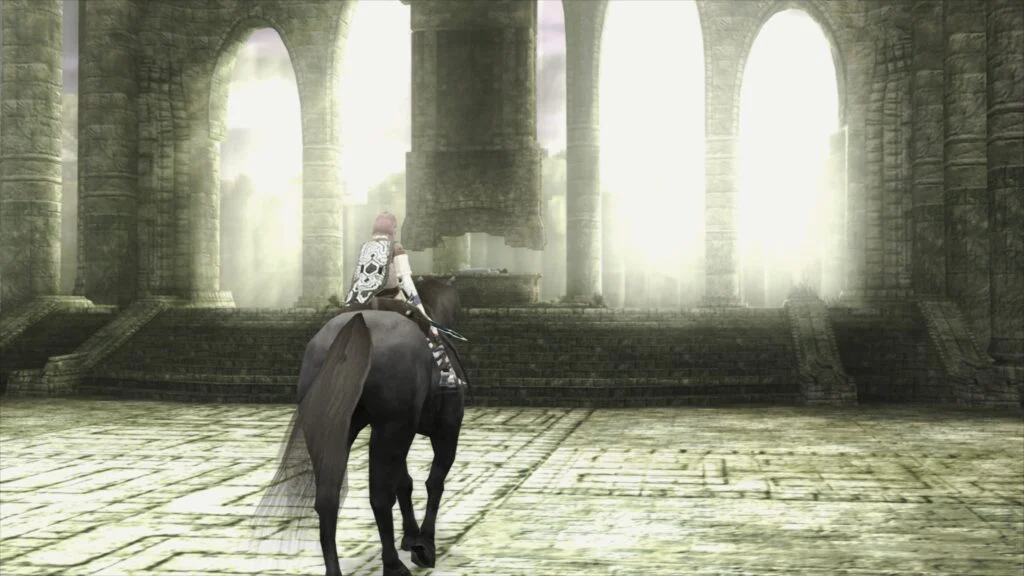
The emulation landscape for the iconic PlayStation 2 (PS2) has received a significant advancement with Libretro’s announcement of LRPS2, a new core for the multi-system emulator frontend, RetroArch. This core, a heavily modified derivative of the well-established PCSX2 emulator, has been custom-tailored for the Libretro API, promising a modernized and enhanced experience for enthusiasts seeking to revisit the vast PS2 library. Available now for Windows, macOS, and Linux, LRPS2 marks a pivotal moment in the ongoing efforts to preserve and enhance the legacy of one of gaming’s most beloved consoles.
Background and Context: The PlayStation 2 Emulation Landscape
The PlayStation 2, launched by Sony in 2000, stands as the best-selling video game console of all time, boasting a staggering library of over 3,800 titles. Its complex architecture, featuring a custom Emotion Engine CPU and Graphics Synthesizer (GS), presented formidable challenges for early emulation efforts. Unlike simpler consoles, accurate PS2 emulation requires intricate timing synchronization, robust hardware rendering capabilities, and sophisticated software workarounds to replicate its unique processing pipeline.
For years, PCSX2 has been the de facto standard for PlayStation 2 emulation on PC. Its open-source development has led to remarkable compatibility and a wide array of features, allowing millions to experience PS2 games on modern hardware. However, integrating such a complex emulator into a unified frontend like RetroArch, which prioritizes a consistent user experience across numerous systems, has always posed specific technical hurdles. Earlier attempts at a PS2 core within RetroArch often grappled with an outdated codebase, leading to performance bottlenecks and compatibility issues. The introduction of LRPS2 addresses these historical drawbacks head-on, leveraging a contemporary codebase and a bespoke integration designed to harmonize with RetroArch’s modular framework.
Introducing LRPS2: A Modern Foundation
LRPS2 is not merely a rebadged version of PCSX2 but rather a "heavily modified" iteration, signifying substantial engineering effort to optimize it for the Libretro API. The development team has confirmed that the core code is "modern and up-to-date," a stark contrast to previous RetroArch PS2 cores that were often criticized for relying on older, less optimized versions of PCSX2. This modernization is crucial, as it allows LRPS2 to incorporate the latest advancements in PS2 emulation accuracy and performance, directly benefiting from years of upstream PCSX2 development. The core’s design aims to eliminate "serious drawbacks" encountered with older implementations, promising greater stability, improved compatibility, and a more faithful recreation of the original hardware experience.
The core’s multi-platform availability across Windows, macOS, and Linux ensures broad accessibility for a significant portion of the RetroArch user base. While currently not supported on mobile platforms like Android or iOS, or ARM Linux, its presence on major desktop operating systems underscores Libretro’s commitment to delivering high-quality emulation across diverse computing environments.
Unpacking the Graphics Synthesizer: GSdx and paraLLEl-GS
A cornerstone of PS2 emulation lies in faithfully reproducing the Graphics Synthesizer (GS). LRPS2 integrates robust rendering capabilities through two primary pathways: the highly versatile GSdx renderer and the groundbreaking new paraLLEl-GS.
GSdx Renderer Capabilities:
The GSdx renderer, a staple of PCSX2, is fully supported within LRPS2, offering a comprehensive suite of rendering backends. This flexibility allows users to choose the optimal rendering path for their specific hardware and operating system. Supported APIs include:
- Vulkan: Available on Windows, macOS, and Linux, Vulkan is a modern, low-overhead graphics API known for its performance and cross-platform compatibility. It is often the preferred choice for high-performance emulation.
- Direct3D 11 and 12: Exclusively for Windows users, these Microsoft APIs provide excellent performance and compatibility with a vast range of Windows-native graphics hardware. Direct3D 12, in particular, offers lower-level hardware access for potentially greater efficiency.
- OpenGL: Supported on Windows and Linux, OpenGL remains a widely used cross-platform graphics API, offering a reliable fallback for systems where Vulkan or Direct3D might not be ideal or fully supported.
The inclusion of multiple backends for GSdx ensures that LRPS2 can cater to a broad spectrum of hardware configurations, from older machines to cutting-edge gaming PCs. This adaptability is vital for maximizing compatibility and performance across the diverse RetroArch user base.
The Breakthrough of paraLLEl-GS:
Perhaps the most significant innovation introduced with LRPS2 is paraLLEl-GS, a brand-new renderer developed by Themaister. This renderer represents a paradigm shift in PS2 graphics emulation, mirroring the pioneering work seen in paraLLEl-RDP for Nintendo 64 emulation. Conceived and implemented "entirely as a compute program" and exclusively utilizing the Vulkan graphics API, paraLLEl-GS aims for an unprecedented level of accuracy and enhancement.
The core philosophy behind paraLLEl-GS is to achieve the graphical fidelity of a software renderer—which typically offers the highest accuracy due to pixel-perfect calculations—but with the performance and graphical enhancements typically associated with hardware rendering. Themaister’s detailed blog article (published several months prior to this announcement) delves into the technical intricacies of this compute-shader-driven approach, highlighting its potential to overcome many of the long-standing challenges in PS2 graphics emulation.
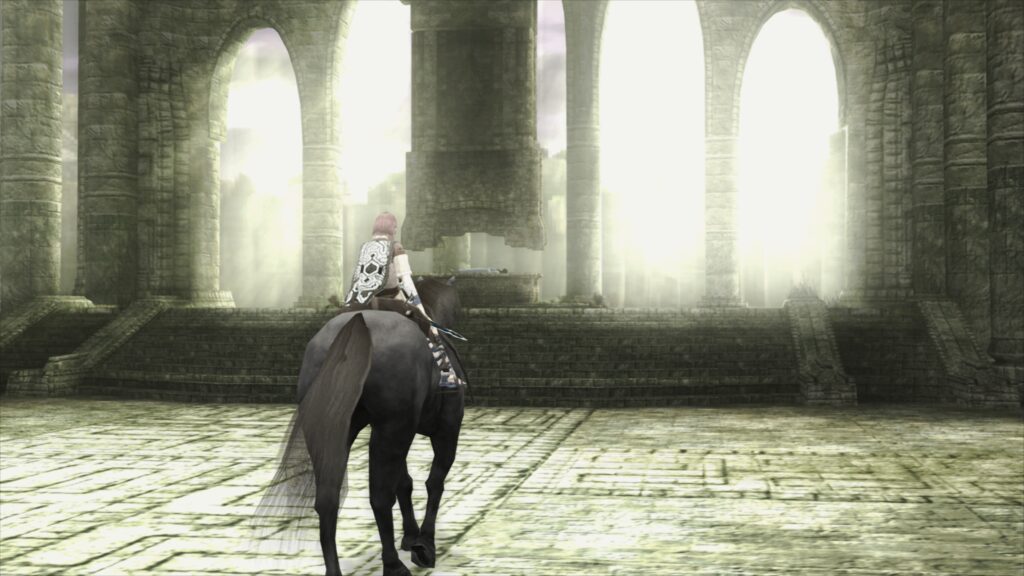
A standout feature of paraLLEl-GS is its exceptional Super-Sampling Anti-Aliasing (SSAA) capabilities. When configured with 16x SSAA and "paraLLEl experimental high-res scanout" enabled, the renderer can dramatically reduce or entirely eliminate "shimmering and jaggies" on 3D geometry and textures. This results in an incredibly clean and sharp image that often surpasses the visual quality achieved by GSdx rendering, even at significantly higher internal resolutions. Crucially, paraLLEl-GS achieves this enhanced visual fidelity with "almost no hacks" required on a game-specific basis, a common necessity with traditional hardware renderers to correct graphical glitches. This "hack-free" approach simplifies setup and ensures a more consistent experience across the entire PS2 library. The ability to double the resolution with high-res scanout, combined with aggressive SSAA, positions paraLLEl-GS as a cutting-edge solution for achieving pristine PS2 visuals.
Setup and Accessibility
Getting LRPS2 up and running within RetroArch involves a straightforward, albeit multi-step, process designed for optimal performance and compatibility.
- Platform Availability Check: LRPS2 is currently supported on Windows, Linux (x86_64), and macOS. It is explicitly not available for Android, iOS, or ARM Linux devices.
- Core Info Files Update: Users must first navigate to RetroArch’s online updater and select "Update Core Info Files" to ensure the core appears correctly in the menu.
- Core Download: From the online updater’s "Core Downloader," users can then locate and download "Sony – Playstation 2 (LRPS)."
- System Files Bundle: A critical step involves downloading the "LRPS2.zip bundle" via the online updater’s "Core System Files Downloader." This bundle automatically creates the necessary
pcsx2directory within RetroArch’ssystemdirectory. It populates this directory withGameIndex.yaml, a crucial file containing "various per-game hacks/settings the core and gsDx renderer use for compatibility." - BIOS Placement: The bundle also creates a
biosdirectory. Users are then required to place their PlayStation 2 BIOS set within this directory. It is essential to note that acquiring a PS2 BIOS typically involves extracting it from a physical console for legal reasons. - Game Loading: Once the BIOS is in place, games can be scanned and loaded. LRPS2 supports various formats, including CHD, but explicitly warns against compressed archives like
*.7z,*.rar, or*.zip.
macOS (Apple Silicon) Specifics:
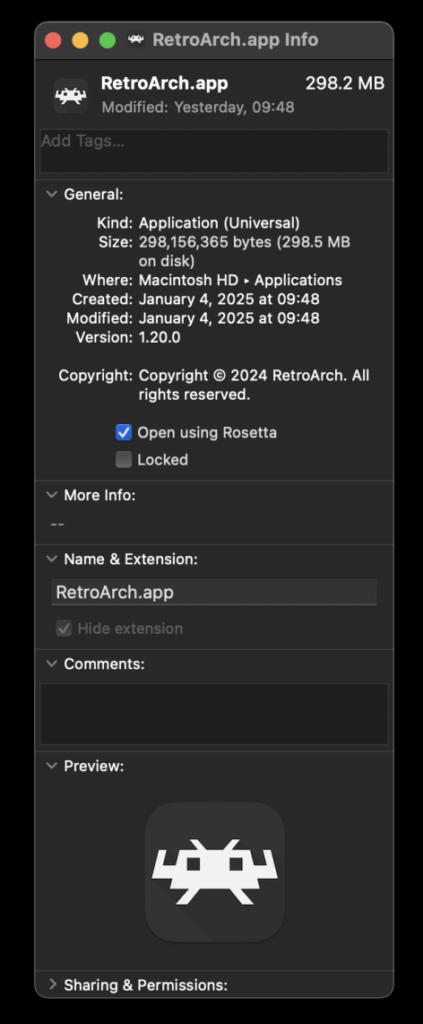
For users on macOS with Apple Silicon (M1, M2, M3 chips), LRPS2 requires RetroArch to run under Rosetta emulation. This is a crucial detail for ensuring the core appears and functions correctly. The process involves:
- Exiting RetroArch.
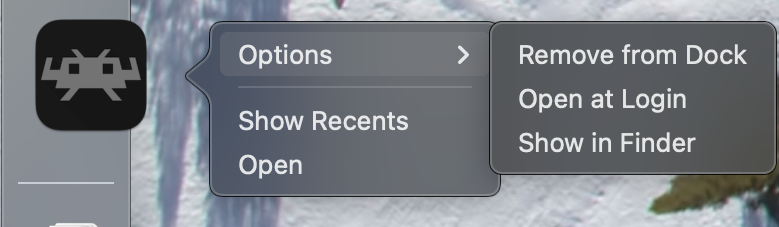
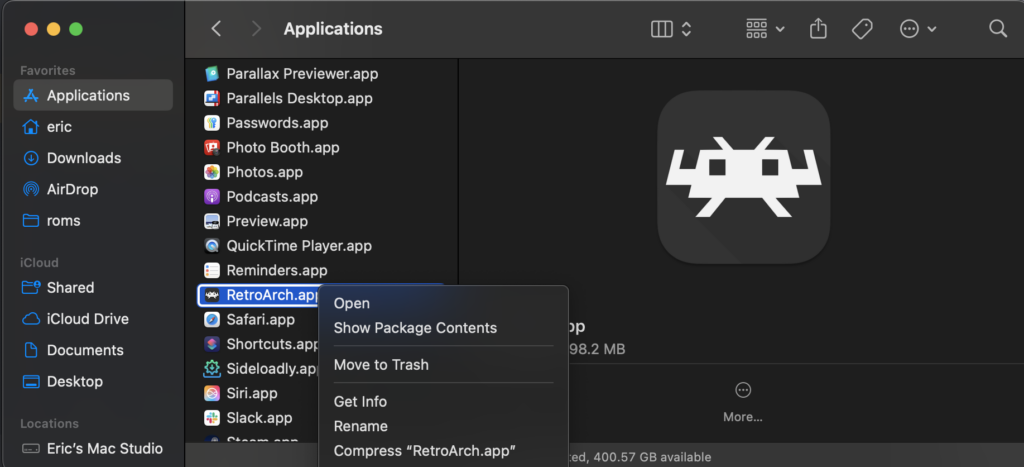
- Locating the RetroArch application in Finder.
- Right-clicking and selecting "Get Info."
- Checking the "Open using Rosetta" box in the Info screen.
Once RetroArch is running via Rosetta, the LRPS2 core will become visible and downloadable in the Core Downloader. This temporary workaround is necessary until a native Apple Silicon build of the core is developed.
Key Core Options and Advanced Customization
LRPS2 offers a comprehensive set of core options, categorized to allow users fine-grained control over various aspects of emulation, video rendering, and input. While the original article does not detail every single option, it outlines the categories, indicating the depth of customization available.
- System Options: These typically control fundamental aspects of the emulated PS2 hardware, such as console region, date/time settings, or memory card configurations. These options are vital for ensuring game compatibility and preserving save data.
- Video Options: This category governs general video output settings, potentially including aspect ratio, interlacing options, or basic scaling preferences. Users can often fine-tune these to match their display and visual preferences.
- Video – GSdx Options: Specific to the GSdx renderer, these options delve into advanced graphical settings. This might include internal resolution scaling (e.g., 2x, 3x native), texture filtering (bilinear, trilinear, anisotropic), and other enhancements designed to improve visual fidelity beyond the original console’s capabilities. These settings allow users to push the visual boundaries of PS2 games, often making them look significantly better than their original counterparts.
- Manual Hardware Rendering Fixes – GSdx: Due to the complexities of PS2 graphics, certain games may exhibit glitches when hardware rendering is applied. This category provides specific "hacks" or workarounds that can be toggled on a per-game basis within GSdx to correct these visual anomalies, ensuring a smoother and more accurate graphical presentation.
- Emulation Options: These options typically control the core emulation accuracy, speed hacks, or specific CPU/VU (Vector Unit) settings. While speed hacks can boost performance, they may sometimes introduce minor inaccuracies, requiring users to balance speed with fidelity.
- Input Options: This category focuses on controller configuration, allowing users to map their physical gamepads to the emulated PS2 controllers. This includes settings for controller type (e.g., DualShock 2), rumble feedback, and potentially more advanced input features like mouse or keyboard mapping for compatible games.
- ParaLLEl-GS Core Options: This dedicated section for the paraLLEl-GS renderer provides its unique set of advanced graphics enhancements. Beyond the aforementioned SSAA and high-res scanout, these options might include controls for depth buffers, frame buffer accuracy, or other compute-shader-specific settings that influence the renderer’s behavior and visual output.
Addressing Common User Queries (FAQ Analysis)
The development team has proactively addressed several frequently asked questions, providing crucial troubleshooting information and insights into ongoing development.
- Black Screen with Audio: A common issue for Windows users utilizing the default D3D11 video driver. The recommended solution is to switch the video driver to D3D12 (either globally or via core override) and restart the core and content. This indicates a potential driver-specific compatibility issue with D3D11 that D3D12 bypasses.
- Slow ParaLLEl-GS Performance on Intel Integrated Graphics: This highlights a hardware limitation. Intel Integrated Graphics Processors (IGPs), particularly older models, are generally not optimized for the intensive compute shaders that paraLLEl-GS relies upon. Users with such hardware are advised to stick to the software renderer or the GSdx renderer for better performance. The note about newer Intel discrete GPUs performing well suggests that the issue is specific to the IGP architecture rather than Intel hardware in general.
- Software Renderer Crashes with Vulkan Driver: This is a known bug where the software renderer exhibits instability when paired with the Vulkan video driver. Until a fix is found, users are advised to switch to the
glcoredriver on Linux or one of the D3D drivers on Windows for reliable software rendering. This suggests an unforeseen interaction between the software renderer’s internal workings and the Vulkan API’s specific implementation within RetroArch. - Analog Face Buttons: The absence of full analog face button support is acknowledged as a work in progress. While a few PS2 games utilized this unique feature (e.g., Gran Turismo 4 for pressure-sensitive acceleration), most games remain fully playable without it. This indicates a challenging aspect of PS2 hardware emulation that requires dedicated development time.
- Per-Game Patch Identification: Currently, determining which internal patches (e.g., game enhancements, language unlocks, interlacing removal, widescreen) are applied per game is somewhat inconvenient, requiring users to enable RetroArch logging and review the log output. This points to a feature that could be improved with a more user-friendly in-game overlay or UI element in future updates, as the internal database of game-specific fixes is intended to grow substantially.
- Core Not Appearing in List: This is typically due to platform incompatibility (e.g., attempting to download on Android) or outdated core info files. The solution involves verifying platform support and updating core info files through the online updater.
- Improving Frame Pacing: For smoother gameplay, users are advised to experiment with "Sync to Exact Content Framerate" in RetroArch’s Video -> Synchronization settings. For VRR (Variable Refresh Rate) displays, turning VSync off in RetroArch while ensuring it’s enabled in the GPU driver control panel (e.g., Nvidia Control Panel) is recommended. The caveat that some games may not respond well to exact content framerate sync highlights the inherent variability in how different PS2 titles manage their internal timings.
Performance and Visual Fidelity: A New Standard
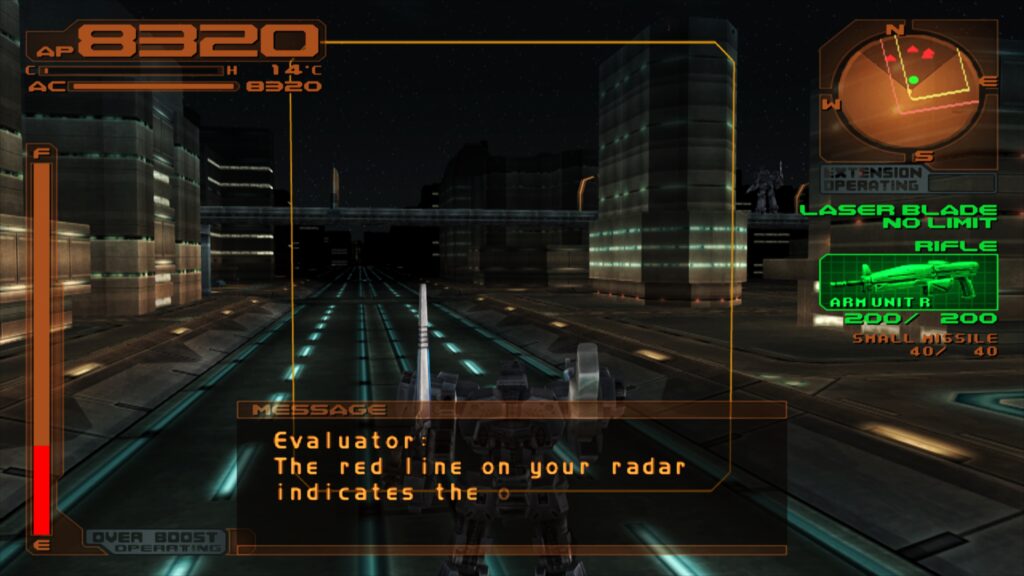
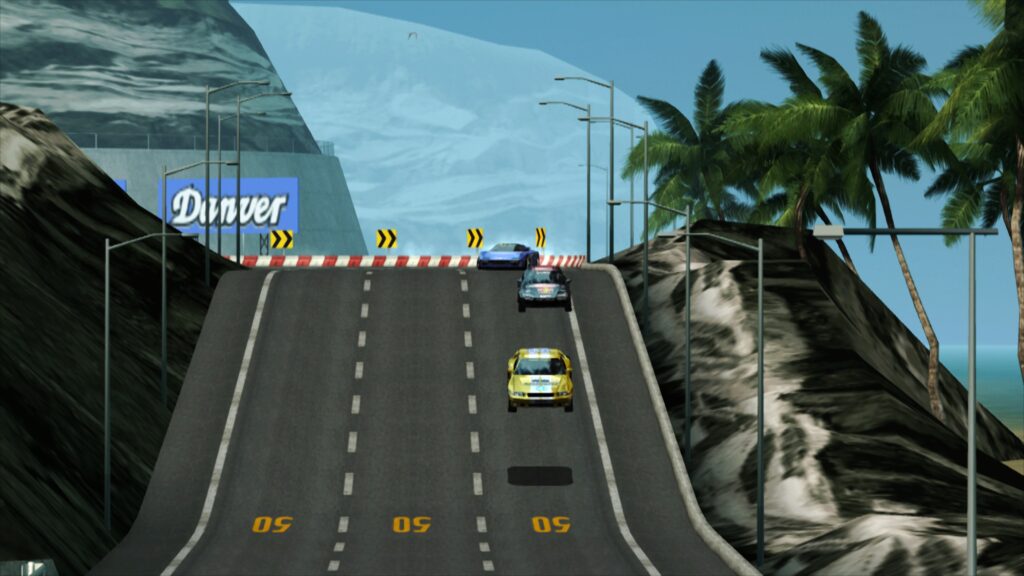
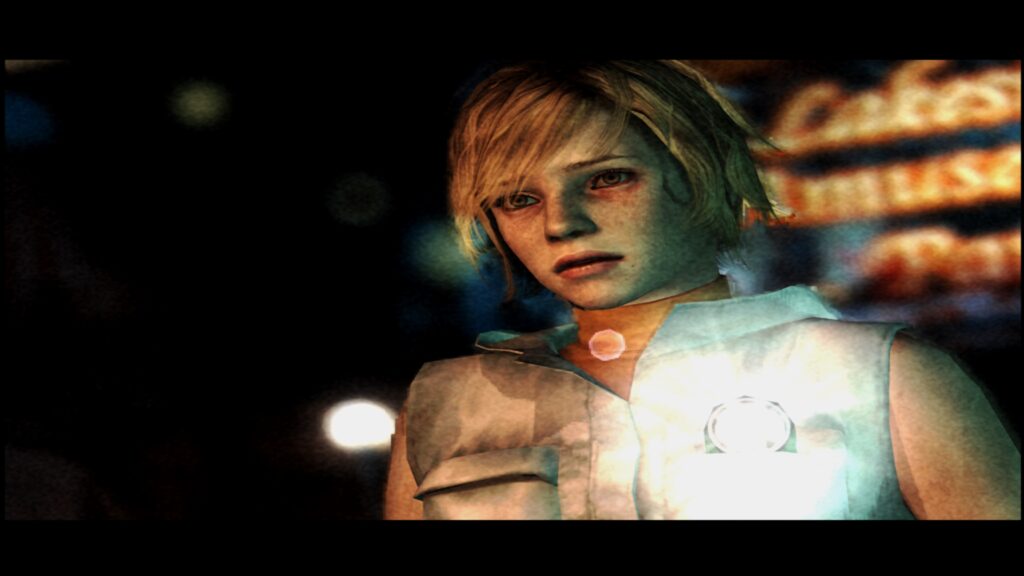
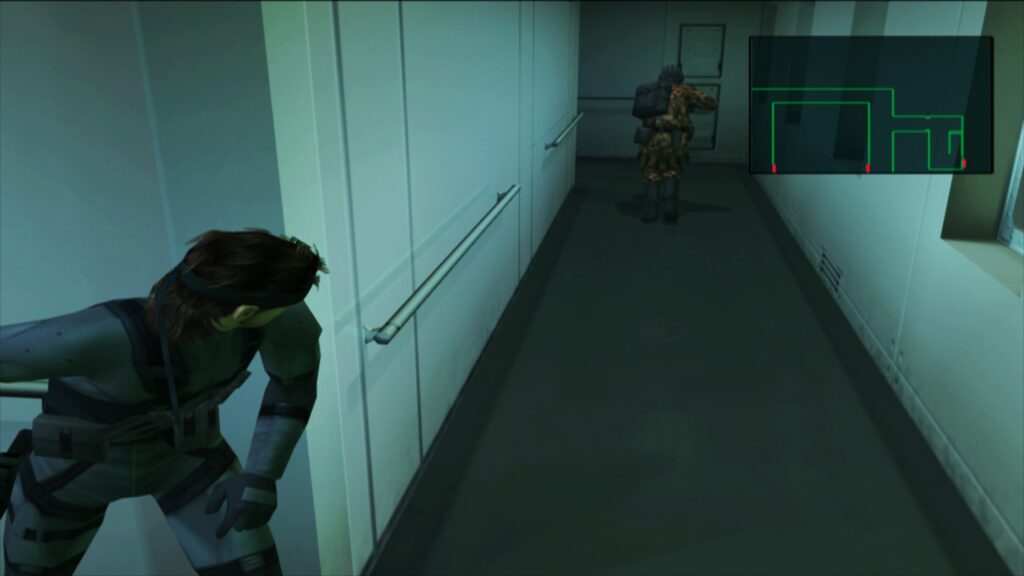
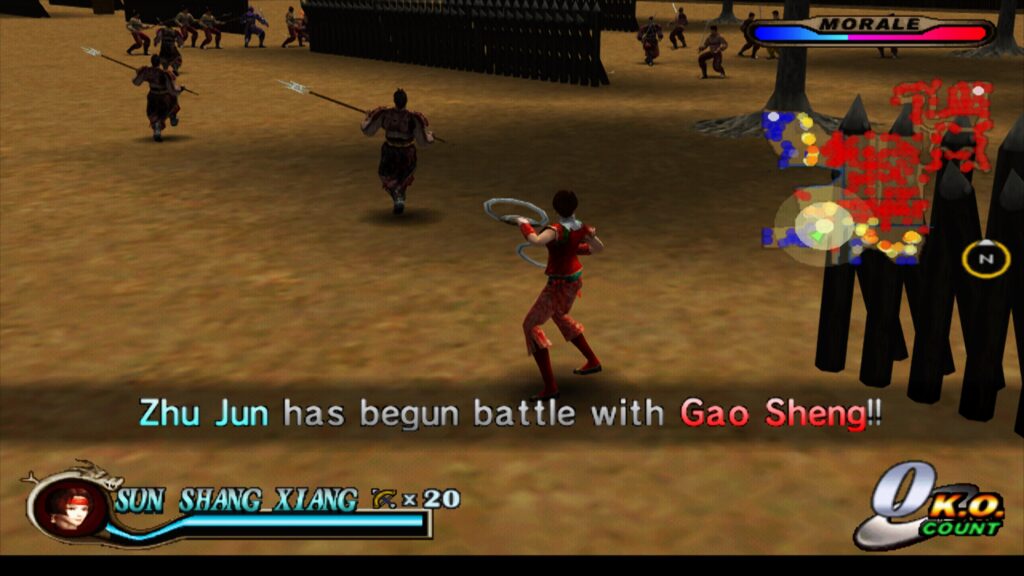
The numerous screenshots and linked video demonstrations (covering games like Armored Core 3, Shadow of the Colossus, Ridge Racer V, Silent Hill 3, Metal Gear Solid 2, Dynasty Warriors 2, Grand Theft Auto: Vice City, Dead or Alive 2 Hardcore, Tekken Tag Tournament, SSX3, Primal, Gran Turismo 4, and Tekken 5) serve as compelling evidence of LRPS2’s capabilities. These visuals, often captured with 16x SSAA and high-res scanout via paraLLEl-GS, showcase a level of graphical purity and detail that redefines the experience of playing PS2 games. The comparison videos specifically illustrate the performance and visual differences between paraLLEl-GS and GSdx, often favoring the former for its superior anti-aliasing and detail without requiring numerous game-specific tweaks.
Implications for the Emulation Community
The release of LRPS2 within RetroArch carries significant implications for the emulation community.
- Unified Experience: It brings high-quality PS2 emulation into the cohesive RetroArch ecosystem, allowing users to manage a vast array of console emulators under a single, feature-rich interface. This simplifies the user experience, making PS2 emulation more accessible to a broader audience.
- Modernization and Preservation: By basing LRPS2 on a modern PCSX2 codebase and integrating cutting-edge renderers like paraLLEl-GS, Libretro ensures that PS2 emulation within RetroArch remains at the forefront of accuracy and enhancement, contributing to the long-term preservation of these classic titles.
- Innovation in Rendering: The introduction of paraLLEl-GS, a Vulkan-exclusive compute shader renderer, represents a significant technical innovation. It pushes the boundaries of what’s possible in hardware-accelerated emulation, demonstrating a path towards highly accurate yet visually enhanced experiences without traditional rendering compromises.
- Community Engagement: The detailed setup guides and FAQ address common user challenges, fostering a more supportive environment for new and experienced emulators alike. The ongoing development, including plans for expanding the game compatibility database and addressing features like analog face buttons, indicates a commitment to continuous improvement driven by community feedback.
Future Outlook
While LRPS2 already delivers a robust and highly capable PS2 emulation experience, the development is ongoing. The mention of expanding the internal game compatibility database signifies future efforts to improve out-of-the-box compatibility and apply optimal settings automatically. The continued work on features like analog face button support also indicates a drive towards even greater hardware fidelity. As the Libretro and PCSX2 communities continue to collaborate and innovate, LRPS2 is poised to become the definitive way to experience PlayStation 2 games within the RetroArch framework, offering a blend of accuracy, performance, and visual enhancements that honors the console’s monumental legacy.