 Vera Clarissa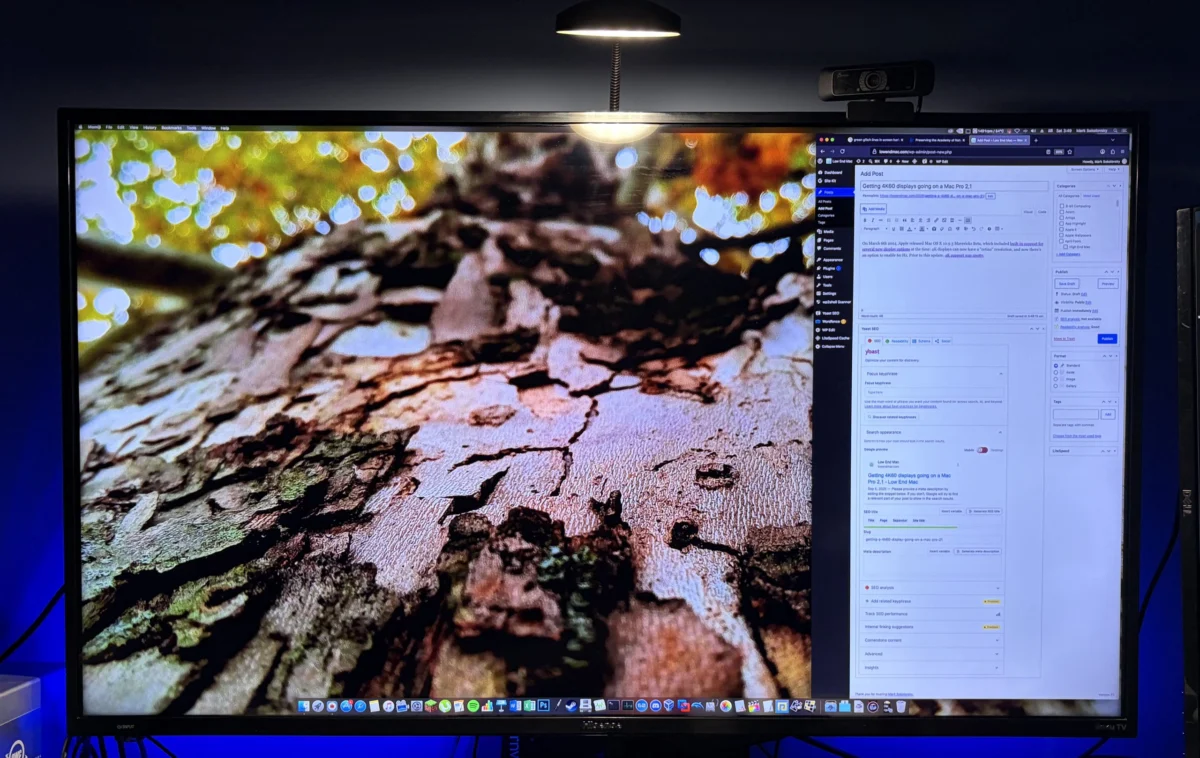
The evolution of display technology over the last two decades has moved at an exponential pace, frequently leaving older computing architectures behind. While the first and second-generation Mac Pro models—released between 2006 and 2008—were designed for a world of standard-definition and early high-definition monitors, recent experiments have demonstrated that these machines remain surprisingly capable of modern visual output. By utilizing specialized GPU upgrades and precise software configurations, it is now possible to drive 4K resolution displays at 60Hz, effectively bridging a nearly twenty-year gap between legacy hardware and contemporary display standards.
Historical Context and Technical Limitations
When the Mac Pro 2,1 debuted, the industry standard for professional workstations revolved around dual-link DVI connections and 30-inch displays with a maximum resolution of 2560×1600. The transition to 4K (3840×2160) introduced significant bandwidth requirements that the stock hardware of the era was never intended to handle. Historically, the challenge of 4K support on older Apple hardware was not merely a matter of processing power, but of interface throughput and driver support.

Prior to the release of OS X 10.9.3 in the spring of 2014, 4K support for Mac hardware was fragmented and unreliable. Apple’s update, issued on March 6, 2014, served as a turning point by introducing native "Retina" resolution scaling for 4K monitors and formal support for 60Hz refresh rates. This update addressed a "wild west" environment where users previously struggled with unstable display signals, flickering, and limited 30Hz refresh rates, which often caused noticeable input lag and "choppy" cursor movement—a far cry from the fluid interface experience expected by modern users accustomed to high-refresh-rate displays.
The Anatomy of a Modernized Legacy Setup
Achieving 4K 60Hz output on a machine as venerable as the Mac Pro 2,1 requires a departure from factory specifications. The primary bottleneck is the aging graphics architecture. To bridge this gap, modern enthusiasts have turned to more contemporary PCIe-based graphics cards, such as the Nvidia GTX 980. This specific hardware choice is pivotal: with 224 GB/s of local VRAM bandwidth, the card is more than capable of rendering a 4K GUI without straining the system’s primary bus, as the framebuffer requirements for desktop environments are relatively modest compared to the high-throughput demands of modern 3D rendering or 4K video editing.
The configuration requires more than just a powerful card; the signal chain is equally critical. Users have reported that while simple DVI-to-HDMI adapters may provide a basic image, they are frequently capped at 30Hz due to the limitations of the legacy signal protocol. Transitioning to an active adapter or a native DisplayPort-to-HDMI conversion allows for the necessary bandwidth to support the 60Hz signal. During the configuration process, subtle timing issues can arise, sometimes requiring a cold boot or a complete power cycle to allow the OS X display controller to properly negotiate the high-bandwidth handshake required for a 4K 60Hz output.

Economic and Practical Implications
The accessibility of this setup has been significantly enhanced by the plummeting costs of 4K display panels. As of 2026, entry-level 4K televisions, such as those from the Hisense or Insignia product lines, are available at price points ranging from $139 to $300. This shift in the consumer electronics market transforms the Mac Pro 2,1 from a relic of the mid-2000s into a viable secondary workstation.
From a practical standpoint, the increased pixel density and screen real estate afforded by a 4K display allow for more effective multitasking. For users who maintain libraries of deprecated Intel-based applications, or who require a dedicated environment for legacy software virtualization, the "combo-Mac" approach—pairing an M4-series Mac Mini with a boosted Mac Pro 2,1—offers a compelling value proposition. The Mac Pro provides a robust, stable platform for storage-intensive tasks, offline gaming from the 2010s, and general productivity, while the modern Mac Mini handles contemporary computational needs.
The Performance Threshold
Data analysis of the system performance indicates that when the GUI is rendered by a modern GPU, the actual bandwidth usage on the Mac Pro’s PCIe lanes is negligible—often accounting for less than 1% of total capacity. This confirms that the Mac Pro’s architecture is not inherently "slow" in a visual sense; rather, it was limited by the display output technologies of its time.

The integration of OWC Mercury Accelsior PCIe-based flash storage has further elevated the responsiveness of these units. When paired with an operating system as refined as El Capitan, the system feels snappier than many users would expect from a 2007-era chassis. Ongoing developments, such as the move toward bootable SATA III configurations via specialized PCIe cards, suggest that the ceiling for these machines has not yet been reached. Enthusiasts are currently pushing these systems to perform tasks that were mathematically impossible when the machines first rolled off the assembly line, such as managing high-density display arrays and high-speed data storage.
Long-term Stability and Industry Perspective
The resilience of the Mac Pro 2,1 is largely attributed to its modular design. In an era of soldered components and proprietary, non-upgradable hardware, the classic Mac Pro stands as a testament to the benefits of a "maximalist" approach to hardware engineering. The ability to swap GPUs, expand storage via internal drive bays, and maintain a stable Unix-based environment for nearly two decades has created a unique niche for these machines in the modern home office.
Industry analysts note that while the Mac Pro 2,1 will never compete with modern Apple Silicon for raw computational tasks—such as real-time video encoding or machine learning—its role has shifted to that of a highly specialized "utility player." By leveraging 4K 60Hz displays, users are extending the functional lifespan of these machines, allowing them to remain relevant for another cycle of technological innovation.

Conclusion: The Future of the Legacy Build
The experiment to drive a 4K 60Hz display from a Mac Pro 2,1 serves as a practical lesson in how hardware capabilities are often constrained by the peripherals available at the time of manufacture. By updating the display path, the GPU, and the storage interface, the classic Mac Pro transcends its original purpose.
As we look toward the future, the "maximalist" project continues to be a benchmark for the longevity of high-end engineering. Whether one is drawn to the nostalgia of the 2000s or the sheer practical utility of an expandable, multi-purpose workstation, the Mac Pro 2,1 remains a significant piece of computing history. The success of these upgrades proves that with the right combination of modern displays and thoughtful hardware selection, the classic Mac Pro is not merely a museum piece, but a functional, responsive, and relevant tool in the modern digital landscape. The ability to adopt 4K technology is not just about resolution; it is about the continued integration of legacy hardware into a modern workflow, ensuring that these machines remain useful for years to come.