 Edi Durjana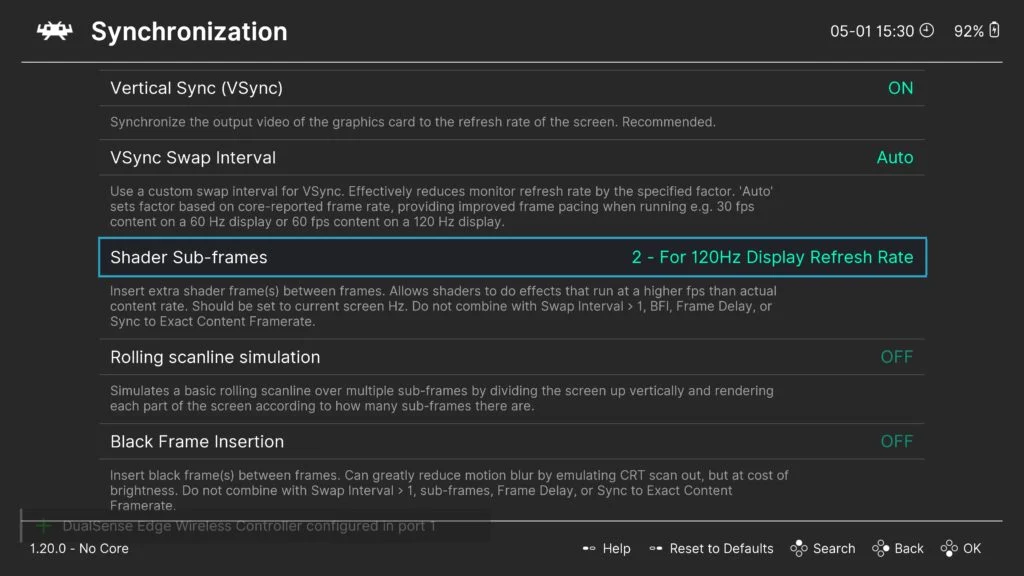
This innovative shader, a collaborative effort between display science expert Mark Rejhon of BlurBusters and renowned shader developer Timothy Lottes (known for FXAA and crt-lottes shaders), leverages RetroArch’s recently implemented “subframe” shader capabilities. This allows the shader to operate at multiples of the standard content framerate, delivering an unparalleled visual experience for retro gaming enthusiasts and display purists alike. The development marks a significant stride in addressing the persistent challenge of motion blur on contemporary sample-and-hold displays, bringing the crisp motion associated with classic CRTs to LCD and OLED panels.
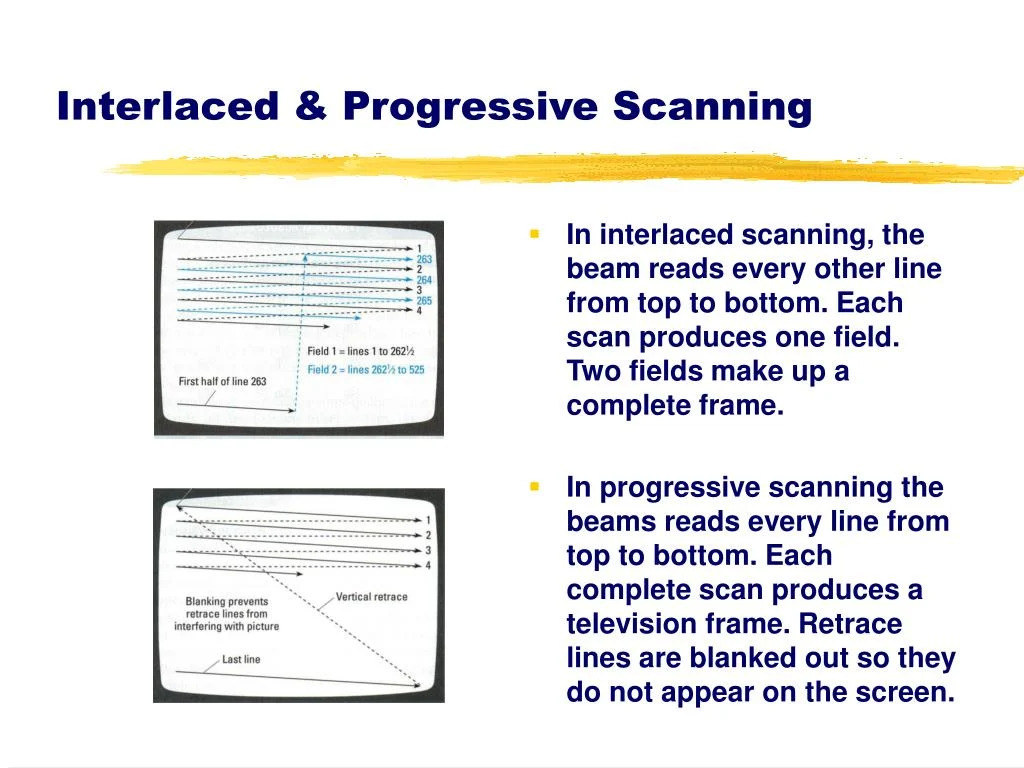
The genesis of this advanced visual enhancement stems from a long-standing quest within the display and emulation communities to overcome the limitations of modern flat-panel displays. Unlike CRTs, which displayed images by scanning an electron beam across the screen, illuminating pixels for a fleeting moment before moving on, modern LCD and OLED displays typically operate on a "sample-and-hold" principle. Each pixel remains illuminated and static for the entire duration of a frame, leading to a phenomenon known as motion blur or "persistence blur" when objects move across the screen. This effect, while often subtle, can significantly detract from the fluidity and clarity of fast-moving content, a particular concern for competitive gaming and the faithful reproduction of classic arcade and console titles.
For years, the primary software-based solution to mitigate sample-and-hold motion blur has been Black Frame Insertion (BFI). BFI works by inserting a brief black frame between each rendered game frame. This effectively reduces the "hold" time of each illuminated frame, mimicking the rapid refresh cycle of CRTs. While BFI can indeed improve perceived motion clarity, it comes with a host of undesirable side effects. The most prominent of these are a noticeable reduction in overall screen brightness, as half of the display’s time is spent showing a black screen, and a pronounced flicker that can cause eye strain and discomfort for many users. Furthermore, aggressive BFI implementations can, in some cases, contribute to image persistence or "burn-in" on certain display types by subjecting pixels to rapid, high-contrast on/off cycles. The new CRT Beam Simulator shader aims to provide the benefits of enhanced motion clarity without these traditional compromises.
The collaborative development behind this shader is a testament to the specialized expertise of its creators. Mark Rejhon, the founder of BlurBusters, has long been a vocal advocate and leading researcher in the field of display motion clarity. His work has focused on understanding the intricacies of human visual perception and the technical limitations of display hardware, pushing for higher refresh rates, lower input lag, and improved motion handling across the industry. Timothy Lottes, on the other hand, brings a deep understanding of real-time graphics rendering and shader programming, having made significant contributions to the field with his widely adopted FXAA (Fast Approximate Anti-Aliasing) technique and his highly regarded CRT-Lottes shaders, which aim to replicate the aesthetic of CRT displays. The synergy between Rejhon’s profound knowledge of display physics and Lottes’s shader mastery has been instrumental in crafting a solution that is both technically sophisticated and visually effective. The shader’s original implementation can be traced back to Shadertoy, a platform for experimenting with graphics shaders, demonstrating its foundational roots in cutting-edge graphics research.
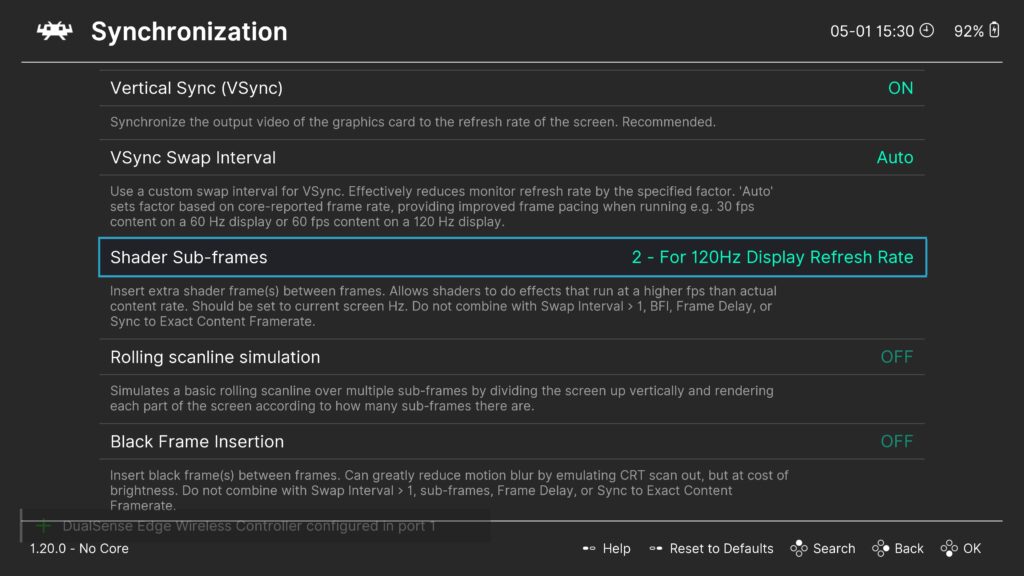
A critical enabler for this shader is RetroArch’s advanced subframe rendering capability, introduced in version 1.20.0 and subsequent nightly builds. Users must ensure they are running RetroArch 1.20.0 or a more recent version, as previous iterations lack this essential feature. Subframe rendering allows the graphics pipeline to process and display multiple intermediate frames or "subframes" within the time span of a single content frame. Instead of merely displaying a static image for the entire duration of a frame, the CRT Beam Simulator shader uses these subframes to simulate the gradual illumination and scanning process of an electron beam across a CRT screen. This technique, often referred to as "beam racing" or "raster line simulation," provides a smoother, more organic transition between pixels than the abrupt on/off nature of BFI. The effect creates the illusion of a constantly refreshing, vertically scanning line, closely mimicking how CRTs physically draw an image, thus significantly enhancing the perception of motion.
The advantages of this new shader over conventional BFI are manifold and address the core complaints users have had with previous motion clarity solutions:
- Elimination of Flicker: By simulating a continuous scanning beam rather than inserting full black frames, the shader drastically reduces or eliminates the distracting flicker often associated with BFI. This makes for a more comfortable viewing experience, especially during extended gaming sessions.
- Preservation of Brightness: Unlike BFI, which inherently halves the perceived brightness by inserting black frames, the CRT Beam Simulator maintains a significantly higher overall brightness level. The simulated raster line simply adjusts pixel illumination within the existing frame, ensuring that the vibrant colors and intended luminance of the game content are preserved.
- Mitigation of Image Persistence: The shader is designed to be gentler on display panels, reducing the risk of image persistence or "burn-in" that can occur with aggressive BFI on certain LCD and OLED screens. The absence of rapid, high-contrast flickering helps protect the long-term integrity of the display.
- Superior Motion Clarity: By recreating the transient nature of CRT pixel illumination, the shader delivers exceptional motion clarity, making fast-moving objects appear sharper and more defined, akin to the experience on a true CRT monitor. This is particularly beneficial for retro games where pixel-perfect motion was integral to the original design.
- Granular Customization: The shader includes a suite of runtime parameters, allowing users to fine-tune its behavior to their specific display and preferences. This includes adjusting gamma to achieve a neutral image without unusual dark lines, and a crucial slider for balancing brightness against motion clarity. For instance, on 120 Hz monitors, a value of approximately 0.5 for this parameter often yields optimal results, while 240 Hz monitors (which can utilize 4 subframes) may benefit from a setting around 0.7.
- Seamless Integration: The shader is designed to be highly compatible with other RetroArch shaders. Users can easily prepend it to existing shader presets, allowing for combinations with popular CRT scanline shaders, color correction filters, or other visual enhancements, creating a truly bespoke retro gaming aesthetic. Pre-made presets that incorporate the CRT Beam Simulator are also available under
shaders_slang/presets/crt-beam-simulator, simplifying setup for users.
For users eager to experience this revolutionary improvement, the setup process within RetroArch is straightforward, assuming the prerequisite software version is met:
- Update RetroArch: Ensure you are running RetroArch 1.20.0 or a more recent nightly build. This is non-negotiable for the subframe feature to function.
- Update Shaders: Navigate to the
Online Updaterwithin RetroArch and selectUpdate Slang Shadersto ensure you have the latest shader files, including thecrt-beam-simulator. - Load Content: Start any game or emulation content within RetroArch.
- Access Shader Menu: Open the RetroArch Quick Menu (typically F1 or a hotkey combination) and navigate to the
Shadersoption. - Enable Shaders: Toggle the
Shadersoption toON. - Set Shader Passes: For initial testing, set
Shader Passesto 1. If combining with other shaders, you will adjust this later. - Load the Shader: Select
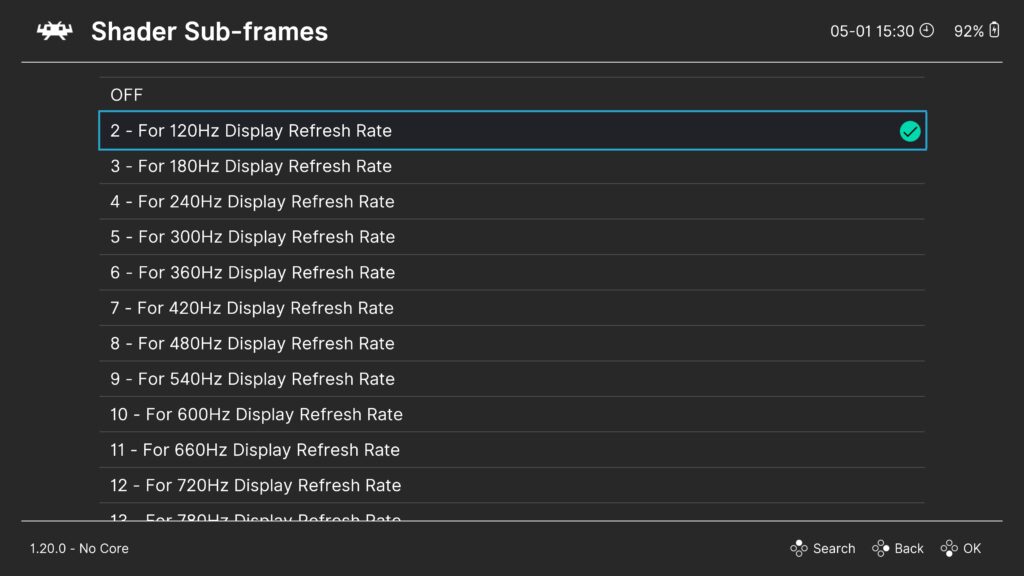
Loadunder the Shaders menu. Browse toshaders_slang/crt-beam-simulator/and loadcrt-beam-simulator.slangp. Alternatively, exploreshaders_slang/presets/crt-beam-simulator/for pre-configured options. - Configure Subframe Multiplier: Within the Shader menu, locate the
Subframe Shader Multiplierparameter. For a 120 Hz monitor, set this to 2x. For a 240 Hz monitor, set it to 4x. This instructs RetroArch to render the appropriate number of subframes for the shader to operate effectively at your display’s refresh rate. - Adjust Shader Parameters: Go to
Shader Parametersto fine-tune the visual output. Experiment with theGammasetting to ensure a neutral image and adjust theBrightness/Motion Claritytrade-off parameter (e.g., ~0.5 for 120Hz, ~0.7 for 240Hz) to find your preferred balance. - Save Preset: Once satisfied with the settings, return to the
Shadersmenu and selectSaveto save your configuration as a new preset (e.g.,Save Core Preset,Save Content Directory Preset, orSave Game Preset).
The shader also accounts for specific display technologies. Notably, OLED panels and monitors running at refresh rates that are odd integer multiples of 60 Hz (such as 180 Hz) are inherently less susceptible to image persistence caused by rapid on/off flickering. For users with these displays, a runtime parameter is included to disable the cycle timing offset. This prevents the simulated raster line from "rolling" up the screen, ensuring a stable visual presentation. Additionally, a parameter to adjust the position of the raster line allows users to place it in the least obtrusive spot for their particular setup and visual preference.
The broader implications of this development are significant for the retro gaming community and potentially for display technology at large. For emulation, it represents a monumental leap in visual fidelity, enabling a level of authenticity and motion clarity previously unattainable on modern hardware without severe compromises. It underscores RetroArch’s commitment to pushing the boundaries of what is possible in software-based emulation and enhancement. This shader could also serve as a proof-of-concept, demonstrating to display manufacturers and software developers the viability of alternative methods for achieving superior motion clarity that move beyond the limitations of BFI.
The official response from the creators and the RetroArch development team has been overwhelmingly positive. Mark Rejhon, a tireless advocate for motion clarity, expressed his enthusiasm for the shader, stating, "This collaboration represents the culmination of years of research into how we perceive motion on displays. To finally achieve true CRT-like clarity on modern panels, without the brightness loss or flicker of BFI, is a dream come true for display enthusiasts and retro gamers alike. It’s a testament to what’s possible when display science meets cutting-edge shader technology." Timothy Lottes added, "Leveraging RetroArch’s subframe capabilities allowed us to implement a sophisticated scanning beam simulation that simply wasn’t possible with traditional shader pipelines. The elegance of the solution lies in its ability to deliver superior motion while offering unprecedented customization to the end-user." The Libretro team highlighted the importance of the subframe feature in enabling such innovations, emphasizing their continuous effort to provide powerful tools for the community to enhance their retro gaming experience.
Should users encounter any issues during setup or operation, Mark Rejhon has compiled a comprehensive FAQ and troubleshooting guide available on his GitHub repository at https://github.com/blurbusters/crt-beam-simulator/issues/4. Additionally, the robust RetroArch community offers support through its usual channels, including Discord, Reddit, and the official Libretro forums, ensuring that users can find assistance and share their experiences. A dedicated video from a respected display technology expert, available on YouTube, further illustrates the shader’s capabilities and its profound impact on visual quality.
In conclusion, the new CRT Beam Simulator shader for RetroArch marks a pivotal moment in the ongoing pursuit of perfect motion clarity. By cleverly leveraging subframe rendering and the combined expertise of leading figures in display science and shader development, it delivers a superior visual experience that faithfully replicates the legendary motion characteristics of CRT displays, free from the compromises that have long plagued other solutions. It sets a new standard for retro gaming emulation and opens exciting possibilities for the future of display technology.