 Edi Durjana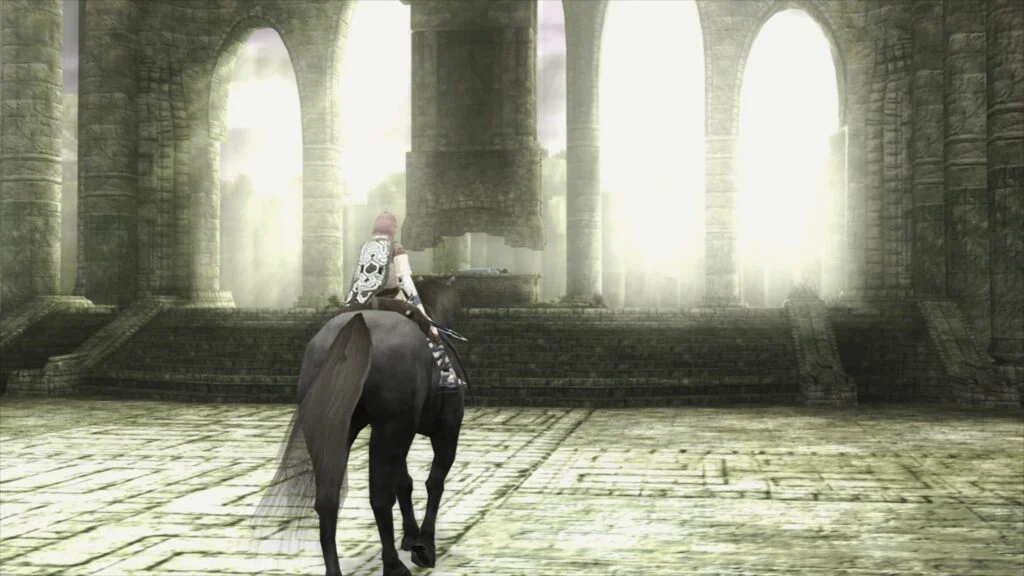
The emulation landscape has been significantly advanced with the official release of LRPS2, a brand new PlayStation 2 core for the Libretro API. This highly anticipated development marks a pivotal moment for enthusiasts and preservationists alike, offering a heavily modified version of the acclaimed PCSX2 emulator, custom-tailored for the unified RetroArch experience. Immediately available across major desktop operating systems including Windows, macOS, and Linux, LRPS2 promises a modernized, robust, and visually superior way to experience the vast library of PlayStation 2 titles.
A New Chapter for PlayStation 2 Emulation
The LRPS2 core is engineered with a contemporary codebase, departing from the limitations and drawbacks that characterized older emulation solutions within the Libretro framework. This overhaul brings not only enhanced stability but also a broad spectrum of compatibility and performance improvements. Crucially, the core now supports a comprehensive array of rendering backends for its GSdx renderer, including the high-performance Vulkan API on Windows, macOS, and Linux. Windows users further benefit from support for Direct3D 11 and 12, while OpenGL remains an option for Windows and Linux, ensuring broad hardware compatibility. This diverse rendering support is a testament to the core’s modern architecture, designed to harness the full potential of contemporary graphics hardware.
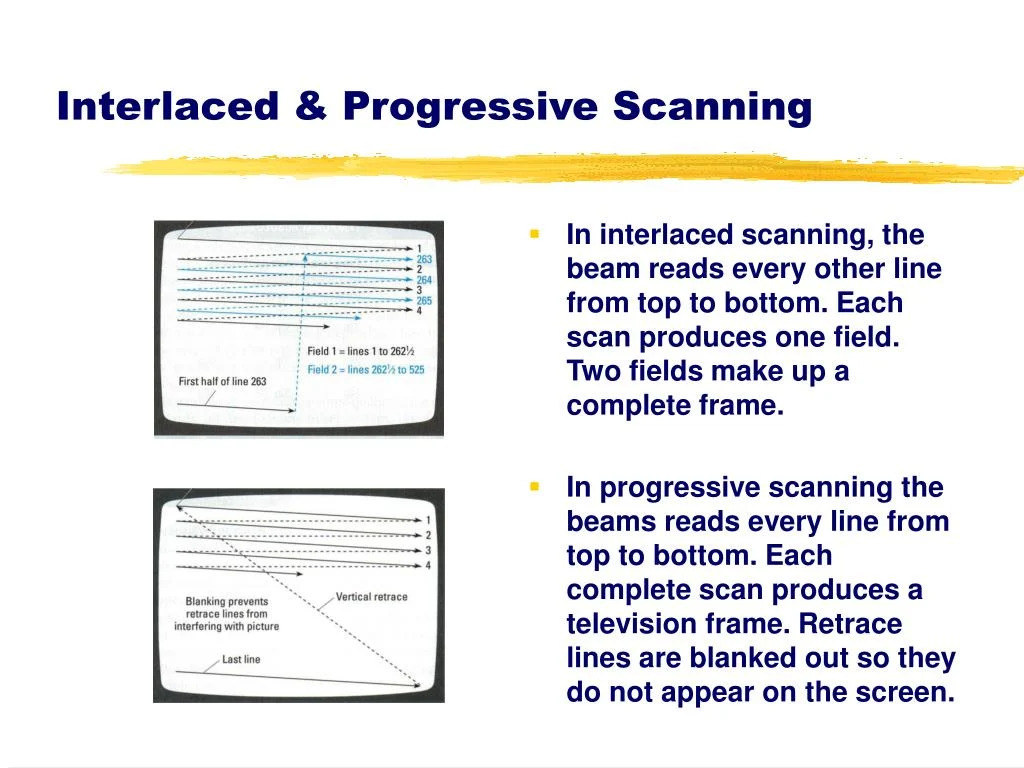
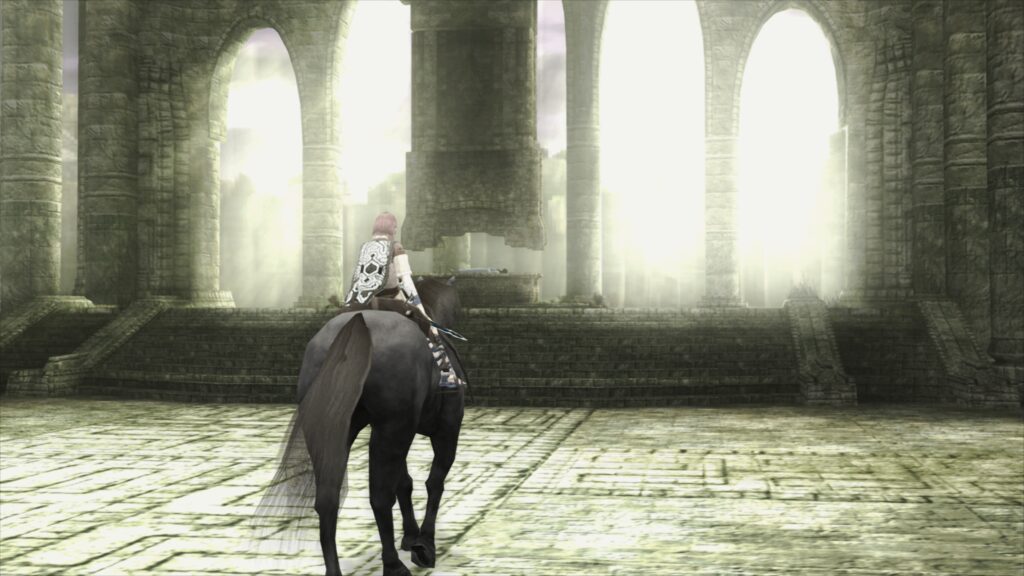
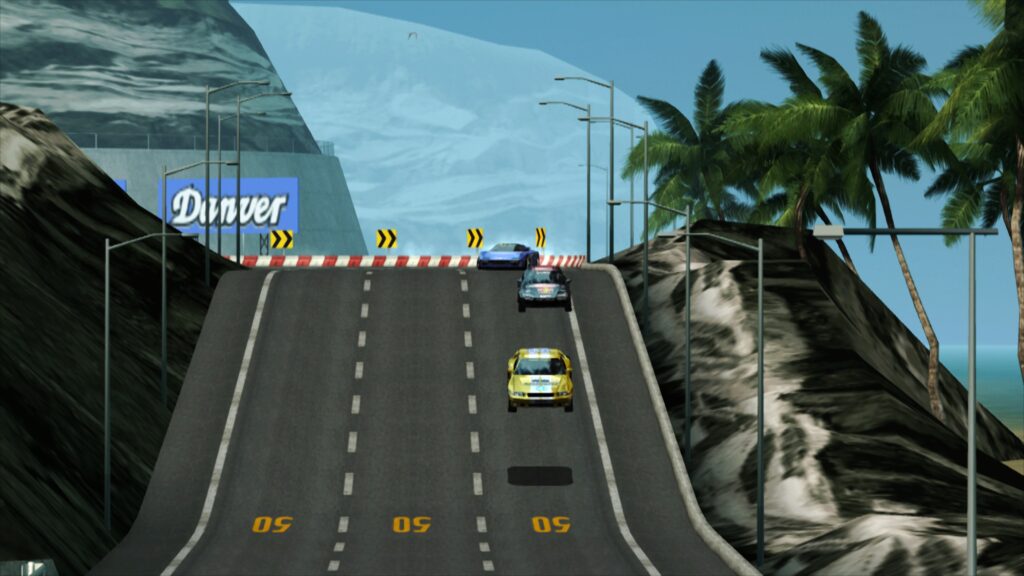
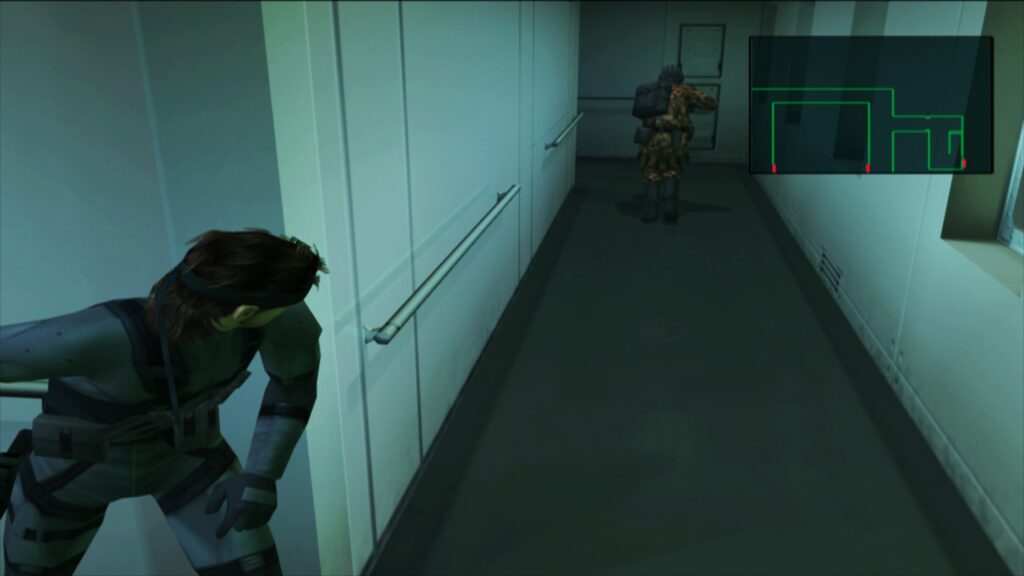
The announcement also draws attention to a complementary compendium article, delving into the nuances of PlayStation 2 display technologies, particularly its interaction with CRT televisions, underscoring Libretro’s commitment to both modern enhancement and historical accuracy. Visual fidelity is a key focus, with stunning screenshots showcasing the LRPS2 core in action, specifically utilizing the revolutionary paraLLEl-GS renderer. These demonstrations, featuring settings like 16x SSAA and experimental high-res scanout, combined with shader presets such as fsr-aa-lv2-bspline-4taps.slangp, highlight the core’s capability to deliver visuals that often surpass original hardware and even other emulation methods.
Decades of Innovation: The Legacy of PS2 Emulation
The PlayStation 2, launched by Sony in March 2000 in Japan, quickly became a cultural phenomenon and remains the best-selling video game console of all time, with over 155 million units sold worldwide. Its colossal library, estimated at over 3,800 titles, spans genres and redefined gaming for a generation. However, the console’s complex architecture, particularly its Emotion Engine CPU and Graphics Synthesizer GPU, presented formidable challenges for early emulation efforts. Replicating the intricacies of these custom-designed chips accurately on general-purpose PC hardware was a monumental task.
PCSX2 emerged as a pioneering force in this challenging field. Initiated in 2002, it steadily evolved over nearly two decades, becoming the gold standard for standalone PlayStation 2 emulation. Its open-source nature fostered a vibrant development community, continuously pushing the boundaries of compatibility, accuracy, and performance. The development of LRPS2 as a "heavily modified version of PCSX2" within the Libretro ecosystem is a natural evolution, leveraging PCSX2’s foundational work while adapting it to the unified, modular architecture of RetroArch. Libretro, as a frontend API, aims to provide a standardized interface for various emulators (cores), allowing users to access a multitude of systems from a single application, complete with advanced features like shaders, netplay, and rewind functions. This integration democratizes access to complex emulation, making it more user-friendly and consistent across platforms.
Technical Foundations: The LRPS2 Core and Its Capabilities
The transition to a "modern and up-to-date" core code means LRPS2 benefits from contemporary programming practices, optimized algorithms, and improved resource management, addressing many of the performance bottlenecks and graphical glitches that plagued earlier iterations. The core’s robust multi-platform support (Windows, Linux x86_64, macOS) ensures that a vast user base can now enjoy high-quality PS2 emulation. This broad compatibility is crucial for game preservation, making classic titles accessible regardless of the user’s operating system.
The inclusion of multiple rendering backends is a strategic decision that caters to diverse hardware configurations and user preferences. Vulkan, a modern, low-overhead graphics API, offers superior performance on compatible hardware, particularly with advanced rendering techniques. Direct3D 11 and 12 provide optimal performance and compatibility for Windows users, leveraging Microsoft’s proprietary graphics technologies. OpenGL, while older, offers a robust and widely supported fallback, ensuring that even systems with less cutting-edge hardware can still run the core effectively. This flexibility allows users to select the backend that provides the best balance of performance and visual quality for their specific setup.
The paraLLEl-GS Revolution: Compute Shaders Redefine Visuals
Undoubtedly, the standout feature of LRPS2 is the introduction of the paraLLEl-GS renderer, a groundbreaking development by Themaister. Following in the footsteps of the paraLLEl-RDP for Nintendo 64 emulation, paraLLEl-GS re-implements the PlayStation 2’s Graphics Synthesizer (GS) entirely as a compute program, exclusively utilizing the Vulkan graphics API. This approach represents a paradigm shift from traditional rasterization pipelines, leveraging the highly parallel processing capabilities of modern GPUs to simulate the GS’s behavior with unprecedented accuracy.
As detailed in Themaister’s technical blog article from several months prior, this compute-centric design allows for a level of precision that rivals the accuracy of software renderers, traditionally considered the most faithful but also the most demanding in terms of CPU resources. The key innovation lies in its ability to achieve this accuracy while simultaneously offering significant graphical enhancements. The most prominent of these is 16x SSAA (Supersampling Anti-Aliasing). SSAA renders the scene at a much higher resolution internally and then downsamples it, effectively eliminating aliasing (jaggies) and shimmering on 3D geometry and textures, resulting in a remarkably smooth and clean image.
Furthermore, paraLLEl-GS’s "experimental high-res scanout" feature allows for a doubling of the native output resolution. When combined with 16x SSAA, the resulting image quality can often surpass that achieved by the traditional GSdx renderer running at much higher internal resolutions, and critically, it does so with almost no game-specific hacks or compatibility workarounds required. This vastly simplifies the user experience, as the need to constantly tweak settings for individual games is minimized. The efficiency and accuracy of paraLLEl-GS, driven by its compute shader architecture, represent a significant leap forward in GPU-accelerated emulation, setting a new benchmark for how complex console hardware can be faithfully and beautifully recreated on modern systems.
Seamless Integration: Getting Started with LRPS2 in RetroArch
For users eager to dive into the PS2 library, setting up LRPS2 within RetroArch is designed to be straightforward, though it requires specific steps. First, users on supported platforms (Windows, Linux x86_64, macOS) must navigate to RetroArch’s online updater and select "Update Core Info Files." This ensures that the LRPS2 core appears correctly in the menu. Next, from the "Core Downloader," users can locate and download "Sony – PlayStation 2 (LRPS)."
A critical subsequent step involves the "Core System Files Downloader," where users must acquire the "LRPS2.zip" bundle. This bundle automatically creates the necessary pcsx2 directory within RetroArch’s system directory. Inside this, it places GameIndex.yaml, a vital file containing game-specific hacks and settings that the core and GSdx renderer utilize for compatibility and enhancement. It also creates a bios directory. It is within this bios directory that users must place their PlayStation 2 BIOS files, obtained legally from their own PS2 console. Without a valid BIOS, the core will not function. Once these prerequisites are met, games can be scanned and loaded. LRPS2 supports various game formats, including CHD (Compressed Hunks of Data), a popular choice for its efficiency and integrity. However, it’s crucial to note that commonly compressed archives like .7z, .rar, or *.zip are not supported directly and game files must be uncompressed or in a CHD container.
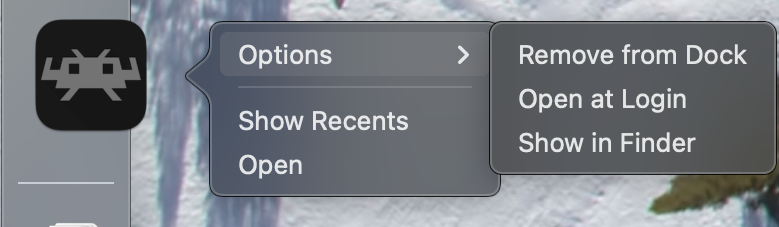
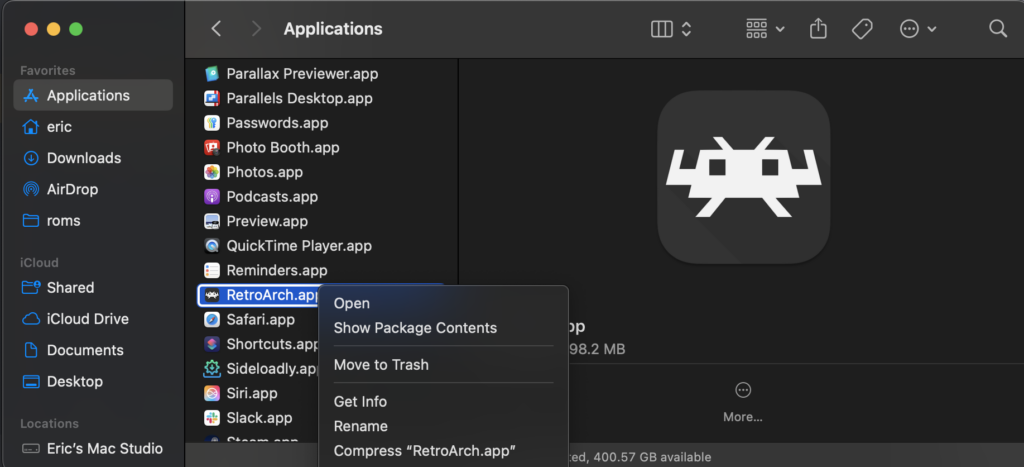
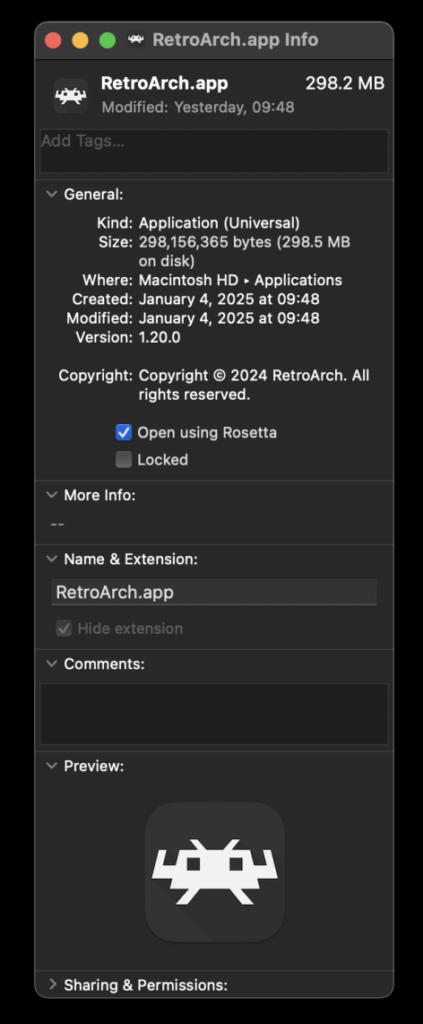
For macOS users running on Apple Silicon (M1, M2, M3 chips), an additional step is required due to the core being compiled for x86_64 architecture. RetroArch must be run using Rosetta, Apple’s dynamic binary translator. To enable this, users need to exit RetroArch, locate its application in Finder, right-click, choose "Get Info," and then check the "Open using Rosetta" box. This allows the Intel-compiled LRPS2 core to appear and function within RetroArch on Apple Silicon Macs.
Optimizing Your Experience: Addressing Common Queries
The development team has proactively addressed several common issues and queries users might encounter:

- Black Screen with Audio: Some Windows users employing the default D3D11 video driver may experience a black screen. The recommended solution is to switch the video driver to D3D12, either globally or via a core override, and then reload the core and content.
- paraLLEl-GS Performance on Intel IGPs: Intel integrated graphics processors (IGPs), particularly older models, may struggle with the compute shader demands of paraLLEl-GS, leading to suboptimal performance. In such cases, the software renderer or the GSdx renderer are suggested alternatives. Newer Intel discrete GPUs are expected to handle paraLLEl-GS without issues.
- Software Renderer Crashes with Vulkan: A known bug causes the software renderer to crash when used with the Vulkan video driver. Until a fix is identified, users are advised to switch to the ‘glcore’ driver on Linux or one of the D3D drivers on Windows for reliable software rendering.
- Analog Face Buttons: The emulation of analog face buttons, a unique feature of the PS2 controller, is currently a work in progress. While most games remain fully playable without this functionality, its implementation is a priority for future updates.
- Checking Internal Patches: To ascertain which game-specific patches (e.g., game enhancements, language unlocks, interlacing removal, widescreen) are being applied, users need to enable logging in RetroArch and review the log output. The internal database of such patches is continuously expanding.
- Core Not Appearing: If LRPS2 is not visible in the core list, it likely indicates that the user’s platform is not supported (e.g., Android, iOS, ARM Linux). For supported platforms, ensuring core info files are updated is the primary troubleshooting step.
- Improving Frame Pacing: For smoother gameplay, enabling "Sync to Exact Content Framerate" (found in Settings -> Video -> Synchronization) is recommended. Users with VRR (Variable Refresh Rate) displays can further optimize by disabling VSync in RetroArch while ensuring it’s enabled in their GPU driver control panel (e.g., Nvidia Control Panel). However, some games may not behave ideally with exact content framerate sync, necessitating user experimentation.
Beyond Gaming: The Broader Impact of LRPS2
The release of LRPS2 extends far beyond simply playing old games; it significantly contributes to the broader mission of video game preservation. With physical media degrading over time and older hardware becoming increasingly rare and prone to failure, robust emulation solutions are vital to ensuring that generations of games remain accessible and playable. The PlayStation 2’s immense library, filled with genre-defining titles and cult classics, represents a significant portion of gaming history, and LRPS2’s advanced capabilities help secure its future.
Moreover, the technical achievements of paraLLEl-GS could have far-reaching implications for the entire emulation scene. Its compute-shader-driven approach to accurate hardware simulation with simultaneous enhancement demonstrates a powerful new pathway for tackling the complexities of future console architectures. This innovative rendering method could inspire similar developments for other demanding platforms, pushing the boundaries of what is possible in software-based preservation and enhancement.
Looking Ahead: The Future of PS2 Emulation
The launch of LRPS2 is not an endpoint but a new beginning. The open-source nature of Libretro and its cores means continuous development, bug fixes, and feature enhancements are to be expected. Future updates will likely focus on improving compatibility, optimizing performance across a wider range of hardware, and integrating pending features like analog face button support. The expanding GameIndex.yaml database will also be crucial for automatically applying game-specific optimizations, further streamlining the user experience.
The community’s role in this ongoing development cannot be overstated. Through feedback, bug reports, and even direct contributions, users will help shape the evolution of LRPS2, ensuring it remains at the forefront of PlayStation 2 emulation. The project exemplifies the collaborative spirit of the emulation community, where shared passion for preserving gaming history drives continuous innovation.

In conclusion, LRPS2 represents a monumental achievement for Libretro and the broader emulation community. By combining the solid foundation of PCSX2 with modern architectural improvements and the revolutionary paraLLEl-GS renderer, it offers an unparalleled PlayStation 2 emulation experience. With its enhanced accuracy, stunning visual fidelity, and broad cross-platform support, LRPS2 ensures that the indelible legacy of the PlayStation 2 will continue to be enjoyed by gamers for many years to come, now more accessible and visually impressive than ever before.