 Farhan hamdan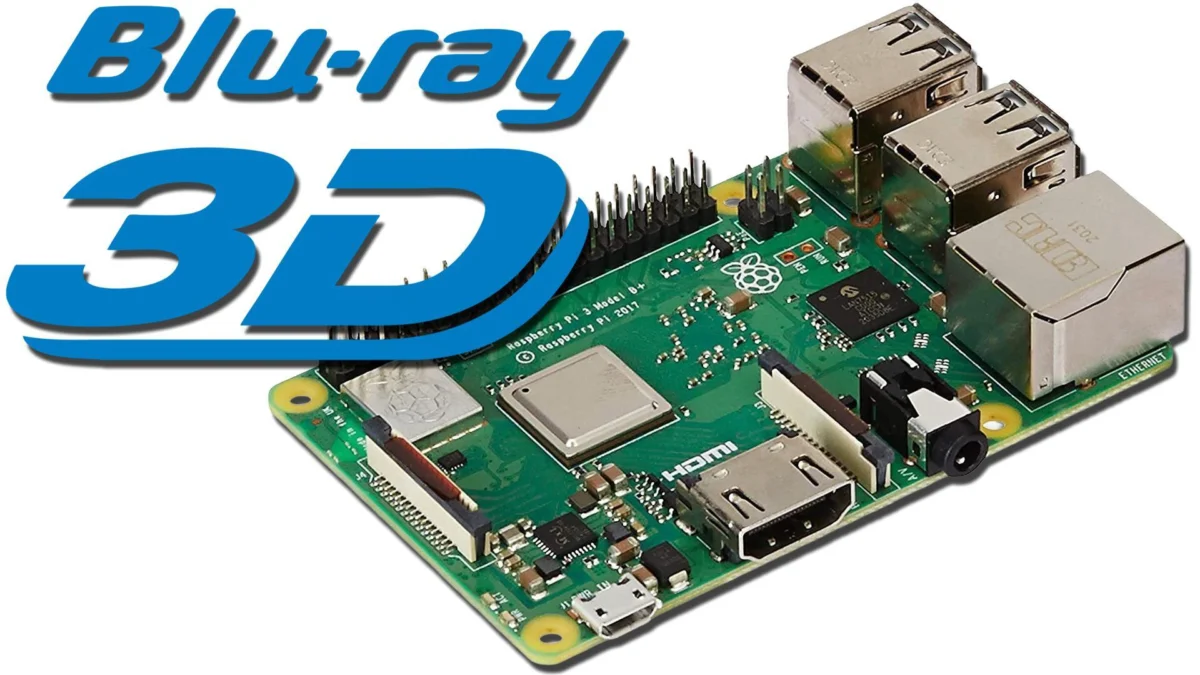
A specialized configuration for the Raspberry Pi 3 has emerged, enabling enthusiasts to concurrently manage two distinct, yet highly sought-after, media playback functionalities: the pristine presentation of 3D Blu-Ray ISOs on compatible flat-panel displays and the accurate 24 frames per second (24p) video cadence on vintage PC CRT monitors. This dual-purpose setup, while requiring precise hardware and software versions, offers a unique solution for a dedicated segment of home theater and retro computing aficionados, leveraging specific capabilities of the Raspberry Pi 3 that are absent in its newer iterations.
The Raspberry Pi 3: A Crucial Hardware Anomaly for 3D Playback
Central to this intricate setup is the Raspberry Pi 3, particularly the B+ model, which has been identified as the sole viable hardware platform within the Raspberry Pi lineage for 3D Blu-Ray playback. This specificity stems from the inclusion of a critical video decoder chip, the Broadcom VideoCore IV, which possesses the necessary hardware acceleration for decoding the complex stereoscopic video formats used in 3D Blu-Ray discs. Subsequent models, such as the Raspberry Pi 4 and 5, while offering significantly enhanced processing power and 4K output capabilities, transitioned to newer VideoCore architectures (VideoCore VI and VII, respectively) that, for various reasons including licensing or design choices, omitted or altered this specific 3D decoding capability. This hardware divergence creates a unique dependency, making the older Raspberry Pi 3 an indispensable component for those wishing to retain 3D Blu-Ray functionality without resorting to dedicated commercial players or more complex PC setups.
The Raspberry Pi series, launched in 2012, rapidly gained traction as a versatile, low-cost single-board computer. The Raspberry Pi 3B+, released in March 2018, represented the pinnacle of the third generation, featuring a 1.4 GHz 64-bit quad-core ARM Cortex-A53 processor, 1GB LPDDR2 SDRAM, dual-band Wi-Fi, and Bluetooth 4.2. Its VideoCore IV GPU, capable of 1080p60 video decoding, proved to be robust enough to handle the demands of 3D Blu-Ray content when paired with the correct software. The subsequent Raspberry Pi 4, introduced in June 2019, marked a significant architectural leap, moving to a Cortex-A72 processor and offering up to 8GB RAM, alongside dual micro-HDMI ports supporting up to 4K resolution. However, this upgrade inadvertently removed the specific hardware block crucial for 3D Blu-Ray decoding, pushing enthusiasts back to the RPi 3 for this particular use case.
The Software Foundation: LibreELEC and Kodi 9.2.8
Complementing the specific hardware requirement is an equally precise software stack. The LibreELEC operating system, a lightweight distribution built around the Kodi media center software, forms the backbone of this setup. Crucially, users must deploy LibreELEC version 9.2.8, which incorporates Kodi version 18 (Leia). This particular iteration is the last to officially support 3D Blu-Ray playback, as developers, in a rational response to the hardware changes and declining mainstream interest in 3D home entertainment, ceased active support for the feature in subsequent versions. While newer LibreELEC releases offer performance improvements and support for modern hardware, they lack the legacy 3D decoding libraries essential for this specific application.
The process involves imaging a MicroSD card with LibreELEC-RPi2.arm-9.2.8.img.gz, which is compatible with both Raspberry Pi 2 and 3 models. Users can either employ the LibreELEC SD Creator tool, selecting version 9.2.8, or manually download the image from the project’s archival repositories. A potential pitfall identified during configuration is the necessity for older firmware files. If the Raspberry Pi 3 fails to boot to the Kodi interface after imaging – often indicated by a black screen or specific LED blink codes (e.g., four long, seven short green LED blinks, frequently misdiagnosed as a power supply issue) – older firmware files may need to be manually extracted and placed onto the boot partition of the MicroSD card. Once successfully booted, the initial confirmation involves verifying the playback of ripped 3D Blu-Ray ISO files on a connected 3D-compatible television or projector. The display should automatically detect and switch into 3D mode, mirroring the behavior of a dedicated 3D Blu-Ray player.

Achieving Proper 24p Cadence on PC CRT Monitors
The second distinct use case addressed by this Raspberry Pi 3 configuration is the accurate presentation of 24p video content on PC CRT monitors. This addresses a long-standing issue for film purists and retro enthusiasts, as standard video playback on typical 60Hz displays often introduces "judder" due to the 3:2 pulldown conversion required to adapt 24 frames per second film content to 60 frames per second video output. PC CRT monitors, with their inherent flexibility in refresh rates and scanline rendering, offer a superior visual experience for film and classic video games when correctly configured.
The challenge with newer LibreELEC versions and 24p on CRTs typically involves EDID (Extended Display Identification Data) spoofing, a method used to trick the source device into outputting specific resolutions and refresh rates that the display can handle. While newer LibreELEC versions require different EDID spoofing techniques, this specific LibreELEC 9.2.8 setup simplifies the process significantly. It involves placing a pre-configured config.txt file and associated files onto the root directory of the MicroSD card, overwriting any existing configurations. This custom configuration is designed to enable various refresh rates compatible with PC CRTs, particularly 72Hz, which is a multiple of 24 (24 x 3 = 72), thereby eliminating the need for 3:2 pulldown and ensuring smooth, judder-free playback.
Upon booting with the modified config.txt, the Raspberry Pi 3 will initially output at 480p60, a universally compatible resolution for both flat-panels and PC CRTs. Users are advised to revert to this resolution after watching content to prevent potential boot issues with subsequent display connections. From the Kodi interface, users can then manually select desired resolutions and refresh rates, such as 640×480@72 or 800×600@72, specifically tailored for PC CRT monitors to achieve proper 24p cadence.
However, this aspect of the setup also presents limitations inherent to the Raspberry Pi 3’s hardware. While 640×480@72 and 800×600@72 resolutions perform flawlessly, higher resolutions like 1024×768 and 1440×1080 at 72Hz are typically not listed as options. This is attributed to the Raspberry Pi 3’s bandwidth limitations; its HDMI output is generally capped at 1080p60. Pushing higher resolutions or refresh rates, such as 1080p72, exceeds its capabilities, unlike the Raspberry Pi 4 and 5 which can comfortably handle 4K output. Interestingly, 720p24 also appears to be an elusive option in this specific configuration, though its practical use case is considered rare.
Broader Context: The Enduring Appeal of Niche Media
This specialized Raspberry Pi 3 setup highlights a fascinating intersection of technological obsolescence, retro enthusiasm, and the pursuit of optimal media fidelity. The 3D home theater market, after a brief surge in popularity in the late 2000s and early 2010s, largely receded, leading manufacturers to discontinue 3D-compatible displays and players. Yet, a dedicated community of enthusiasts continues to cherish 3D content, valuing its immersive qualities and seeking solutions to preserve its playback capabilities. The Raspberry Pi 3, through this specific configuration, offers a lifeline to this content, allowing users to leverage their existing libraries of ripped 3D Blu-Ray ISOs.
Concurrently, the resurgence of interest in PC CRT monitors, particularly within the retro gaming and video enthusiast communities, underscores a desire for specific visual characteristics. CRTs are lauded for their instantaneous response times, lack of motion blur, true black levels, and the distinctive aesthetic of scanlines. For film playback, the ability to achieve perfect 24p cadence without pulldown artifacts is paramount, offering a cinematic experience that many modern flat-panel displays struggle to replicate without advanced processing. This configuration therefore caters to a highly discerning audience that prioritizes visual accuracy and nostalgic authenticity over modern convenience.

Developer Rationale and Community Ingenuity
The evolution of software like LibreELEC and Kodi often involves difficult decisions regarding feature support. As hardware capabilities change and mainstream trends shift, developers must prioritize resources. The decision to deprecate 3D Blu-Ray support in newer Kodi versions was a pragmatic one, driven by the declining availability of hardware decoders in newer Raspberry Pi models and the broader industry’s move away from 3D home entertainment. This illustrates the dynamic tension between maintaining backward compatibility and pushing forward with new features and hardware support.
However, the continued ingenuity of the open-source community, as demonstrated by this specialized Raspberry Pi 3 configuration, ensures that niche functionalities are not entirely lost. By meticulously identifying specific hardware and software versions, and by developing custom configurations like the EDID spoofing config.txt file, enthusiasts can effectively "freeze" a moment in technological time, preserving capabilities that would otherwise vanish. This commitment reflects a broader ethos within the retro tech community: to understand, optimize, and extend the life of older technologies for specific, often superior, experiences.
Future Implications and Challenges
The reliance on a specific, no longer actively manufactured hardware model (Raspberry Pi 3) and an older, unsupported software version (LibreELEC 9.2.8 / Kodi 18) presents inherent challenges for long-term viability. As Raspberry Pi 3 units become scarcer and components age, maintaining this setup will increasingly depend on the availability of second-hand hardware. Similarly, without ongoing software updates, security vulnerabilities or compatibility issues with newer storage formats or network protocols could eventually emerge.
Despite these challenges, this dual-niche configuration stands as a testament to the power of open-source platforms and community-driven solutions. It provides a highly effective, low-cost method for preserving and enjoying specific media formats and display characteristics that are no longer supported by mainstream commercial products. For the handful of enthusiasts who demand both pristine 3D Blu-Ray playback and judder-free 24p video on PC CRT monitors, the humble Raspberry Pi 3, through this carefully curated setup, remains an invaluable and versatile media hub. Its unique blend of hardware capabilities and the adaptable nature of open-source software continues to empower users to tailor their digital experiences to an exceptionally precise degree, defying planned obsolescence and celebrating the enduring value of niche technological pursuits.