 Edi Durjana
The persistent challenge of motion blur on contemporary flat-panel displays, particularly LCDs and OLEDs, has long been a point of contention for enthusiasts seeking to replicate the crisp, fluid motion characteristic of classic cathode-ray tube (CRT) monitors. Unlike CRTs, which refresh their images by scanning a beam across the screen, modern displays typically hold each frame static for the entire refresh cycle. This "sample-and-hold" behavior, while contributing to stable images, leads to significant motion blur when objects move rapidly across the screen, a phenomenon known as persistence blur. For retro gaming and emulation, this visual disparity can detract significantly from the authentic experience, making pixel-perfect movement appear smeared and indistinct.
Addressing the Motion Clarity Deficit
For years, display manufacturers and software developers have attempted various solutions to mitigate persistence blur. One of the most common hardware and software-based approaches has been Black-Frame Insertion (BFI). BFI works by inserting a black frame between each displayed content frame. The brief period of darkness allows the human eye to reset its perception, effectively reducing the perceived persistence of the previous frame and thus sharpening motion. While BFI can indeed improve motion clarity, it comes with a host of undesirable side effects. Chief among these are a noticeable reduction in overall display brightness, as the screen is effectively off for a portion of each refresh cycle, and an increase in perceived flicker, which can be fatiguing for some users. Furthermore, some BFI implementations can exacerbate image retention on certain panel types due to voltage accumulation from rapid on/off cycling, and they may not always integrate seamlessly with variable refresh rate technologies or across all content framerates.
It is against this backdrop that the collaboration between Mark Rejhon and Timothy Lottes emerged, aiming to transcend the limitations of conventional BFI. Mark Rejhon, through BlurBusters.com, has established himself as a leading authority on display technology, particularly concerning motion clarity, refresh rates, and input lag. His work often focuses on pushing the boundaries of what modern displays can achieve in terms of blur reduction. Timothy Lottes, on the other hand, is a revered figure in graphics programming, best known for creating Fast Approximate Anti-Aliasing (FXAA), a widely adopted post-processing anti-aliasing technique, and his contributions to highly realistic CRT emulation shaders. Their combined expertise represents a formidable force in tackling long-standing visual challenges.
The Power of Subframe Shaders in RetroArch
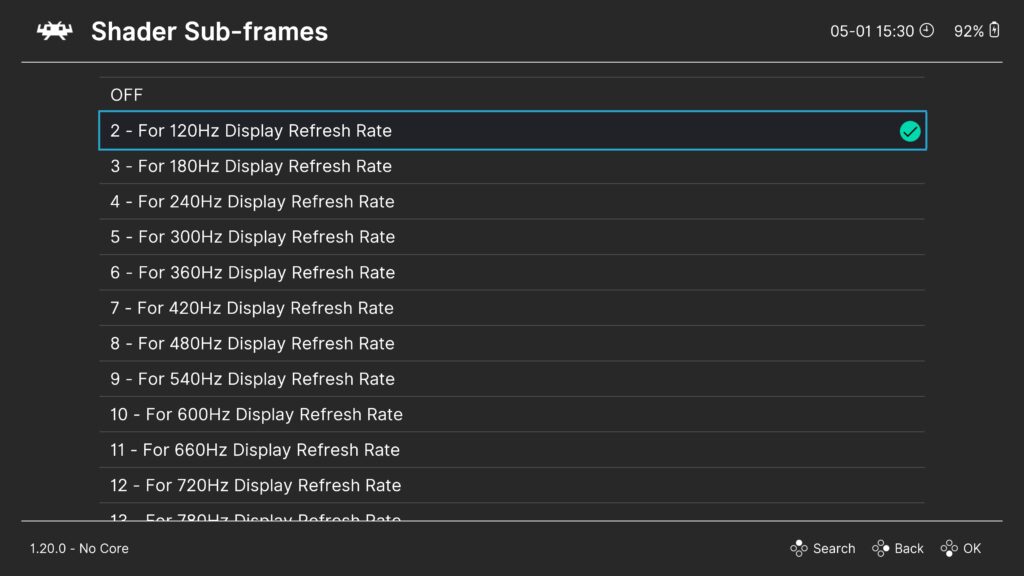
The breakthrough enabling this new shader is RetroArch’s recently integrated "subframe" shader capabilities, which were introduced in version 1.20.0 (or any subsequent nightly build). Previous versions of RetroArch do not support this critical feature. Subframe rendering allows shaders to operate at a higher frequency than the core content framerate, effectively enabling the display to process and present multiple intermediate frames or visual states within a single standard refresh cycle. This capability is pivotal because it allows the shader to simulate the continuous, scanning nature of a CRT, rather than simply toggling between a content frame and a black frame.
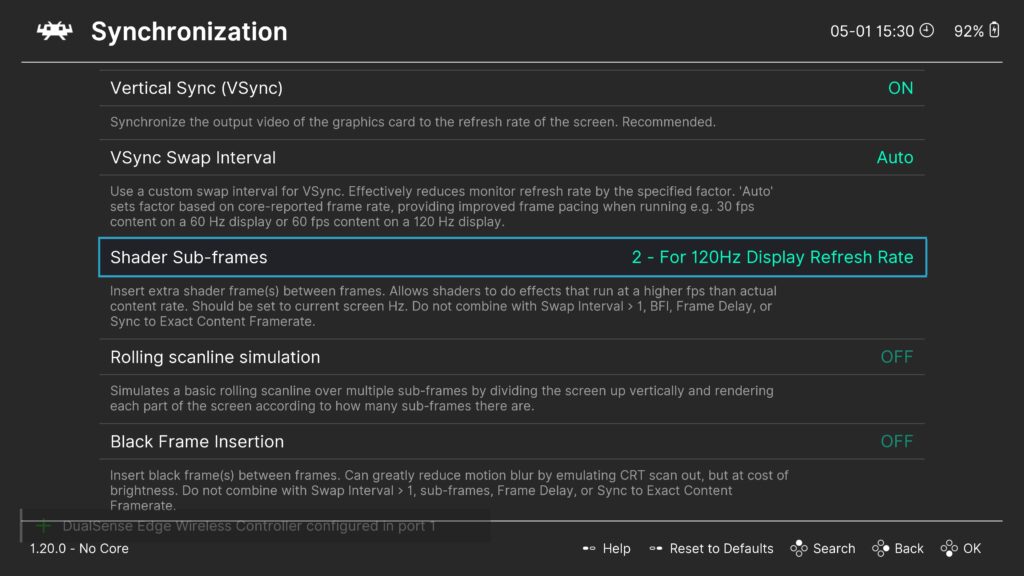
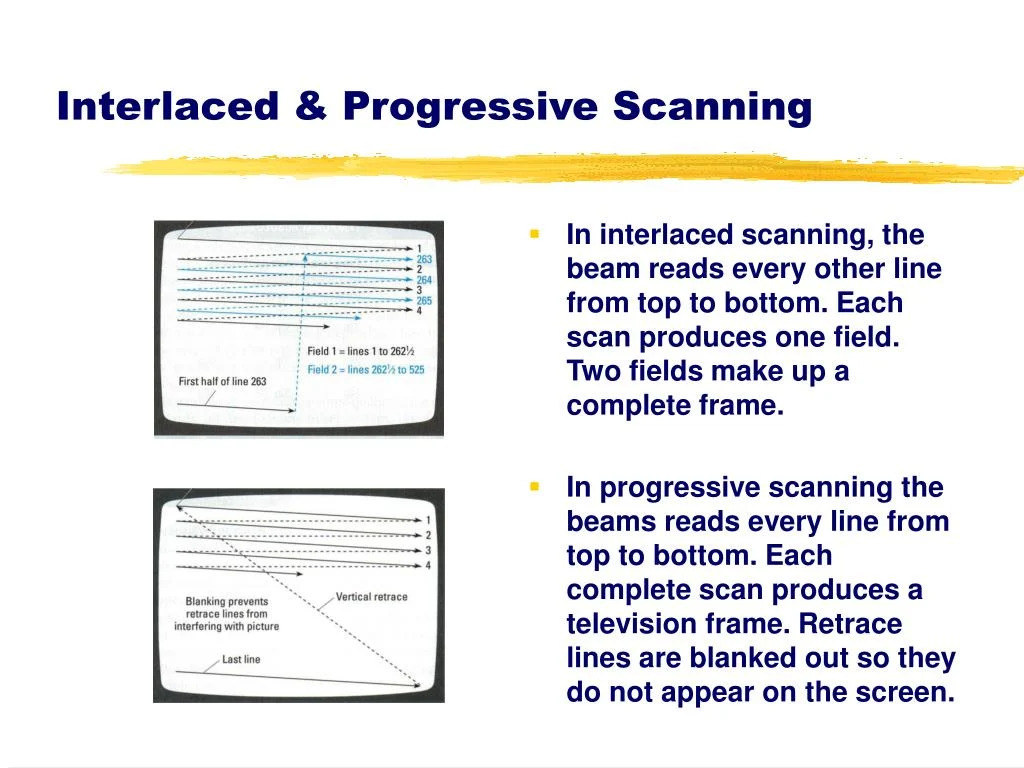
The shader, often referred to as a "CRT beam-racing simulator," works by meticulously recreating the visual effect of a CRT’s electron beam scanning across the screen. Instead of presenting a static image for the entire duration of a frame, it dynamically illuminates parts of the screen in sequence, mimicking the way a CRT draws an image line by line. This "beam racing" technique drastically reduces the perception of persistence blur because the light from any given pixel is only visible for a very brief moment as the simulated "beam" passes over it, much like a real CRT. This transient illumination avoids the "sample-and-hold" issue that plagues modern displays.
Key Advantages Over Traditional BFI
The advantages of this novel approach over conventional BFI are substantial and directly address the latter’s shortcomings:
- Superior Brightness Retention: Unlike BFI, which inherently reduces display brightness by inserting completely black frames, the CRT beam-racing shader aims to maintain a higher average brightness. While there are configurable parameters to balance brightness and clarity, the fundamental mechanism avoids the severe brightness drop associated with BFI.
- Reduced Flicker and Eye Strain: By simulating a continuous scanning process rather than a harsh on/off cycle, the shader significantly minimizes the aggressive flicker that can be perceived with BFI, leading to a more comfortable viewing experience over extended periods.
- Enhanced Motion Fidelity: The simulation of a CRT’s scanning beam provides a more authentic and nuanced recreation of motion, offering a level of clarity and fluidity that static black frames simply cannot match. This leads to a truer retro gaming experience.
- Mitigation of Image Persistence Concerns: The shader’s design inherently avoids the rapid, full-screen on/off cycles that can contribute to image persistence or "burn-in" on certain susceptible flat-panel displays. This makes it safer for a wider range of display technologies, including those that might otherwise be at risk from aggressive BFI.
- Greater Customization and Flexibility: The shader includes a range of runtime parameters that allow users to fine-tune its behavior to their specific display and preferences, offering a level of control that goes beyond simple on/off BFI toggles.
The original Shadertoy implementation, where this concept first took shape, can be accessed at www.shadertoy.com/view/XfKfWd, offering a glimpse into its foundational programming. The transition from a theoretical concept to a practical, user-deployable RetroArch shader represents a significant milestone in display technology for emulation.
Implementation Guide for Enthusiasts
For users eager to experience this enhanced motion clarity, a high-refresh-rate monitor (120 Hz or higher) is recommended. The process within RetroArch involves several straightforward steps:
- Update RetroArch: Ensure your RetroArch installation is version 1.20.0 or newer. Nightly builds are always recommended for the latest features and bug fixes.
- Download Shaders: Navigate to RetroArch’s
Online Updaterand selectUpdate Slang Shaders. This will download the necessary shader files, including the new CRT beam-racing simulator. - Configure Video Driver: For optimal performance, it is generally recommended to use the Vulkan or OpenGL video drivers, which offer robust shader support.
- Load a Core and Content: Start any game or content through a RetroArch core.
- Access Shader Menu: While content is running, open the RetroArch Quick Menu (typically F1 or a hotkey combination), then navigate to
Shaders. - Enable Shaders: Toggle
ShaderstoON. - Load Shader Preset: Select
Loadunder the Shaders menu. You can then navigate toshaders_slang/presets/crt-beam-simulatorand choose one of the pre-made presets. Alternatively, you can selectshaders_slang/crt/crt-beam-simulator.slangpdirectly if you wish to build a custom shader chain. - Apply Changes: Select
Apply Changesto activate the shader. - Save Preset (Optional): If you are satisfied with the result, you can save the shader preset globally or per-core/game for future use.
One of the shader’s key strengths is its modularity. It can be seamlessly integrated with other existing shaders, such as popular CRT scanline emulators or color correction filters, by simply prepending it to their respective presets. This allows users to combine the superior motion clarity with their favorite aesthetic enhancements, creating a truly customized visual experience.
Fine-Tuning for Optimal Display Performance
Upon activation, the shader requires some calibration to perfectly match the characteristics of your specific display. This is facilitated by several runtime parameters accessible within the RetroArch shader options:
- Gamma Adjustment: Users can adjust the gamma setting to achieve a neutral image, ensuring no unnatural dark lines or brightness inconsistencies appear. This helps in maintaining color accuracy and overall visual balance.
- Brightness vs. Motion Clarity Trade-off: A dedicated parameter allows users to fine-tune the balance between overall screen brightness and the degree of motion clarity. For monitors running at 120 Hz (which typically utilize 2 subframes with this shader), a value of approximately 0.5 is often found to be ideal. For higher refresh rate 240 Hz monitors (leveraging 4 subframes), a value around 0.7 generally yields the best results, offering an excellent compromise between vividness and blur reduction.
- Cycle Timing Offset: Not all flat-panel monitors are equally susceptible to image persistence. OLED panels, for instance, are largely immune to this issue, as are displays running at specific refresh rates that are odd integer multiples of 60 Hz, such as 180 Hz. For these displays, a runtime parameter is included to disable the cycle timing offset. This stops the simulated raster line from "rolling up" the screen, which might otherwise be visible or aesthetically undesirable on panels that don’t need the persistence mitigation.
- Raster Line Position: Another parameter allows users to adjust the exact vertical position of the simulated raster line. This offers further customization, enabling placement in the least obtrusive or most visually appealing spot for any given setup.
Broader Implications for Emulation and Display Technology
The release of this CRT beam-racing shader marks a significant advancement for the emulation community. It represents a major leap forward in recreating the authentic visual experience of vintage hardware, moving beyond mere graphical enhancements to tackle fundamental aspects of display behavior. For retro gamers, this means a more immersive and historically accurate experience, bringing the feel of classic arcade machines and consoles to modern screens with unprecedented fidelity.
Beyond emulation, this development highlights the growing sophistication of software-based display enhancements. As display hardware continues to evolve with higher refresh rates and new panel technologies, software solutions like this shader demonstrate a powerful potential to overcome inherent hardware limitations and unlock new levels of visual performance. It underscores a trend where post-processing effects and intelligent rendering techniques are becoming increasingly vital in shaping the ultimate user experience.
The collaboration between independent experts like Mark Rejhon and Timothy Lottes, facilitated by open-source platforms like RetroArch, showcases the power of community-driven innovation. It demonstrates how specialized knowledge, when combined with flexible software architectures, can yield solutions that might otherwise be overlooked by mainstream hardware manufacturers.
For those encountering any technical difficulties or seeking further insights, Mark Rejhon has provided a comprehensive FAQ and troubleshooting guide on his GitHub repository at https://github.com/blurbusters/crt-beam-simulator/issues/4. Additionally, RetroArch’s robust support channels, including Discord, Reddit, and the official Libretro forums, remain available for user assistance. Further technical explanation and visual demonstrations can be found in a highly informative video by a display technology expert, titled "CRT simulation is ready to be seen on 120Hz+ OLEDs using RetroArch CRT beam simulator slang," available on YouTube. This video provides valuable context and visual evidence of the shader’s capabilities, helping users understand its intricate workings and profound impact on motion clarity.