 Edi Durjana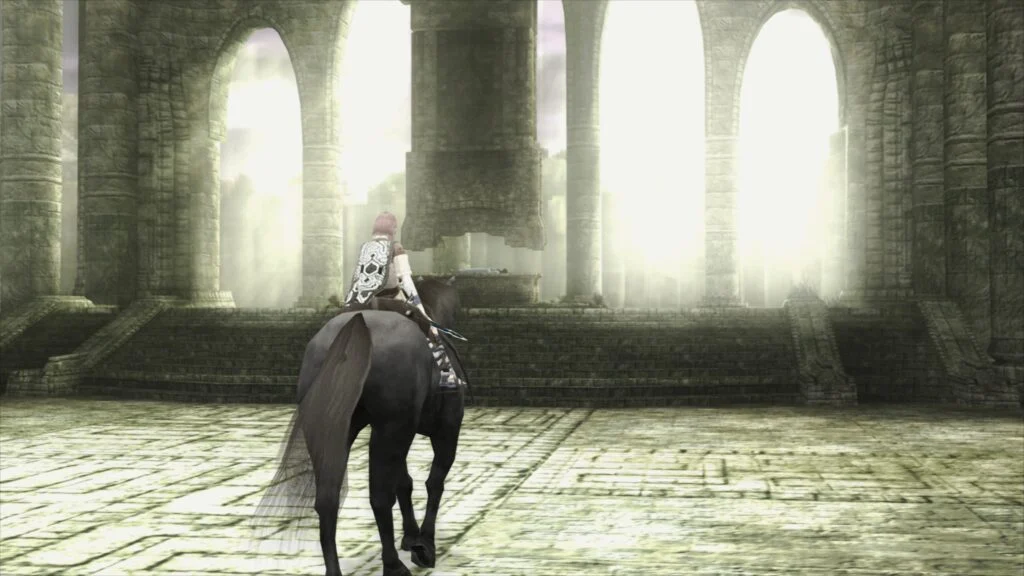
Libretro, the organization behind the popular multi-system emulator frontend RetroArch, has officially launched LRPS2, a groundbreaking new PlayStation 2 emulation core. This release marks a significant milestone in console preservation and modern emulation technology, offering a heavily modified and optimized version of the acclaimed PCSX2 emulator, custom-tailored for the Libretro API. Available across Windows, macOS, and Linux, LRPS2 promises to deliver an unparalleled PS2 gaming experience, free from the limitations that plagued earlier emulation efforts.
The PlayStation 2, launched in March 2000 in Japan, quickly became the best-selling video game console of all time, with over 155 million units sold worldwide. Its vast library of over 3,800 titles includes some of the most iconic and beloved games in history, from "Grand Theft Auto III" and "Metal Gear Solid 2" to "Final Fantasy X" and "God of War." Preserving this monumental catalog has been a long-standing challenge for the emulation community due to the PS2’s complex and highly specialized hardware, particularly its Emotion Engine CPU and Graphics Synthesizer (GS). For years, PCSX2 has stood as the gold standard for PS2 emulation on PC, painstakingly developed to overcome these technical hurdles. LRPS2 builds upon this legacy, integrating the latest advancements and optimizations into the Libretro ecosystem.
A Modern Foundation for Classic Gaming
Unlike previous attempts at PS2 emulation within RetroArch, LRPS2 boasts a thoroughly modern and up-to-date codebase. This contemporary architecture addresses the serious drawbacks and inherent limitations of older cores, which often suffered from compatibility issues, performance bottlenecks, and a lack of support for modern rendering techniques. The development team has focused on enhancing stability, improving accuracy, and maximizing performance across a diverse range of hardware configurations.
A key feature of LRPS2 is its comprehensive support for nearly all rendering backends available for the GSdx renderer, the primary graphics plugin inherited from PCSX2. Users on Windows, macOS, and Linux can leverage the power of Vulkan, a high-performance graphics API renowned for its efficiency and low overhead. Windows users further benefit from support for Direct3D 11 and Direct3D 12, providing flexibility and optimal performance on Microsoft’s operating system. Additionally, OpenGL support ensures broad compatibility across various systems, offering a robust suite of options for visual fidelity and performance tuning. This extensive backend support allows users to choose the best rendering path for their specific hardware, ensuring smooth and visually accurate gameplay.
paraLLEl-GS: The Future of PlayStation 2 Graphics
The undisputed star of the LRPS2 release is the revolutionary paraLLEl-GS renderer. Developed by Themaister, this cutting-edge renderer represents a paradigm shift in console graphics emulation. Much like the paraLLEl-RDP core for Nintendo 64 emulation, paraLLEl-GS is written entirely as a compute program, leveraging the raw processing power of modern GPUs through the Vulkan graphics API. This approach allows for an unprecedented level of accuracy and graphical enhancement, aiming to replicate the PS2’s Graphics Synthesizer with pixel-perfect precision.
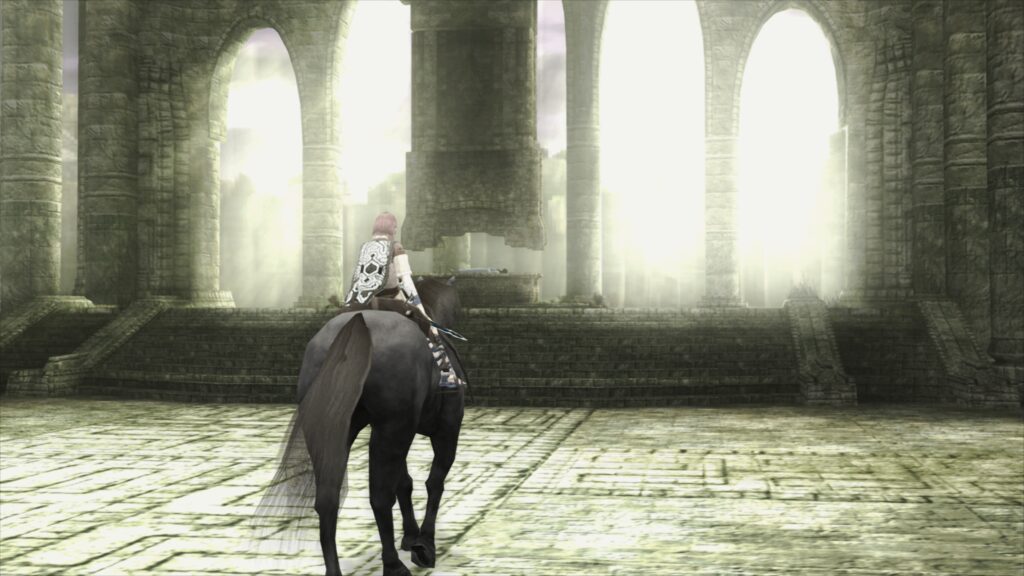
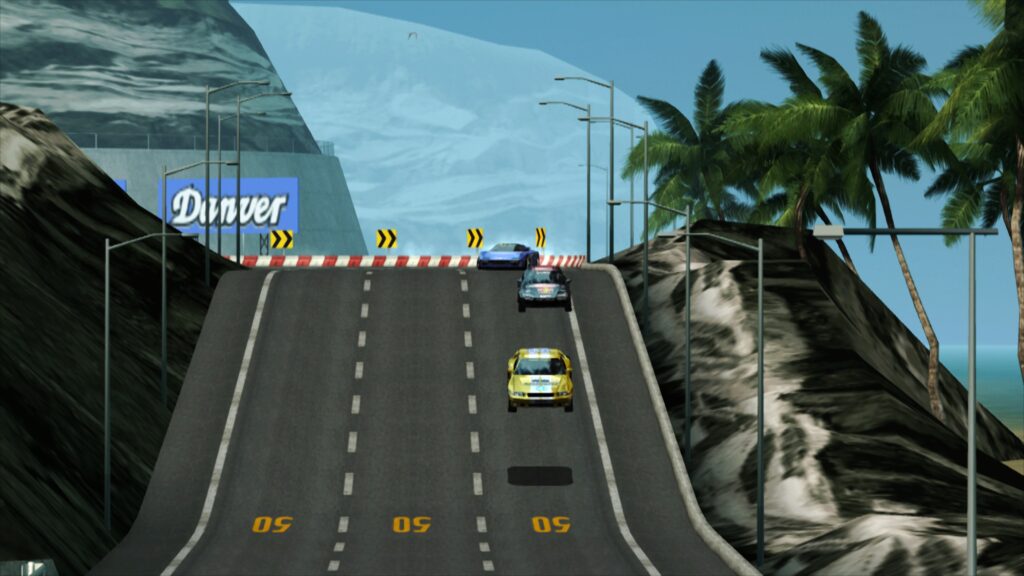
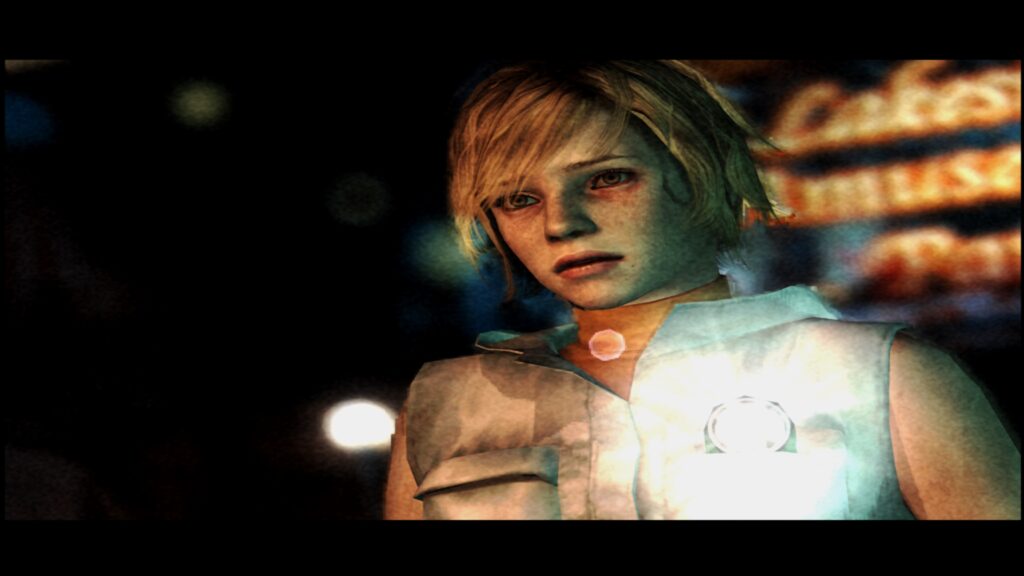
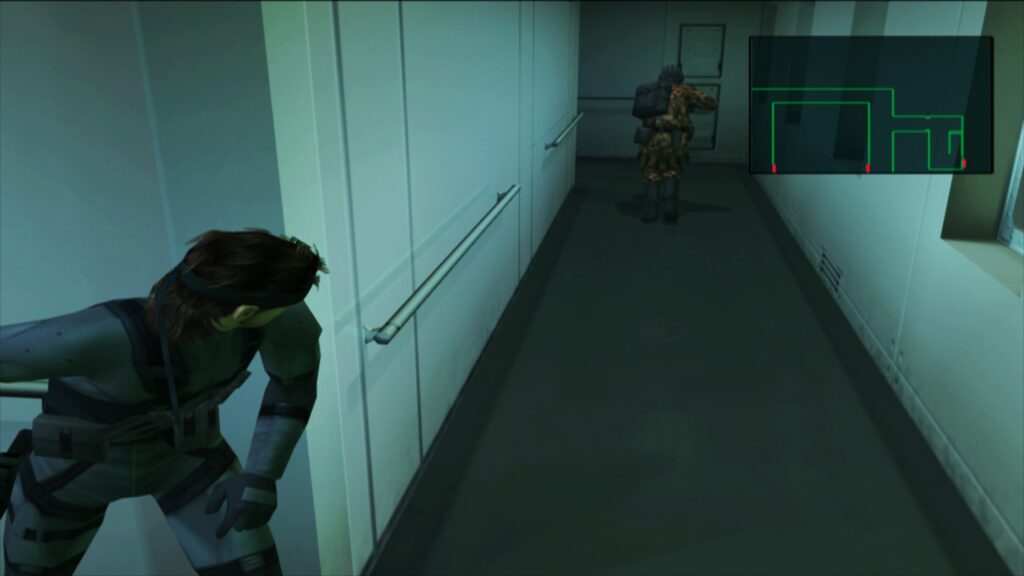
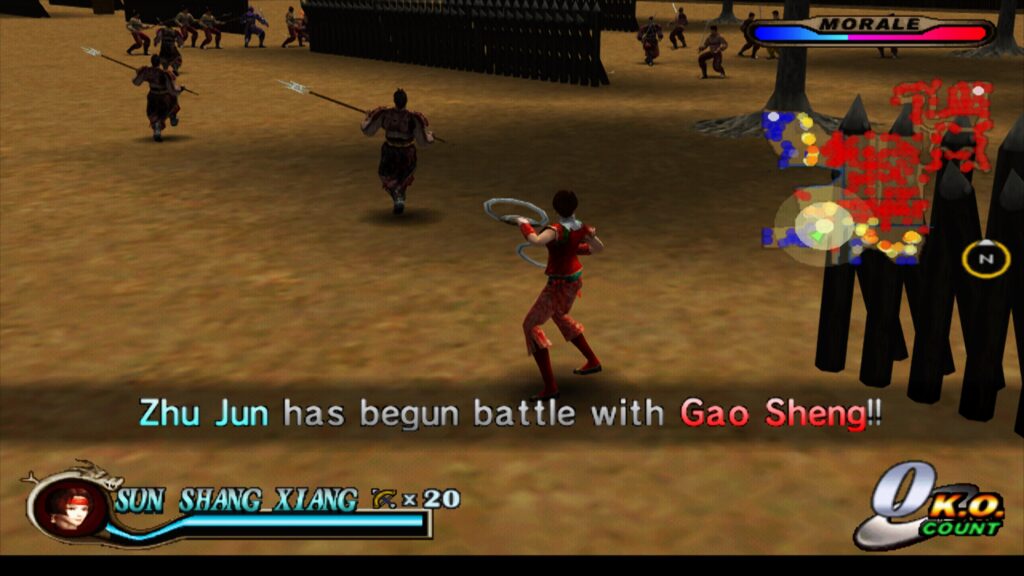
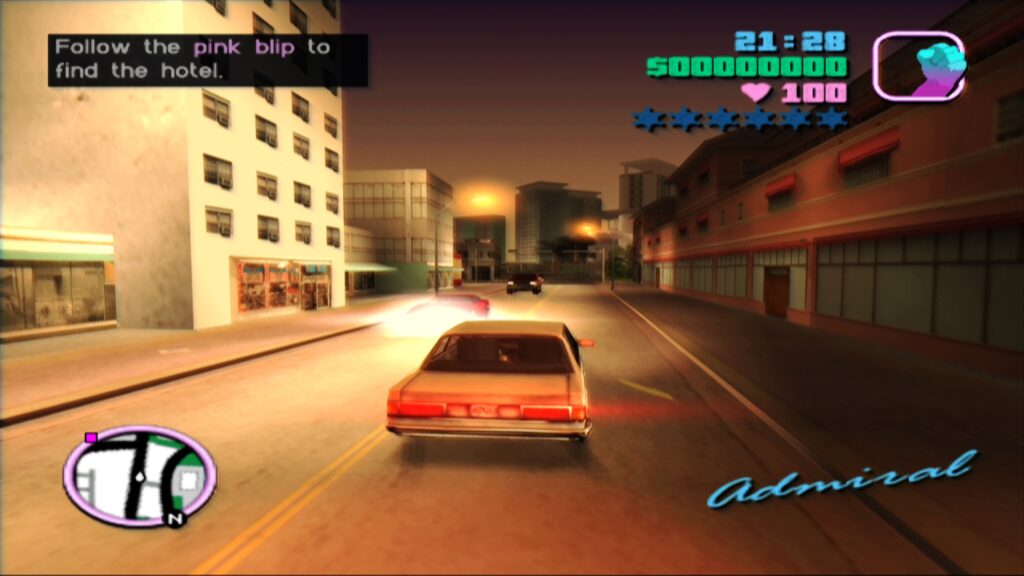
The core philosophy behind paraLLEl-GS is to achieve accuracy comparable to a software renderer, but with the added benefits of hardware acceleration and advanced graphical features. A standout capability is its exceptional support for Super-Sampling Anti-Aliasing (SSAA). When configured with 16x SSAA and experimental high-resolution scanout enabled, paraLLEl-GS virtually eliminates the shimmering and "jaggies" commonly associated with 3D geometry and textures in older games. This results in a remarkably clean and smooth image, often surpassing the visual quality achievable with traditional GSdx rendering at significantly higher internal resolutions.
Furthermore, the high-resolution scanout feature allows for a doubling of the native resolution, which, when combined with SSAA, produces an output image quality that can dramatically enhance the aesthetic of classic PS2 titles. Crucially, paraLLEl-GS achieves these superior visuals with minimal reliance on game-specific hacks, a common necessity in traditional hardware renderers like GSdx to address compatibility quirks. This reduction in hack-dependency translates to greater consistency and fewer visual glitches across the vast PS2 library, making for a more "plug-and-play" experience for users. For those interested in the deep technical underpinnings of this innovative renderer, Themaister’s detailed blog article on PlayStation 2 GS emulation and Vulkan compute provides extensive insight into its development.
Getting Started: A Step-by-Step Guide
For users eager to dive into their PlayStation 2 library, setting up LRPS2 within RetroArch is a straightforward process, though it requires attention to detail. The core is currently supported on Windows, Linux (x86_64), and macOS (x86_64). It is important to note that LRPS2 is not available for Android, iOS, or ARM Linux platforms at this time.
The installation process begins within RetroArch’s Online Updater. First, users should navigate to "Update Core Info Files" to ensure the core appears correctly in the menu. Next, proceed to the "Core Downloader" and select "Sony – PlayStation 2 (LRPS)" to download the core itself. A crucial step follows: obtaining the LRPS2.zip bundle from the "Core System Files Downloader." This bundle automatically creates the necessary pcsx2 directory within RetroArch’s system folder and populates it with GameIndex.yaml. This YAML file is vital as it contains various per-game hacks and settings that the core and GSdx renderer utilize for optimal compatibility. Finally, the bundle also creates a bios directory where users must place their legally obtained PlayStation 2 BIOS files. Once these steps are complete, games, preferably in formats like CHD (but not compressed archives like .7z, .rar, or *.zip), can be scanned and loaded.
macOS Specifics: Navigating Apple Silicon
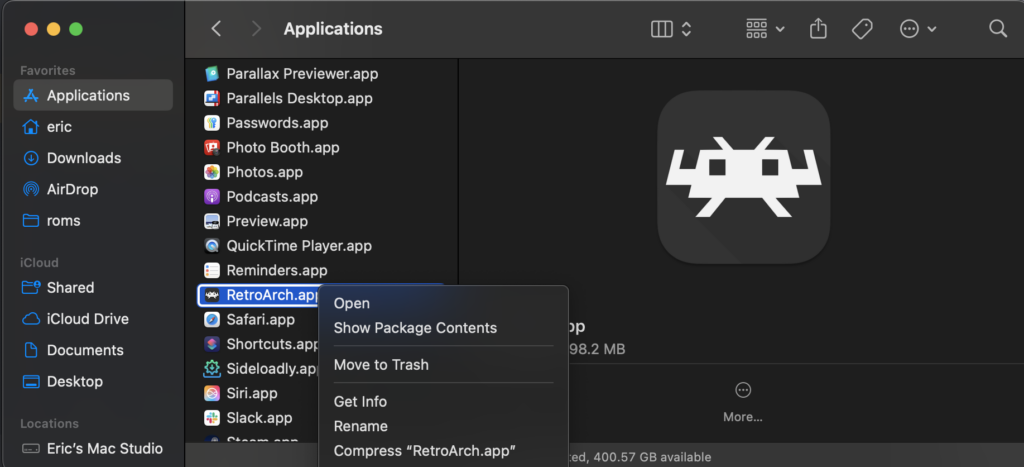
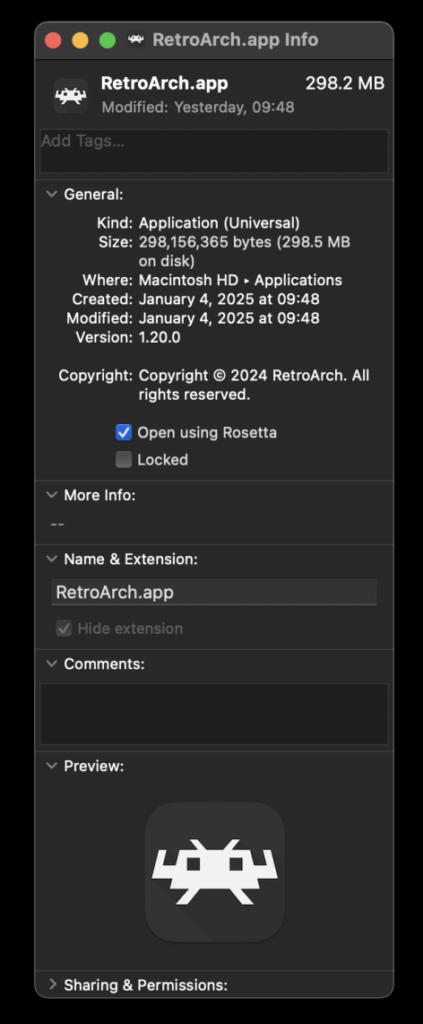
Users on macOS running Apple Silicon devices (M1, M2, etc.) will need to employ Apple’s Rosetta 2 translation layer to run LRPS2. This is a temporary measure as the core is currently compiled for x86_64 architecture. To enable Rosetta, users must first exit RetroArch, then locate the application in Finder. Right-clicking on the RetroArch icon and selecting "Get Info" will open an information panel. Within this panel, a checkbox labeled "Open using Rosetta" must be enabled. Once RetroArch is launched via Rosetta, the LRPS2 core will become visible and downloadable in the Core Downloader, allowing Apple Silicon users to enjoy the new emulation experience.
Tailoring the Experience: Core Options Overview
LRPS2 provides an extensive array of core options, categorized for ease of use, allowing enthusiasts to fine-tune their emulation experience. These categories include:
- System: Controls fundamental aspects of the emulated PS2 hardware.
- Video: General video settings applicable to both GSdx and
paraLLEl-GS. - Video – GSdx: Specific settings exclusive to the GSdx renderer, including internal resolution scaling, texture filtering, and various hardware rendering fixes. These options are crucial for balancing performance and visual quality, especially for games that exhibit specific rendering quirks.
- Manual Hardware Rendering Fixes – GSdx: A dedicated section for game-specific workarounds and optimizations, allowing users to address known visual glitches in particular titles when using the GSdx renderer.
- Emulation: Options related to the core emulation speed and accuracy of the Emotion Engine and other components.
- Input: Configuration for controllers and other input devices, ensuring compatibility with modern gamepads.
- ParaLLEl-GS Core Options: A specific suite of settings for the
paraLLEl-GSrenderer, enabling control over its unique features like SSAA levels, high-resolution scanout, and other advanced compute-based rendering parameters. These options are key to unlocking the full visual potential ofparaLLEl-GS.
This comprehensive set of options empowers users to customize LRPS2 to suit their preferences, hardware capabilities, and the specific demands of individual games.
Addressing Common Challenges: FAQ Insights
The development team has proactively addressed several common issues and queries users might encounter:
- Black Screen with Audio: Some Windows users employing the default D3D11 video driver might experience a black screen. The recommended solution is to switch the video driver to D3D12, either globally or via a core override, and then reload the core and content.
- paraLLEl-GS Performance on Intel Integrated Graphics:
paraLLEl-GS, being compute-shader intensive, can struggle on older or less powerful Intel Integrated Graphics Processors (IGPs). Even relatively recent IGPs may not achieve full speed. In such cases, the software renderer or the GSdx hardware renderer are better alternatives. Newer Intel discrete GPUs, however, are expected to perform well. - Software Renderer Crashes with Vulkan: A known issue currently prevents the software renderer from functioning reliably with the Vulkan video driver. Users are advised to switch to the
glcoredriver on Linux or a D3D driver on Windows when using the software renderer. - Analog Face Buttons: The implementation of analog face button support, a unique feature of the PS2 controller, is currently a work in progress. While its absence impacts only a few games, and all games remain playable without it, its eventual inclusion will further enhance authenticity.
- Per-Game Patch Identification: To determine which internal patches (e.g., game enhancements, language unlocks, interlacing removal, widescreen hacks) are applied on a per-game basis, users must enable logging in RetroArch and review the log output. The internal database of game-specific optimizations is continually growing.
- Core Visibility Issues: If LRPS2 is not appearing in the core list, users should first confirm their platform is supported (Windows, Linux x86_64, macOS x86_64). If on a supported platform, updating core info files via the online updater is the next step.
- Improving Frame Pacing: For smoother gameplay, users can experiment with the "Sync to Exact Content Framerate" option in RetroArch’s Video -> Synchronization settings. For VRR displays, turning VSync off in RetroArch and enabling it in the GPU driver control panel (e.g., Nvidia Control Panel) is often recommended. However, some games may not respond well to "Sync to Exact Content Framerate," requiring user experimentation.
Broader Implications and Future Outlook
The release of LRPS2, particularly with the inclusion of paraLLEl-GS, represents a significant leap forward for PlayStation 2 emulation within the Libretro ecosystem. It not only brings a robust and modern PS2 core to a wider audience but also sets a new benchmark for accuracy and graphical enhancement in complex console emulation. For game preservationists, LRPS2 offers a powerful tool to ensure that the rich legacy of the PlayStation 2 remains accessible and enjoyable for future generations, presented with fidelity that often surpasses the original hardware.
This development underscores Libretro’s ongoing commitment to pushing the boundaries of emulation technology. By integrating cutting-edge renderers like paraLLEl-GS, the platform continues to evolve, offering users the ability to experience classic games not just as they were, but often better than they ever were, complete with modern graphical flourishes and enhanced stability. The community’s response to LRPS2 is expected to be overwhelmingly positive, further solidifying RetroArch’s position as a premier frontend for retro gaming. The future promises continued refinements and expansions, ensuring that the PlayStation 2’s immense library can be enjoyed with ever-increasing perfection.
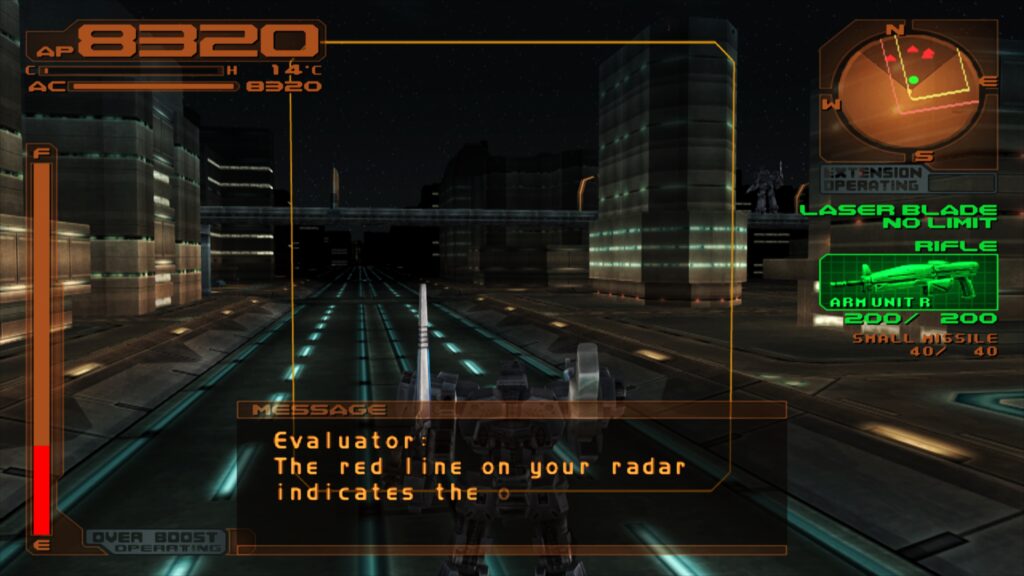
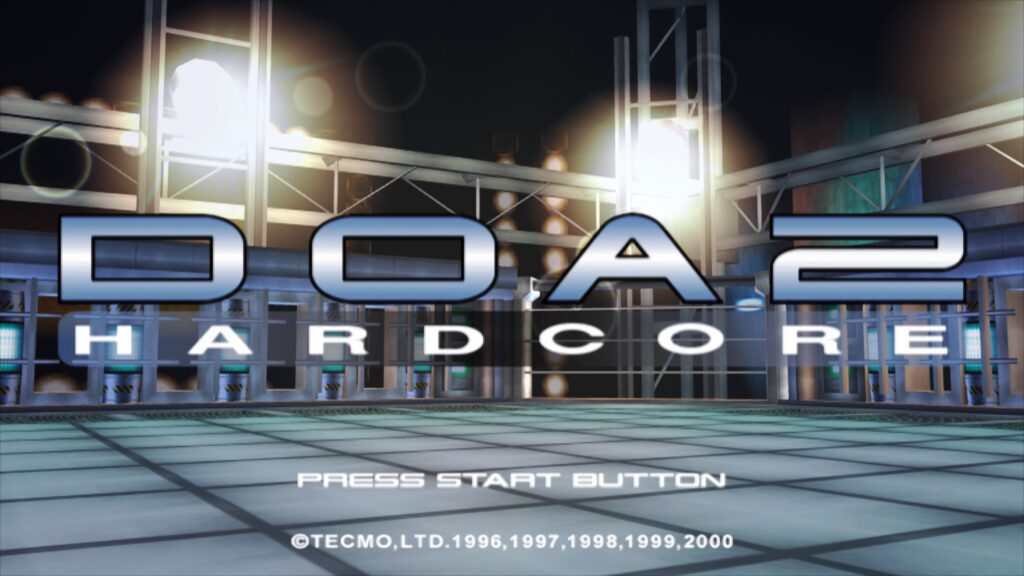
The impressive capabilities of LRPS2 and paraLLEl-GS are visually demonstrated through a series of screenshots showcasing titles like "Armored Core 3," "Shadow of the Colossus," "Ridge Racer 5," "Silent Hill 3," "Metal Gear Solid 2," "Dynasty Warriors 2," "Grand Theft Auto: Vice City," "Dead or Alive 2: Hardcore," "Tekken Tag Tournament," and "SSX3." Additionally, several embedded videos provide compelling performance comparisons and gameplay footage, highlighting the stunning visual enhancements delivered by paraLLEl-GS in action across various demanding PS2 titles such as "Primal Image Vol. 1," "Ridge Racer V," "Gran Turismo 4," "Tekken 5," and "Onimusha 3: Demon Siege." These showcases serve as a testament to the core’s advanced capabilities and the vibrant future of PlayStation 2 emulation within Libretro.