Edi Durjana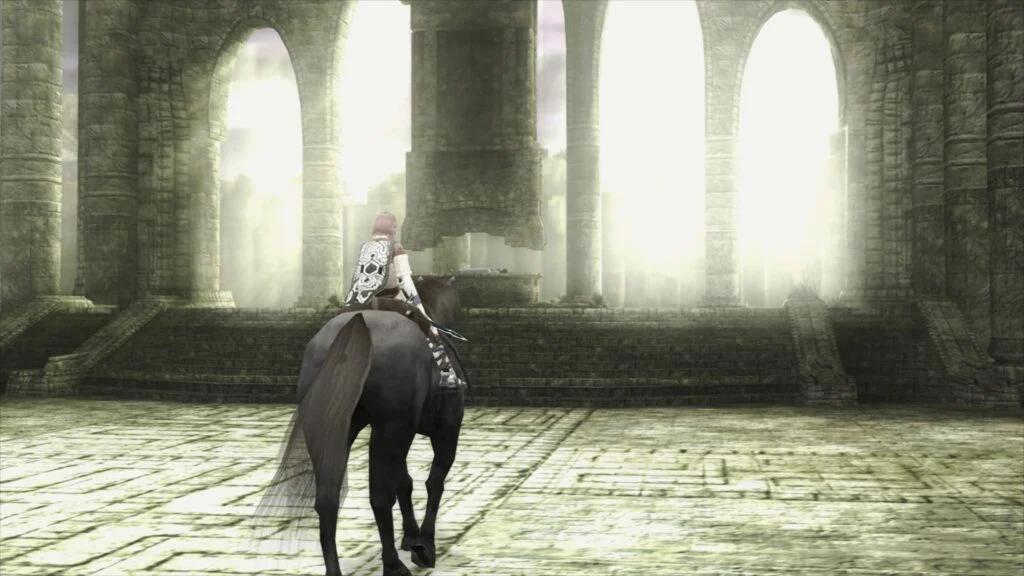
Libretro, the organization behind the popular multi-system emulator RetroArch, has officially announced the release of LRPS2, a groundbreaking new PlayStation 2 (PS2) emulation core. This heavily modified version of the renowned PCSX2 emulator has been custom-tailored for seamless integration with the Libretro API, promising a significantly enhanced and modernized experience for playing classic PS2 titles. The core is now available across major desktop operating systems, including Windows, macOS, and Linux, marking a substantial leap forward in PS2 emulation within the RetroArch ecosystem.
The Evolution of PlayStation 2 Emulation within Libretro
The PlayStation 2, with its complex Emotion Engine CPU and Graphics Synthesizer GPU, has long presented a formidable challenge for emulation. Achieving accurate and performant emulation has required years of dedicated effort from developers. While Libretro previously offered a PS2 core, it was recognized to suffer from several drawbacks, primarily due to its older codebase and architectural limitations. The development of LRPS2 was driven by a necessity to address these issues, providing a core that leverages contemporary emulation techniques and hardware capabilities.
LRPS2 distinguishes itself with a completely modern and updated codebase. This architectural overhaul is critical, as it allows the new core to sidestep the performance bottlenecks, compatibility quirks, and stability issues that plagued its predecessor. The transition to a modern foundation not only improves overall stability but also paves the way for greater compatibility with a broader range of hardware and future enhancements. This release signifies Libretro’s commitment to continuously refining and advancing the state of emulation for historically significant platforms.
Technical Prowess: Rendering Backends and Compatibility
One of LRPS2’s most compelling features is its extensive support for a wide array of rendering backends through the GSdx renderer. This flexibility ensures optimal performance and visual fidelity across diverse hardware configurations. Users on Windows, macOS, and Linux can now utilize Vulkan, a high-performance, low-overhead graphics API, known for its efficiency and modern feature set. Windows users further benefit from support for Direct3D 11 and Direct3D 12, offering robust options for Microsoft’s proprietary graphics APIs, which are widely supported on the platform. Additionally, OpenGL support is retained for Windows and Linux, providing a venerable and widely compatible alternative. This broad backend support is crucial for maximizing compatibility and performance, allowing the core to adapt to different system capabilities and user preferences.
The core’s design also incorporates a sophisticated system for per-game compatibility. The GameIndex.yaml bundle, automatically downloaded during setup, contains a database of various game-specific hacks and settings for both the core and the GSdx renderer. These carefully curated adjustments are vital for overcoming the unique challenges presented by individual PS2 titles, ensuring that a wider range of games runs correctly without requiring manual tweaking by the user. This approach significantly streamlines the user experience, making it easier for enthusiasts to dive into their favorite games without encountering common emulation pitfalls.
Introducing paraLLEl-GS: A Revolution in Graphics Synthesizer Emulation
Perhaps the most exciting innovation introduced with LRPS2 is the paraLLEl-GS renderer. Developed by Themaister, a prominent figure in the emulation community, paraLLEl-GS represents a paradigm shift in how the PlayStation 2’s Graphics Synthesizer (GS) is emulated. Following the footsteps of the highly successful paraLLEl-RDP for Nintendo 64 emulation, paraLLEl-GS is engineered entirely as a compute program, leveraging the raw processing power of modern GPUs through the Vulkan graphics API. This approach was detailed in Themaister’s blog article, published several months prior to this announcement, offering a deep dive into the technical intricacies of this groundbreaking project.
The primary objective of paraLLEl-GS is to achieve the pristine accuracy of a software renderer while simultaneously offering advanced graphical enhancements typically associated with hardware rendering. A standout feature is its exceptional Super Sampled Anti-Aliasing (SSAA) capabilities. When configured with 16x SSAA and experimental high-resolution scanout enabled, paraLLEl-GS effectively eliminates the shimmering and "jaggies" commonly seen on 3D geometry and textures in older games, resulting in a remarkably clean and stable image.
Furthermore, the high-resolution scanout option allows for effectively doubling the internal resolution. When combined with 16x SSAA, the final output image quality often surpasses that of the traditional GSdx renderer running at much higher internal resolutions. Crucially, paraLLEl-GS achieves this superior visual fidelity with a minimal need for game-specific hacks, a stark contrast to GSdx, which often requires manual adjustments for optimal performance and appearance across different titles. This streamlined approach underscores the power and accuracy of compute-based emulation, promising a more consistent and visually stunning experience for PS2 classics.
Comprehensive Setup Guide for Users
Getting started with LRPS2 within RetroArch is a straightforward process, though it requires adherence to specific steps. The core is currently supported on Windows, Linux (x86_64), and macOS, but not on Android, iOS, or ARM Linux platforms.
Users must first navigate to the Online Updater within RetroArch and select "Update Core Info Files." This step is essential to ensure that LRPS2 appears correctly in the core selection menu. Following this, users should proceed to the "Core Downloader" section, scroll down, and select "Sony – PlayStation 2 (LRPS)" to download the core itself.
A critical component of the setup involves the "Core System Files Downloader." From here, users must download the LRPS2.zip bundle. This bundle automates the creation of the pcsx2 directory within RetroArch’s system directory and populates it with GameIndex.yaml, which contains vital per-game compatibility settings and hacks for the core and GSdx renderer. Additionally, it creates a bios directory. Users are then required to manually place their PlayStation 2 BIOS files into this newly created bios directory. It is imperative that users legally obtain their own PS2 BIOS files, as these are proprietary and not distributed with the emulator. Once the BIOS files are in place, games can be scanned and loaded. Supported game formats include CHD, ISO, and others, but users must ensure their games are not within compressed archives like *.7z, *.rar, or *.zip.
Platform-Specific Considerations: macOS (Apple Silicon)
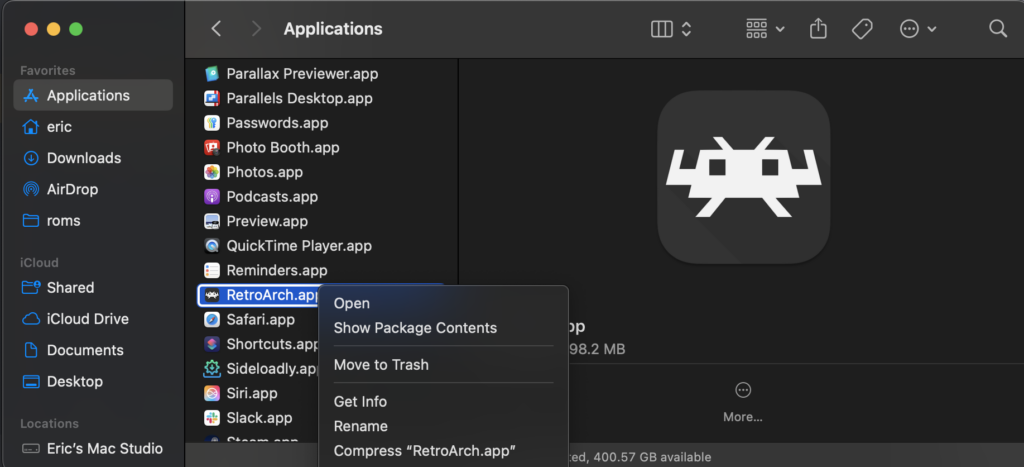
For macOS users running on Apple Silicon (M1, M2, etc.) processors, an additional step is necessary due to the core’s current architecture. RetroArch must be run using Rosetta, Apple’s dynamic binary translator, which allows Intel-based applications to run on Apple Silicon Macs.
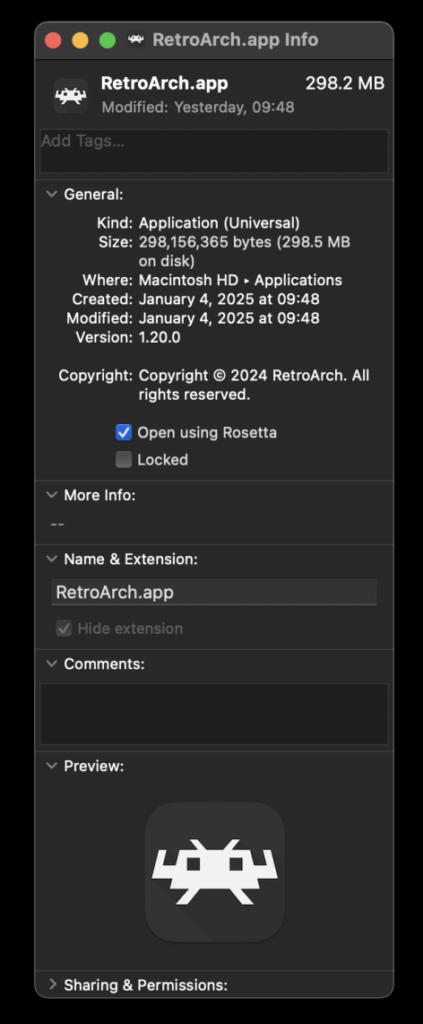
To enable Rosetta, users must first exit RetroArch. Then, locate the RetroArch application in Finder, right-click on it, and choose "Get Info." In the Info window that appears, there will be a checkbox labeled "Open using Rosetta." This box must be checked. Once RetroArch is configured to run via Rosetta, the LRPS2 core will become visible and downloadable in the Core Downloader, allowing Apple Silicon users to enjoy the new PS2 emulation experience. While Rosetta generally performs well, users should be aware that running applications through translation layers can sometimes introduce a slight performance overhead compared to native execution.
Understanding Core Options for Tailored Performance
LRPS2 provides a comprehensive suite of core options, categorized for ease of use, allowing users to fine-tune their emulation experience.

- System Settings: These options typically govern fundamental console behaviors, such as selecting the correct BIOS version, configuring the console’s region (NTSC-U, PAL, NTSC-J), managing virtual memory cards, and other console-specific hardware parameters that affect game boot-up and compatibility.
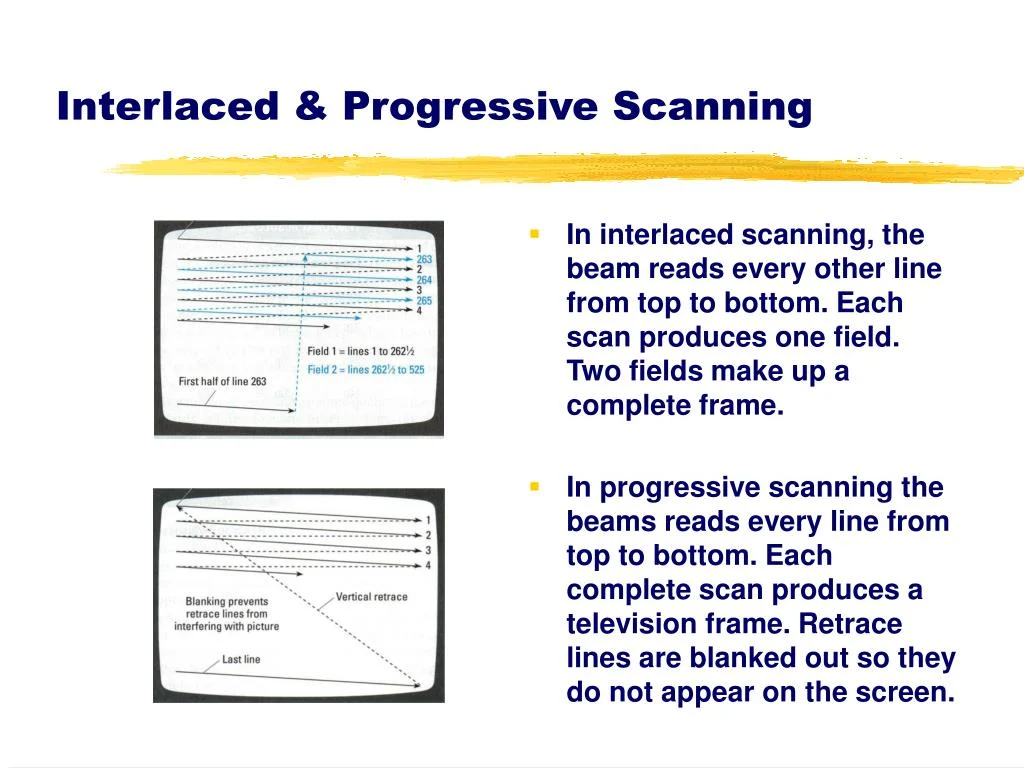
- Video Settings: This category covers general display adjustments. Users can control aspects like internal resolution scaling, aspect ratio correction (e.g., 4:3, 16:9), various texture filtering options (bilinear, trilinear, anisotropic), and interlacing deactivation for a smoother visual output.
- GSdx Renderer Specifics: These settings apply specifically when using the GSdx renderer. They include options for hardware rendering fixes designed to resolve graphical glitches in particular games, as well as more granular control over upscaling algorithms and render targets to balance performance and visual quality.
- Manual Hardware Rendering Fixes – GSdx: This dedicated section provides a range of specific workarounds for known rendering issues that occur in hardware mode for certain games when using GSdx. These are often game-specific toggles that adjust how the GSdx renderer handles particular graphics commands to ensure correct rendering.
- Emulation Settings: These options influence the core’s CPU and GPU emulation behavior. They might include speed hacks to improve performance at the cost of some accuracy, adjustments to the Emotion Engine’s cycle rate, and frame skipping mechanisms to maintain playable framerates on less powerful hardware.
- Input Configuration: This section allows users to map their physical controllers to the emulated PlayStation 2 gamepad. Key aspects include configuring digital and analog inputs, and work is reportedly underway to fully implement analog face button pressure sensitivity, a unique feature of the original PS2 controller, which, while not essential for all games, enhances the authenticity of certain titles.
- ParaLLEl-GS Specifics: When using the advanced paraLLEl-GS renderer, dedicated options are available for its unique features. These include setting the SSAA level (e.g., 16x for maximum clarity), enabling or disabling the experimental high-resolution scanout, and potentially other experimental features that aim to push the boundaries of PS2 graphics emulation.
Addressing Common User Queries and Troubleshooting
Libretro has proactively addressed several common issues and questions users might encounter with LRPS2:
- Black Screen with Audio: Some Windows users might experience a black screen despite hearing game audio, particularly when using the default D3D11 video driver. The recommended solution is to switch the RetroArch video driver to D3D12, either globally or via a core override, and then reload the core and content.
- ParaLLEl-GS Performance on Intel Integrated Graphics: ParaLLEl-GS, being heavily reliant on compute shaders, may perform poorly on older Intel Integrated Graphics Processors (IGPs). These units often lack the necessary compute power. In such cases, the software renderer or the GSdx renderer are recommended alternatives. Newer discrete Intel GPUs, however, are expected to handle paraLLEl-GS without issues.
- Software Renderer Crashes with Vulkan: A known issue currently prevents the software renderer from functioning reliably with the Vulkan video driver. Users experiencing crashes should switch to the
glcoredriver on Linux or one of the D3D drivers on Windows to use the software renderer. The development team is actively investigating the cause. - Analog Face Buttons: Full support for analog face button pressure sensitivity, a unique feature of the PS2 controller, is currently under development. While most games are fully playable without it, its implementation will further enhance authenticity.
- Identifying Per-Game Patches: To see which internal patches (e.g., game enhancements, language unlocks, interlacing removal, widescreen hacks) are applied on a per-game basis, users need to enable logging in RetroArch and review the log output. The internal database of game-specific patches is continuously expanding.
- LRPS2 Not Appearing in Core List: If the core is not visible, first verify that the platform is supported (Windows, Linux x86_64, macOS). If the platform is supported, ensure that "Update Core Info Files" has been run in the Online Updater.
- Improving Frame Pacing: For smoother gameplay, users can try enabling "Sync to Exact Content Framerate" in RetroArch’s Video -> Synchronization settings. On VRR displays, turning VSync off in RetroArch and enabling VSync in the GPU driver control panel (e.g., Nvidia Control Panel) can yield better results. Users should experiment, as some games may not respond well to exact content framerate synchronization.
Visual Demonstrations and Community Engagement
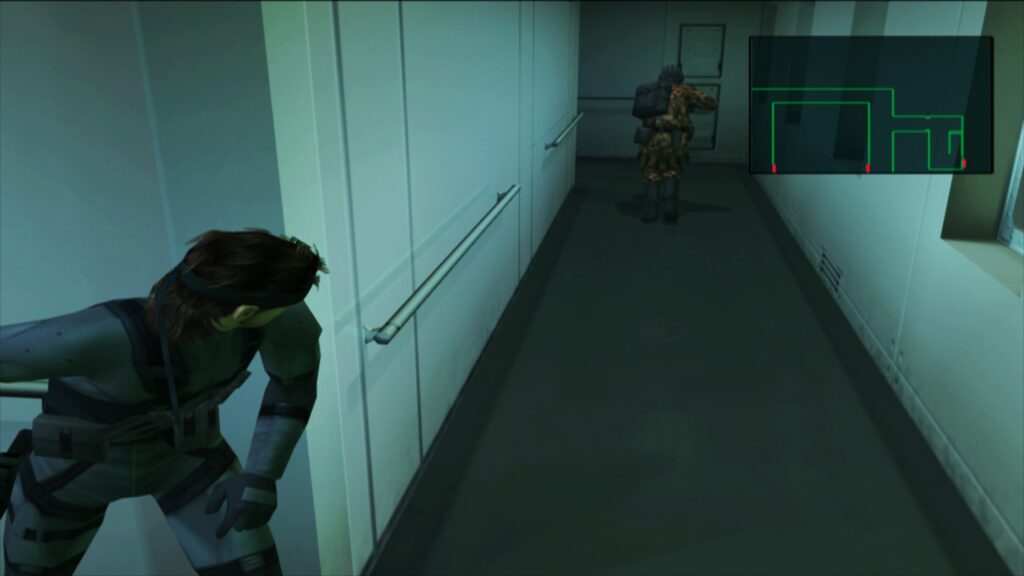
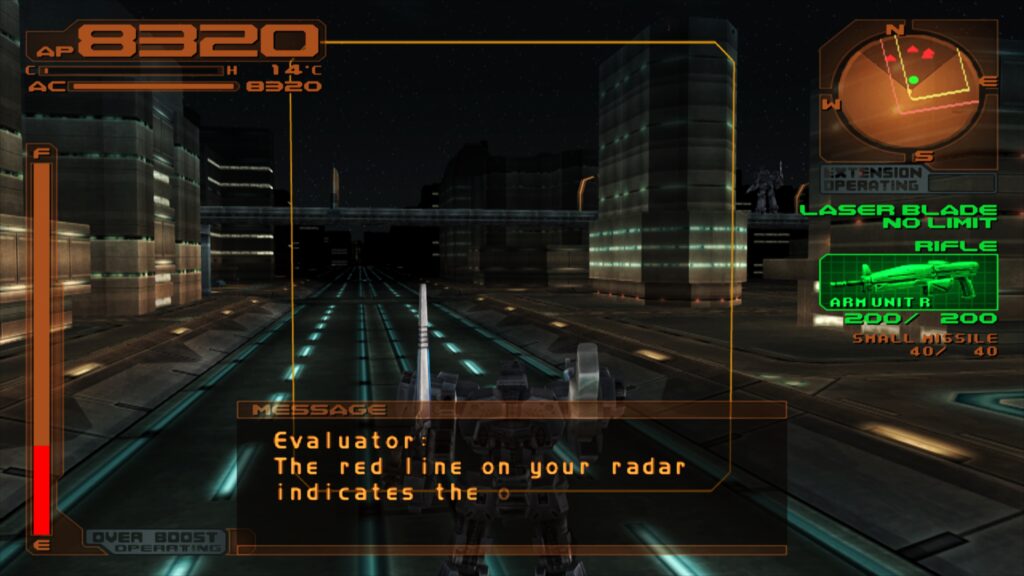
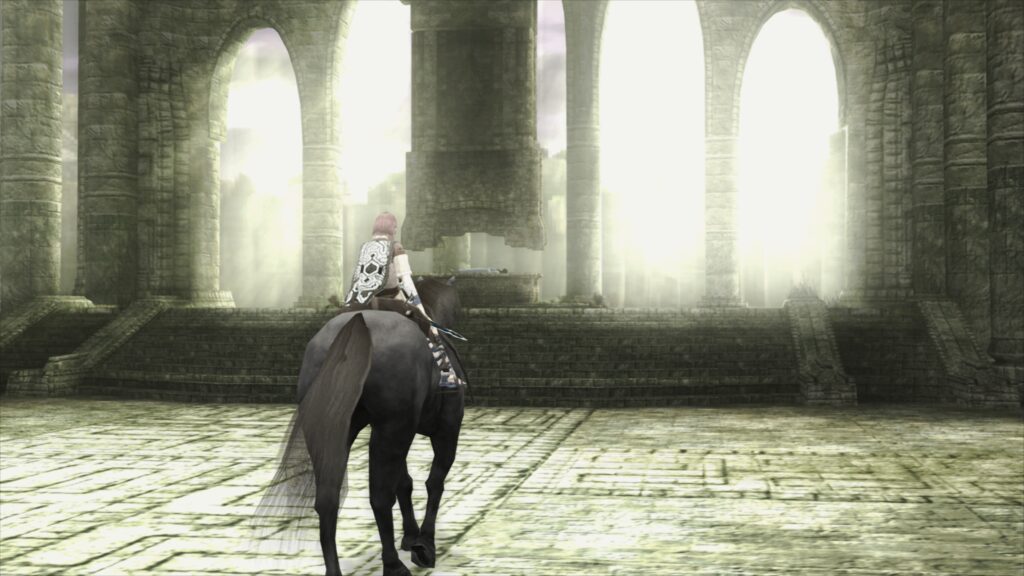
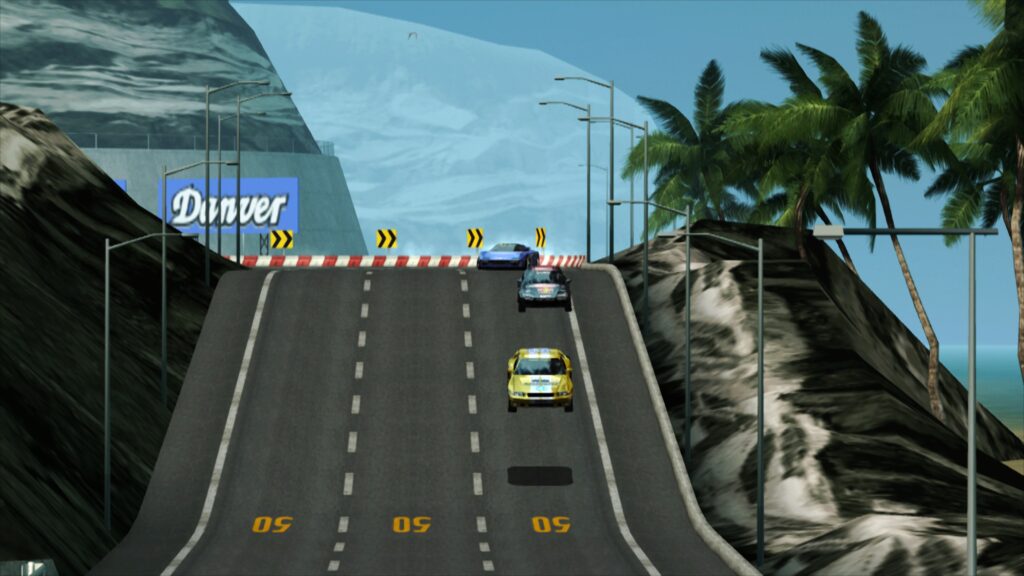
To showcase the remarkable capabilities of LRPS2 and especially the paraLLEl-GS renderer, Libretro has released a series of screenshots and videos. These visuals highlight various iconic PS2 titles, including Armored Core 3, Shadow of the Colossus, Ridge Racer V, Silent Hill 3, Metal Gear Solid 2, Dynasty Warriors 2, Grand Theft Auto: Vice City, Dead or Alive 2: Hardcore, Tekken Tag Tournament, and SSX 3. The screenshots, taken with 16x SSAA and high-res scanout enabled via paraLLEl-GS and a FSR shader preset, demonstrate the core’s ability to render these games with unprecedented clarity and detail, often exceeding the visual fidelity of the original hardware or even earlier emulation efforts. The embedded videos further illustrate the core’s performance, frame pacing, and enhanced graphics in motion, providing tangible proof of the significant advancements made.
The Broader Impact: A New Era for PS2 Preservation and Playability
The release of LRPS2 marks a pivotal moment for PlayStation 2 emulation within the Libretro framework. By integrating a highly optimized and modernized PCSX2 variant, coupled with the revolutionary paraLLEl-GS renderer, RetroArch solidifies its position as a leading unified platform for video game preservation and playability.

This development has several significant implications. For casual users, it means easier access to a vast library of PS2 classics with improved performance and fewer setup hurdles. The multi-platform support ensures that a wider audience can enjoy these titles on their preferred operating systems. For enthusiasts and preservationists, LRPS2 offers a more accurate and visually enhanced way to experience and document the PS2’s legacy, ensuring that these games remain accessible and enjoyable for future generations.
The technical advancements, particularly with paraLLEl-GS’s compute-shader approach, also set a new benchmark for emulation development. This method demonstrates the potential for achieving both high accuracy and significant graphical enhancements simultaneously, paving the way for similar innovations in emulating other complex hardware. As Libretro continues to refine LRPS2 and expand its game compatibility database, the future of PlayStation 2 emulation within RetroArch appears brighter than ever, promising an even richer and more robust experience for one of gaming’s most beloved consoles.