Edi Durjana
The world of video game preservation and emulation has taken a significant leap forward with the official release of LRPS2, a brand-new PlayStation 2 core for the widely acclaimed RetroArch frontend. This core, a heavily modified and optimized version of the venerable PCSX2 emulator, has been custom-tailored for seamless integration with the Libretro API, promising a superior and more accessible PlayStation 2 emulation experience across multiple platforms. Currently available for Windows, macOS, and Linux, LRPS2 represents a substantial upgrade over previous attempts, addressing long-standing technical challenges and introducing cutting-edge rendering capabilities.
A New Era for PlayStation 2 Emulation
The PlayStation 2, launched by Sony in March 2000 in Japan and later that year globally, remains the best-selling video game console of all time, having sold over 155 million units worldwide. Its vast library of over 3,800 titles includes some of the most critically acclaimed and beloved games in history, making its accurate preservation a paramount goal for the emulation community. For years, PCSX2 has stood as the torchbearer for PS2 emulation on PC, an open-source project that painstakingly recreated the complex architecture of the console. However, integrating such a sophisticated emulator into a multi-system frontend like RetroArch presented its own set of challenges, often resulting in less-than-ideal performance or feature parity compared to the standalone application.
LRPS2 emerges as a solution born from years of dedicated development, specifically designed to leverage the strengths of the Libretro ecosystem. Unlike its older predecessors within the RetroArch framework, this new core boasts a modern and thoroughly updated codebase. Developers have systematically eliminated the serious drawbacks and performance bottlenecks that plagued earlier iterations, ensuring a more stable, efficient, and feature-rich emulation environment. This modernization effort is crucial for maintaining compatibility with contemporary operating systems and hardware, providing a robust foundation for future enhancements.
Advanced Rendering Backends and Broad Compatibility
A cornerstone of LRPS2’s appeal is its comprehensive support for a wide array of rendering backends through the powerful GSdx renderer, a key component inherited and refined from PCSX2. Users can now choose from Vulkan on Windows, macOS, and Linux, Direct3D 11 and 12 on Windows, and OpenGL on Windows and Linux. This flexibility allows users to optimize performance and visual fidelity based on their specific hardware configurations and preferences. Vulkan, in particular, offers significant advantages due to its low-overhead design and explicit control over GPU operations, often leading to better performance on modern graphics cards. Direct3D 11 and 12 provide robust options for Windows users, while OpenGL ensures broader compatibility across various systems. The inclusion of multiple backends underscores Libretro’s commitment to accessibility and performance customization.
Introducing paraLLEl-GS: A Paradigm Shift in Graphics Emulation
While the robust GSdx integration is a major achievement, the true star of the LRPS2 core is the revolutionary paraLLEl-GS renderer. Developed by Themaister, a prominent figure in the Libretro community, paraLLEl-GS represents a groundbreaking approach to emulating the PlayStation 2’s notoriously complex Graphics Synthesizer (GS). Building on the principles established by paraLLEl-RDP for Nintendo 64 emulation, this new renderer is written entirely as a compute program, exclusively leveraging the Vulkan graphics API.
The significance of this compute-shader-based approach cannot be overstated. Traditional graphics emulation often relies on mapping console graphics commands directly to modern GPU APIs, a process that can be inefficient and prone to inaccuracies due to architectural differences. ParaLLEl-GS, by contrast, re-implements the GS logic directly on the GPU using compute shaders. This allows for a much higher degree of accuracy, mirroring the behavior of the original hardware more faithfully than traditional methods. Themaister’s detailed blog article, published several months prior, provides an in-depth technical breakdown of this ambitious project, highlighting the complexities and innovative solutions involved in this "final frontier of Vulkan compute emulation."
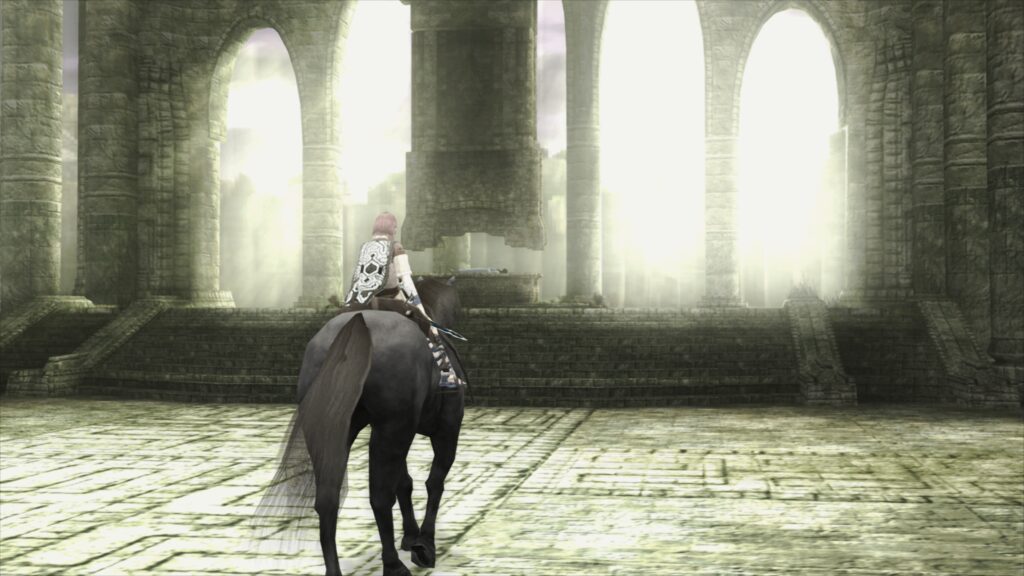
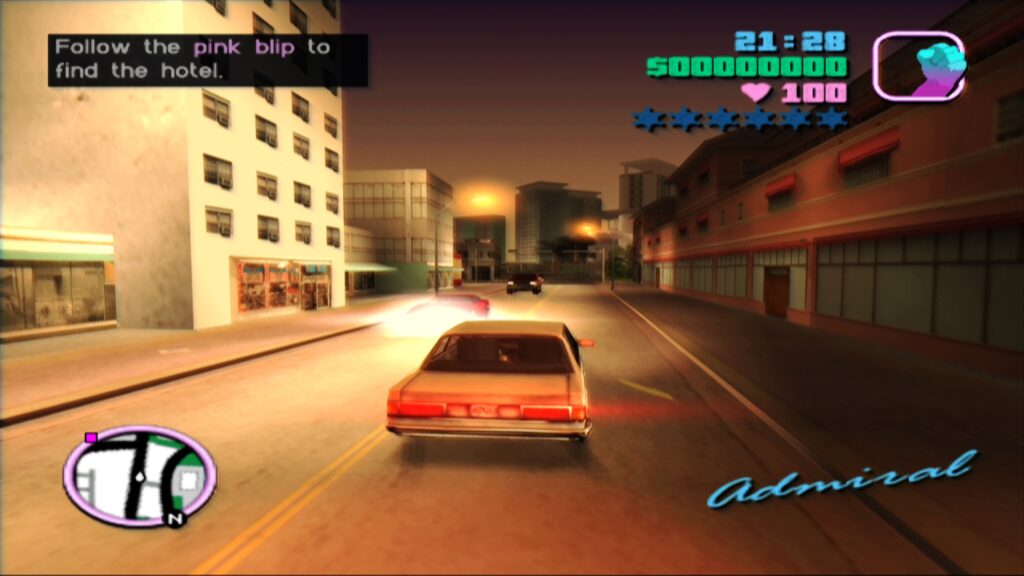
The primary goal of paraLLEl-GS is to achieve accuracy comparable to software renderers, which are known for their pixel-perfect emulation but often come with significant performance penalties. However, paraLLEl-GS achieves this accuracy while simultaneously offering advanced graphical enhancements that far surpass what was previously possible. Its standout feature is Super-Sampling Anti-Aliasing (SSAA), which, when set to 16x and combined with experimental high-resolution scanout, dramatically eliminates shimmering and jaggies on 3D geometry and textures. This results in an incredibly clean and sharp image that often exceeds the visual quality achieved by GSdx rendering at much higher internal resolutions. Crucially, paraLLEl-GS achieves this with minimal need for game-specific hacks, a common necessity with other renderers to circumvent visual glitches, thereby simplifying configuration and improving overall compatibility. The ability to double the resolution with high-res scanout further enhances the visual experience, providing a truly modernized look to classic PS2 titles.
Installation and Setup: A Step-by-Step Guide
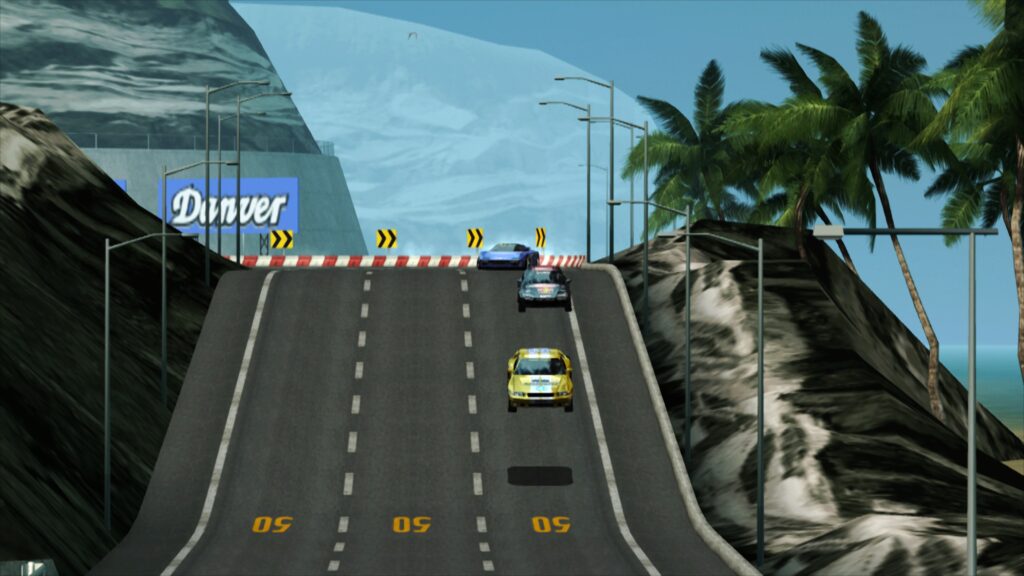
To harness the power of LRPS2, users on supported platforms (Windows, Linux x86_64, and macOS) need to follow a straightforward installation process within RetroArch. It is important to note that the core is currently not available for Android, iOS, or ARM Linux devices.
- Update Core Info Files: Navigate to the "Online Updater" in RetroArch and select "Update Core Info Files." This ensures that LRPS2 appears correctly in the core list.
- Download the LRPS2 Core: Proceed to the "Core Downloader" section within the "Online Updater." Scroll down to "Sony – Playstation 2 (LRPS)" and download the core.
- Obtain System Files: Crucially, go to the "Core System Files Downloader" and download the "LRPS2.zip" bundle. This bundle is essential as it automatically creates the ‘pcsx2’ directory within RetroArch’s ‘system’ directory. Inside, it places ‘GameIndex.yaml’, which contains crucial per-game compatibility hacks and settings for both the core and the GSdx renderer.
- Install PS2 BIOS: The bundle also creates a ‘bios’ directory. Users must then manually place their PlayStation 2 BIOS set into this ‘bios’ folder. Obtaining BIOS files legally typically involves extracting them from a physical PS2 console.
- Load Games: Once these steps are completed, users are ready to scan and load their PlayStation 2 games. Supported formats include CHD, ISO, and other common disc image formats, but games must not be in compressed archives like .7z, .rar, or *.zip.
macOS (Apple Silicon) Specific Instructions

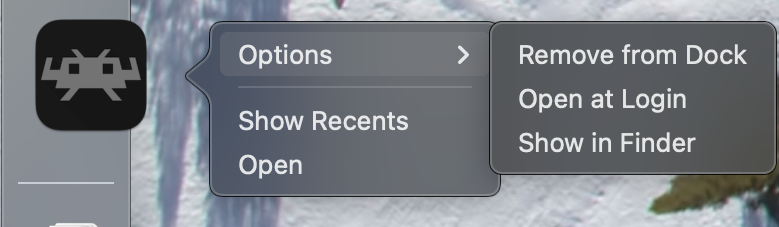
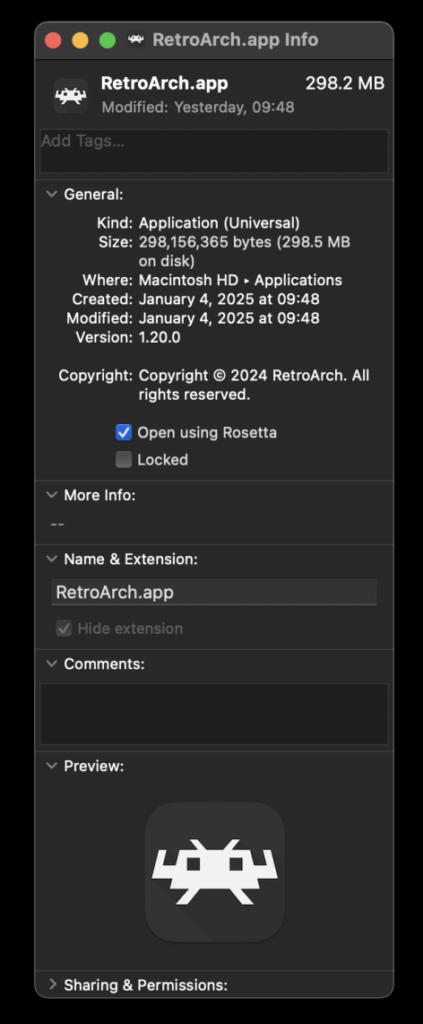
For macOS users running on Apple Silicon (M1, M2, M3 chips), an additional step is required to enable LRPS2 due to its x86_64 architecture. RetroArch must be run using Rosetta 2, Apple’s dynamic binary translator.
- Exit RetroArch: Ensure RetroArch is completely closed.
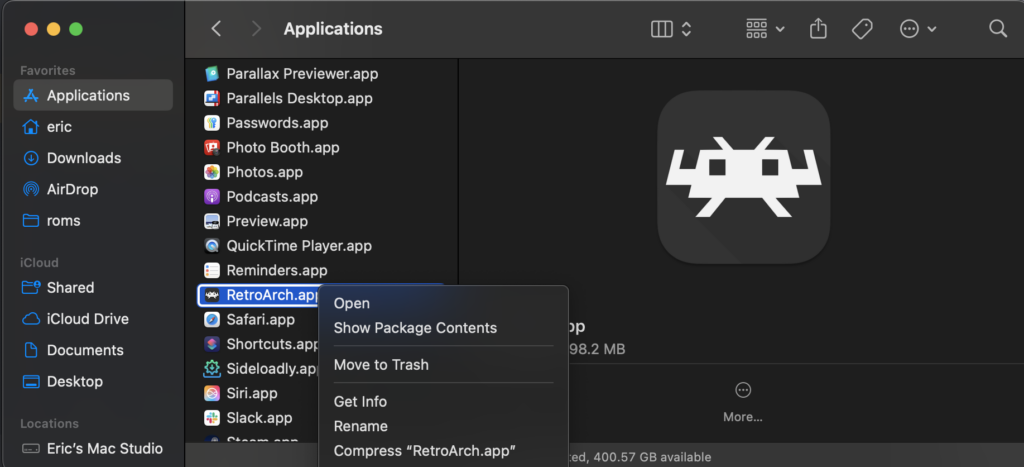
- Locate in Finder: Open Finder, navigate to your Applications folder, and locate the RetroArch application.
- Get Info: Right-click on the RetroArch icon and select "Get Info" from the context menu.
- Enable Rosetta: In the Info window that appears, check the box labeled "Open using Rosetta."
- Restart RetroArch: Launch RetroArch again. The LRPS2 core should now be visible in the Core Downloader and fully functional.
Understanding Core Options: Tailoring Your Experience
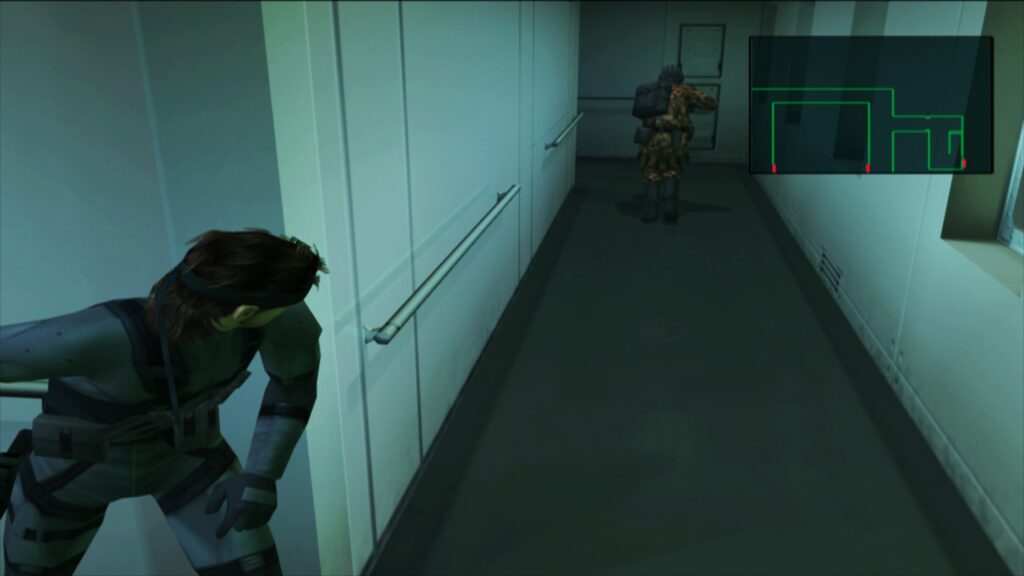
LRPS2 offers a comprehensive set of core options, categorized to allow users fine-grained control over various aspects of emulation. While a full list of options is extensive, they generally fall under:
- System: These options typically control fundamental console behaviors, such as BIOS settings, region selection, and memory card configurations. They are crucial for replicating the original console’s environment and ensuring game compatibility.
- Video: This category encompasses general video settings, including resolution scaling, aspect ratio, and shader presets. These global settings influence the overall visual presentation of games.
- Video – GSdx: Specific to the GSdx renderer, these options delve into more advanced graphical tweaks like texture filtering, anti-aliasing methods (beyond paraLLEl-GS’s SSAA), and various hardware rendering hacks needed for specific games. These are often critical for resolving visual artifacts in titles that don’t render perfectly out-of-the-box.
- Manual Hardware Rendering Fixes – GSdx: A dedicated section within GSdx options for enabling specific, often game-dependent, rendering fixes. These are workarounds for known hardware rendering issues in particular titles.
- Emulation: These options govern the core emulation speed, CPU overclocking, and other timing-related settings, which can impact performance and game behavior.
- Input: This category allows for customization of controller inputs, mapping physical gamepads to the emulated PS2 controllers, and configuring features like rumble.
For paraLLEl-GS, its dedicated options focus on its unique capabilities, such as different SSAA levels, the experimental high-res scanout, and other visual enhancements specific to its compute-shader architecture. These options are typically designed to provide maximum visual fidelity and accuracy with minimal need for manual adjustments per game.
Addressing Common User Queries
The development team has proactively addressed several frequently asked questions to assist users in troubleshooting and optimizing their LRPS2 experience:
- Black Screen with Audio: Users experiencing a black screen while hearing audio, particularly with the D3D11 video driver on Windows, are advised to switch their video driver to D3D12 (either globally or via a core override). This often resolves the display issue.
- ParaLLEl-GS Performance on Intel Integrated Graphics: ParaLLEl-GS, due to its heavy reliance on compute shaders, may perform poorly on older or less powerful Intel Integrated Graphics Processors (IGPs). While newer Intel discrete GPUs should handle it well, users with older IGPs are recommended to use the software renderer or the GSdx renderer for better performance.
- Software Renderer Crashes with Vulkan: A known issue exists where the software renderer may crash when used with the Vulkan video driver. Until a fix is identified, users are advised to switch to the ‘glcore’ driver on Linux or one of the D3D drivers on Windows for reliable software rendering.
- Analog Face Buttons: The implementation of analog face button support, a unique feature of the PS2 controller, is currently in development. While not yet fully functional, most games remain playable and completable without it.
- Per-Game Patch Information: To determine which internal patches (e.g., game enhancements, language unlocks, no interlacing, widescreen) are applied on a per-game basis, users must enable logging in RetroArch and review the log output. The internal database of game-specific fixes is continually expanding.
- Core Not Appearing in List: If LRPS2 is not visible in the Core Downloader, it is likely due to the platform not being supported (e.g., Android, iOS, ARM Linux). For supported platforms, updating core info files via the online updater is the recommended solution.
- Improving Frame Pacing: To enhance frame pacing, especially on Variable Refresh Rate (VRR) displays, users can enable "Sync to Exact Content Framerate" in RetroArch’s Video -> Synchronization settings. For VRR displays, VSync should be turned off in RetroArch, but enabled in the graphics card’s control panel (e.g., Nvidia Control Panel). However, some games may not behave well with this option, requiring user experimentation.
Broader Implications and Future Outlook
The release of LRPS2 with its advanced paraLLEl-GS renderer marks a significant milestone in digital game preservation. It not only brings a robust and highly accurate PlayStation 2 emulation experience to the RetroArch platform but also showcases the potential of compute-shader-based rendering for other complex systems. This approach promises to bridge the gap between software rendering accuracy and hardware rendering performance, delivering an unparalleled visual experience for classic titles.
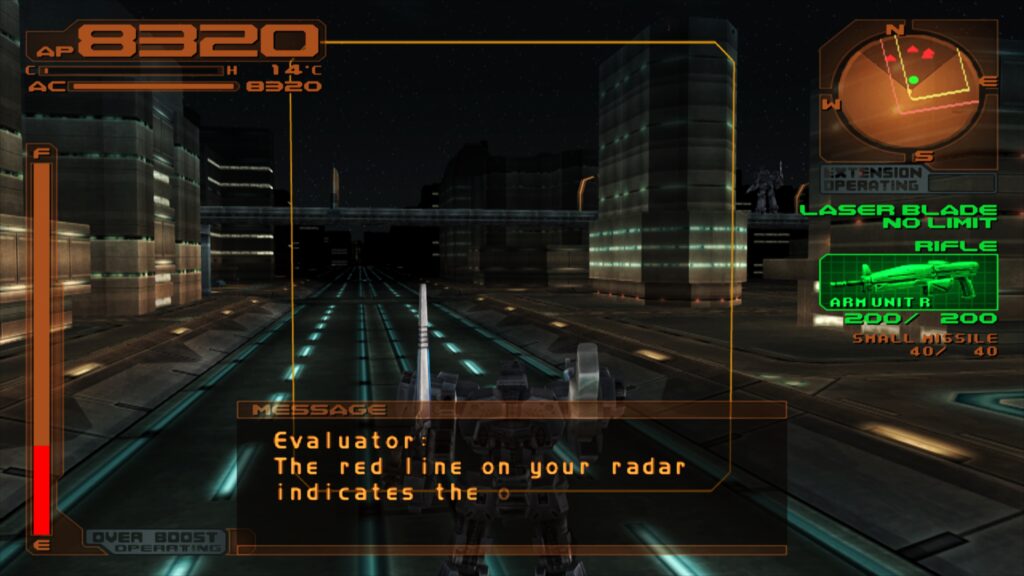
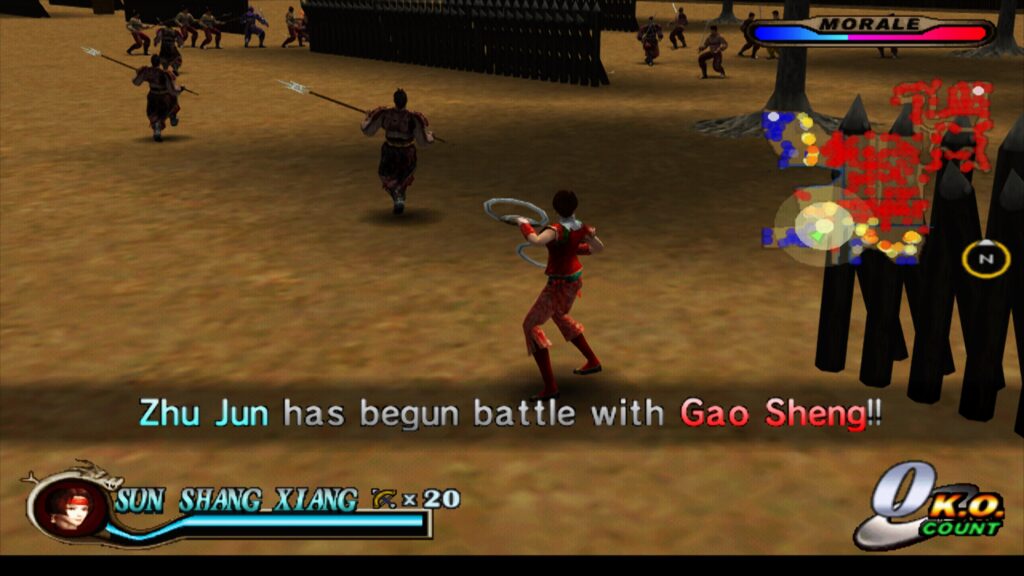
For the retro gaming community, LRPS2 means easier access to the vast PS2 library within a unified frontend, benefiting from RetroArch’s extensive feature set, including shaders, netplay, and advanced input configurations. The emphasis on a modern codebase and multi-platform support ensures that PlayStation 2 games can be enjoyed by a wider audience on contemporary hardware for years to come. The ongoing development, particularly for features like analog face buttons and the expanding game compatibility database, signifies Libretro’s continued commitment to refining and perfecting this essential core. The vibrant collection of video demonstrations accompanying the release, showcasing titles like Primal, Ridge Racer V, Gran Turismo 4, Tekken 5, Onimusha 3 Demon Siege, and Tekken Tag Tournament, vividly illustrates the enhanced visual fidelity and smooth performance achievable with LRPS2 and paraLLEl-GS, setting a new benchmark for console emulation.