Edi Durjana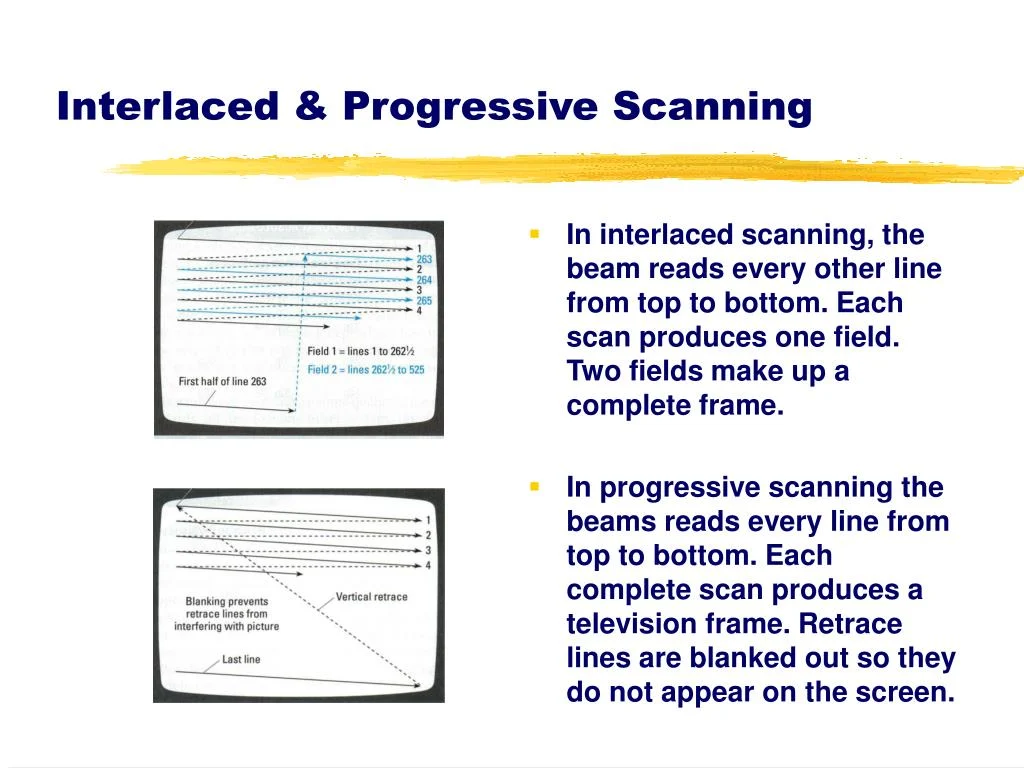
The PlayStation 2 (PS2), a console that dominated the sixth generation of video gaming, was fundamentally engineered for optimal performance on Cathode Ray Tube (CRT) televisions, a ubiquitous display technology of its era. Unlike modern digital systems that prioritize pixels and fixed resolutions, the PS2, like its analog video output predecessors, was conceived around the concepts of scanlines and precise timing. While a niche VGA monitor attachment existed for the official PS2 Linux toolkit, offering some VESA display modes, this was largely an afterthought, with virtually no commercial games leveraging this capability. Understanding the PS2’s intrinsic ties to CRT technology is crucial to appreciating its unique technical challenges, groundbreaking successes, and lasting legacy in the evolution of video game display standards.
Acronyms used in this article:
- PS2: PlayStation 2
- CRT: Cathode Ray Tube (traditional, bulky televisions replaced by HDTVs)
- GS: Graphics Synthesizer (the PS2’s Graphics Processing Unit)
- PAL: Phase Alternating Line (European television signal standard for CRTs)
- NTSC: National Television System Committee (American/Japanese television signal standard for CRTs)
- CRTC: Cathode Ray Tube Controller (a component within the PS2 GPU responsible for video output timing)
- EDTV: Enhanced Definition Television or Extended Definition Television (an SDTV that supported progressive scan display modes)
- VU0/VU1: Vector Unit 0/Vector Unit 1 (two powerful SIMD coprocessors integrated into the PS2’s architecture)
The Analog Foundation: Designing for Scanlines, Not Pixels
Launched in Japan on March 4, 2000, and later that year in North America and Europe, the PlayStation 2 quickly became the best-selling video game console of all time, selling over 155 million units worldwide. Its success was built on a foundation of innovative hardware and a massive game library. However, beneath the surface, its graphical capabilities were intricately linked to the analog world of CRTs. The console’s Graphics Synthesizer (GS), a highly customized GPU, featured a mere 4MB of embedded VRAM. This memory, while fast, was often insufficient to hold a full 640×480 framebuffer, let alone larger resolutions, for an entire frame. Sony famously encouraged developers to treat this VRAM more as a high-speed "scratchpad" rather than conventional frame storage, pushing for innovative memory management techniques.
Despite the limited VRAM, the GS boasted unparalleled bandwidth for certain operations. Tasks like alpha blending, multi-pass rendering, and framebuffer copies—operations that typically burdened other GPUs of the era—were remarkably efficient on the PS2. This unique architectural strength allowed developers to create visually complex effects, with games like Driv3r pushing the GS in ways that would have brought competing hardware to its knees. Furthermore, the PS2’s two Vector Units (VU0 and VU1) provided a fully programmable geometry pipeline, enabling hardware features akin to modern mesh shaders, concepts that only began to reappear in PC GPUs like the Nvidia GeForce RTX 20 series nearly two decades later. This combination of specialized hardware, while powerful, dictated specific approaches to game rendering and display.
The 60fps Imperative: Maintaining Visual Integrity on CRTs
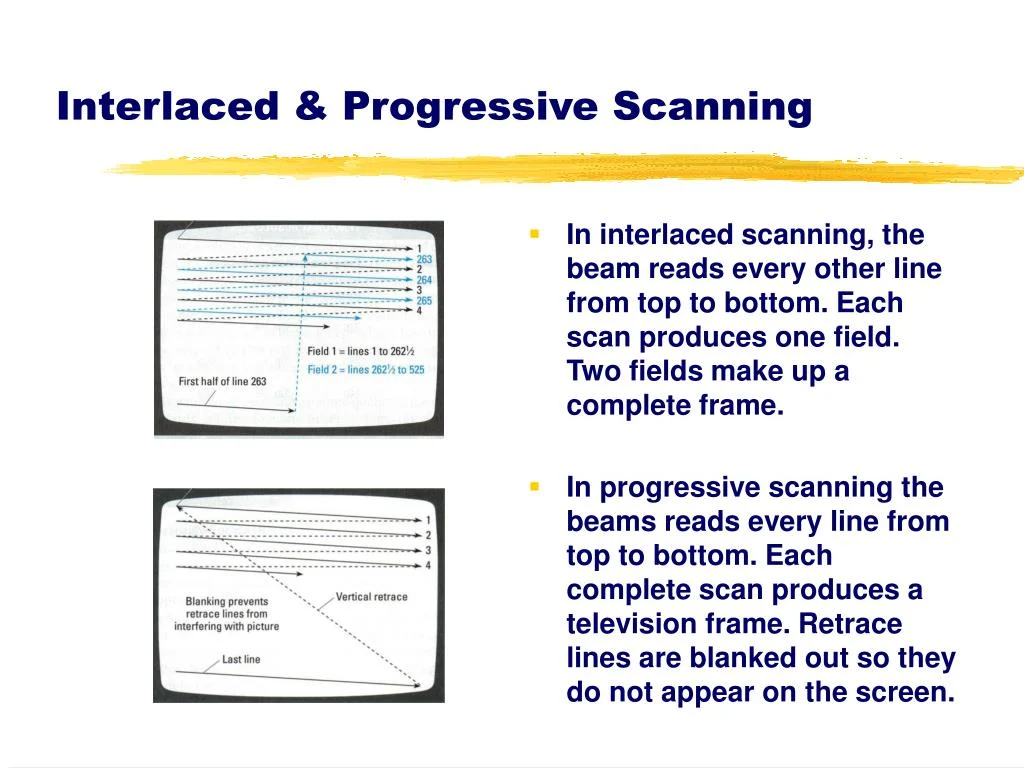
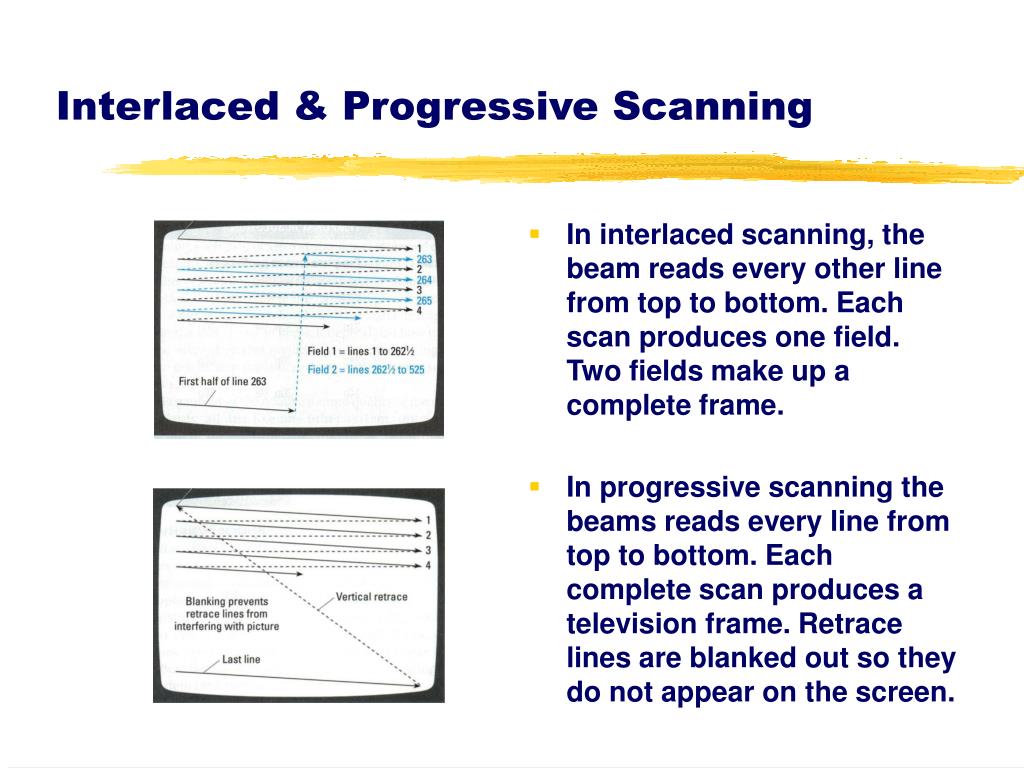
One of the most striking characteristics of the PS2 era, particularly evident at launch, was the console’s abundance of games targeting a locked 60 frames per second (fps) at 60Hz (NTSC regions) or 50fps at 50Hz (PAL regions). This wasn’t merely a developer’s ambition for smooth gameplay but a technical necessity driven by the PS2’s video output architecture and the nature of interlaced scanning on CRTs.
Early versions of the PS2’s Software Development Kit (SDK) primarily supported interlaced scanline modes, requiring a consistent 60Hz refresh rate to achieve resolutions like 640×448. Developers later gained the option of using "frame mode" (rendering full frames) or "field rendered mode" (interlaced frames). Field rendering was a popular choice because it effectively halved the memory requirements per frame, rendering at resolutions like 640×240 or 512×224. This was a critical advantage given the GS’s constrained 4MB eDRAM. It also reduced the time needed to render the final output image, making it easier to hit higher framerates.
However, field rendering came with a significant caveat: frame pacing. If a game missed its target frametime and the previous frame had to be displayed twice, the entire image would visibly shift its vertical position by one scanline. This jarring "bobbing" effect made it imperative for developers to ensure a rock-solid 60fps. Many games, such as SSX 3, would internally slow down or strategically skip frames when performance dipped, rather than risk inconsistent frametimes that would degrade image quality. The goal was to maintain the illusion of a full, stable image on a CRT, where the interlaced fields would blend seamlessly.
Conversely, "frame mode" rendered full, higher-resolution frames (e.g., 640×448 or 512×448), demanding more rendering time and making a consistent 60fps harder to achieve. However, this mode was more forgiving of dropped frames, as the screen would simply display the second field from the previous frame without the disruptive vertical shift.
Ultimately, if a game could maintain a consistent, perfectly frame-paced 60fps, field rendering provided a fast, memory-efficient solution that looked as intended on a CRT. The CRT’s inherent blending of interlaced fields made the underlying technical trickery invisible to the average player. This reliance on stable framerates to avoid visual artifacts helps explain why many PS2 games, particularly early titles, were so meticulously optimized for 60fps, often at the cost of internal game speed adjustments. The CRT display effectively "saved the day," allowing the PS2 to leverage lower internal resolutions while delivering a seemingly smooth and stable image. This technical imperative sheds light on why the PS2 boasted an unusually high number of 60fps titles compared to its contemporaries, the Xbox and GameCube, where framerates often fluctuated more freely without such severe visual penalties.
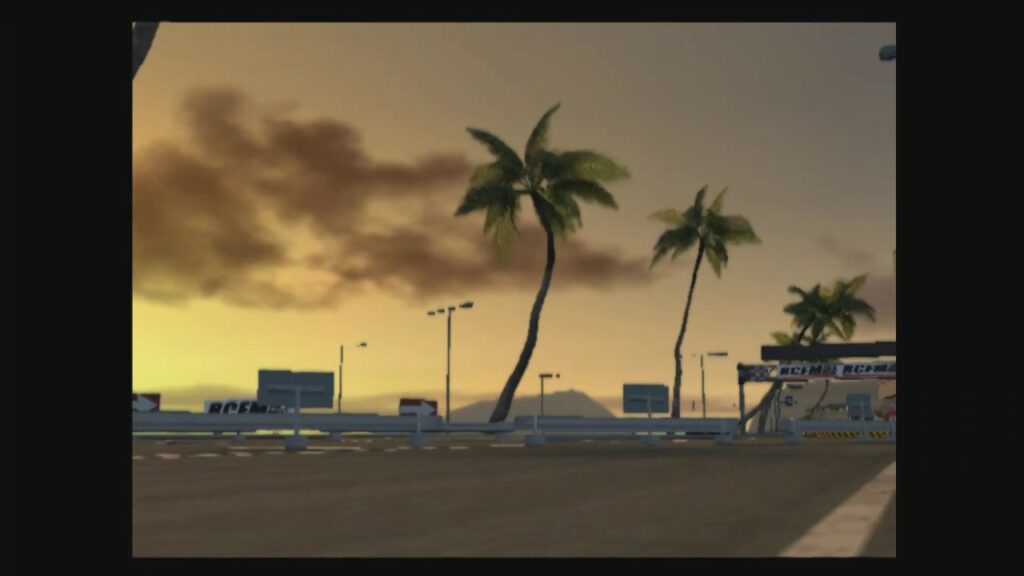
The PS2’s dependence on interlaced output also contributed to early criticisms regarding "jaggies" (jagged edges) and a perceived lack of anti-aliasing, especially when compared to the Sega Dreamcast. This issue was exacerbated by early game magazines and journalists who, using single-frame capture techniques, would only capture half of the interlaced fields. The resulting screenshots, displaying only odd or even lines, made PS2 games appear far more pixelated and jaggy in print than they did on a live CRT screen, fueling misunderstandings about the console’s actual visual fidelity.
Widescreen on CRTs: A Nascent Standard
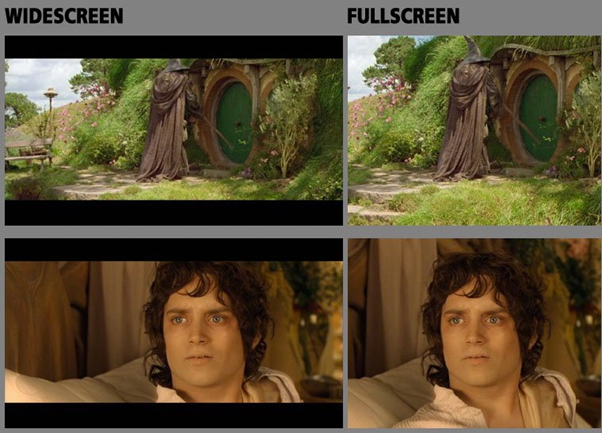
The early 2000s saw the nascent emergence of widescreen (16:9) displays in the home, a shift significantly accelerated by the PS2’s dual role as a DVD player. The term "anamorphic widescreen" became increasingly common as 16:9 CRT TVs began to enter the mainstream. While most PS2 games were initially designed for the traditional 4:3 aspect ratio, demand for widescreen support gradually grew, leading more developers to integrate it.
The PS2 offered three primary ways to implement widescreen:
- Hor+ (Horizontal Plus): The most desirable method, where the horizontal field of view is expanded, revealing more of the game world without cropping vertical information. This maintains the original vertical resolution and adds horizontal content.
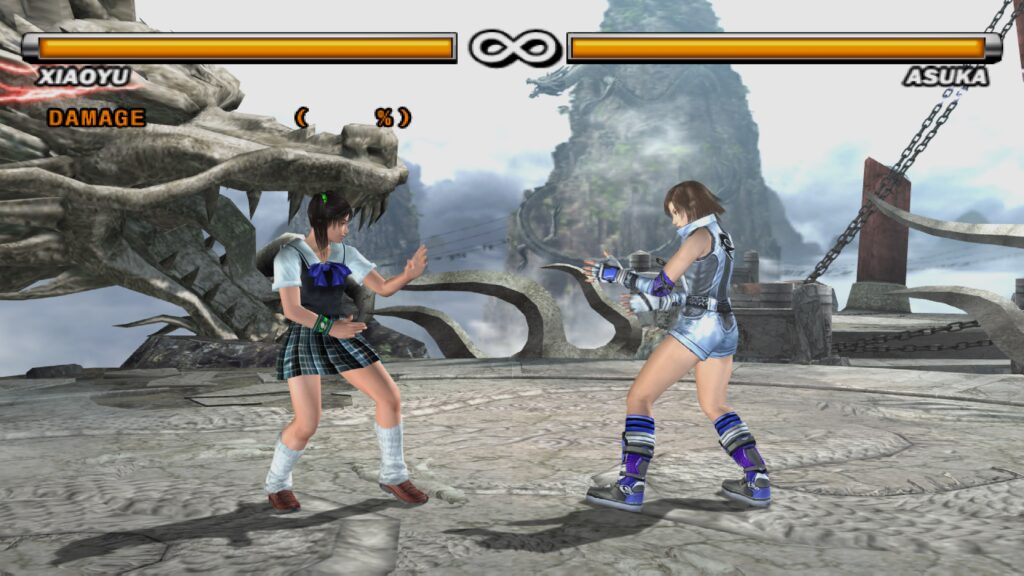
- Vert- (Vertical Minus): The most common but least ideal method, where the top and bottom portions of the 4:3 image are cropped, and the remaining image is often zoomed to fill the 16:9 screen. This results in a reduced vertical field of view and often larger on-screen characters.
- Hor+ and Vert-: A hybrid approach where some horizontal content is added, but also some vertical content is cropped, often with a slight zoom.
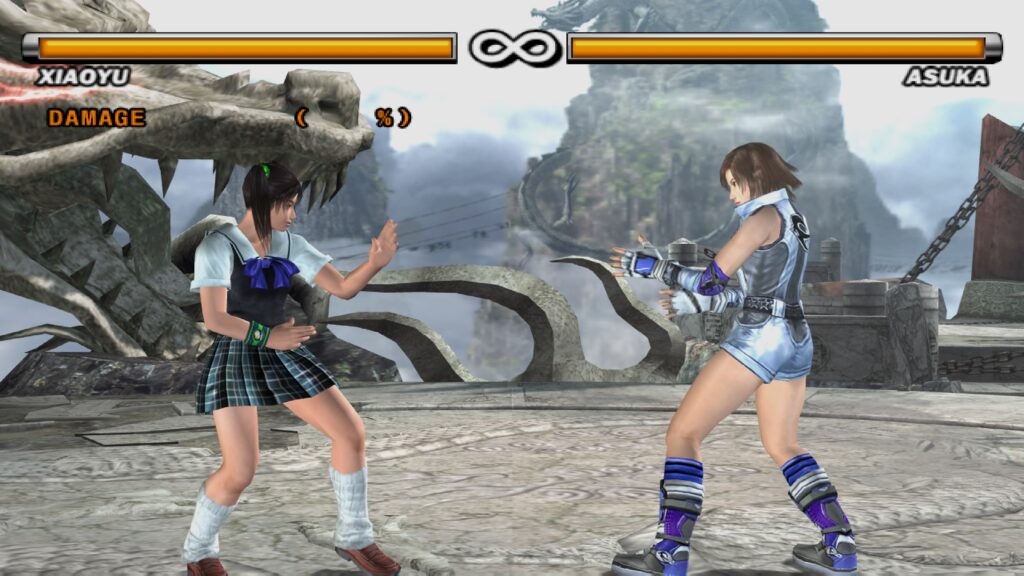
The vast majority of PS2 games, driven by technical constraints and development ease, opted for Vert- implementations. Games like Tekken 5 featured a "quasi-widescreen" mode that cropped "unimportant" areas at the top and bottom while zooming in. Similarly, popular franchises like Ratchet & Clank and Jak and Daxter utilized Vert-. This choice was pragmatic: zooming and scaling were "free" on the GS, and cropping parts of the image helped ensure that the framebuffer still fit within the 4MB VRAM. Achieving a true Hor+ widescreen mode required developers to consider increased horizontal resolution, which in turn demanded more VRAM and rendering power, a luxury often unavailable given the PS2’s tight resource management. The console already relied heavily on the CRT’s ability to blend interlaced scanlines to mask its lower-than-average resolutions; expanding horizontally would push these limitations further.
The resulting experience for enthusiasts was often frustrating, as Vert- modes failed to fully leverage the benefits of widescreen, offering a cropped and zoomed image rather than an expanded view of the game world. Modern emulation and fan patches have since demonstrated the significant visual improvement that true Hor+ widescreen modes offer, revealing previously unseen portions of the game environment.
The Rise of Progressive Scan and EDTVs
Towards the latter end of the CRT’s commercial lifespan, around 2001, television manufacturers introduced Enhanced Definition Television (EDTV) CRTs. These innovative displays bridged the gap between standard definition (SDTV) and high definition (HDTV), supporting progressive scan signals at 480p (NTSC) or 576p (PAL). Unlike interlaced modes, progressive scan displays full frames sequentially, eliminating the "jaggies" and flickering associated with interlacing and providing full-height backbuffers.
To utilize progressive scan modes, users typically needed higher-quality analog video connections: component cables (YPbPr) for NTSC regions or RGB SCART cables for European and Japanese markets. Standard composite or RF-AV cables lacked the bandwidth and signal integrity for progressive scan. When supported by a game, progressive scan could often be activated by holding specific button combinations (commonly X and Triangle) during startup, prompting the user to select the desired display mode.
While progressive scan offered a clearer, non-interlaced image, some games made a trade-off: to accommodate the larger full-frame buffer within the 4MB GS eDRAM, they might reduce the framebuffer depth to 16 bits per pixel (bpp) or lower. This could lead to issues like color banding, a subtle degradation in color fidelity. However, for most users, the benefits of eliminating interlacing artifacts outweighed this potential drawback.
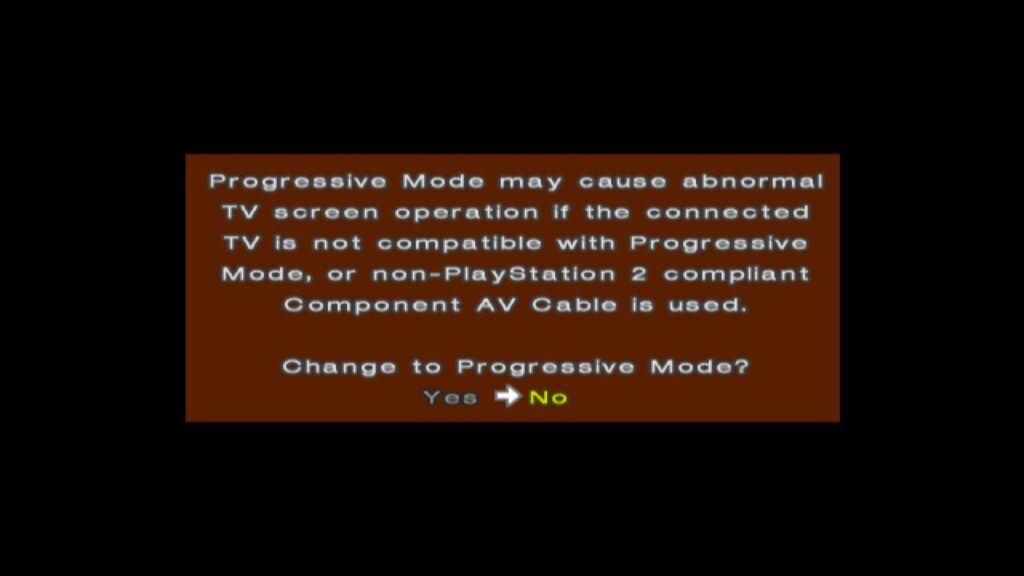
Some ambitious titles, like Valkyrie Profile 2 and Gran Turismo 4, even offered a "1080i" mode. This was often a clever visual trick rather than a true 1920×1080 resolution. For example, Gran Turismo 4 internally rendered at 640×540, with the GS’s CRTC then magnifying this to "1920×1080" through integer scaling (e.g., 640 3 = 1920 horizontally, and 540 2 = 1080 vertically, or via interlaced framebuffer switching). While convincing on a CRT at the time, these modes often look inferior to 480p progressive scan on modern displays due to the underlying low resolution and scaling artifacts.
Europe’s PAL Predicament: 50Hz vs. 60Hz and the Lack of Progressive Scan
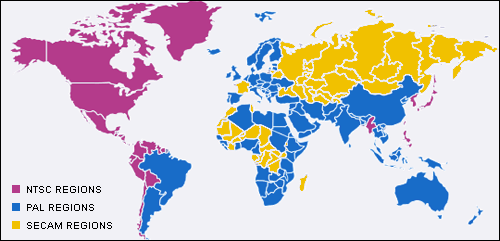
European PS2 players faced additional display challenges due to the region’s adoption of the PAL television standard, which operated at 50Hz, compared to NTSC’s 60Hz. This fundamental difference meant that many games, originally developed for NTSC, would run 16.9% slower when converted to PAL 50Hz. While previous consoles like the Dreamcast had often offered a "PAL60" mode (a 60Hz NTSC signal output over a PAL connection), Sony officially refused to support PAL60 for the PS2, considering it a non-standard.
Consequently, most early PS2 launch titles in Europe were locked to 50Hz, leading to slower gameplay and, in many cases, "letterboxing" (black bars at the top and bottom) due to PAL’s higher vertical resolution (e.g., 576i vs. NTSC’s 480i) which developers often didn’t fully utilize. While some UK developers like Psygnosis (Wipeout) and Rockstar (Grand Theft Auto) were known for delivering well-optimized PAL conversions that leveraged the higher scanlines for improved image quality, the inherent speed reduction remained a persistent issue.
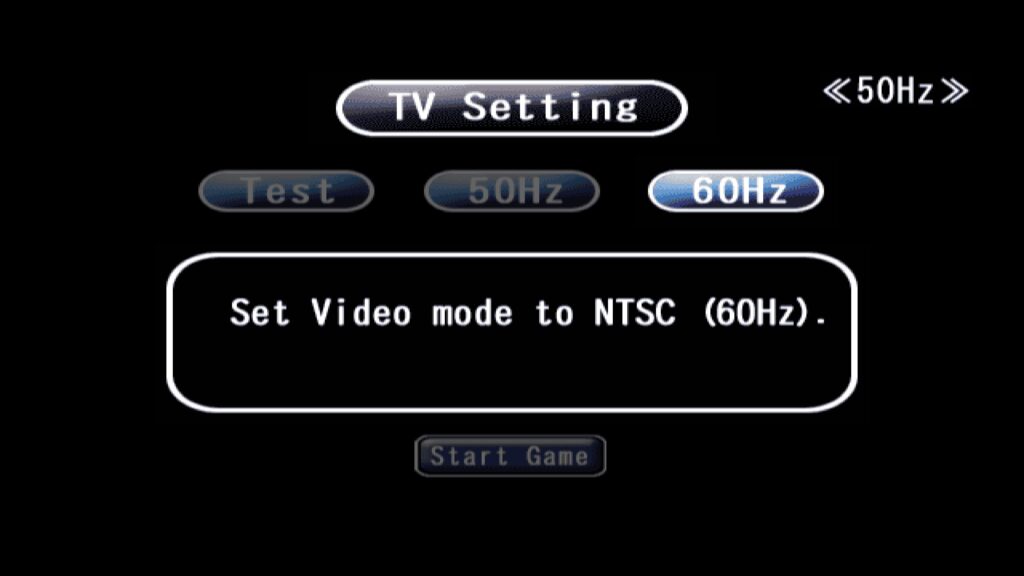
Around 2002, more PS2 games began offering 50Hz/60Hz toggles at startup, like ICO. Rather than implementing a true PAL60, these games would switch the console to NTSC 480i mode, which most European TVs of the late 1990s and early 2000s could support. This offered European players the option for full-speed, 60Hz gameplay, albeit sometimes with slightly lower vertical resolution compared to optimized 50Hz PAL versions. Developers like Square, however, faced difficulties with this, particularly for games heavy with Full Motion Video (FMV) scenes, as including both 50Hz and 60Hz versions of these large files on a single DVD was often impractical, leading some titles like Final Fantasy X to remain 50Hz-only in Europe despite demand. Furthermore, progressive scan modes were sometimes stripped from European versions of games (e.g., God of War 2, Soul Calibur 3), likely due to the low adoption rates of progressive scan-capable TVs in the region.
The Great Transition: PS2 on Early LCDs and Modern Displays
The mid-2000s marked a pivotal shift in display technology as the industry transitioned from CRTs to flat-panel LCD (Liquid Crystal Display) televisions. This era coincided with the arrival of seventh-generation consoles like the PlayStation 3 and Xbox 360, which were designed for digital, non-interlaced high-definition output via HDMI. For these new consoles, the complexities of PAL vs. NTSC, 50Hz vs. 60Hz, and interlacing artifacts largely vanished, offering a consistent 60Hz (or higher) experience by default.
However, for older, CRT-centric consoles like the PS2, this transition was fraught with issues. Early LCD HDTVs, particularly those released around 2005-2007, often suffered from high input latency, poor motion clarity, and noticeable ghosting. The visual techniques optimized for CRTs, such as "feedback blur" used in many PS2 games for motion effects, looked fantastic on a CRT’s inherent phosphorescence decay but appeared disastrous on early LCDs, exacerbating ghosting artifacts. Some games, like Soul Calibur 3, even included in-game settings like "Software Overdrive" to mitigate these afterimage effects on LCD screens, a testament to the early challenges.
The lack of motion clarity and increased latency remained significant hurdles for retro gaming on modern displays for many years. It is only in recent times, with advancements in display technology (like OLED screens) and sophisticated software solutions (such as BlurBusters’ "CRT beam racing simulator" shaders), that it has become possible to emulate the unique visual characteristics of CRTs, including their near-zero latency and superior motion clarity. These modern techniques, often integrated into advanced emulation platforms, allow enthusiasts to experience PS2 games with a fidelity and responsiveness that rivals, and in some aspects surpasses, their original CRT presentation, combining the aesthetic of a CRT with the sharpness of a digital display.
The PlayStation 2’s journey through the analog and early digital display eras is a fascinating case study in how hardware design, software development, and evolving display technology intertwine. Its inherent ties to CRTs shaped its framerate targets, resolution choices, and even regional variations, leaving a distinct technical footprint that continues to be explored and appreciated by gaming historians and enthusiasts alike.