Farhan hamdan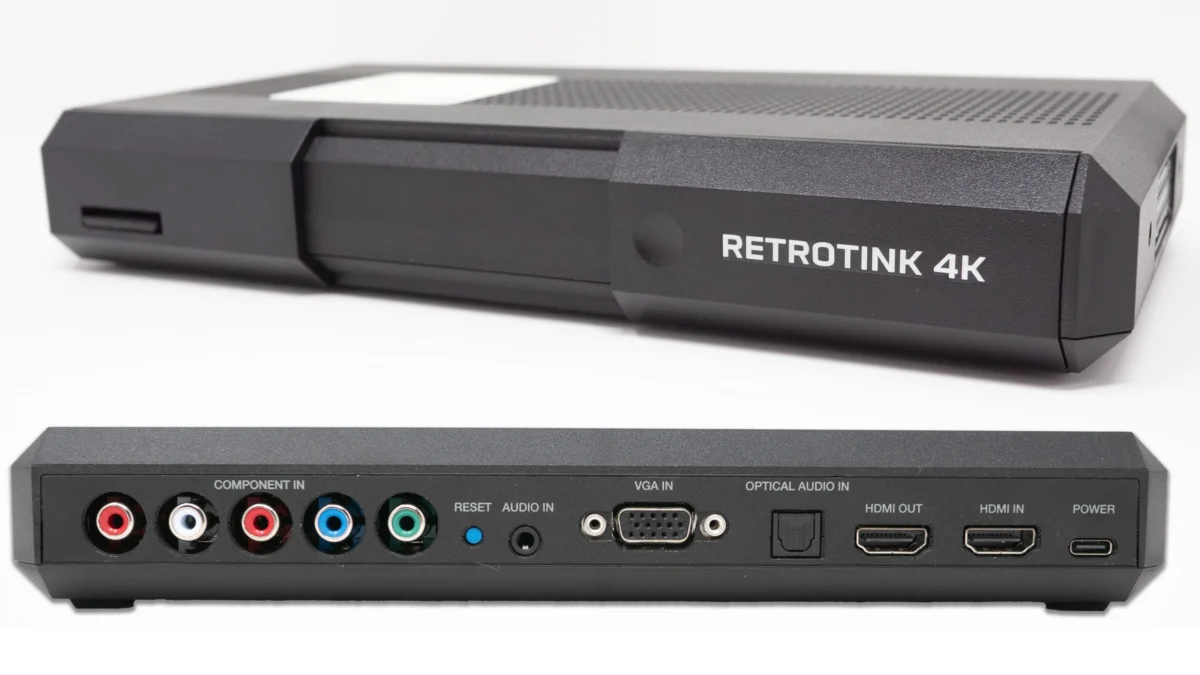
Mike Chi, the acclaimed developer behind the RetroTINK line of video scalers, has released an experimental new firmware update for the RetroTINK 4K, introducing a groundbreaking feature that allows users to add an effectively unlimited number of custom modelines via an SD card. This development marks a significant leap forward in the customization and precision available to retro gaming and video preservation enthusiasts, moving beyond the previous limitation of four fixed modeline slots. The update is poised to profoundly impact how users manage custom display profiles, particularly for challenging sources like VHS, and sets the stage for a collaborative community effort to build a comprehensive modeline library for future official firmware integration.
The Evolution of Modeline Management on RetroTINK 4K
The RetroTINK 4K has established itself as a premier video scaler in the retro community, renowned for its advanced capabilities in upscaling and processing vintage video signals for modern displays. A core aspect of its functionality revolves around "modelines," which are sets of parameters defining a display’s timing, resolution, and refresh rate. These precise configurations are crucial for ensuring optimal picture quality, minimizing input lag, and accurately representing the diverse and often non-standard signals produced by classic gaming consoles, arcade boards, and legacy video equipment. Until now, users were restricted to a limited number of predefined or user-configurable modeline slots, often just four, which necessitated frequent overwriting and compromise for those with extensive custom profile needs.
This limitation presented a significant hurdle for advanced users and content creators who required specific modelines for various consoles, games, or video formats. For instance, achieving pixel-perfect scaling for a Super Nintendo’s 240p output might require a different modeline than processing a PlayStation 1’s 480i signal, or optimizing for a rare arcade board. The previous system forced users to prioritize a select few configurations, leading to a constant cycle of loading and saving modelines, which disrupted workflow and limited the potential for truly tailored experiences. The introduction of SD card-based modeline storage fundamentally alters this paradigm, offering virtually limitless flexibility and streamlining the process of matching custom profiles with their corresponding display timings.

Technical Deep Dive: What Modeline Expansion Means for Users
Modelines are the bedrock of accurate video signal interpretation. They dictate horizontal and vertical synchronization timings, front and back porches, and pixel clock rates, all of which must precisely align with both the source signal and the target display’s capabilities. A perfectly crafted modeline can eliminate visual artifacts, ensure correct aspect ratios, and provide the sharpest possible image for a given retro source. With the new experimental firmware, the RetroTINK 4K can now read these custom timing definitions directly from files stored on an SD card, effectively bypassing the internal memory limitations. This means that a user can curate a vast library of modelines, each meticulously designed for a specific game, console, or video format, and access them on demand.
The practical implications are immediate and profound. Imagine a scenario where a user has a dedicated profile for a Sega Genesis running at 240p, another for a PlayStation 2 outputting 480i, and a third for a complex Japanese arcade board that outputs an unusual resolution. Previously, managing these would involve overwriting one of the four precious slots. Now, each can have its own dedicated modeline file on the SD card, easily selectable and recallable. This not only enhances convenience but also encourages deeper experimentation and optimization, as users are no longer constrained by storage capacity when exploring different display configurations. The ability to associate a specific profile with a unique modeline without fear of losing another critical setting is a game-changer for enthusiasts who demand the utmost precision and customization.
Enhanced User Interface and the VHS Profile Pack
Accompanying the expanded modeline capabilities, the experimental firmware introduces a revised HDMI menu interface designed to intuitively manage this newfound flexibility. Instead of merely displaying four fixed slots, the menu now features two "custom" slots for user favorites, alongside two dynamic slots (labeled 3 and 4 in the provided examples) that can be assigned from the comprehensive library on the SD card. This hybrid approach provides quick access to frequently used modelines while simultaneously opening the door to the entire collection.

To demonstrate the power of this new feature, an accompanying "potential" VHS profile pack has been released. This pack includes a multitude of custom modelines specifically tailored for VHS capture and playback. Capturing and displaying VHS content accurately on modern digital displays presents unique challenges. VHS signals are inherently analog, often feature fluctuating timings, color bleed, and significant noise, and were designed for interlaced CRT televisions, not progressive digital flat panels. Traditional scalers often struggle to cleanly deinterlace and upscale these signals without introducing artifacts or losing detail. The custom modelines within this pack are engineered to address these specific issues, aiming to provide cleaner, more stable, and visually appealing results when digitizing or viewing VHS tapes through the RetroTINK 4K.
The process for users to implement these new features is straightforward. After updating to the experimental firmware, users simply download the VHS + Modeline Pack, extract its contents to the root of their RetroTINK 4K’s SD card, and restart the device. The new modeline files will then appear as selectable options within the HDMI menu, specifically under slots 3 and 4. When a user loads one of the new VHS profiles, the profile itself can reference and automatically load the appropriate modeline from the SD card, creating a seamless and integrated experience. This demonstrates a sophisticated level of interaction between profiles and modelines, where profiles are no longer static entities but dynamic configurations that can pull in specific timing data as needed.
Community-Driven Development and the Path to Official Release
A crucial aspect of this experimental firmware release is the call for widespread community testing. Given the vast array of retro hardware, display types, and regional video standards (NTSC, PAL, SECAM), rigorous testing by a diverse user base is essential to refine these new features and identify any unforeseen bugs or compatibility issues. The developer, Mike Chi, has explicitly invited users, particularly those with VHS capture setups, to test the new modeline features and report their findings. The initial testing is primarily focused on NTSC regions, highlighting a critical need for PAL users to contribute by creating and testing modified profiles and modelines relevant to their regional standards.
This collaborative approach is a hallmark of the retro community, where passionate users often play a direct role in the development and refinement of hardware and software. The ultimate goal is to leverage this collective testing effort to curate a "final" and robust modeline pack. This refined pack, thoroughly vetted by the community, would then be integrated into a future official firmware release, making these advanced capabilities accessible to all RetroTINK 4K users without requiring manual SD card management or experimental firmware installations. This iterative development model ensures that the final product is not only technically sound but also addresses the real-world needs and diverse use cases of its dedicated user base. The success of this initiative relies heavily on the active participation of retro enthusiasts worldwide, fostering a sense of co-creation and shared ownership in the evolution of the RetroTINK platform.

Beyond Modeline Management: BFI Page Enhancements
In addition to the extensive modeline advancements, the experimental firmware includes a notable quality-of-life improvement for the Black Frame Insertion (BFI) functionality. BFI is a technique used in modern displays to reduce motion blur, particularly prevalent in sample-and-hold display technologies like LCDs and OLEDs. By inserting brief black frames between video frames, BFI mimics the scanning behavior of old CRT displays, enhancing motion clarity and reducing perceived ghosting. However, understanding how different BFI settings affect the display has often been complex for users.
The new firmware addresses this by adding a "BFI Pattern" indicator at the bottom of the BFI configuration page. This visual guide provides real-time feedback, showing users exactly which frames are being displayed and which are blacked out as they adjust different BFI modes. This immediate visual representation significantly demystifies the BFI settings, making it much easier for users to understand the impact of their choices and fine-tune motion clarity to their preferences. For example, a "1:1" pattern might indicate one video frame followed by one black frame, while a "2:1" pattern would show two video frames followed by one black frame. This clarity empowers users to optimize their display for specific content, whether it’s fast-paced action games or slower, more cinematic experiences.
A minor caveat noted in the release is that the "blur" function is automatically disabled when using "Variable MPRT" and "CRT Beam Simulate" BFI modes. While the BFI Pattern correctly reflects the active BFI mode, a slight visual inconsistency exists where changing the "Blur" number in these specific modes will still show a pattern change on the UI, even though no actual blur effect is being applied on-screen. This is a minor display bug that does not impact the functionality but is noted for transparency during this experimental phase. This enhancement to the BFI page underscores the developer’s commitment to improving user experience across all facets of the RetroTINK 4K’s advanced feature set.
Broader Implications for Retro Preservation and Customization

This experimental firmware update represents more than just a technical enhancement; it signifies a pivotal moment for the retro gaming and video preservation communities. By democratizing access to virtually unlimited modeline configurations, the RetroTINK 4K empowers users to achieve an unprecedented level of control over their retro video experience. This level of customization is crucial for accurately preserving and displaying vintage media, ensuring that the visual fidelity of classic games and videos can be faithfully reproduced on contemporary displays.
The shift towards SD card-based modelines fosters greater innovation within the community. It encourages users to experiment with bespoke timing configurations for obscure hardware, unconventional setups, and niche applications, knowing that their work can be easily saved, shared, and integrated without overwriting existing critical settings. This collaborative ecosystem, where users can contribute to a collective library of optimized modelines, will undoubtedly accelerate the discovery of best practices for various retro sources.
Furthermore, the dedicated focus on challenging formats like VHS underscores the RetroTINK 4K’s versatility and its potential as a comprehensive tool for digital archiving and media conversion. The ability to fine-tune signal processing for such volatile sources can significantly improve the quality of digitized home videos and vintage recordings, safeguarding them for future generations.
In conclusion, Mike Chi’s experimental firmware for the RetroTINK 4K is a monumental step forward, offering unparalleled flexibility in modeline management and significant improvements in user interface and BFI visualization. This update not only enhances the immediate user experience but also lays the groundwork for a more collaborative and innovative future in retro video processing, driven by the collective expertise of a passionate global community. Enthusiasts are encouraged to download and test the firmware, contributing to the development of what promises to be a transformative addition to the RetroTINK 4K’s capabilities.
Download and Resources:

- Experimental Firmware: https://retrotink-llc.github.io/firmware/4k-experimental.html
- Purchase RetroTINK Products: https://retrorgb.com/retrotink.html
- New VHS + Modeline Pack: https://www.retrorgb.com/assets/RT4K_VHS_2026-06-12.zip
EDIT: Please note that since the initial release of this experimental firmware, newer official firmwares may have been released that incorporate these features and more. Users are always advised to download the newest available firmware for the latest features and stability improvements.