 Farhan hamdan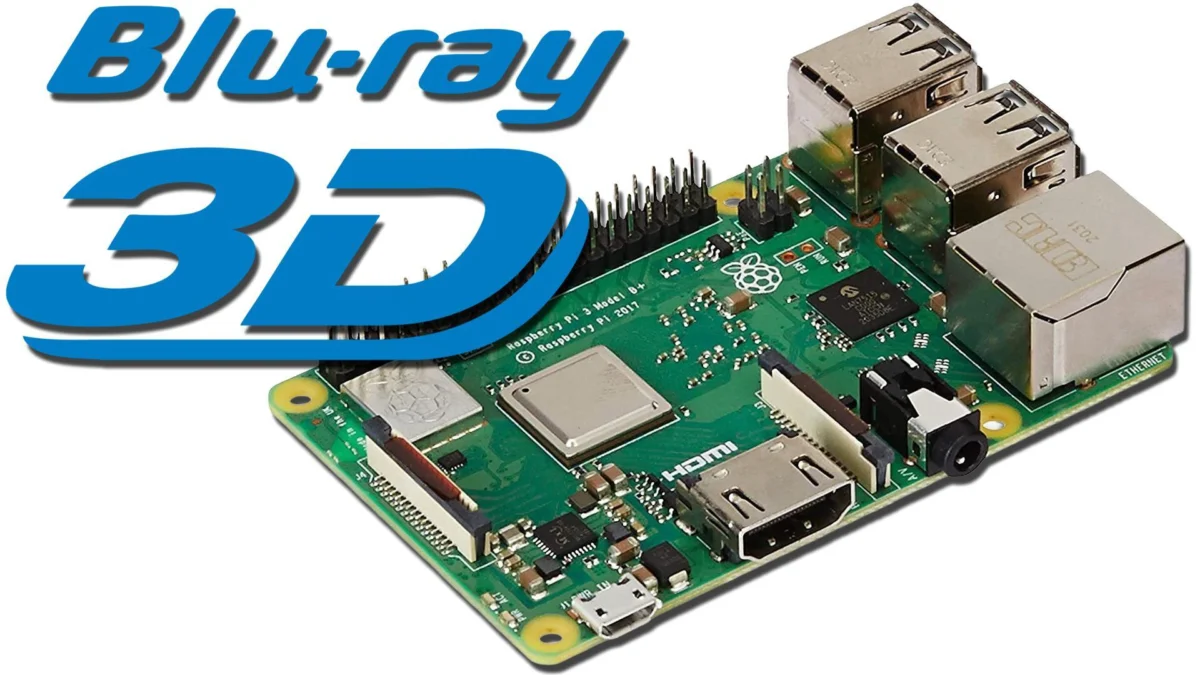
In an increasingly digitized and streamlined media landscape, a dedicated community of enthusiasts continues to champion niche playback experiences, often requiring sophisticated, multi-faceted solutions. A recent development highlights a unique configuration leveraging the modest Raspberry Pi 3 to simultaneously address two highly specific, yet disparate, demands: the faithful playback of 3D Blu-ray ISOs on compatible flat-panel displays and the achievement of proper 24p video cadence on legacy PC CRT monitors. This convergence of capabilities within a single, low-cost device represents a significant breakthrough for media archivists and retro technology aficionados, albeit with specific hardware and software prerequisites that underscore the complexities of specialized media preservation and consumption.
The Resurgence of Niche Media Consumption: CRTs and 3D
The appeal of this dual-purpose setup stems from a confluence of factors rooted in the history of display technology and film presentation. For decades, cinema projected films at 24 frames per second (24p), a standard that created a unique visual characteristic. When these films were transferred to television, which typically operates at 60Hz (NTSC regions), a process called "3:2 pulldown" was used to convert the frame rate. This technique, while functional, introduced subtle motion artifacts and judder, detracting from the original cinematic feel. PC CRT monitors, with their inherent flexibility in refresh rates and superior motion clarity compared to early flat panels, offer a potential avenue to display 24p content at a perfect multiple (e.g., 72Hz), thereby eliminating judder and preserving the intended visual cadence. This pursuit of "proper cadence" is a cornerstone for film purists seeking an authentic viewing experience.
Concurrently, the brief but enthusiastic era of consumer 3D home entertainment, primarily spearheaded by 3D Blu-ray discs and compatible televisions, left behind a substantial library of content. While mainstream adoption waned, a dedicated segment of viewers continues to appreciate the immersive quality of stereoscopic 3D. However, playback options for ripped 3D Blu-ray ISOs have become increasingly limited, especially as hardware manufacturers shift away from 3D support and software developers prioritize newer codecs and features. The challenge lies in finding a contemporary, affordable solution that can accurately decode and output these specialized 3D formats.
Raspberry Pi 3: An Unlikely Hero for Legacy Formats
The Raspberry Pi series of single-board computers has long been a favorite among DIY enthusiasts for creating custom media centers, retro gaming consoles, and various embedded projects. Its affordability, compact size, and open-source ecosystem make it an ideal candidate for experimental applications. However, not all Raspberry Pi models are created equal, particularly when it comes to specific video decoding capabilities.
The critical insight for this dual-purpose solution centers on the Raspberry Pi 3, specifically the ‘B+’ revision, released in 2018. This model, and potentially the earlier RPi2, possesses a crucial hardware component: a dedicated video decoder chip (part of its Broadcom VideoCore IV GPU) capable of handling the complex frame-packing required for 3D Blu-ray playback. Subsequent models, such as the Raspberry Pi 4 and 5, while offering significantly more processing power and enhanced output capabilities (including 4K resolution), surprisingly omitted this specific 3D decoder, prioritizing newer, more common video standards. This architectural shift means that for enthusiasts seeking 3D Blu-ray ISO playback, the Raspberry Pi 3 stands as a pivotal, and increasingly sought-after, piece of hardware. The ‘B+’ version is generally recommended for its improved power management and slightly faster CPU, offering a more robust foundation for media tasks.

Decoding the Third Dimension: 3D Blu-ray on RPi3
Achieving 3D Blu-ray ISO playback on the Raspberry Pi 3 is not merely a matter of hardware selection; it also necessitates a specific software environment. The open-source media center software Kodi, integrated within lightweight operating systems like LibreELEC, is the cornerstone of this solution.
Hardware Imperatives: The RPi3’s Unique Capability
The ability of the Raspberry Pi 3 to play 3D Blu-ray ISOs is a testament to its specific hardware architecture. Unlike passive 3D formats (like side-by-side or top-and-bottom, which simply stack two images), 3D Blu-ray discs typically utilize "frame-packing" technology. This method transmits full-resolution left and right eye images sequentially, requiring a display and playback device capable of rapidly switching between these frames to create the illusion of depth when viewed with active shutter glasses. The dedicated decoder on the RPi3 is precisely engineered to handle this intensive process, effectively presenting a signal that compatible 3D televisions or projectors recognize as a native 3D input. This eliminates the need for a standalone 3D Blu-ray player, offering a more integrated and flexible media management solution for users with extensive digital libraries. Without this specific decoder, newer Raspberry Pi models rely on software decoding, which is often insufficient for the high bandwidth and real-time processing demands of frame-packed 3D.
Software Legacy: LibreELEC 9.2.8 and the Firmware Quirk
The software component is equally critical. As hardware capabilities evolved and 3D lost its market momentum, software development naturally followed suit. The LibreELEC/Kodi development teams, while maintaining an impressive commitment to open-source media playback, eventually ceased active support for the 3D Blu-ray decoding feature in newer versions, deeming it a legacy function tied to specific, now-discontinued hardware capabilities. Consequently, users must deploy LibreELEC version 9.2.8, which represents the final iteration of the software that fully supports the Raspberry Pi 3’s 3D decoding features.
The installation process involves using the LibreELEC SD creator tool or manually downloading the specific LibreELEC-RPi2.arm-9.2.8.img.gz image. A potential hurdle in this setup involves older "firmware" files. While modern operating systems often abstract these low-level components, the Raspberry Pi’s boot process is highly dependent on specific firmware versions that interact directly with the hardware. If the RPi3 fails to boot, displaying a black screen or an indicative LED blink pattern (e.g., 4 long, 7 short blinks, often misattributed to power supply issues), it may indicate a mismatch between the installed LibreELEC 9.2.8 and the specific firmware required by that older Kodi version for the RPi3. This necessitates troubleshooting by potentially sourcing and applying older firmware files, a common practice in the open-source community when working with specific legacy hardware-software combinations. Once successfully booted into Kodi, users can verify 3D functionality by playing a ripped 3D Blu-ray ISO, observing if their 3D-compatible display automatically switches into 3D mode, mirroring the behavior of a dedicated player.
Perfecting Motion: 24p Cadence on PC CRTs
With 3D playback confirmed, the focus shifts to the second, equally specialized, use case: achieving proper 24p cadence on PC CRT monitors. This endeavor caters to videophiles who prioritize motion fidelity and the aesthetic characteristics unique to cathode ray tube displays.
The Science of Smooth Motion: Why 72Hz Matters
The challenge of displaying 24p content on a 60Hz display (the standard refresh rate for most televisions) is the aforementioned 3:2 pulldown. To fit 24 frames into 60Hz, some frames are displayed for two fields and others for three, creating an irregular pattern that manifests as motion judder. To eliminate this, the content needs to be displayed at a refresh rate that is an exact multiple of 24. For PC CRT monitors, 72Hz (3 x 24Hz) is an ideal target. At 72Hz, each of the 24 frames can be displayed for exactly three cycles, resulting in perfectly even frame pacing and a smooth, film-like motion experience devoid of judder. CRTs excel here because, unlike fixed-refresh flat panels, they can often be configured to accept a wide range of custom resolutions and refresh rates, provided the signal falls within their horizontal and vertical scan frequency limits.

EDID Manipulation: Tailoring the Display Signal
Achieving this custom 72Hz output requires manipulating the Extended Display Identification Data (EDID) that the display communicates to the source device. EDID is a data structure provided by a display device to describe its capabilities to a video source (like a graphics card or, in this case, the Raspberry Pi). By default, the Raspberry Pi will query the connected display’s EDID and output a resolution and refresh rate it believes is compatible. For custom refresh rates like 72Hz at specific resolutions (e.g., 640×480 or 800×600), the Raspberry Pi’s default EDID interaction often falls short.
The solution involves "EDID spoofing" – essentially, overriding the Raspberry Pi’s default behavior by providing a custom config.txt file on the MicroSD card. This file contains specific display timings and resolutions that are pre-configured to output the desired 72Hz refresh rate, irrespective of the connected CRT’s reported EDID. While newer versions of LibreELEC support more advanced EDID manipulation methods, the specific LibreELEC 9.2.8 required for 3D Blu-ray playback necessitates a direct configuration file approach. By replacing the default config.txt file on the root of the MicroSD card with a specially crafted version containing these custom timings, the Raspberry Pi 3 can be forced to output the exact video signal required for judder-free 24p playback on a CRT monitor. This config.txt file specifies parameters such as hdmi_group, hdmi_mode, hdmi_timings, and overscan_scale to precisely control the HDMI output.
The Technical Blueprint: A Step-by-Step Overview
The implementation of this dual-purpose system follows a precise sequence:
- Hardware Acquisition: Secure a Raspberry Pi 3 (B+ model recommended). Newer RPi models lack the necessary 3D decoder.
- Software Installation for 3D: Image a MicroSD card with LibreELEC 9.2.8, the last version supporting 3D Blu-ray decoding.
- Firmware Verification & Troubleshooting: Boot the RPi3. If it fails to boot, investigate and potentially update/downgrade firmware files to ensure compatibility with LibreELEC 9.2.8.
- 3D Playback Confirmation: Verify that ripped 3D Blu-ray ISOs play correctly on a 3D-compatible display.
- EDID Spoofing for CRT: Power down the RPi3, insert the MicroSD card into a PC, and replace the default
config.txtfile with a custom version containing the necessary EDID overrides for 72Hz CRT output. - Dual-Mode Operation: Reinsert the MicroSD into the RPi3. The system will typically boot in a universally compatible resolution like 480p60. Users can then switch between the optimized 640×480@72Hz or 800×600@72Hz for CRT content and 1080p for HD/3D content on flat panels. It is recommended to revert to 480p60 after use to prevent boot issues with different displays.
Performance Considerations and Limitations
While remarkably versatile, the Raspberry Pi 3, a product of its time, does come with performance limitations. The article highlights that higher resolutions for CRT playback, such as 1024×768 and 1440×1080 at 72Hz, are not available options. This is primarily due to the RPi3’s bandwidth constraints on its HDMI output, which is generally limited to 1080p60. Attempting to push higher resolutions or refresh rates can exceed the hardware’s capabilities, leading to signal instability or outright failure to display. This contrasts with the RPi4 and RPi5, which boast significantly higher bandwidth and 4K output capabilities, making such resolutions trivial if they had the 3D decoder. Similarly, 720p24 is noted as an unavailable option, though its practical use case is less common than 640×480@72Hz for retro computing monitors.
Broader Implications and the Future of Retro Media
This intricate solution for dual-purpose media playback on the Raspberry Pi 3 is more than just a technical curiosity; it reflects a broader trend in media consumption and preservation. As technology rapidly advances, older formats and display technologies are often left behind by mainstream support. This creates a vacuum that the DIY and open-source communities eagerly fill, extending the lifespan and utility of "obsolete" hardware and content. The ability to play 3D Blu-ray ISOs on an RPi3 addresses the challenges of digital media archiving for a format that, while no longer popular, holds a significant place in film history. Concurrently, the meticulous pursuit of proper 24p cadence on CRTs underscores a deep appreciation for the artistic and technical nuances of cinematic presentation, preventing motion judder from diminishing the director’s original vision.
The reliance on a specific, older Raspberry Pi model and a legacy version of LibreELEC/Kodi highlights the fragility of such niche solutions. Future hardware revisions and software updates might further complicate or render impossible these specific functionalities. Therefore, documenting and sharing these configurations becomes vital for the community, ensuring that the knowledge and means to enjoy these specialized media experiences persist. This initiative underscores the power of open-source development and the ingenuity of dedicated enthusiasts in pushing the boundaries of what’s possible with readily available, affordable hardware, breathing new life into older technologies and preserving media experiences for generations to come. The effort epitomizes the spirit of technical exploration, where challenges are not roadblocks but invitations to innovate.