Farhan hamdan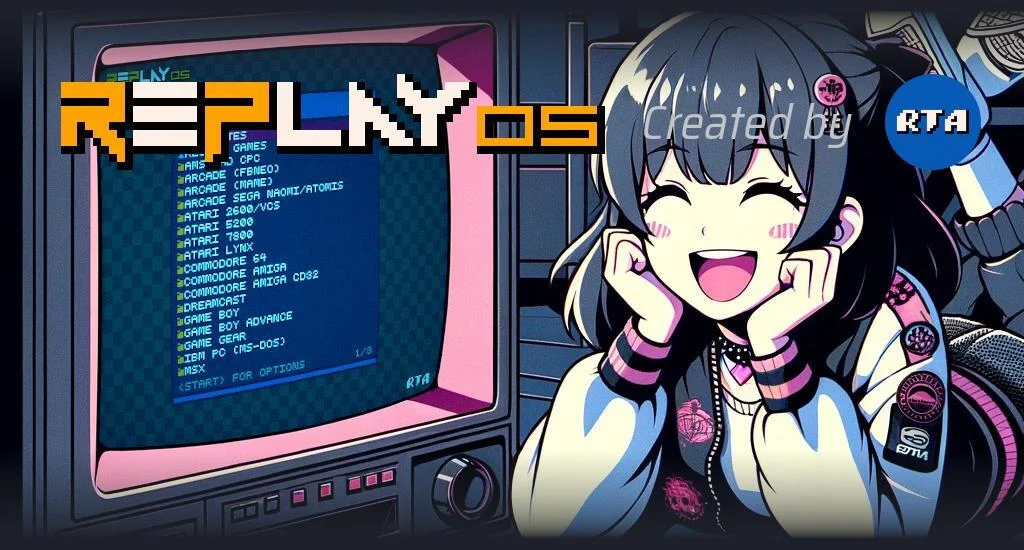
The landscape of retro gaming emulation on single-board computers has seen a significant new entrant with the debut of RePlayOS, a custom frontend and launcher designed specifically for Raspberry Pi hardware. Developed by RTA, RePlayOS aims to carve out a niche by offering a fully integrated, optimized solution that addresses common complexities faced by enthusiasts. Initial assessments highlight its potential to become a leading emulation platform for the Raspberry Pi, catering to both modern HDMI displays and classic analog video outputs. This dedicated approach, combining the frontend and launcher into a singular, cohesive software package, distinguishes RePlayOS from many existing solutions that often rely on disparate components, promising enhanced stability and a more seamless user experience.
The Evolving Ecosystem of Raspberry Pi Emulation
The Raspberry Pi series, since its inception, has become an indispensable tool for hobbyists and developers, with retro gaming emulation standing out as one of its most popular applications. Its low cost, compact size, and versatility make it an ideal platform for transforming into a dedicated retro console. Projects like RetroPie, Batocera, and Lakka have long dominated this space, providing robust, if sometimes complex, frameworks for emulating a vast library of classic games. These solutions typically leverage the Libretro API, which standardizes communication between emulators (cores) and various frontends, allowing for broad compatibility across different systems and game titles.
However, a common architectural characteristic of many existing Raspberry Pi emulation packages is the separation of the graphical user interface (frontend) from the underlying game launcher and system management tools. This layered approach, while flexible, can occasionally lead to compatibility issues, performance overheads, and a steeper learning curve for users attempting to configure their systems. RePlayOS seeks to circumvent these challenges by adopting an integrated design philosophy, where the frontend and launcher are developed as a singular entity. This consolidation is intended to optimize performance, simplify setup, and streamline the overall user interaction, leveraging the specific hardware capabilities of the Raspberry Pi more efficiently. The focus on Raspberry Pi hardware means that developers can tailor the software to exploit specific architectural advantages, potentially leading to superior performance compared to more generalized emulation distributions.
Installation and Initial Configuration: A Detailed Overview
The process of setting up RePlayOS mirrors the familiar workflow for most Raspberry Pi operating systems, emphasizing accessibility for users accustomed to the platform. The initial step involves downloading the RePlayOS image file, which is then extracted and written to a MicroSD card using standard imaging software such as BalenaEtcher or the official Raspberry Pi Imager. This process prepares the bootable media for the Raspberry Pi.
Upon first boot with the newly flashed MicroSD card, RePlayOS initiates an automatic installation sequence. This phase typically involves configuring the core system files and expanding the file system to utilize the full capacity of the MicroSD card. Once this installation is complete and the system has powered down, the MicroSD card can be reinserted into a PC for further configuration. A notable design choice in RePlayOS is the creation of two readable partitions on the MicroSD card within a Windows environment. The second of these partitions is dynamically expanded to occupy the remaining storage space on the card, providing a dedicated area for user data.
This dual-partition strategy offers flexibility for ROM storage. Users with adequately sized MicroSD cards can opt to copy their game ROMs directly into pre-created folders within this second partition, centralizing their game library with the operating system. For instance, the reviewer successfully integrated MAME and FBNeo romsets directly onto the card. Alternatively, users may choose to store their ROMs on an external USB drive, a strategy that offers practical advantages, particularly given the current development phase of RePlayOS. As the system is still in its early release cycle, updates may necessitate re-flashing the entire MicroSD card, which would erase any locally stored ROMs. Using an external drive mitigates this inconvenience, allowing for easier updates without data loss.
A critical step in enabling comprehensive game emulation is the installation of a BIOS pack. Due to legal and copyright considerations, BIOS files, which are proprietary firmware essential for emulating many classic consoles and arcade systems, are not bundled with RePlayOS. However, the project facilitates their integration by directing users to external, community-maintained archives, such as the one available on archive.org. The process of adding these BIOS files is described as straightforward, ensuring that a wide array of emulated systems can function correctly.
Once the fundamental setup is complete, RePlayOS is ready for gaming. For users employing HDMI output, the system defaults to a 1080p resolution, a common standard for modern displays. However, RePlayOS provides the option to manually adjust the output to 4K. While 4K resolution can offer a crisp visual experience, users are advised to test its compatibility with specific games, as the computational demands might exceed the Raspberry Pi’s capabilities for certain titles, potentially impacting performance. Beyond resolution settings, a comprehensive array of configurable options allows users to fine-tune their experience, from display preferences to audio output.
Advanced Display Capabilities: Embracing Analog Output
One of RePlayOS’s particularly compelling features for retro gaming purists is its robust support for analog video output. This capability allows users to connect their Raspberry Pi to classic CRT televisions or monitors, which are often considered essential for achieving an authentic retro gaming aesthetic, complete with scanlines and the unique visual characteristics of vintage hardware. To achieve this, RePlayOS supports digital-to-analog converters (DACs).

The initial tests with DACs, including the RGB-Pi 2 and Reflex Prism, yielded positive results, indicating that RePlayOS effectively bridges the gap between modern digital processing and legacy analog display technologies. This feature is a significant draw for enthusiasts who prioritize visual fidelity akin to the original hardware. The developer has indicated plans for more in-depth coverage of analog output features in future updates and content, underscoring its importance within the RePlayOS development roadmap. This commitment to analog output positions RePlayOS as a strong contender for users seeking a truly authentic retro gaming experience beyond standard HDMI connections.
User Experience, Performance, and Key Feedback
Overall impressions of RePlayOS are highly positive, particularly concerning its stability and the streamlined nature of its integrated design. The singular architecture, combining frontend and launcher, appears to deliver on its promise of a more cohesive and efficient emulation environment on the Raspberry Pi. The regular updates and steady progress reported by the developer further instill confidence in the project’s long-term viability and continuous improvement.
However, like any nascent software project, RePlayOS is not without areas for refinement. The primary point of feedback centers on controller button mapping, a perennial challenge in the emulation community. While developer RTA has implemented features to simplify this process compared to other solutions, the complexity, especially within MAME (Multiple Arcade Machine Emulator), remains a hurdle. MAME’s intricate control schemes, which can vary significantly between thousands of arcade titles, often require granular, game-specific configurations, making a universal, intuitive mapping system difficult to achieve.
Conversely, button mappings for systems like FBNeo (FinalBurn Neo), which often emulate simpler arcade hardware or console ports, were found to be more manageable. Despite the existing challenges, RePlayOS’s approach to controller configuration is considered an improvement over many other Raspberry Pi emulation solutions. Nevertheless, continued efforts to simplify and automate button mapping, particularly for the more demanding MAME environment, are seen as crucial for enhancing the user experience and ensuring that games are set up correctly and intuitively. This focus on input configuration is paramount, as it directly impacts the playability and enjoyment of emulated titles.
Future Development and Community Engagement
The trajectory of RePlayOS suggests a commitment to ongoing development and community-driven enhancements. The project’s regular update schedule is a strong indicator of its active maintenance and the developer’s responsiveness to feedback and emerging needs. Community support is vital for such projects, and RePlayOS actively encourages this through platforms like Patreon, allowing users to contribute financially to its continued evolution. This funding model is common in open-source and hobbyist software development, enabling developers to dedicate resources to improving their creations.
One significant suggestion for future integration is support for RetroNAS. RetroNAS is a network-attached storage solution specifically designed for retro gaming ROMs and media. Integrating RetroNAS capabilities into RePlayOS would offer several compelling advantages:
- Centralized ROM Library: Users could store their entire collection of ROMs on a network drive, accessible by multiple emulation devices, simplifying management and avoiding duplication.
- Simplified Updates: With ROMs stored externally, updates to RePlayOS that require re-flashing the MicroSD card would not necessitate re-copying game files, streamlining the update process significantly.
- Enhanced Data Security: Network storage often includes backup and redundancy features, providing a more secure environment for valuable game collections.
- Multi-Device Access: A single ROM library could be shared across various Raspberry Pi setups or other compatible emulation machines within a home network.
While implementing RetroNAS integration presents its own set of technical considerations, its inclusion would significantly elevate RePlayOS’s utility and appeal for serious retro gaming enthusiasts with extensive libraries. The current steady progress and the developer’s demonstrated responsiveness suggest that such advanced features could be on the horizon, further solidifying RePlayOS’s position as a comprehensive and user-friendly emulation platform.
Broader Implications for Retro Gaming
The emergence of RePlayOS signifies a broader trend in the retro gaming community: the increasing demand for specialized, optimized solutions. While general-purpose emulation platforms offer wide compatibility, dedicated systems like RePlayOS, tailored for specific hardware, often deliver superior performance, ease of use, and specialized features. This dedicated approach can unlock the full potential of hardware like the Raspberry Pi, pushing the boundaries of what these compact computers can achieve in terms of emulation fidelity and responsiveness.
Moreover, RePlayOS’s strong emphasis on analog video output is a crucial development for the preservation of authentic retro gaming experiences. As modern displays continue to evolve, the unique visual characteristics of classic arcade and console games, often designed for CRT technology, are frequently lost. By actively supporting DACs and analog output, RePlayOS contributes to the ongoing effort to recreate these authentic experiences, catering to a segment of the retro gaming community that prioritizes historical accuracy and original aesthetics.
In an increasingly crowded market of emulation solutions, RePlayOS stands out by focusing on integration, optimization, and specific hardware tailoring. Its early success and positive reception, coupled with an active development roadmap, position it as a significant contender that could redefine expectations for Raspberry Pi-based retro gaming. As the project matures, its ability to address user feedback, particularly concerning controller mapping and advanced features like network integration, will be key to its long-term success and its potential to become the definitive emulation solution for the Raspberry Pi community.