 Edi Durjana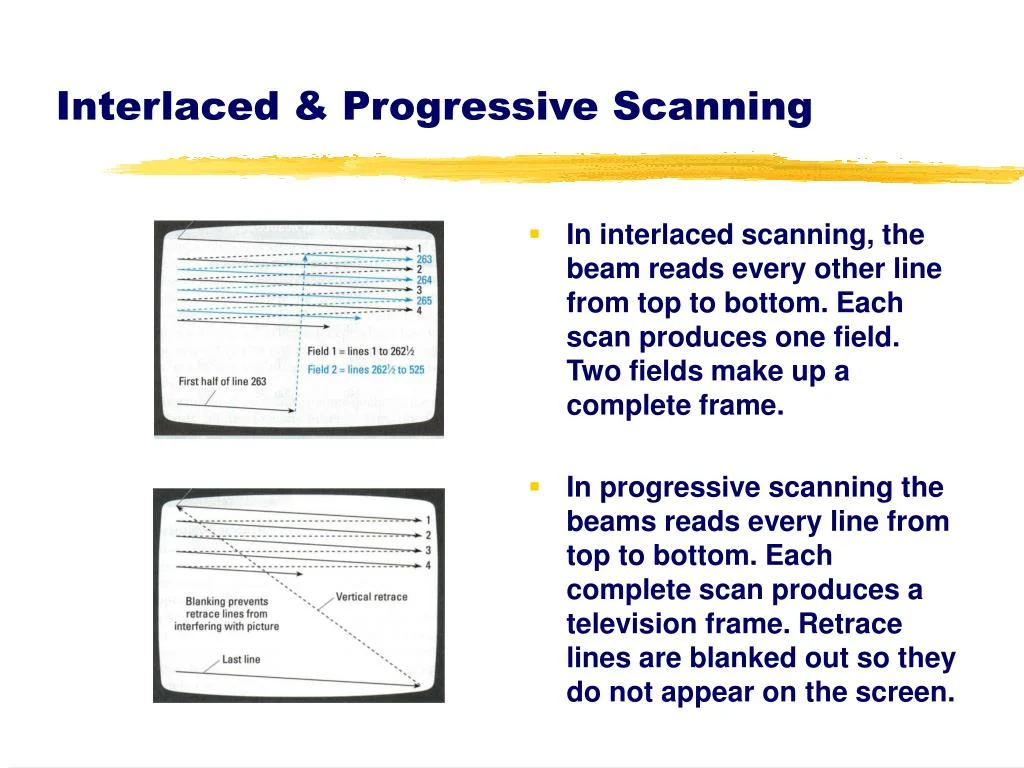
The PlayStation 2 (PS2), a console that defined a generation, was engineered from the ground up to operate in harmony with Cathode Ray Tube (CRT) televisions. Unlike modern gaming systems designed around precise pixels and fixed resolutions, the PS2, like its analog predecessors, prioritized scanlines and intricate timing signals. While a specialized Video Graphics Array (VGA) monitor attachment was available for the official PS2 Linux toolkit, offering some VESA display modes, this was largely an afterthought, and virtually no commercial games utilized this digital output pathway. This fundamental design choice deeply influenced every aspect of game development, from maintaining fluid framerates to navigating the nascent world of widescreen displays and progressive scan technology.
The Analog Heart of the PlayStation 2 Era
The early 2000s gaming landscape was firmly rooted in analog video. The PS2, launched in March 2000 in Japan and later that year in North America and Europe, entered a market dominated by CRT displays. Its Graphics Synthesizer (GS), the console’s powerful yet complex Graphics Processing Unit (GPU), included a Cathode Ray Tube Controller (CRTC) that managed the generation of these analog video signals. This architecture meant that the visual fidelity and performance of PS2 games were intrinsically tied to the characteristics of CRT technology. The console’s competitors, the Sega Dreamcast (launched 1998), Nintendo GameCube (2001), and Microsoft Xbox (2001), also predominantly targeted CRT output, but the PS2’s specific hardware quirks created unique challenges and opportunities for developers.
The 60fps Imperative: A Technical Consequence
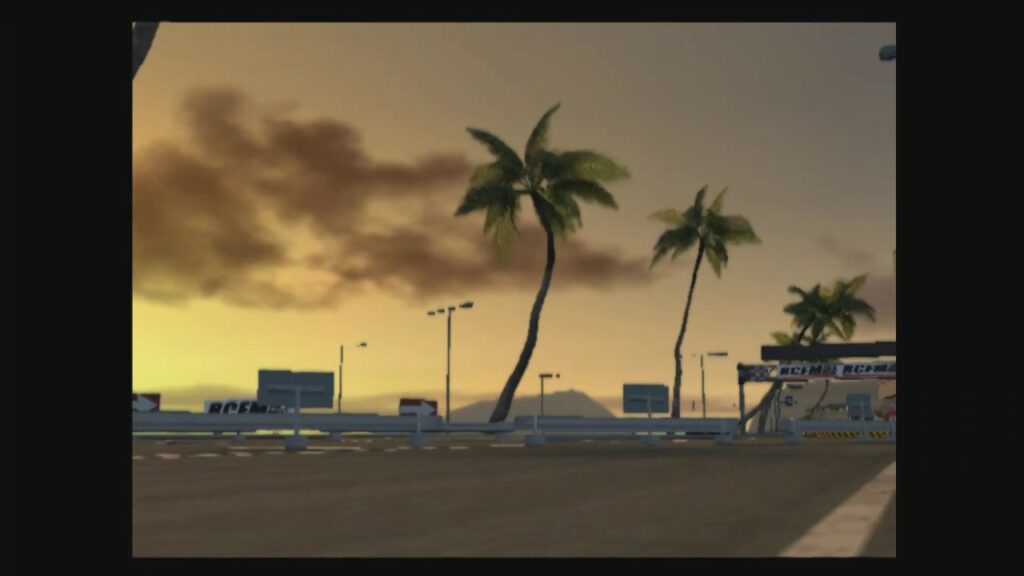
One of the most striking aspects of the PS2’s technical design was the almost universal push for games to maintain a consistent 60 frames per second (fps) at 60Hz (for NTSC regions like America and Japan) or 50fps at 50Hz (for PAL regions like Europe). This wasn’t merely a developer’s ambition; it was a near-mandatory technical requirement dictated by the PS2’s Graphics Synthesizer and its interplay with interlaced video output.
The GS possessed a comparatively modest 4MB of embedded Video Random Access Memory (eDRAM). For context, the Sega Dreamcast had 8MB of VRAM, and the later Xbox boasted 64MB of shared memory. This limited 4MB on the PS2’s GS was often insufficient to hold a full 640×480 (or even larger) framebuffer. Sony themselves encouraged developers to view this memory not as traditional VRAM but as a "scratchpad," implying a need for highly optimized memory management.
Despite this VRAM constraint, the PS2’s GS boasted exceptional bandwidth. Operations typically resource-intensive on other GPUs of the era, such as alpha blending, multi-pass rendering, and framebuffer copies, were remarkably efficient, almost "free," on the PS2. This unique strength allowed developers to implement sophisticated visual effects. Furthermore, the PS2’s two Vector Units (VU0 and VU1), acting as powerful Single Instruction, Multiple Data (SIMD) coprocessors, enabled a fully programmable geometry pipeline. This capability foreshadowed modern hardware features like mesh shaders, which only began appearing on consumer GPUs such as the Nvidia GeForce RTX 20 series nearly two decades later.
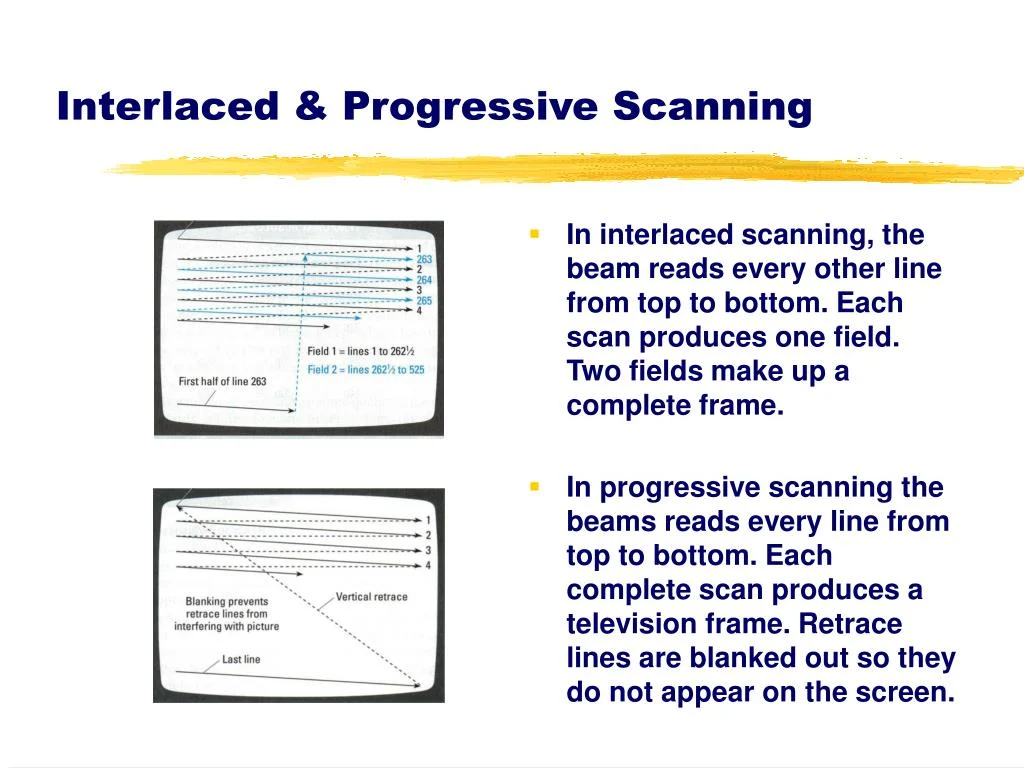
However, the hardware’s peculiar video output mechanism truly enforced the high framerate target. Early versions of the PS2’s Software Development Kit (SDK) primarily supported interlaced scanline modes, typically requiring 60Hz to achieve resolutions like 640×448. Developers later gained options for either "frame mode" (rendering full frames) or "field rendered mode" (rendering interlaced fields).
Field rendering, by its very nature, halves the memory requirements per frame, as it outputs frames at resolutions like 640×240 or even 512×224. This was a critical advantage given the 4MB GS eDRAM, as it allowed more visual data to fit within the limited memory and significantly reduced the time needed to render each output image. For many developers, field rendering appeared to be the optimal path for achieving high performance on the PS2.
The significant caveat, however, was image stability. If a game in field rendering mode failed to render a new frame in time, forcing the previous field to be displayed twice, the entire image would exhibit a noticeable vertical shift by one scanline. This jarring visual artifact made it imperative for developers to ensure a consistent 60fps (or 50fps in PAL). Consequently, many games, such as the snowboarding title SSX 3, would internally slow down gameplay by skipping frames to maintain the 60Hz output rather than allowing the framerate to fluctuate erratically and degrade image quality.
In contrast, frame mode, which rendered full frames at resolutions like 640×448 or 512×448, demanded more rendering time and made a consistent 60fps harder to achieve. Yet, it was more forgiving of dropped frames; the screen would simply display the second field from the previous full frame without the disruptive vertical shift.
Ultimately, for games that could maintain a rock-solid, frame-paced 60fps, field rendering on a CRT television delivered a seamless experience. The CRT’s inherent ability to blend interlaced half-frames made them appear as full, stable images to the average consumer, who remained largely unaware of the complex internal processes. This made field rendering a fast and viable option, allowing the PS2 to leverage the CRT’s characteristics to deliver high framerates despite its comparatively modest display resolutions. This technical compulsion is a significant reason why the PlayStation 2 boasts an unusually large library of games, particularly launch titles, targeting and often achieving 60fps. This stands in contrast to its contemporaries, the Xbox and GameCube, where framerates often exhibited more variability.
Early PS2 launch titles frequently faced criticism for "jaggies" – noticeable aliasing artifacts – and a perceived lack of anti-aliasing, especially when compared to the visually smoother Sega Dreamcast. This problem was exacerbated by game magazines and journalists of the era, who often relied on single-frame capture techniques. When capturing a single field from an interlaced image, only half the scanlines (either odd or even) would be visible, making PS2 games appear significantly more aliased in print than they did on a living room CRT. The actual on-screen issue was less severe, though the lower effective resolution, constrained by the GS eDRAM, certainly contributed to these initial misunderstandings.
Widescreen’s Emergence: Navigating New Aspect Ratios
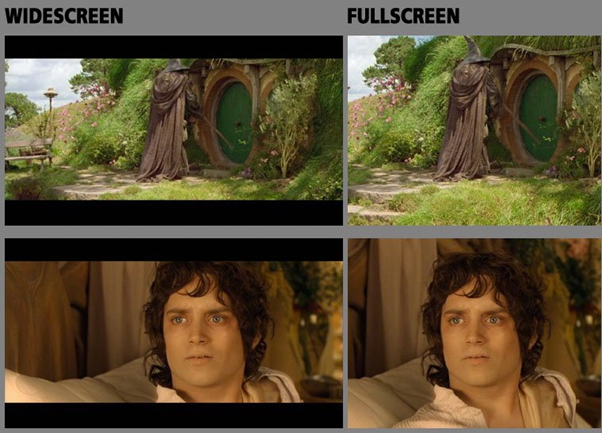
The PlayStation 2 also played a pivotal role in popularizing widescreen gaming. While a handful of PlayStation 1 games had experimented with widescreen modes, the vast majority of console titles prior to the PS2 were designed for the traditional 4:3 aspect ratio. The PS2’s dual functionality as a DVD player, however, brought terms like "anamorphic widescreen" into mainstream discourse, driving the adoption of 16:9 widescreen CRT televisions in the early to mid-2000s.
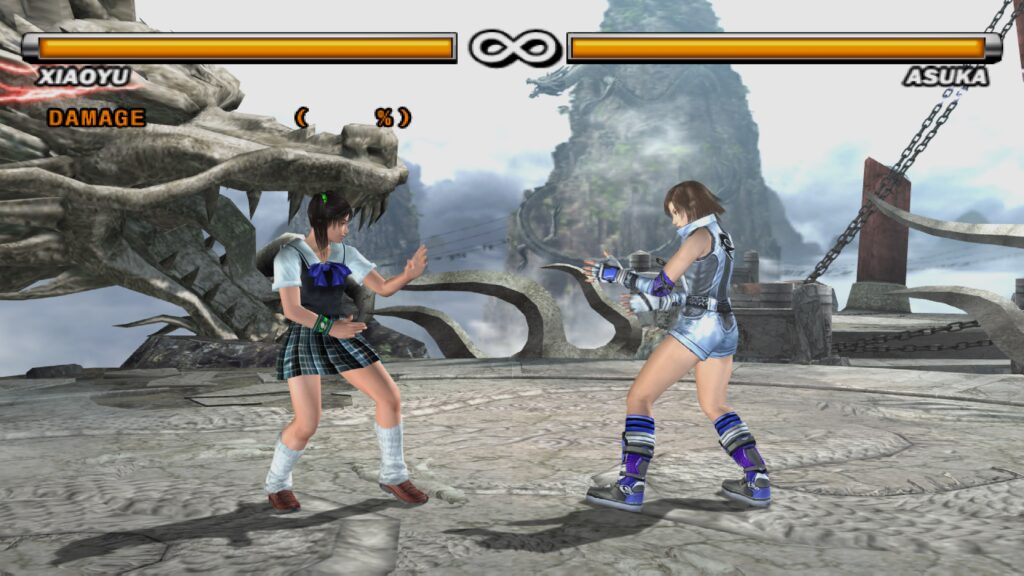
Despite this shift, most PS2 games initially remained designed for 4:3. Gradually, however, more titles began offering built-in widescreen options as demand grew. The PS2, and indeed most consoles of its generation, could implement widescreen in three general ways:
- Vert- (Vertical Minus): The most common approach, where the top and bottom portions of the 4:3 image are cropped, and the remaining central image is zoomed to fill a 16:9 frame. This results in a loss of vertical field of view.
- Hor+ (Horizontal Plus): The ideal method, where the horizontal field of view is expanded to fill the 16:9 frame, adding more content to the sides of the screen without cropping.
- Hor+ & Vert-: A hybrid approach, where some horizontal expansion occurs, but there is still some vertical cropping.
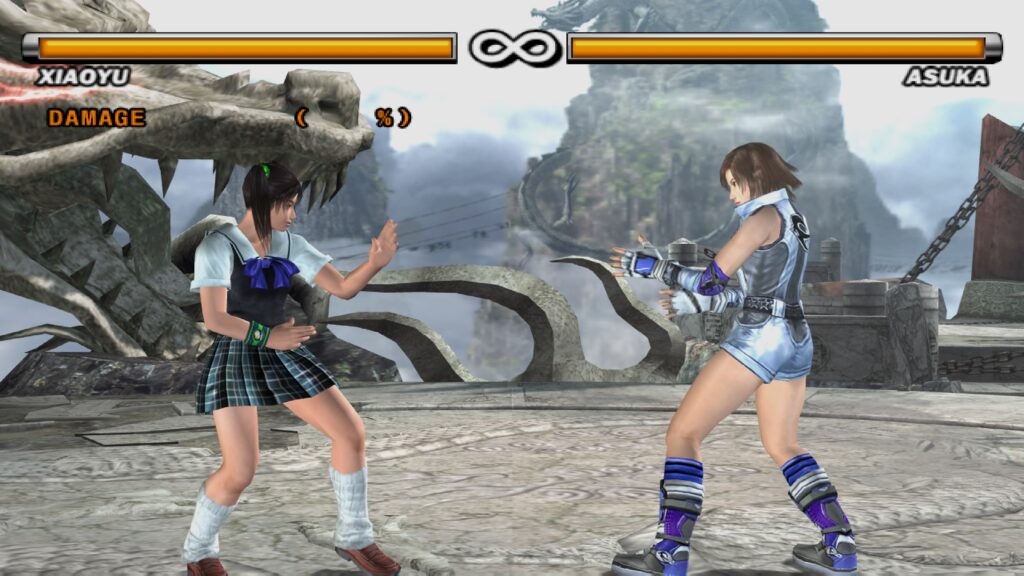
The vast majority of PS2 games, for practical reasons, opted for the Vert- approach. This was largely due to system resource limitations, particularly the tight 4MB GS eDRAM. Cropping parts of the image and then zooming allowed developers to fit the rendered scene within the existing VRAM budget without significantly increasing the rendering workload. The GS could perform zooming and scaling operations very efficiently, making Vert- the path of least resistance. Games like Tekken 5, the Ratchet & Clank series, and Jak and Daxter all utilized Vert- widescreen, meaning players lost vertical visibility while characters or objects appeared larger due to the zoom.
Implementing a true Hor+ widescreen mode was technically possible but demanded careful consideration of system resources and GS VRAM usage. Expanding the horizontal field of view necessitates a higher effective horizontal resolution to maintain picture quality. Given the PS2’s reliance on CRTs to make its already lower-than-average resolutions look presentable, pushing horizontal resolution further was often a trade-off developers were unwilling to make. The prevalence of Vert- implementations often frustrated enthusiasts who desired a genuinely expanded view, making widescreen on 6th-generation consoles a mixed bag.
The Dawn of Progressive Scan: EDTVs and Component Video
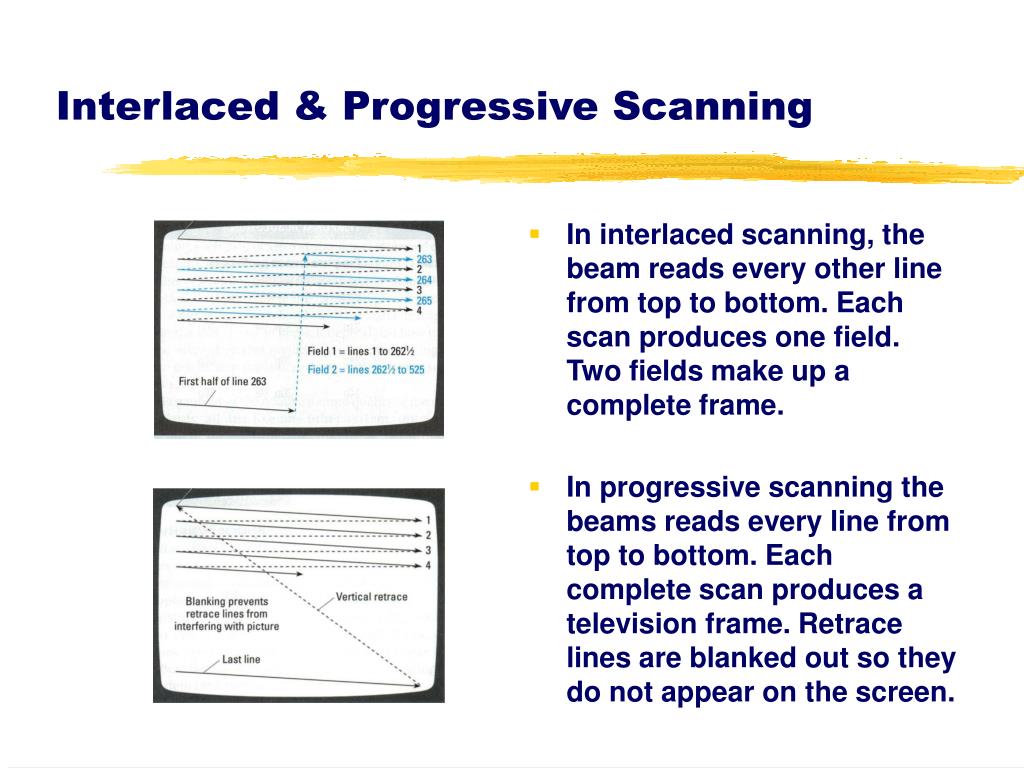
The PS2’s lifecycle coincided with the twilight years of the CRT. As the industry prepared for the transition to digital television (DTV) and high-definition displays, TV manufacturers introduced "Enhanced Definition Television" (EDTV) CRTs. These were standard definition televisions that supported progressive scan display modes, specifically 480p (for NTSC) and 576p (for PAL). Around 2001, EDTV-capable CRTs began appearing on the market, and some PS2 games started offering support for these higher-quality output modes.
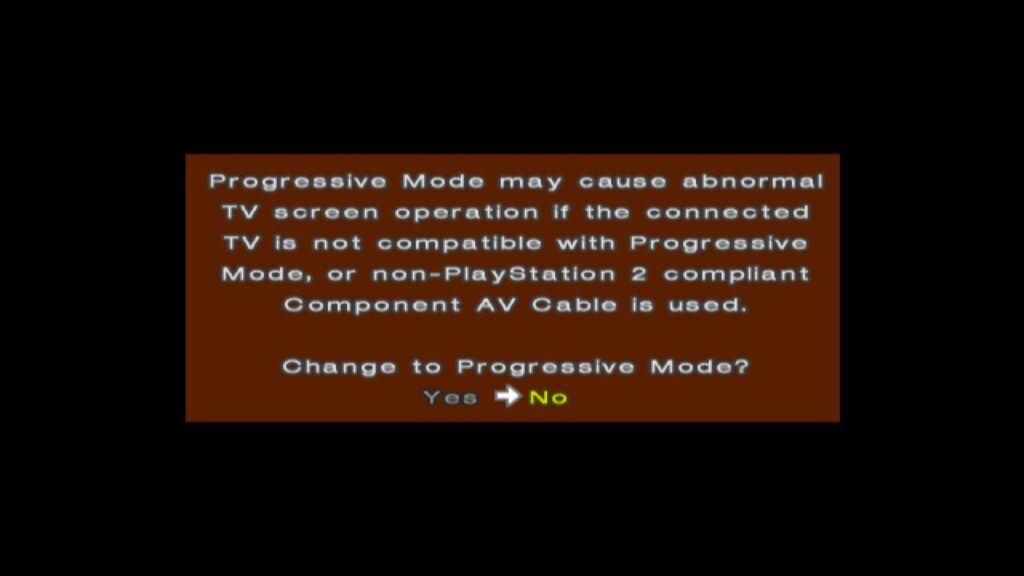
To utilize progressive scan, users needed either component video cables (on NTSC TVs) or RGB SCART cables (common in Japan and Europe), as standard composite or Radio Frequency (RF) AV connections lacked the necessary bandwidth and signal quality. Players would typically activate progressive scan by holding specific buttons (often X and Triangle) during game startup, prompting a menu choice between normal interlaced and progressive scan modes. Progressive scan offered non-interlaced, full-frame output, eliminating the flickering and combing artifacts associated with interlacing and providing a cleaner, more stable image with full-height backbuffers.
However, progressive scan wasn’t without its compromises. To fit the larger framebuffer of a full progressive frame within the 4MB GS eDRAM, some games would reduce the framebuffer’s color depth, often to 16 bits per pixel (bpp) or lower. This trade-off meant sacrificing some color fidelity for a sharper, interlacing-artifact-free image, potentially leading to noticeable color banding in gradients. Despite this, for most users, the benefits of progressive scan, particularly on a suitable CRT, outweighed the minor drawbacks.
Intriguingly, a few ambitious titles like Valkyrie Profile 2 and Gran Turismo 4 even offered "1080i" progressive scan modes. This was somewhat deceptive, as the PS2 was not truly rendering at a full 1920×1080 resolution. Instead, it employed advanced GS CRTC trickery. For Gran Turismo 4, the internal render resolution was 640×540. The GS’s CRTC would then magnify this horizontally by a factor of 3 (640 3 = 1920) and vertically by a factor of 2 (540 2 = 1080), or use interlaced framebuffer switching, to generate a 1080i signal. While this scaled image could appear surprisingly convincing on a CRT at the time, on modern displays, the native 480p progressive scan mode often provides a superior and less artifact-prone image.
Regional Display Disparities: The PAL/NTSC Divide
European gamers faced unique challenges due to the PAL (Phase Alternating Line) television standard, which operated at 50Hz, compared to the NTSC (National Television System Committee) standard in America and Japan, which ran at 60Hz. While PAL typically offered a higher vertical resolution, the slower refresh rate meant that games often ran 16.9% slower than their NTSC counterparts.
By the PS2’s launch, the Dreamcast had already established a precedent by offering "PAL60" modes, providing European users with a 60Hz experience on compatible TVs, thus avoiding both slowdowns and the "letterboxing" often seen in poorly optimized PAL conversions. However, the PS2’s situation was more complex. Sony did not officially endorse PAL60 as a standard, leading to many early PS2 European launch titles being locked to 50Hz.
Some UK-based developers, such as Psygnosis (Wipeout), Core Design (Tomb Raider), and Rockstar/DMA Design (Grand Theft Auto), were known for their efforts in PAL optimization. They would often deliver games that, while still running at 50Hz, rendered more scanlines than their NTSC counterparts, potentially offering better image quality in terms of vertical detail. However, the inherent slowdown remained. Developers would sometimes attempt to compensate by tweaking game speeds, but the experience was generally inferior to a full 60Hz NTSC version.
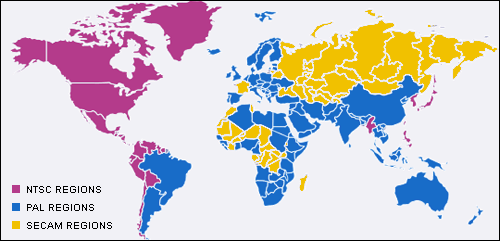
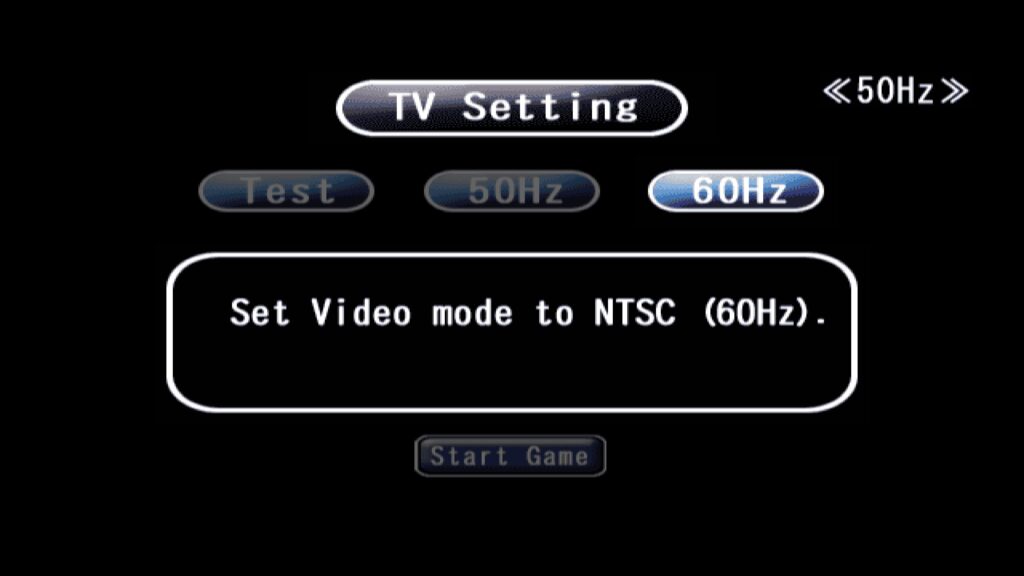
Around 2002, more PS2 games began offering 50Hz/60Hz selector options at startup, a welcome change for European consumers. Unlike the Dreamcast’s PAL60, the PS2 typically handled this by switching to an NTSC 480i mode. Most European televisions manufactured in the late 1990s and early 2000s were multi-standard, supporting both PAL and NTSC, mitigating compatibility issues. Games that lacked these toggles, such as Silent Hill 2 and Metal Gear Solid 2, often invested more effort in their PAL conversions to avoid the notorious letterboxing.
The implementation of these region-specific modes was not trivial for developers. Companies like Square Enix famously cited the immense storage requirements for including both 50Hz and 60Hz versions of their high-quality, pre-rendered Full Motion Video (FMV) scenes as a reason why titles like Final Fantasy X remained 50Hz-only in PAL territories despite growing demand for 60Hz options. Over time, however, games without these selectable refresh rate toggles became the exception rather than the rule.
The Great Transition: PS2 on LCDs and Modern Displays
The mid-2000s marked a seismic shift in display technology as the industry began its transition from CRTs to Liquid Crystal Display (LCD) televisions, coinciding with the advent of the 7th generation consoles like the PlayStation 3 and Xbox 360. For these newer consoles, the transition brought immediate advantages: the end of the PAL vs. NTSC divide, universally adopted 60Hz output via HDMI, and native non-interlaced high resolutions (480p, 720p, 1080i). For many consumers, these HD-ready LCDs offered their first experience with non-interlaced, higher-resolution imagery.
However, this transition proved particularly rough for CRT-based consoles like the PS2. Early LCD and HD-ready TVs were often plagued by significant drawbacks, including high input latency, pronounced ghosting, and poor motion clarity. Visual effects designed for CRTs, such as the "feedback blur" used extensively in many PS2 games for motion blur, looked fantastic on a CRT but became a smeared mess on these nascent LCD screens. Developers sometimes attempted to mitigate these issues; for example, Soul Calibur 3 included an in-game "Software Overdrive" setting designed to reduce afterimage effects on LCDs.
Despite these efforts, fundamental issues like input lag and inherent lack of motion clarity persisted for years on LCD technology. It is only in the 2020s, with the advent of advanced display technologies like OLED and innovative software solutions such as BlurBusters’ "CRT beam racing simulator" shaders, that modern displays can finally emulate the near-instantaneous response times and superior motion clarity of CRTs. Combined with advanced CRT shaders, contemporary OLED screens can offer an experience that not only replicates the aesthetic but also the performance characteristics of classic CRT gaming, allowing retro enthusiasts to enjoy PS2 titles as they were originally intended, or even better, without the historical display compromises.
The PlayStation 2’s enduring legacy is inextricably linked to its groundbreaking hardware design and the prevailing display technology of its era. Its unique architecture, particularly the constraints of its GS eDRAM and the demands of interlaced video, compelled developers to innovate in ways that prioritized consistent framerates. Simultaneously, its role as a DVD player helped usher in the widescreen era, albeit with early compromises. Understanding these technical nuances provides invaluable insight into the ingenuity of game developers during that period and enriches our appreciation for one of the most successful and influential consoles in gaming history.