 Vera Clarissa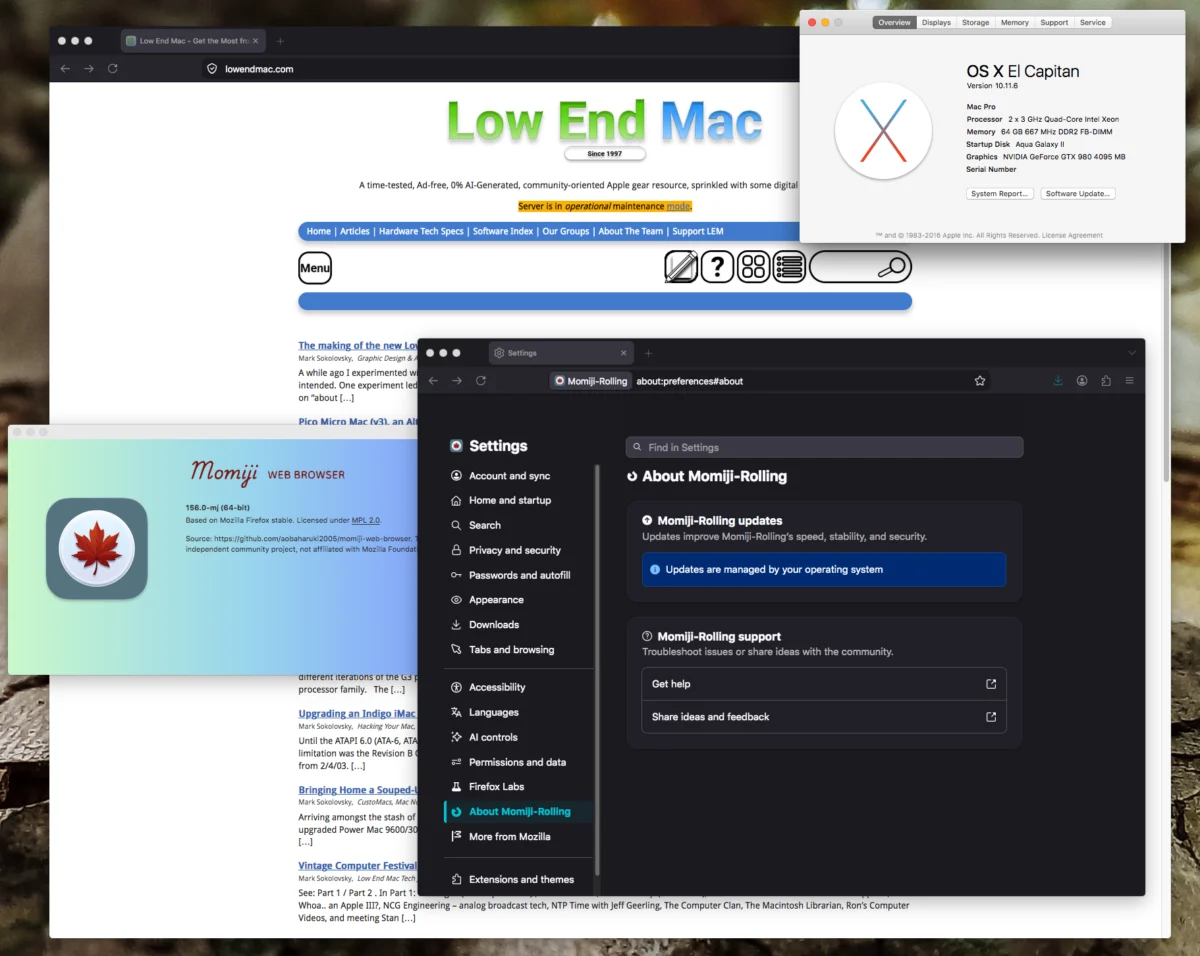
The recent release of Momiji v140.16 and the experimental rolling build v156.0 marks a significant milestone for the longevity of early Intel-based Macintosh computers. Developed by the GitHub contributor aobaharuki2005, these updated browser iterations offer a lifeline to aging hardware that would otherwise be relegated to obsolescence due to the rapid evolution of web standards. By leveraging the codebase of Mozilla Firefox—specifically up to version 156.0—this project enables users of OS X Lion (10.7) through macOS Mojave (10.14) to maintain a secure and functional browsing experience on hardware that dates back nearly two decades.
Technical Context and Hardware Requirements
The Momiji browser is engineered specifically to address the limitations of 64-bit Intel-based Macs that utilize Core 2 Duo (Conroe/Merom) architectures and later. A critical distinction in the installation process is the CPU requirement: while the browser is highly effective on Core 2 Duo systems, it is incompatible with the original 32-bit Core Duo processors that debuted in the earliest 2006 Mac models.
The project maintains two distinct branches to ensure compatibility across a wide spectrum of operating systems. The first branch supports the "Lion through El Capitan" era, catering to users running OS X 10.7, 10.8, 10.9, 10.10, and 10.11. The second branch is tailored for the "Sierra through Mojave" demographic, covering macOS 10.12, 10.13, and 10.14. By providing these bifurcated builds, the developer ensures that users across various legacy OS environments can access contemporary security patches and web rendering engines.
Chronology of Development
The Momiji project has seen an accelerated development schedule over the past several months. Following the stable release of v140.16, the introduction of the v156.0 rolling build demonstrates a commitment to rapid iteration. Historically, legacy Mac users have struggled with the "browser gap," where modern web security certificates and HTML5/CSS3 standards quickly outpace the capabilities of native browsers like Safari or older versions of Firefox.

As of late September 2026, the project has successfully synchronized its core engine with the most recent Firefox standards. This rapid update cycle is essential, as the web landscape is increasingly reliant on security protocols that demand frequent browser updates. The shift from the 140-series to the 156-series represents a transition from a strictly stable, feature-frozen environment to a more dynamic model that mirrors the release frequency of mainstream browsers.
Supporting Data and Performance Analysis
Quantitative benchmarks provided by the development community indicate that while Momiji v156.0 may not rival the performance of contemporary silicon, it provides a perceptible improvement in user interface responsiveness. On a standard, well-configured Mac Pro 2,1, the browser achieved a score of 4.29 on the Speedometer 3.1 benchmark. While this figure may appear modest in the context of current high-performance machines, it does not fully capture the qualitative improvements in day-to-day operations.
User testing reports emphasize that the primary gains are found in functional interaction. Elements such as tab management, window rendering, and full-screen transitions demonstrate significantly reduced latency compared to previous iterations like v140.12. Furthermore, the memory management improvements inherent in the newer Firefox-based core allow for better stability when handling multiple concurrent tabs, a perennial challenge for hardware limited by DDR2-era memory bandwidth.
Implementation and User Integration
The installation process for Momiji is designed to be straightforward for users familiar with the legacy macOS environment. The software is distributed via GitHub, where users can select the build appropriate for their specific OS version. A notable feature of the installation is the preservation of user data; by renaming the application bundle to "Momiji," the browser automatically inherits settings, bookmarks, and configuration files from previous versions of the software or standard Firefox installations.
This ease of transition is critical for maintaining the "daily driver" viability of legacy hardware. For users operating older machines, the ability to swap browser versions without manually migrating profile data reduces the barrier to entry for upgrading to the latest, more secure version.

Broader Implications for Legacy Hardware
The existence of the Momiji project highlights a broader trend in the computing community: the "right to repair" and "right to longevity" movements. As Apple’s official support for older operating systems and hardware architectures ceases, the burden of security and compatibility falls on independent developers.
The implications of this development are twofold. First, it extends the useful life of hardware that, while computationally capable, would otherwise be considered a security risk if used with outdated software. By integrating the latest Firefox security patches, Momiji ensures that these users are not left vulnerable to modern web exploits. Second, it facilitates the continued use of specialized software environments that may not be compatible with newer versions of macOS. For many professionals and enthusiasts, maintaining a stable, legacy environment is a requirement for specific workflows, and a modern, secure browser is the final piece of the puzzle to make such environments viable for modern internet connectivity.
Analysis of the Developer Ecosystem
The success of projects like Momiji is a testament to the collaborative nature of open-source development. By leveraging the existing Mozilla Firefox engine, the developer has avoided the massive undertaking of building a rendering engine from scratch, instead focusing efforts on the "glue" code necessary to bridge modern browser standards with the legacy APIs of older macOS versions.
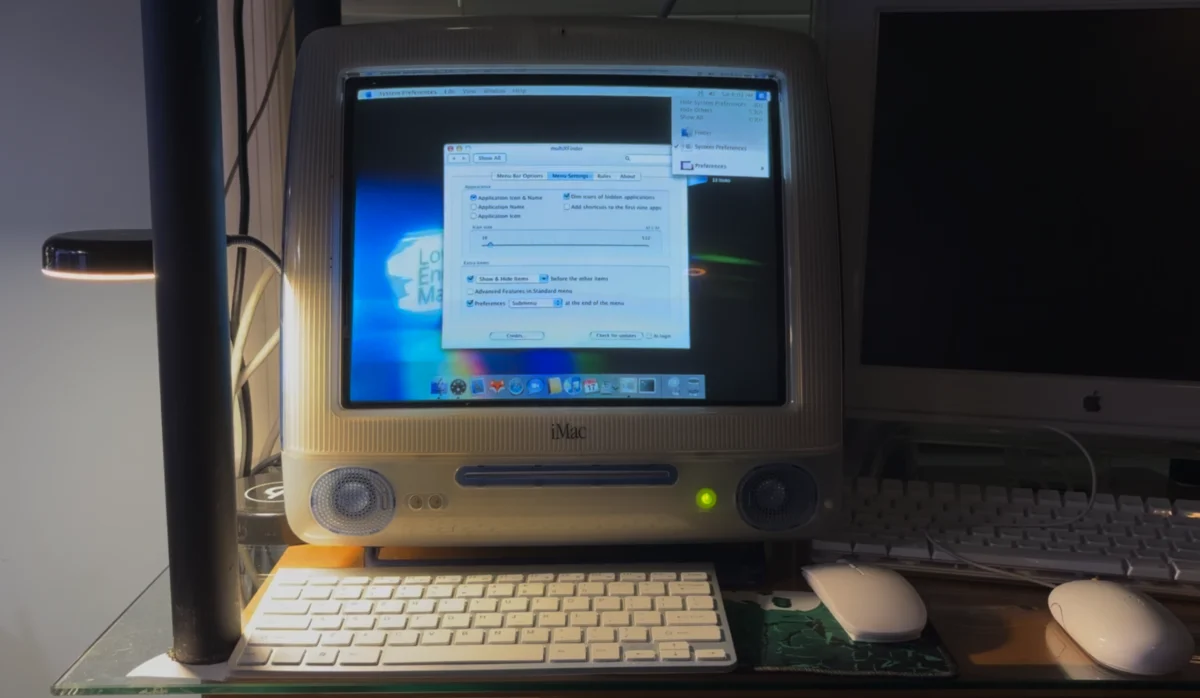
The response from the legacy Mac community has been overwhelmingly positive. Forums dedicated to "Low End Mac" and similar enthusiast hubs have noted that this level of optimization makes older machines feel "next level" in their responsiveness. While the hardware—such as the Clovertown Xeon chips in a Mac Pro 2,1—is effectively two decades old, the browser optimization makes these machines feel contemporary for tasks such as web-based productivity, content consumption, and research.
Future Outlook
Looking ahead, the sustainability of the Momiji project remains contingent on the continued divergence of web standards from the capabilities of legacy hardware. As long as the Firefox core remains portable to the older macOS architectures, projects like Momiji will continue to act as a bridge. However, there is a theoretical ceiling; eventually, the underlying system libraries (such as those for graphics rendering or cryptography) in older versions of OS X may become so outdated that they can no longer support the demands of the latest browser engines.

For now, the project serves as a vital bridge for the enthusiast community. It provides a roadmap for how legacy systems can remain functional in an era of rapid technological turnover. By focusing on stability, security, and performance optimization, the Momiji developer has provided a tangible benefit to thousands of users who prefer to maintain their original Apple hardware rather than consigning it to e-waste.
The latest releases represent a convergence of community-driven innovation and the desire for technological sustainability. As the web continues to evolve, the efforts of developers like aobaharuki2005 will likely remain a cornerstone of the legacy computing experience, ensuring that even the most "obsolete" Intel Macs can still participate in the modern digital ecosystem. The ability to render complex, modern websites on hardware from the mid-2000s is not merely a technical novelty; it is a demonstration of the enduring value of well-engineered hardware when paired with dedicated community support.