Vera Clarissa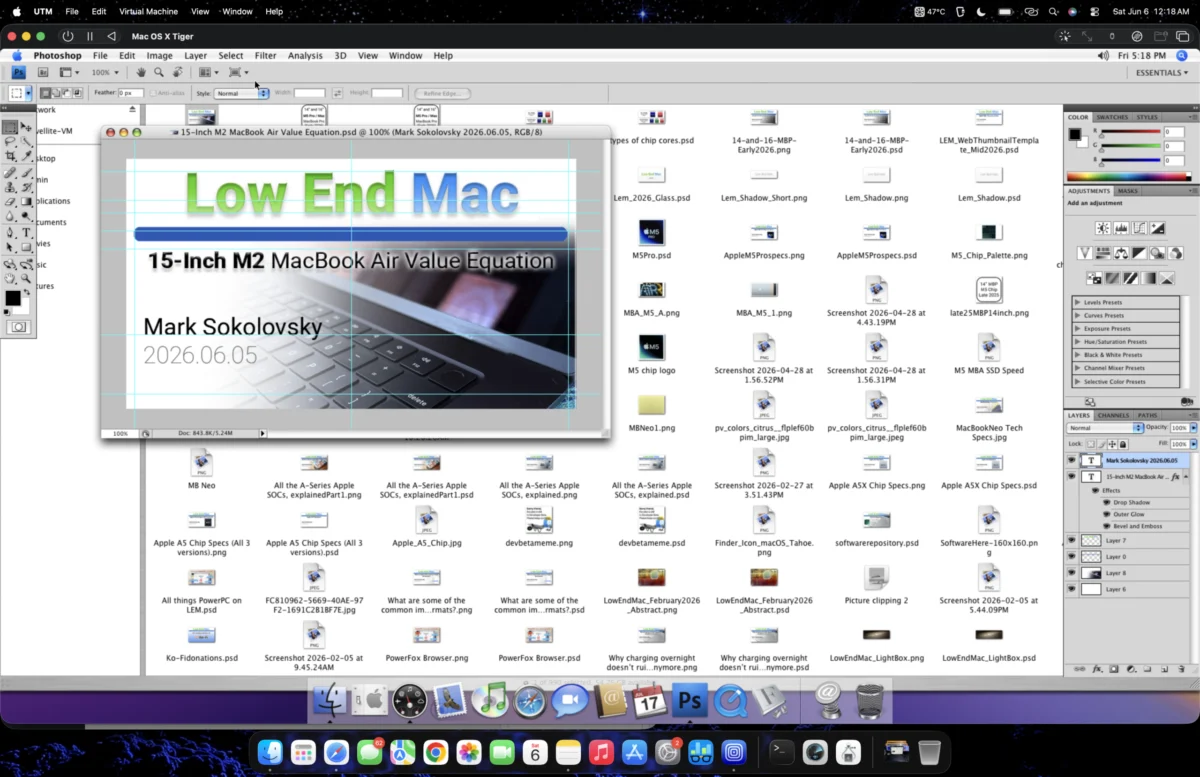
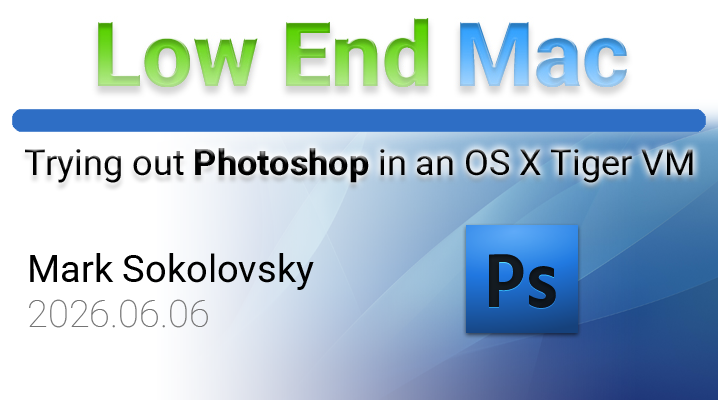
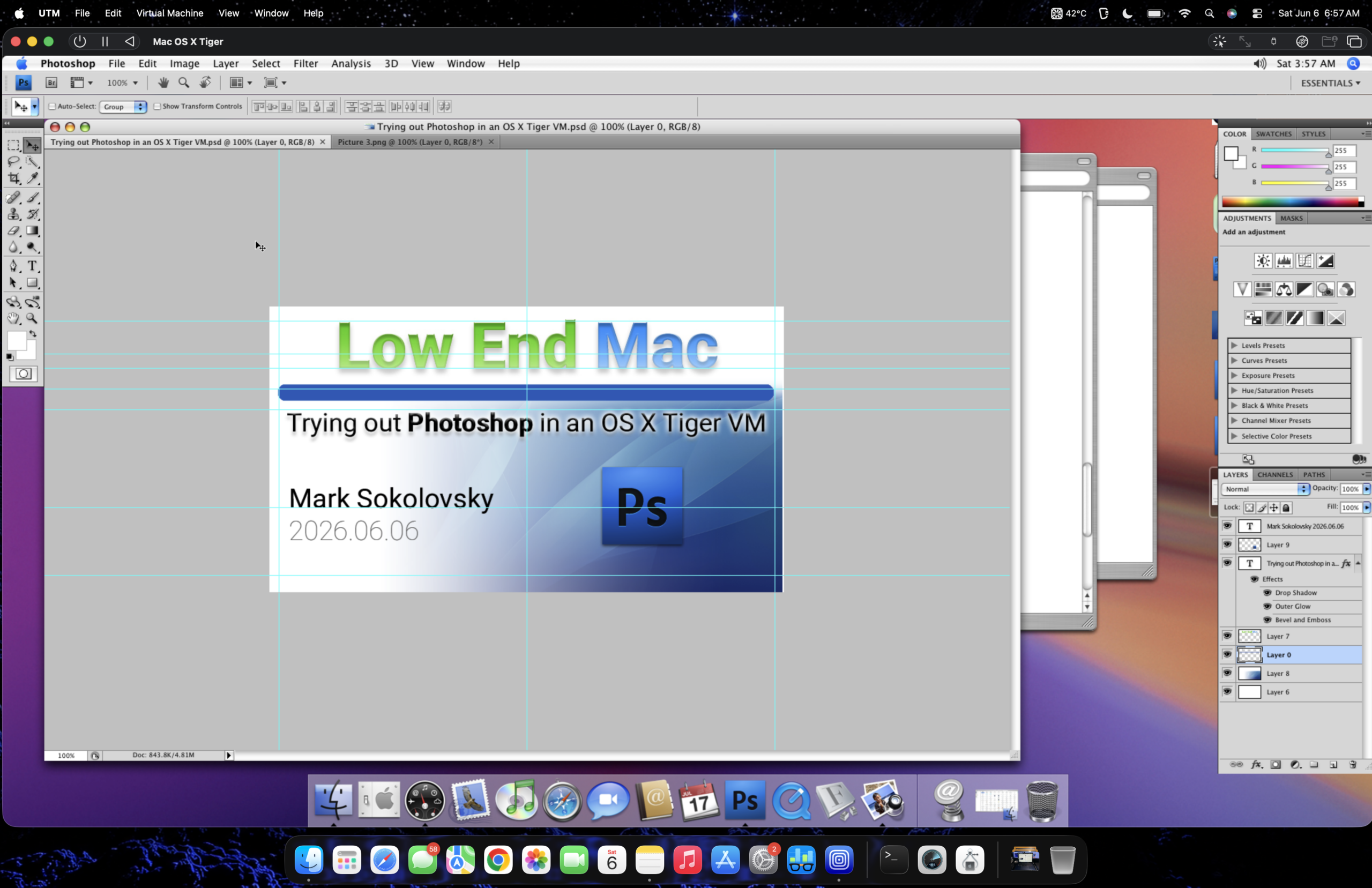
A workaround has emerged for users seeking to leverage older, beloved software on modern Apple Silicon hardware, specifically enabling the functionality of Adobe Photoshop CS4 on a MacBook Air equipped with an M2 chip. This innovative solution involves the use of UTM, a virtualization platform, to create a virtual machine running a legacy macOS operating system, thereby circumventing compatibility issues that prevent direct installation of the older application. The success of this method offers a potential pathway for individuals who rely on the specific feature set and user interface of Photoshop CS4, avoiding the need for subscription-based modern alternatives or the acquisition of older hardware.
The initial motivation behind this technical exploration was to find a way to run Photoshop CS4 on a contemporary M2 MacBook Air, a device equipped with limited internal storage, specifically a 256GB SSD. The original strategy involved virtualizing an older macOS version, specifically Leopard, within UTM. The goal was to optimize the virtual machine’s footprint to accommodate the software on the constrained storage. After employing UTM’s space reclamation features and compression tools, the virtual machine was successfully reduced to approximately 22 GB, paving the way for the installation of Photoshop CS4.
However, the initial attempt to run Photoshop CS4 on a Leopard virtual machine on the M2 Air encountered significant usability obstacles. Users reported that text input fields were not accurately registering clicks, leading to an inability to precisely place or select text. The overall performance was described as buggy, a common issue in virtualized environments that lack direct hardware acceleration, particularly with older operating systems like Leopard. While graphical elements and basic edits were not extensively tested in this initial phase, the observed unreliability of fundamental interaction points suggested a need for further refinement.
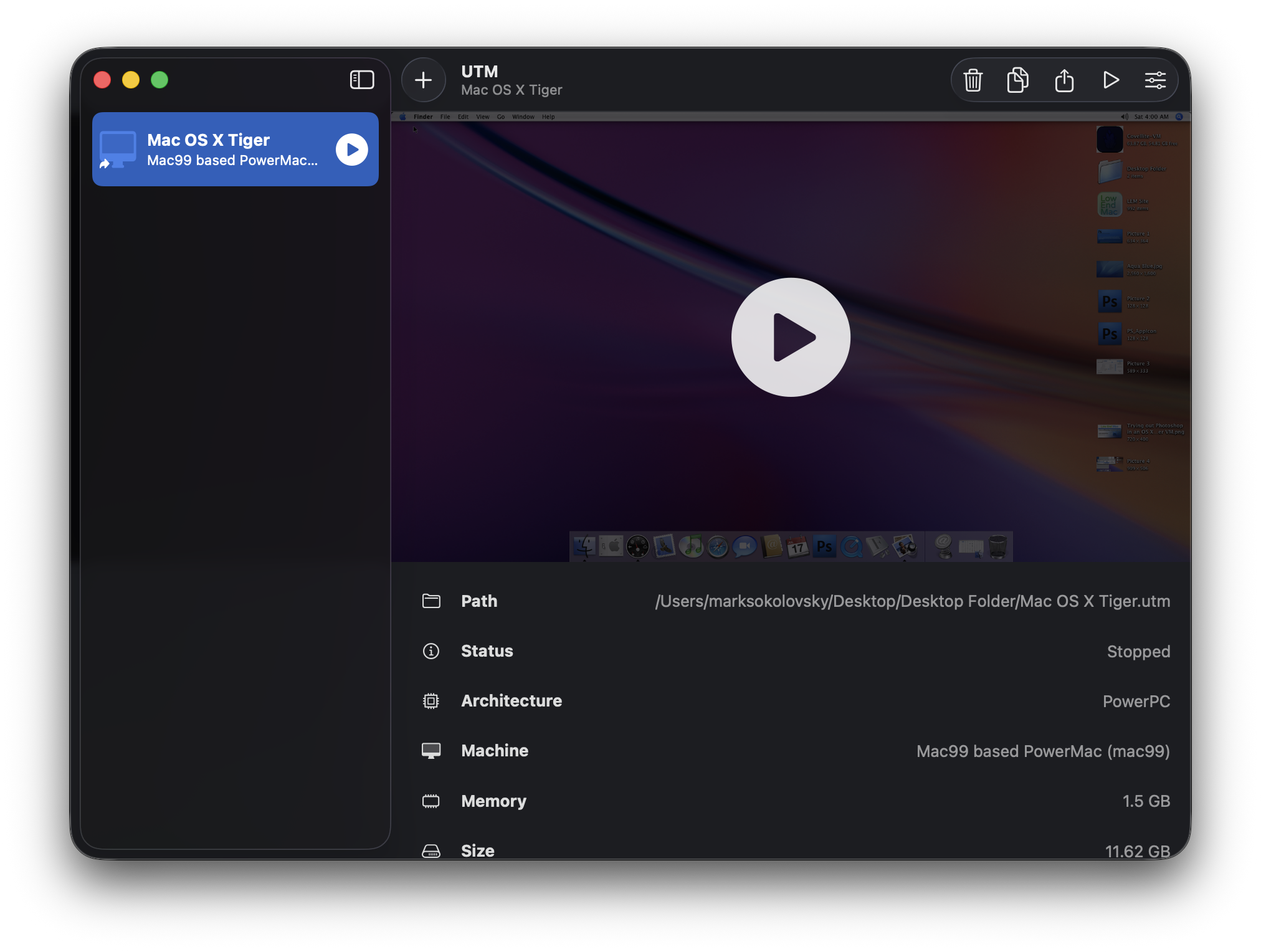
A pivotal shift in the approach occurred when the user decided to experiment with Mac OS X Tiger (version 10.4) as the guest operating system within the UTM virtual machine. This change proved to be instrumental, as Photoshop CS4 exhibited markedly improved behavior within the Tiger environment. Following the installation of essential fonts, including Roboto, San Francisco, and Valera Round, and the transfer of necessary website graphic files, a sense of optimism emerged. This development presented the possibility of performing graphic design tasks for web content creation remotely, without the necessity of transporting a secondary, dedicated machine. Despite this breakthrough, the user reiterated that for complex graphic design workflows, the power and capability of a dedicated workstation, such as a Power Mac G5, remain unparalleled.
Unpacking the Technical Nuances: Tiger vs. Leopard in Virtualization
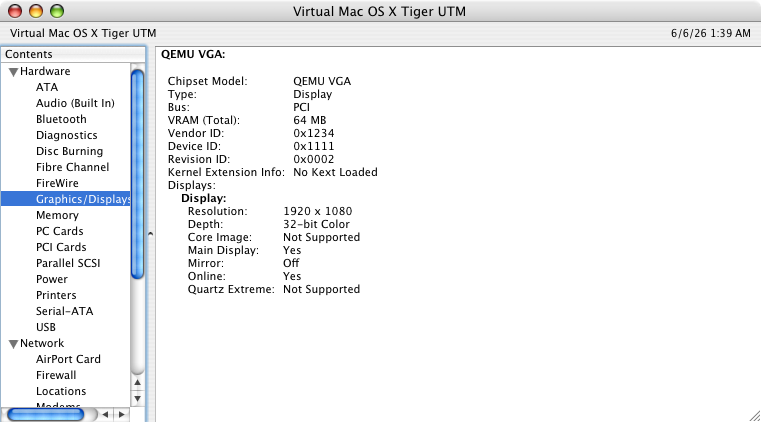
The critical difference in performance between the Leopard and Tiger virtual machines can be attributed to the underlying graphics rendering technologies employed by each macOS version. While neither virtual machine configuration loaded specific kernel extensions (kexts) for enhanced graphics, the interaction between Photoshop CS4 and the virtualization layer differed significantly. Mac OS X Tiger, utilizing the Quartz Compositor, appears to offer a less demanding and more compatible framework for older applications when running in a virtualized context on modern hardware. In contrast, Leopard, with its more advanced Core Animation framework, presented greater challenges, likely due to its reliance on hardware features not fully emulated or accelerated within the virtual machine. This divergence in graphics architecture is a key factor in why Photoshop CS4 functions more reliably under Tiger in this specific setup. The success with Tiger suggests that for older software running in virtual machines, a less resource-intensive and more foundational graphics pipeline can often yield better results, especially when hardware acceleration is limited or absent.
Restoring Workflow: Font Compatibility and File Rendering
A crucial step in achieving functional usability was the installation of a comprehensive suite of fonts within the Tiger virtual machine. The inclusion of Roboto, San Francisco, and Valera Round fonts ensured that website graphics, which often depend on specific typographic elements, rendered accurately. This addressed a common issue where missing fonts can lead to distorted or incorrect visual output. With the fonts in place, graphic files designed for the Low End Mac website began to display as intended within the virtual environment. This detail highlights the importance of a complete software environment within the virtual machine, not just the primary application itself. The ability to correctly render and manipulate these files is a prerequisite for any practical graphic design work.
Demonstrating Functionality: Editing and File Manipulation
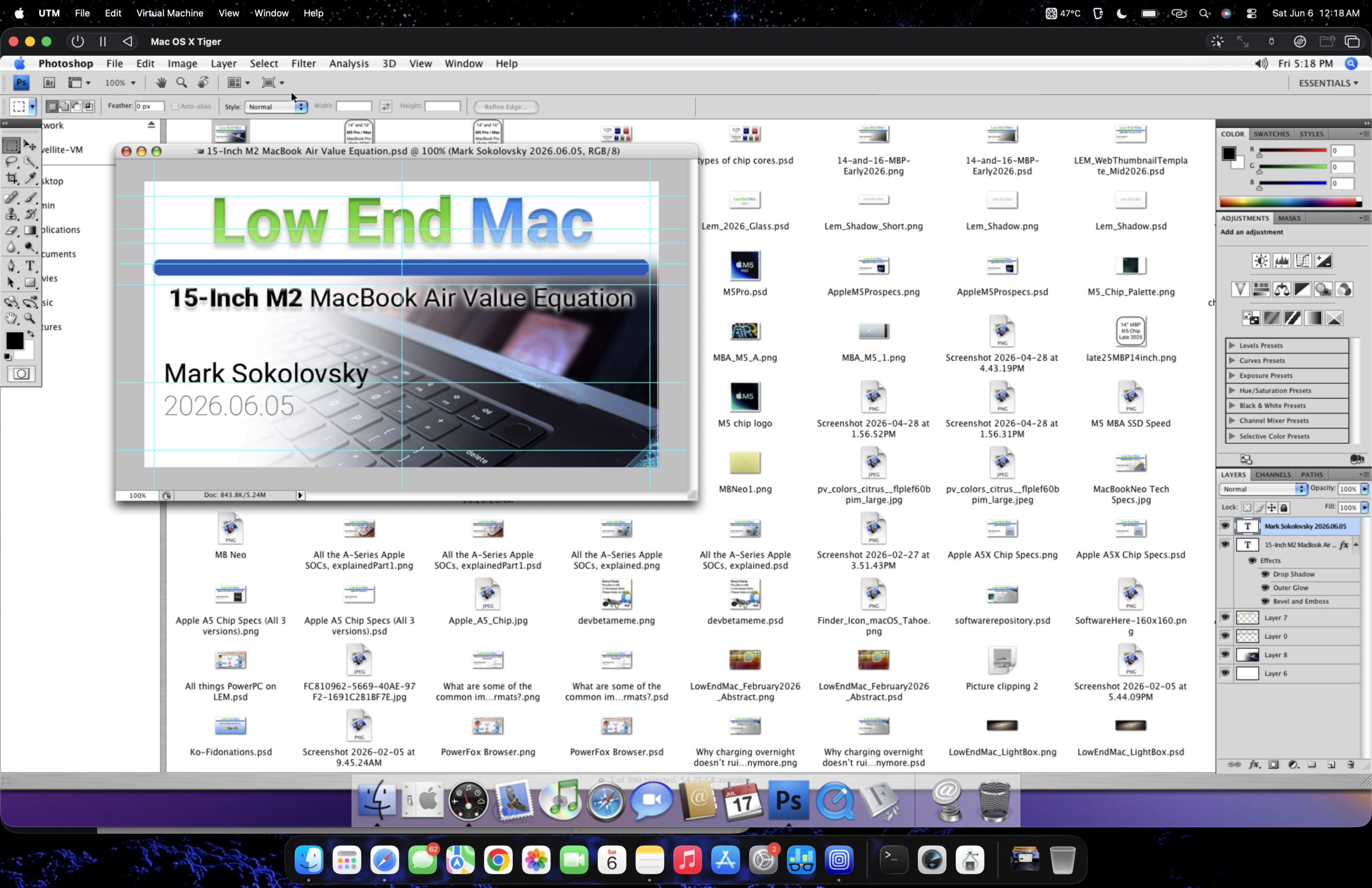
The practical application of this virtualized Photoshop CS4 setup was demonstrated through a series of editing tasks. The user was able to take a web thumbnail preview of a recent article and successfully customize it. This involved a standard workflow of opening, copying, and pasting elements, including a full-sized Tiger Aqua Blue wallpaper from a separate tab, all within the virtual machine. The fact that the application performed these operations without any noticeable performance degradation or crashes ("didn’t even sneeze when opening") is a strong indicator of the stability achieved with the Tiger configuration. This successful editing session validates the method as a viable tool for creating and modifying web graphics, even for relatively complex manipulations.
Seamless Integration: USB Peripherals and File Transfer
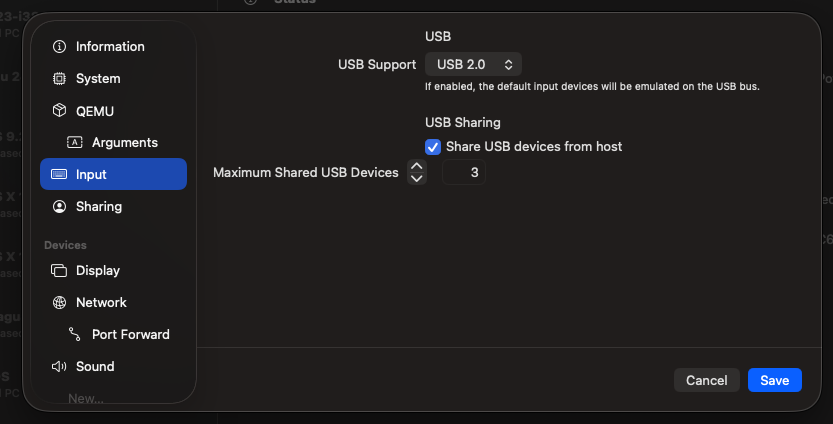
A notable feature of the UTM platform that significantly enhances the usability of this workaround is its robust support for USB peripherals. Even within an older operating system like Mac OS X Tiger, UTM facilitates the integration of plugged-in USB devices with a reported success rate of approximately 90%. This capability is critical for workflows that rely on external storage or input devices. For this specific user, the ability to drag and drop files directly between the host M2 MacBook Air and the virtual machine via USB integration streamlines the entire process. This feature eliminates the cumbersome steps often associated with file transfer in less integrated virtualized environments, making the workflow feel more akin to using native applications. The seamless exchange of files is a testament to UTM’s sophisticated emulation capabilities, bridging the gap between modern hardware and legacy software requirements.
User Preference and the Appeal of Legacy Software
The user’s preference for older macOS versions and Photoshop CS4 is rooted in familiarity and a positive association with the software from their formative years. Photoshop CS4 represents a version of the application that the user is deeply comfortable with, having learned and developed their skills using its interface and tools. This comfort extends to avoiding the recurring subscription fees associated with Adobe’s current Creative Cloud model. For professionals and hobbyists alike, the ability to access and utilize a stable, well-understood version of a powerful tool without ongoing financial commitment is a significant advantage. While acknowledging the capabilities of modern software, the enduring appeal of CS4 lies in its perceived stability, feature set, and cost-effectiveness for specific use cases.
Performance Benchmarking: A Glimpse into Virtualized Operation
While the article doesn’t provide extensive quantitative performance metrics, the accompanying video ( "Launching Photoshop CS4 in a Tiger VM on a M2 MacBook Air running Tahoe") offers a visual demonstration of the virtual machine’s operation. The video, presumably showcasing the boot-up sequence and basic application interaction, serves as anecdotal evidence of the system’s responsiveness. The successful launch and apparent smooth operation within the virtualized Tiger environment on the M2 MacBook Air suggest that the performance is sufficient for the intended graphic design tasks. The phrase "running Tahoe" likely refers to the macOS version running on the host machine, indicating that the virtualization is occurring within a contemporary macOS environment. This visual proof of concept is crucial for demonstrating the viability of the workaround to a wider audience facing similar software compatibility challenges.
Broader Implications for Digital Archiving and Creative Workflows
The successful virtualization of Photoshop CS4 on modern Apple Silicon hardware has broader implications beyond individual user convenience. It speaks to the growing importance of digital preservation and the need for accessible pathways to legacy software. As operating systems and hardware evolve, many valuable creative tools risk becoming obsolete, leading to data loss or the inability to access and update critical project files. This workaround, facilitated by platforms like UTM, demonstrates that with technical ingenuity, older software can be kept alive and functional.
For creative professionals, this opens up possibilities for migrating older projects without requiring expensive hardware upgrades or difficult software conversions. It also provides a safety net for those who rely on specific, time-tested features of older applications that may have been altered or removed in newer versions. The ability to run CS4 without a subscription also presents a more sustainable model for long-term creative projects where budget constraints are a significant factor.
Furthermore, this success story underscores the ongoing evolution of virtualization technology. UTM’s ability to emulate various architectures and operating systems effectively on powerful modern processors like Apple’s M2 chip highlights the increasing sophistication of these tools. As virtualization becomes more accessible and performant, it is likely to play an even more significant role in bridging the gap between legacy and contemporary digital environments. This case study serves as a compelling example of how users can creatively overcome hardware and software obsolescence, ensuring that valuable digital assets and workflows remain accessible for years to come. The technical hurdles overcome in this instance pave the way for further exploration into virtualizing other essential legacy applications, potentially preserving a wider range of digital history and enabling continued work with beloved, albeit aging, software tools.