 Edi Durjana
Libretro has announced the official release of LRPS2, a groundbreaking new PlayStation 2 core for its popular multi-system emulator frontend, RetroArch. This core, a heavily modified version of the acclaimed PCSX2 emulator, has been meticulously custom-made for the Libretro API, promising a significantly enhanced and modernized PlayStation 2 emulation experience across Windows, macOS, and Linux platforms. The introduction of LRPS2 marks a pivotal moment for retro gaming enthusiasts, offering a robust, up-to-date solution that addresses many of the limitations inherent in previous emulation attempts, particularly through its innovative paraLLEl-GS renderer.
The Enduring Legacy of PlayStation 2 and the Imperative of Emulation
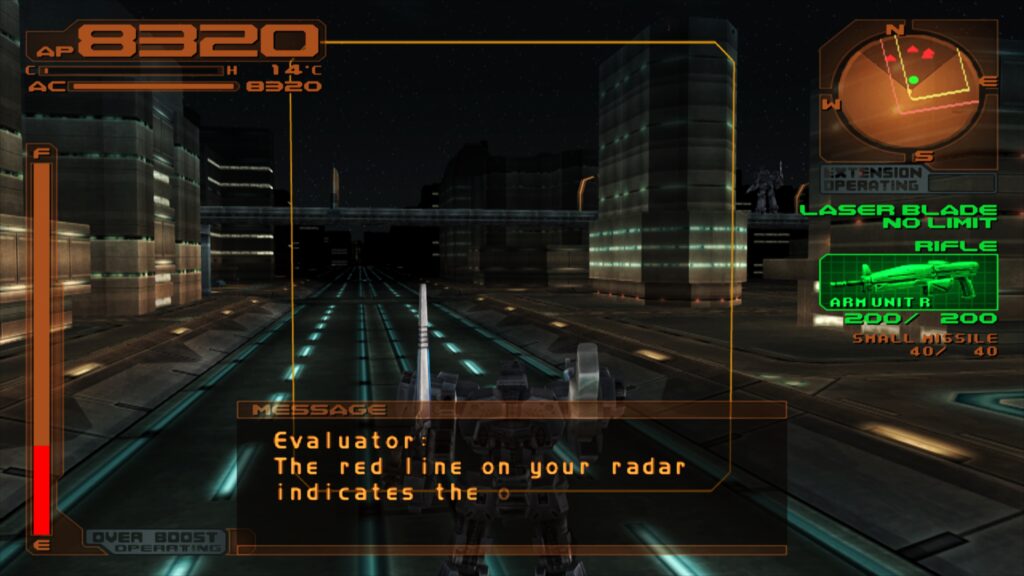
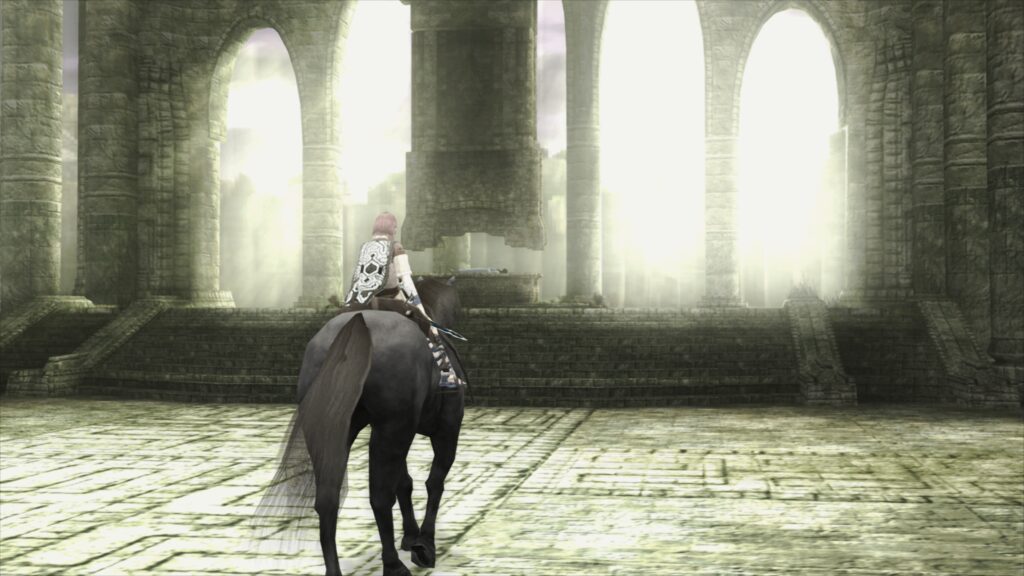
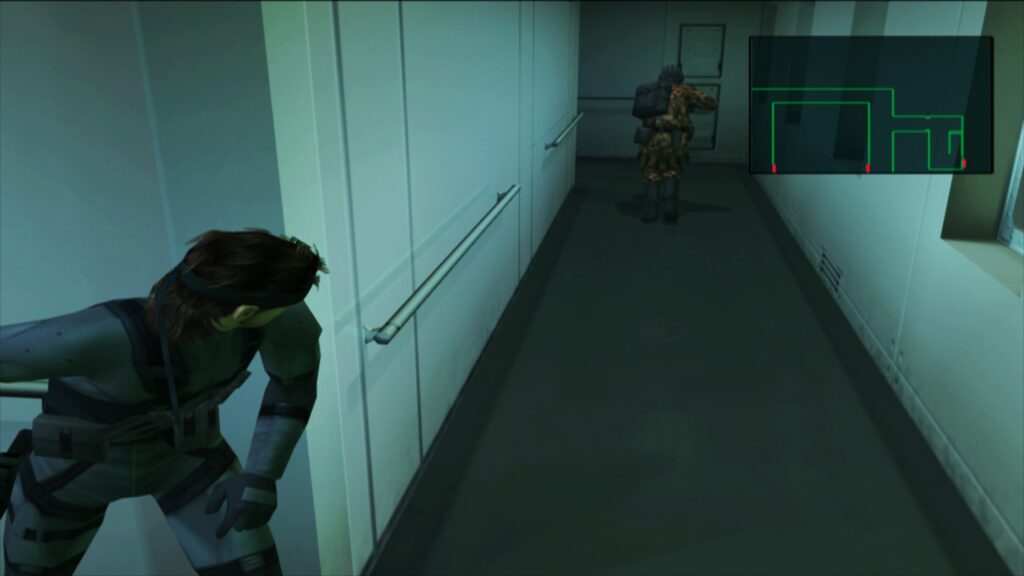
The Sony PlayStation 2, launched in 2000, remains an unparalleled titan in gaming history. With over 155 million units sold worldwide, it stands as the best-selling video game console of all time, boasting an colossal library of over 3,800 distinct titles. From genre-defining epics like Grand Theft Auto: San Andreas and Metal Gear Solid 2: Sons of Liberty to beloved classics such as Final Fantasy X, God of War, and Shadow of the Colossus, the PS2 cemented its place in the cultural zeitgeist, shaping a generation of gamers.
However, the passage of time inevitably brings challenges to hardware longevity and accessibility. Original PS2 consoles are increasingly prone to hardware failures, and the physical media itself can degrade. This makes robust emulation not merely a luxury but a critical component of video game preservation. Emulation allows current and future generations to experience these seminal titles on modern hardware, often with significant graphical enhancements that surpass the original console’s capabilities. The complexity of the PS2’s architecture, particularly its custom Emotion Engine CPU and Graphics Synthesizer (GS), has historically made accurate and performant emulation a formidable technical challenge, requiring years of dedicated development and optimization.
Evolution of PS2 Emulation: From PCSX2 to LRPS2
For decades, PCSX2 has stood as the undisputed benchmark for PlayStation 2 emulation. Developed and maintained by a dedicated community, PCSX2 has continuously pushed the boundaries of what’s possible, achieving remarkable compatibility and performance through iterative improvements and clever workarounds for the PS2’s idiosyncratic hardware. Its open-source nature has fostered innovation, but integrating such a complex, standalone emulator into a universal frontend like RetroArch, designed to unify diverse emulation cores under a single interface, presented its own set of difficulties.
Previous attempts at a PlayStation 2 core within the Libretro ecosystem faced significant drawbacks, often struggling with code modernization, compatibility issues, and performance bottlenecks. These older cores could not fully leverage the advancements made in PCSX2’s development, leading to a fragmented and less-than-ideal user experience for RetroArch users seeking to play PS2 titles. LRPS2 directly confronts these issues. By being a "heavily modified version of PCSX2 custom made for the Libretro API," it signifies a concerted effort to bring the best of PCSX2’s emulation accuracy and speed into the seamless, feature-rich environment of RetroArch. The development team emphasizes that the core code is "modern and up-to-date," ensuring it no longer suffers from the serious drawbacks that plagued its predecessors.
Key Features and Technical Prowess of LRPS2
LRPS2 is engineered for broad compatibility and high performance. It currently supports Windows, macOS, and Linux, making the vast PS2 library accessible to a wide audience of PC users. While Android, iOS, and ARM Linux are not yet supported, their potential inclusion in future updates remains a highly anticipated development for portable and embedded RetroArch users.
A significant aspect of LRPS2’s design is its comprehensive support for nearly all the rendering backends offered by the GSdx renderer, a core component inherited from PCSX2. This flexibility ensures optimal performance and visual fidelity across various hardware configurations and operating systems. Supported APIs include:
- Vulkan: Available on Windows, macOS, and Linux, offering modern, high-performance rendering.
- Direct3D 11 and 12: Exclusively for Windows users, leveraging Microsoft’s proprietary graphics APIs for excellent compatibility and speed.
- OpenGL: Supported on Windows and Linux, providing a widely compatible rendering option, particularly for older hardware or specific driver setups.
This broad renderer support allows users to select the best option for their system, optimizing for either raw performance, stability, or specific visual characteristics.
Introducing paraLLEl-GS: A New Paradigm in Graphics Emulation
Undoubtedly the most revolutionary feature introduced with LRPS2 is the paraLLEl-GS renderer. This cutting-edge component, developed by the prodigious Themaister, is entirely written as a compute program and exclusively targets the Vulkan graphics API. Drawing parallels with the highly successful paraLLEl-RDP for Nintendo 64 emulation, paraLLEl-GS represents a new frontier in graphics synthesizer emulation, utilizing modern GPU compute capabilities to achieve unprecedented accuracy and visual enhancements.
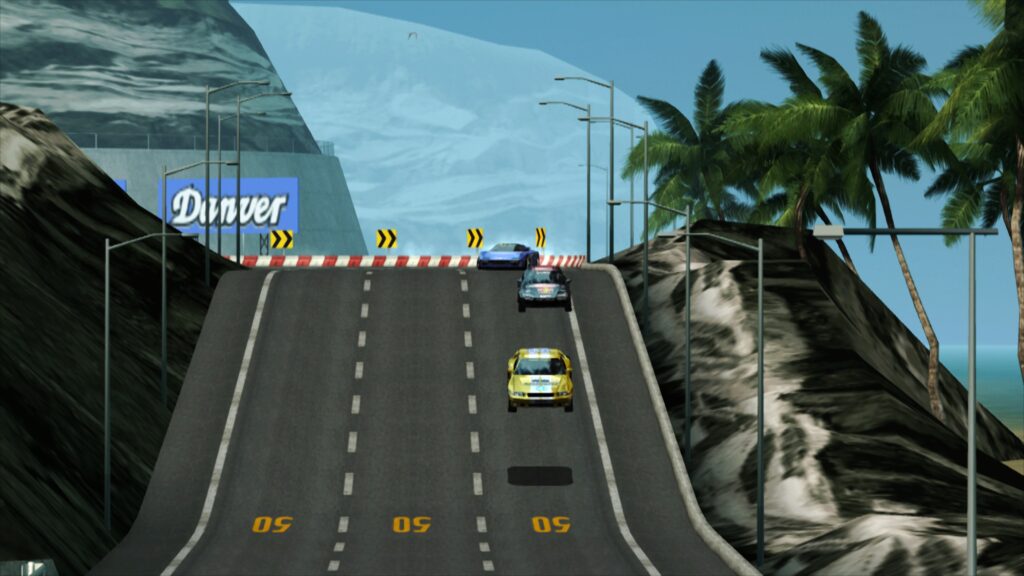
The core philosophy behind paraLLEl-GS is to deliver an emulation experience "as accurate as the software renderer, but with additional graphical enhancements." This dual focus means players can enjoy the precise rendering of original PS2 hardware while simultaneously benefiting from modern graphical improvements that were previously unimaginable. The standout feature is its support for Super Sample Anti-Aliasing (SSAA), particularly at 16x SSAA. When combined with the "paraLLEl experimental high-res scanout" option, which effectively doubles the resolution, paraLLEl-GS can virtually eliminate aliasing and shimmering on 3D geometry and textures. The resulting image quality often surpasses that of GSdx rendering at much higher internal resolutions, and critically, achieves this with "almost no hacks" needing to be enabled or disabled on a game-specific basis. This significantly simplifies configuration and improves overall game compatibility and stability, a notable improvement over traditional hardware renderers that often require game-specific tweaks to resolve visual glitches. For those interested in the intricate technical details of this innovation, Themaister’s in-depth blog article provides a comprehensive breakdown of the project.
Setting Up LRPS2: A Step-by-Step Guide for RetroArch Users
Integrating LRPS2 into an existing RetroArch installation is a straightforward process, though it requires adherence to specific steps to ensure proper functionality. Currently, LRPS2 is available on Windows, Linux (x86_64), and macOS. Users on Android, iOS, or ARM Linux platforms will not find the core available at this time.
- Update Core Info Files: The first step is to launch RetroArch, navigate to the "Online Updater," and select "Update Core Info Files." This action refreshes RetroArch’s database, ensuring that the new LRPS2 core appears correctly under its designated name in the menu.
- Download the LRPS2 Core: Next, return to the "Online Updater" and proceed to the "Core Downloader." Scroll through the list until you locate "Sony – Playstation 2 (LRPS)" and download it.
- Obtain System Files Bundle: Crucially, users must also download the LRPS2.zip bundle from the "Core System Files Downloader" section of the Online Updater. This bundle is vital as it automatically creates the necessary
pcsx2directory within RetroArch’ssystemdirectory. Inside, it placesGameIndex.yaml, a configuration file containing various per-game hacks and settings utilized by both the core and the GSdx renderer to enhance compatibility. The bundle also establishes thebiosdirectory. - Place PlayStation 2 BIOS: Users are required to legally obtain and place their PlayStation 2 BIOS set within the newly created
biosdirectory. Emulation cores generally do not include proprietary BIOS files due to copyright restrictions. - Load Games: Once the BIOS files are in place, the system is ready for scanning and loading games. LRPS2 supports various game formats, including CHD. It is imperative that games are not kept in compressed archives such as .7z, .rar, or *.zip, as these formats are not directly supported for loading.
Special Considerations for macOS (Apple Silicon)
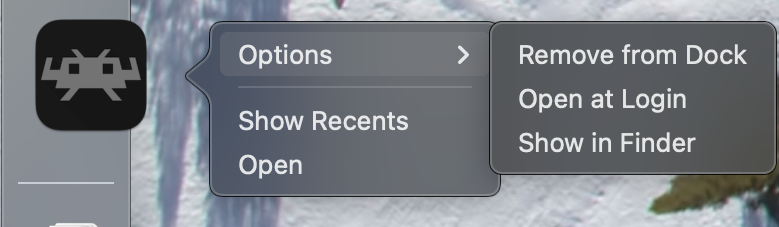
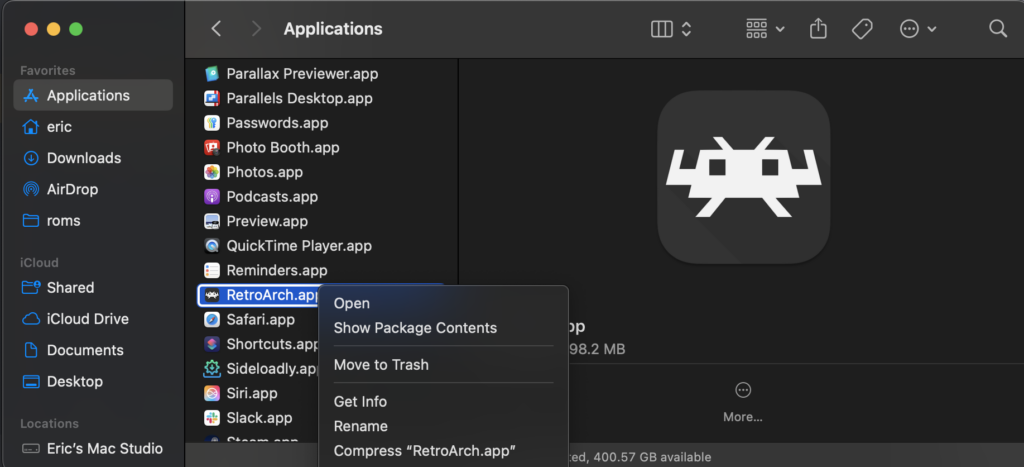
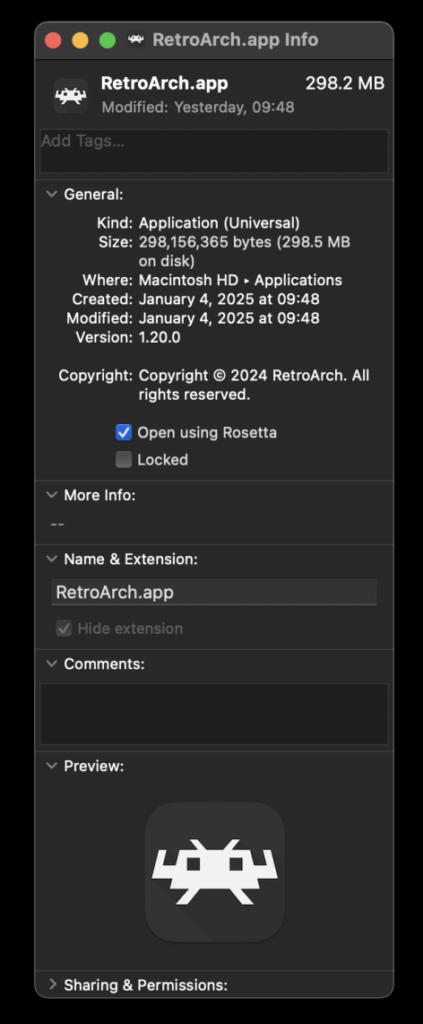
For macOS users running on Apple Silicon (M1, M2, etc.) architecture, an additional step is required to enable LRPS2 functionality. RetroArch must be run using Rosetta, Apple’s dynamic binary translator. To do this:
- Exit RetroArch if it is running.
- Locate the RetroArch application in Finder.
- Right-click on the RetroArch application icon and select "Get Info" from the contextual menu.
- In the Info window that appears, locate and check the checkbox labeled "Open using Rosetta."
Once RetroArch is configured to run via Rosetta, the LRPS2 core will become visible and downloadable in the Core Downloader, allowing Apple Silicon users to enjoy PS2 emulation.
Fine-Tuning the Experience: LRPS2 Core Options
LRPS2, like many advanced RetroArch cores, offers a comprehensive suite of core options that allow users to fine-tune various aspects of the emulation. These options are categorized logically, empowering users to customize system behavior, video output, emulation accuracy, and input responsiveness. While a detailed enumeration of every option is extensive, key categories include:
- System Options: Control fundamental aspects of the emulated PS2 hardware.
- Video Options: General video settings applicable to the core.
- Video – GSdx Options: Specific settings for the GSdx renderer, allowing adjustments for resolution, texture filtering, and other graphical parameters.
- Manual Hardware Rendering Fixes – GSdx: Provides options to enable or disable specific hacks for games that exhibit visual glitches with hardware rendering, offering a balance between accuracy and visual fidelity.
- Emulation Options: Controls CPU speed, cycle rates, and other emulation-specific settings to balance performance and accuracy.
- Input Options: Configures controller types and mappings.
- ParaLLEl-GS Options: Dedicated settings for the paraLLEl-GS renderer, including crucial parameters like SSAA levels and high-res scanout.
These options collectively provide a powerful toolkit for users to optimize their PS2 emulation experience, catering to different hardware capabilities and individual preferences for visual quality and performance.

Community Support and Troubleshooting
The Libretro team proactively addresses common issues and questions through an integrated FAQ, providing quick solutions for typical user challenges:
- Black Screen with Audio: If users encounter a black screen while hearing audio, particularly when using the D3D11 video driver (the default on Windows), the recommended solution is to switch the video driver to D3D12. This can be done either globally in RetroArch settings or specifically for the LRPS2 core via a core override.
- Slow ParaLLEl-GS Performance on Intel Integrated Graphics: ParaLLEl-GS, being heavily reliant on compute shaders, may perform poorly on Intel Integrated Graphics Processors (IGPs), even relatively recent models. Intel IGPs generally lack the robust compute capabilities of discrete GPUs. In such cases, the software renderer or the GSdx renderer are recommended as better-performing alternatives. Intel’s newer discrete GPUs are expected to handle paraLLEl-GS effectively.
- Software Renderer Crashes with Vulkan Driver: A known issue exists where the software renderer may crash when used with the Vulkan video driver. While the cause is under investigation, users are advised to switch to the "glcore" driver on Linux or one of the D3D drivers on Windows to reliably use the software renderer.
- Analog Face Buttons: The implementation of analog face button support is actively being worked on. While a few PS2 games utilize this feature, most games remain fully playable and completable without it, minimizing its impact on the overall experience.
- Identifying Per-Game Patches: To ascertain which internal patches (Game Enhancements, Language Unlock, No interlacing, Widescreen) are being applied on a per-game basis, users need to enable logging in RetroArch. The log output will display information about applied hints. The internal game database is continuously expanding to include more titles.
- LRPS2 Not Appearing in Core List: If the LRPS2 core is not visible, it likely indicates that the user’s platform is not currently supported (e.g., Android, iOS, ARM Linux). For supported platforms (Windows, Linux x86_64, macOS), ensuring that core info files are updated via the online updater is the primary troubleshooting step.
- Improving Frame Pacing: To optimize frame pacing, especially on Variable Refresh Rate (VRR) displays, users can experiment with the "Sync to Exact Content Framerate" option found under Settings -> Video -> Synchronization. For VRR displays, it is often beneficial to disable VSync within RetroArch and enable VSync in the GPU driver control panel (e.g., Nvidia Control Panel). It is important to note that some games may not behave optimally with "Sync to Exact Content Framerate," necessitating user experimentation to find the best configuration.
Broader Impact and Future Implications
The release of LRPS2 represents a significant milestone for the Libretro project and the broader emulation community. It solidifies RetroArch’s position as a premier multi-system emulation platform, now offering a highly capable and feature-rich solution for one of the most beloved and complex consoles in gaming history.
The implications extend beyond mere gameplay:
- Enhanced Preservation: By making PS2 emulation more accessible, accurate, and visually appealing, LRPS2 contributes substantially to the digital preservation of an invaluable catalog of games. It ensures that the creative works of a bygone era remain playable and enjoyable for future generations.
- Technological Innovation: The paraLLEl-GS renderer is a testament to cutting-edge advancements in emulation technology. Its compute-based approach to graphics rendering, combined with sophisticated features like 16x SSAA and high-res scanout, sets a new standard for how complex hardware can be accurately and beautifully replicated on modern GPUs. This innovation could inspire similar developments for other challenging emulation targets.
- Accessibility and User Experience: LRPS2 lowers the barrier to entry for PS2 emulation within RetroArch, providing a unified and relatively straightforward setup process. The focus on reducing game-specific hacks in paraLLEl-GS further streamlines the user experience, allowing players to spend less time configuring and more time playing.
- Community Growth: The open-source nature of both PCSX2 and Libretro fosters a collaborative environment. The release of LRPS2 will undoubtedly invigorate community engagement, encouraging further contributions, bug fixes, and feature enhancements.
- Future of Retro Gaming: As hardware continues to evolve, cores like LRPS2 demonstrate that classic gaming experiences can not only be preserved but also significantly enhanced, offering a compelling reason for players to revisit or discover the rich history of video games.
In conclusion, LRPS2 is more than just a new core; it’s a testament to the dedication of the Libretro and PCSX2 development teams, delivering a modern, high-performance, and visually stunning PlayStation 2 emulation experience to RetroArch users. With its robust rendering options, revolutionary paraLLEl-GS renderer, and commitment to ongoing development, LRPS2 is poised to become the definitive way to experience the vast and beloved library of the PlayStation 2 on contemporary computing platforms.