Farhan hamdan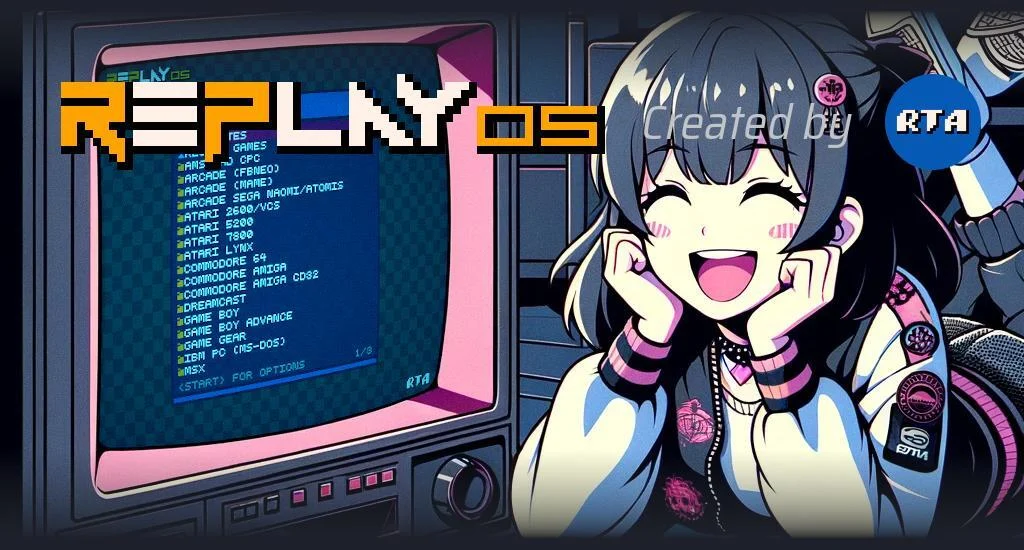
The developer RTA has officially rolled out version 1.6.3 of RePlayOS, a specialized operating system meticulously crafted for the Raspberry Pi single-board computer platform. This latest iteration introduces a pivotal feature: comprehensive touchscreen support, dramatically expanding the operational versatility and user interaction paradigms for the OS. Alongside this significant addition, the update delivers a substantial overhaul to the embedded video player, dubbed "Alpha Player," incorporating numerous enhancements, critical bug fixes, and a suite of other improvements designed to refine the overall user experience. For users currently running RePlayOS v1.6.0 or newer, the update process has been streamlined, allowing for direct installation via the RePlayOS graphical user interface (GUI) once connected to a network. However, those operating on versions prior to v1.6 will need to perform a complete re-flash of their MicroSD card to access the new features and stability improvements.
Background and Evolution of RePlayOS
RePlayOS has carved a niche within the expansive ecosystem of Raspberry Pi software by offering a focused, optimized environment primarily geared towards multimedia playback and potentially light entertainment or specific embedded applications. Designed with efficiency and user-friendliness at its core, RePlayOS distinguishes itself from more general-purpose operating systems by stripping away unnecessary overhead, thereby maximizing the performance capabilities of the Raspberry Pi’s modest hardware. Its appeal lies with hobbyists, makers, and enthusiasts who seek a dedicated, appliance-like experience for their Raspberry Pi projects, whether building a compact media center, a digital signage solution, or an interactive kiosk.
The journey of RePlayOS, spearheaded by the dedicated developer RTA, reflects a common trajectory in the open-source and community-driven software landscape. Launched with a vision to provide a robust and streamlined OS, earlier versions focused on establishing core functionalities such as reliable boot-up, basic system management, and initial multimedia capabilities. Subsequent updates progressively refined these foundational elements, adding support for various peripherals, enhancing network connectivity, and improving system stability. The move towards a more user-friendly GUI update mechanism for recent versions (v1.6.0 and above) signifies a maturing project, indicating RTA’s commitment to accessibility and ease of maintenance for the growing user base. The project’s sustainability, as evidenced by its presence on Patreon, underscores the vital role of community funding in fostering continuous development and innovation for specialized software solutions.
Key Innovations in Version 1.6.3
The release of RePlayOS v1.6.3 marks a significant leap forward, primarily due to its headline feature and the comprehensive improvements to its multimedia core.
Pioneering Touchscreen Support
The introduction of touchscreen support in RePlayOS v1.6.3 is a transformative addition, opening up a plethora of new possibilities for how users can interact with their Raspberry Pi-powered devices. Traditionally, many Raspberry Pi projects have relied on keyboard-and-mouse interfaces or dedicated remote controls. With touchscreen capabilities, RePlayOS can now power projects that demand direct, intuitive interaction, mirroring the ubiquitous interfaces found in modern consumer electronics.
This feature is particularly impactful for several potential applications:
- Interactive Kiosks: Creating self-service information points, digital guides, or interactive displays in public or private settings.
- Portable Media Players: Enabling the development of compact, battery-powered multimedia devices with direct control.
- Home Automation Panels: Integrating RePlayOS into wall-mounted control systems for smart homes, offering a visual and tactile interface.
- Car PCs/Infotainment Systems: Providing a robust and responsive operating system for in-vehicle entertainment and navigation.
- Educational Tools: Facilitating interactive learning experiences where direct manipulation on a screen is beneficial.
Technically, implementing robust touchscreen support involves intricate challenges, including integrating various display drivers, ensuring accurate calibration across different screen sizes and resolutions, and adapting the graphical user interface to be touch-friendly. RTA’s successful integration suggests careful consideration for compatibility and user experience, ensuring that RePlayOS can seamlessly adapt to a wide array of commercially available and custom touchscreen displays compatible with Raspberry Pi. This advancement not only enhances usability but also lowers the barrier to entry for complex interactive projects, empowering a broader segment of the DIY and maker community.
Enhanced Alpha Player Capabilities
Beyond touchscreen support, RePlayOS v11.6.3 dedicates substantial effort to bolstering its built-in video player, "Alpha Player." The release notes indicate "tons of updates," which in journalistic terms, suggests a comprehensive upgrade rather than minor tweaks. For a specialized OS like RePlayOS, a robust and highly optimized video player is paramount. These enhancements likely span several critical areas:
- Expanded Codec Support: Modern multimedia environments demand compatibility with a vast array of video and audio codecs. The updates likely include support for newer compression standards (e.g., AV1, HEVC profiles) and improved handling of existing ones, ensuring broader compatibility with contemporary media files.
- Performance Optimization: Given the Raspberry Pi’s resource constraints, optimizing video playback for smooth, stutter-free performance, especially at higher resolutions (e.g., 1080p, 4K on compatible Pi models), is crucial. This could involve more efficient utilization of the Raspberry Pi’s hardware video decoding capabilities.
- User Interface and Experience: Updates to the Alpha Player’s UI could include more intuitive controls, improved playlist management, better metadata display, and enhanced navigation, making the media consumption experience more fluid and enjoyable.
- Streaming Capabilities: In an increasingly connected world, improved support for network streaming protocols (e.g., DLNA, SMB, NFS, HTTP live streaming) would allow Alpha Player to function more effectively as a network media client, accessing content from local servers or online sources.
- Stability and Bug Fixes: A significant part of "enhancements" for any software often involves addressing underlying bugs that could lead to crashes, playback errors, or synchronization issues. These fixes ensure a more reliable and consistent viewing experience.
These improvements collectively solidify RePlayOS’s position as a potent media consumption platform on the Raspberry Pi, addressing long-standing user requests and adapting to the evolving landscape of digital media.
Bug Fixes and System Refinements
While specific details on bug fixes for v1.6.3 were not explicitly enumerated in the provided snippet, such updates are invariably critical for maintaining system stability, security, and overall performance. Common areas for bug fixes in an embedded OS like RePlayOS typically include:

- System Stability: Addressing kernel panics, unexpected crashes, or freezes that can degrade user confidence.
- Peripheral Compatibility: Resolving issues with USB devices, audio outputs, Wi-Fi adapters, or Bluetooth devices.
- Network Reliability: Enhancing consistency of network connections, DNS resolution, and file sharing protocols.
- Security Patches: Implementing updates to address discovered vulnerabilities, which is crucial for any internet-connected device.
- Minor UI/UX Glitches: Polishing the graphical interface to remove visual anomalies or improve responsiveness.
"Other additions" often encompass minor feature enhancements, performance optimizations under the hood (e.g., faster boot times, reduced resource usage), expanded hardware detection, or new utility tools that contribute to the system’s robustness without being headline features. These iterative improvements are foundational to the long-term health and usability of any operating system.
Update Mechanism and User Experience
The RePlayOS development team has implemented a pragmatic update strategy. For users already on version 1.6.0 or newer, the update process is designed to be straightforward: a direct over-the-air (OTA) update through the RePlayOS GUI. This convenience is a significant quality-of-life improvement, minimizing downtime and technical hurdles for end-users. It reflects a modern software development practice where continuous delivery and seamless updates are prioritized.
However, the requirement for users on versions older than 1.6 to re-flash their MicroSD card suggests a substantial architectural shift or fundamental changes that cannot be safely or reliably applied through an incremental update. While more labor-intensive, this approach ensures system integrity and prevents potential conflicts that could arise from patching a significantly older base. Clear instructions, likely provided on the RePlayOS website and through community channels, would guide users through this process, which typically involves downloading a new disk image, writing it to an SD card, and then configuring the fresh installation.
The Broader Raspberry Pi Ecosystem and RePlayOS’s Niche
The Raspberry Pi has fostered a vibrant ecosystem of specialized operating systems, each catering to distinct use cases. Competitors and complementary projects include:
- RetroPie/Recalbox/Lakka: Primarily focused on retro gaming emulation.
- LibreELEC/OSMC: Dedicated media center distributions built around Kodi.
- OctoPi: Tailored for 3D printer control.
- Home Assistant OS: For smart home automation.
RePlayOS appears to position itself as a versatile media and entertainment hub, perhaps less singularly focused on retro gaming than RetroPie, and potentially offering a more streamlined, "appliance-like" experience than a full Kodi distribution. Its strength lies in its optimization for specific multimedia tasks and now, its enhanced interactive capabilities through touchscreen support. This versatility could allow RePlayOS to bridge gaps, serving users who want a media player but also require an intuitive touch interface for other custom applications, without the overhead of a full desktop environment.
The growth of single-board computers like the Raspberry Pi continues unabated, driven by their affordability, compact size, and ever-increasing processing power. This expansion creates a fertile ground for specialized operating systems that can unlock the full potential of these devices for a myriad of applications, from embedded systems to educational tools and personal projects. RePlayOS, through its continuous development and feature additions, is actively contributing to this innovative landscape.
Statements and Community Engagement (Inferred)
While no direct statements from RTA were provided in the original snippet, a logical inference based on typical developer communications suggests a positive and forward-looking outlook. RTA would likely express satisfaction with the v1.6.3 release, emphasizing the significant effort invested in features like touchscreen support and Alpha Player enhancements. A statement might read: "We are incredibly proud to deliver RePlayOS v1.6.3, a release that truly transforms how users can interact with their Raspberry Pi projects. The addition of touchscreen support, coupled with the robust improvements to Alpha Player, opens up new avenues for creativity and utility. Our ongoing development is fueled by the enthusiastic support of our community, and we are committed to pushing the boundaries of what RePlayOS can achieve."
The community’s reaction to such an update would predictably be enthusiastic, particularly concerning the long-awaited touchscreen functionality. Forums and social media channels dedicated to Raspberry Pi and RePlayOS would likely buzz with discussions, sharing of new project ideas, and positive feedback regarding the enhanced media playback. Users would appreciate the ease of updating for recent versions and likely welcome the stability improvements. The Patreon community, being direct supporters, would feel their contributions are visibly impacting the project’s evolution.
Broader Impact and Future Implications
The release of RePlayOS v1.6.3 has several broader implications for the Raspberry Pi community and the embedded OS landscape:
- Enhanced Accessibility and User Adoption: Touchscreen support significantly lowers the technical barrier for many projects, making RePlayOS more accessible to users who prefer direct, tactile interaction over traditional input methods. This could lead to wider adoption in educational settings, public displays, and personal projects where simplicity of use is paramount.
- Diversification of Projects: The new features empower users to embark on a wider range of projects that were previously more complex or less intuitive to implement with RePlayOS. This diversification can lead to innovative applications beyond traditional media centers.
- Setting a Standard: By integrating advanced features and streamlining updates, RTA contributes to setting higher expectations for specialized Raspberry Pi operating systems, potentially encouraging other developers to enhance their offerings.
- Sustainability of Open-Source Development: The success and continuous evolution of projects like RePlayOS, supported by platforms like Patreon, highlight a viable model for open-source software development. It demonstrates how dedicated developers, backed by a passionate community, can create and maintain high-quality, specialized software that fills specific market needs.
- Future Roadmap: With touchscreen capabilities established, RTA could explore further enhancements in gesture recognition, multi-touch features, and more dynamic GUI elements. Future updates to Alpha Player might include cloud integration, advanced video processing features, or even tighter integration with smart home ecosystems.
In conclusion, RePlayOS v1.6.3 represents a substantial update that significantly enhances the platform’s versatility and user experience. The strategic introduction of touchscreen support, combined with a robust overhaul of its multimedia capabilities, solidifies RePlayOS’s position as a compelling option for Raspberry Pi enthusiasts and developers seeking an optimized, interactive, and media-centric operating system. This release not only serves the immediate needs of its user base but also paves the way for a new generation of interactive Raspberry Pi projects.
For further information, users can visit the official RePlayOS website at https://www.replayos.com/. Community members interested in supporting the project’s ongoing development can do so via its Patreon page at https://www.patreon.com/c/RePlayOS/home. Detailed instructions for updating RePlayOS can be found at https://retrorgb.com/replayos-v1-6.html.