Edi Durjana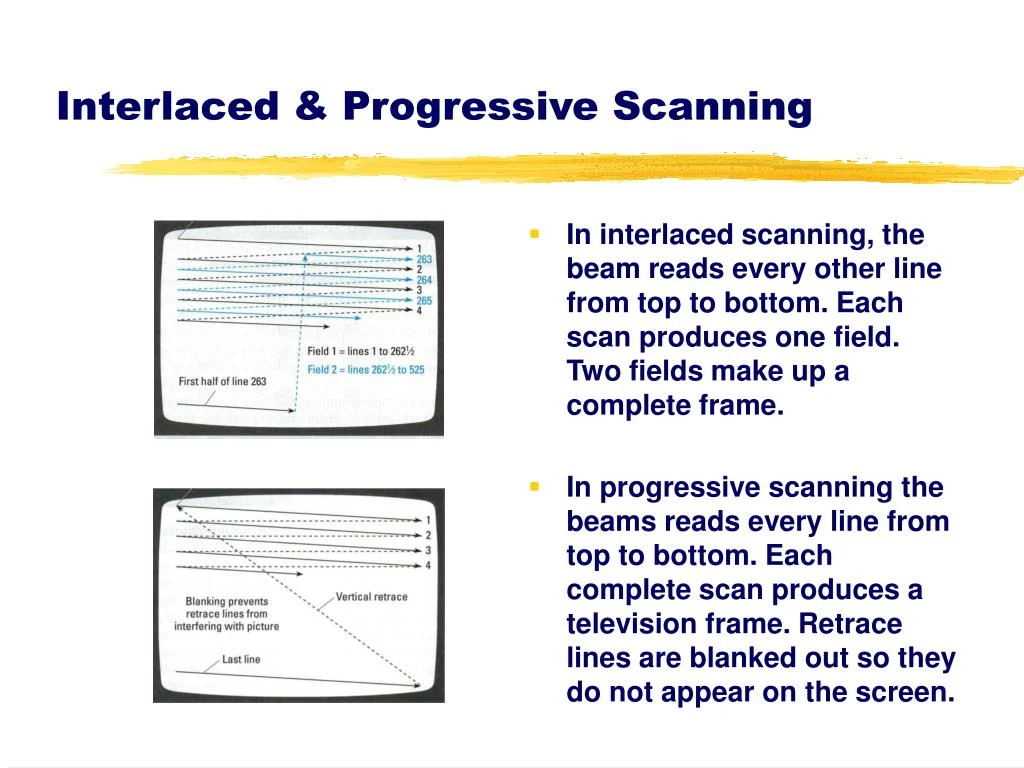
The PlayStation 2 (PS2), a console that defined a generation, was engineered almost entirely from the ground up for compatibility with Cathode Ray Tube (CRT) televisions. Unlike modern digital systems focused on pixel-perfect resolutions, the PS2, like its analog video output predecessors, was inherently designed around scanlines and timing. While a niche option existed to attach a VGA monitor for the official PS2 Linux toolkit, offering some VESA display modes, this was largely an afterthought, with virtually no commercial games ever leveraging this capability. Understanding the PS2’s intricate relationship with CRT technology, its unique hardware architecture, and the prevailing display standards of its era is crucial to appreciating its unprecedented success and the technical challenges developers faced. This retrospective examines the console’s design philosophy, its impact on game development, and the eventual transition to digital displays.
Acronyms for Clarity:
- PS2: PlayStation 2
- CRT: Cathode Ray Tube (the analog televisions preceding HDTVs)
- GS: Graphics Synthesizer (the PS2’s Graphics Processing Unit)
- PAL: Phase Alternating Line (European television signal standard)
- NTSC: National Television System Committee (American/Japanese television signal standard)
- CRTC: Cathode Ray Tube Controller (integrated within the PS2’s GPU)
- EDTV: Enhanced Definition Television (an SDTV supporting progressive scan)
- VU0/VU1: Vector Unit 0/Vector Unit 1 (two SIMD coprocessors of the PS2)
- VRAM: Video Random Access Memory
- GPU: Graphics Processing Unit
- SDK: Software Development Kit
- SIMD: Single Instruction, Multiple Data
- bpp: Bits per pixel
- LCD: Liquid Crystal Display
- HDTV: High Definition Television
- HDMI: High-Definition Multimedia Interface
- RF-AV: Radio Frequency Audio/Video
- RGB SCART: Red Green Blue Syndicat des Constructeurs d’Appareils Radiorécepteurs et Téléviseurs
The Imperative of 60fps: Navigating VRAM Constraints and Analog Display Nuances
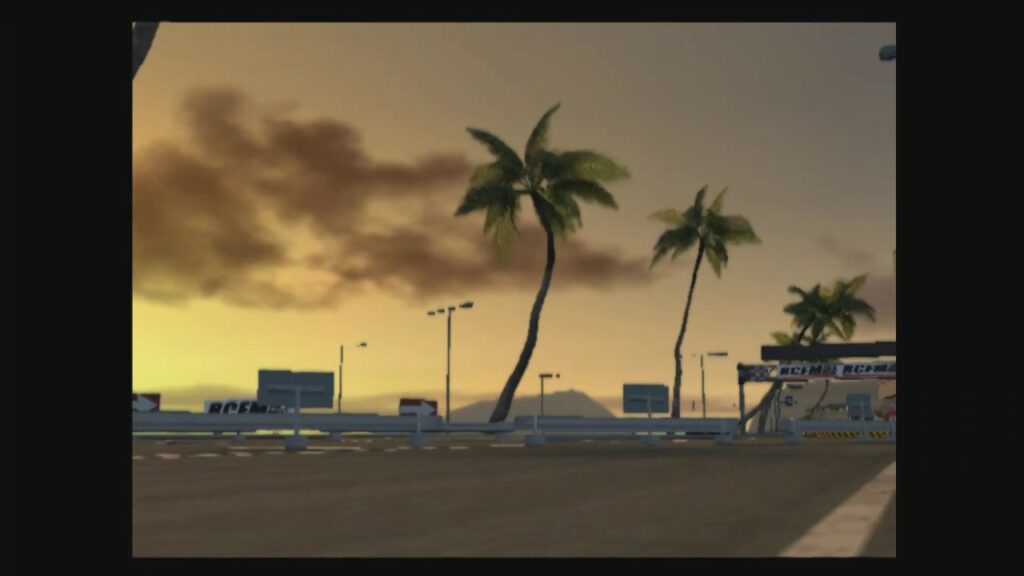
At the core of the PS2’s graphics capabilities was its Graphics Synthesizer (GS), equipped with a seemingly modest 4MB of embedded VRAM. This memory allocation was frequently insufficient to hold a full 640×480 framebuffer, let alone higher resolutions. Sony’s engineers often encouraged developers to view this VRAM more as a high-speed scratchpad than a conventional framebuffer, emphasizing its exceptional bandwidth. This design choice meant operations like alpha blending, multipasses, and framebuffer copies, which were performance bottlenecks on many contemporary GPUs, were remarkably efficient on the PS2. The console’s unique architecture, including its fully programmable geometry pipeline powered by the two Vector Units (VU0 and VU1), foreshadowed modern hardware features like mesh shaders, which only began to appear on GPUs such as the Nvidia GeForce RTX 20 series nearly two decades later. Titles like Driv3r famously exploited these strengths, pushing the GS in ways that would have crippled less optimized hardware.
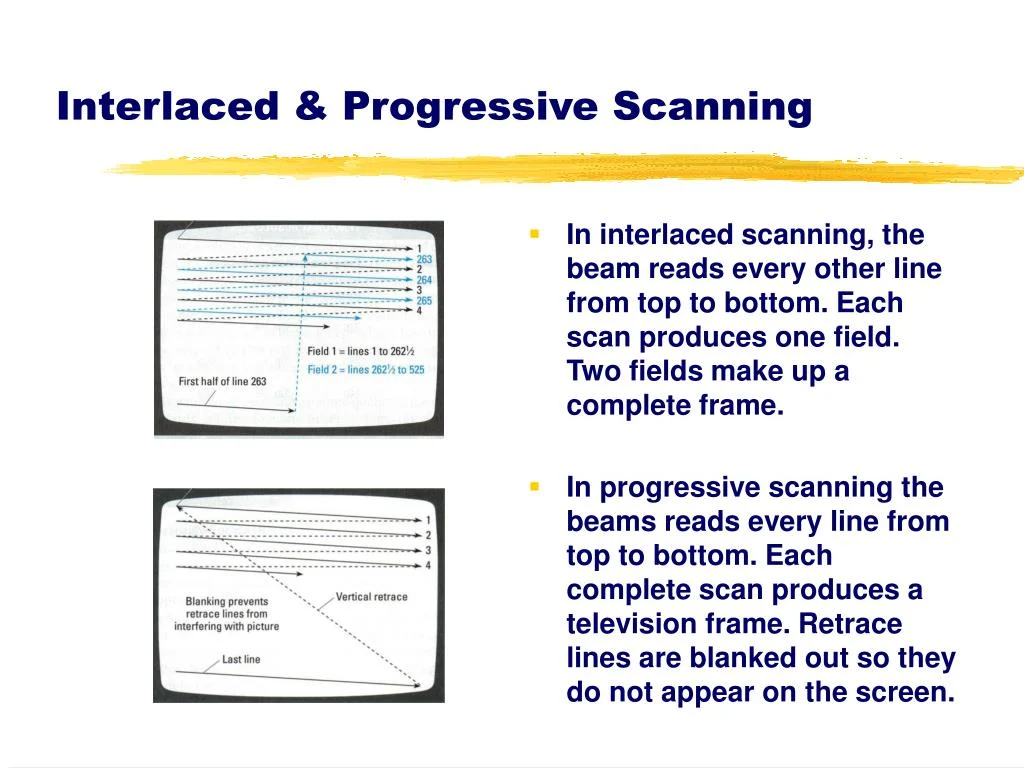
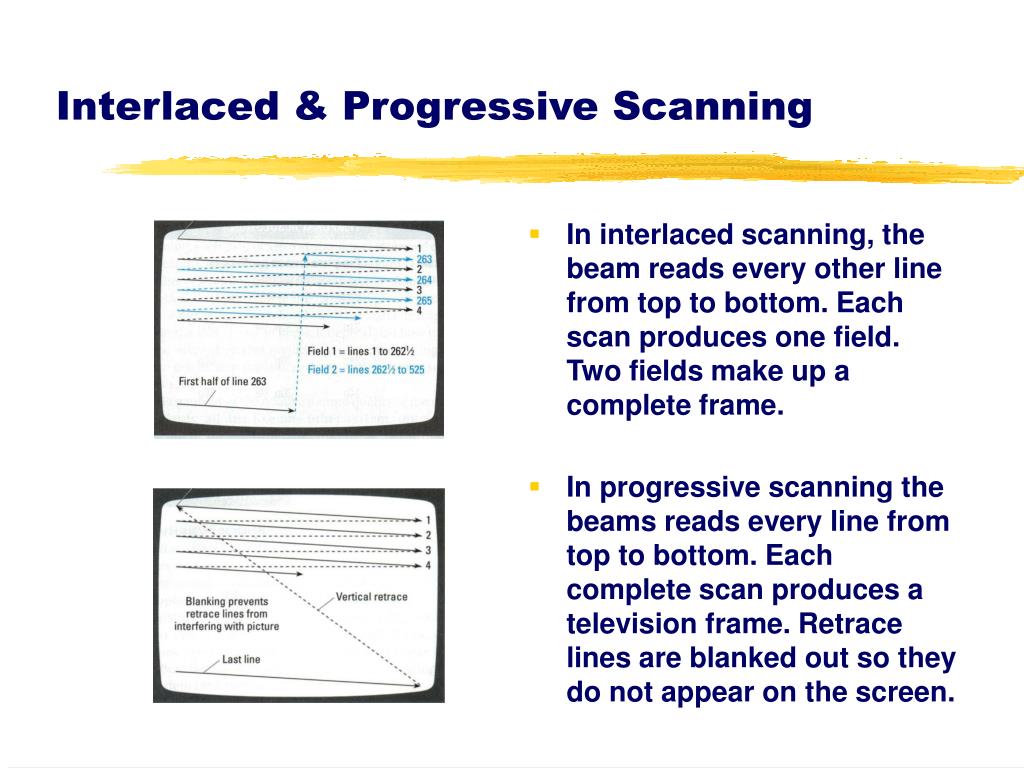
This hardware configuration, perhaps unintentionally, created a strong incentive for developers to target a stable 60Hz/60 frames per second (fps) for NTSC regions (or 50Hz/50fps for PAL). Early versions of the PS2’s Software Development Kit (SDK) primarily supported interlaced scanline modes, which required a 60Hz refresh rate to achieve a 640×448 resolution. Developers later gained the flexibility to choose between "frame mode" (rendering full frames) or "field rendering mode" (interlaced frames).
Field rendering, by its very nature, reduced memory requirements per frame by effectively halving the vertical resolution (e.g., 640×240 or even 512×224). This was a critical advantage given the GS’s limited 4MB eDRAM, where framebuffers had to reside. Furthermore, field rendering also shortened the time needed to render the final output image, making it an attractive option for achieving high performance. However, this efficiency came with a significant caveat: frame pacing. If a game in field rendering mode failed to render a new frame in time, forcing the display of the previous frame twice, the entire image would visibly shift vertically by one scanline. This "Y-shift" artifact was jarring and highly undesirable, making it imperative for developers to maintain a perfectly locked 60fps. Consequently, many games, such as SSX 3, would internally slow down the game or skip frames when performance dipped, rather than allowing the framerate to fluctuate and introduce visual instability.
In contrast, "frame mode" involved rendering full frames (e.g., 640×448 or 512×448), which naturally increased render times and made a consistent 60fps target more challenging. However, frame mode offered greater leniency regarding missed frames; the screen would simply display the second field from the previous frame without the disruptive Y-shift.
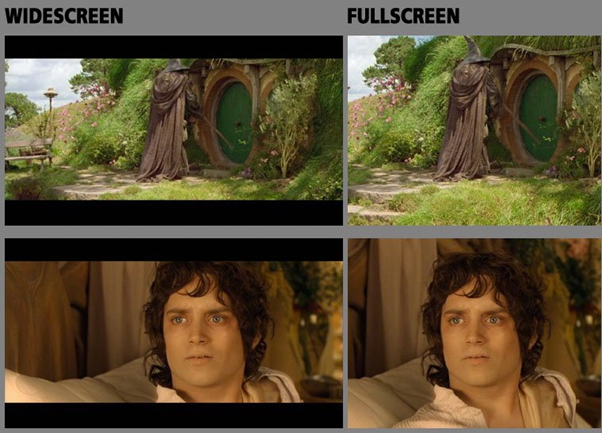
Ultimately, for games capable of sustaining a rock-solid 60fps, field rendering on a CRT TV delivered a seamless experience. The analog nature of CRTs would blend the half-frames, making them appear as complete images to the average user, who remained unaware of the underlying technical wizardry. This blend of performance and visual integrity, coupled with the PS2’s reliance on CRT characteristics, allowed the console to achieve impressive results despite its generally modest display resolutions. It is a widely acknowledged fact that the PS2 boasts an exceptionally large library of 60fps/60Hz games, especially from its launch period. This was not solely a testament to developer ambition but a direct consequence of the hardware’s design, effectively forcing their hand. This explains why PS2 games often maintained more consistent frametimes compared to competitors like the original Xbox and GameCube, which experienced more erratic framerate fluctuations.
Initial criticism leveled at PS2 launch titles often focused on "jaggies" – visible aliasing artifacts – and a perceived lack of anti-aliasing, particularly when compared to the Sega Dreamcast. This issue was exacerbated by early game magazines and journalists, whose single-frame capture methods for screenshots often only captured half of the interlaced fields. This resulted in magazine images that appeared significantly more jagged than the actual gameplay on a CRT, contributing to misconceptions about the PS2’s true visual fidelity. The lower output resolutions, a compromise to fit within the GS’s eDRAM, also played a role in these misunderstandings.
Widescreen Evolution: Adapting to a New Aspect Ratio on CRTs
While a handful of PlayStation 1 games had experimented with widescreen modes, the vast majority of console titles prior to the PS2 era were designed for the traditional 4:3 aspect ratio. The PS2, however, arrived as a dual-purpose device, serving not only as a game console but also as a popular DVD player. This dual functionality, coupled with the rising popularity of "anamorphic widescreen" DVDs, significantly contributed to the mainstream adoption of 16:9 widescreen CRT TVs in the early to mid-2000s.
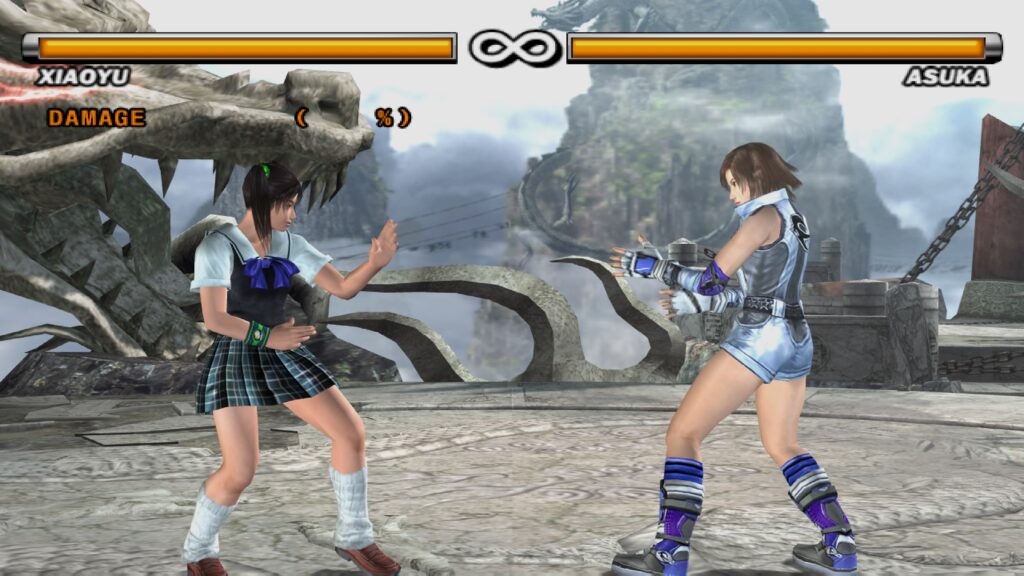
Despite this shift, most PS2 games initially continued to target 4:3. Gradually, however, more titles began incorporating built-in widescreen options as consumer demand grew. The PS2 typically employed three primary methods for displaying widescreen content:
- Vert- (Vertical Minus): This approach crops the top and bottom portions of the 4:3 image, effectively reducing the vertical field of view to fit a 16:9 aspect ratio. The remaining image is then often zoomed to fill the screen horizontally.
- Hor+ (Horizontal Plus): This method expands the horizontal field of view, revealing more of the game world on the sides without cropping the top or bottom.
- Hor+ and Vert- (Combined): A less common approach that combines elements of both, typically cropping some vertical information while also extending the horizontal view.
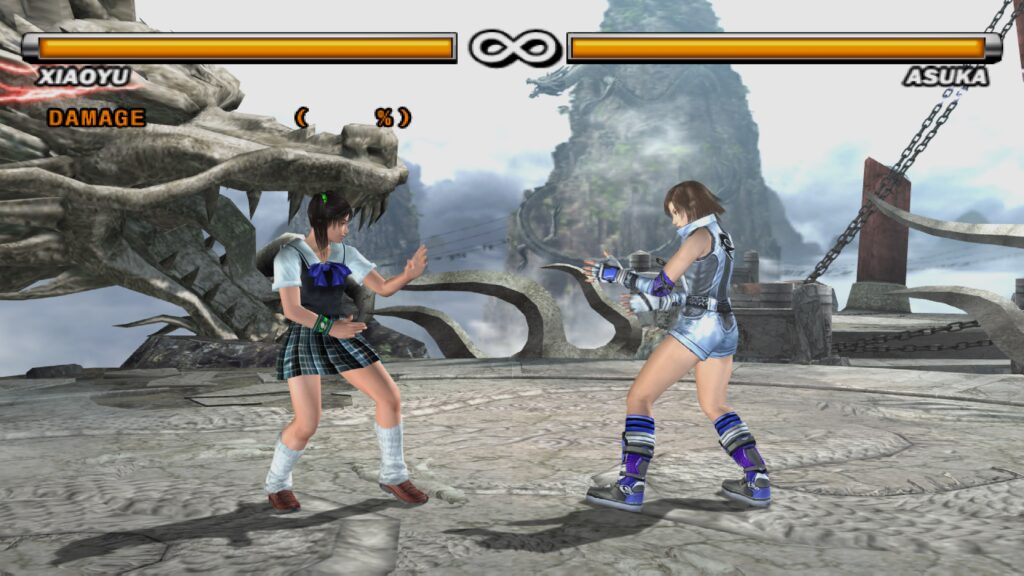
Unsurprisingly, the majority of PS2 games implementing widescreen modes opted for the technically simpler Vert- approach. This decision was often driven by resource constraints, particularly the GS’s limited 4MB VRAM. Scaling and zooming were relatively "free" operations on the GS, and cropping portions of the image ensured that the scene could still fit within the memory budget. Games like Tekken 5 employed a "quasi-widescreen" Vert- mode, where ostensibly "unimportant" areas at the top and bottom were cropped, and the image was slightly zoomed to fit 16:9. Iconic franchises such as Ratchet & Clank and Jak and Daxter also utilized Vert- implementations.
Achieving a true Hor+ widescreen experience on the PS2 presented greater development hurdles. Extending the horizontal view necessitated a higher horizontal resolution to maintain image quality, which directly impacted VRAM usage and rendering performance. Given the PS2’s existing reliance on CRT scanline blending to compensate for lower native resolutions, pushing horizontal resolution further was often deemed impractical or too costly. The result was that widescreen on many 6th generation consoles, including the PS2, often proved to be a source of frustration for enthusiasts seeking a genuinely expanded view of their favorite game worlds. The comparison between Tekken 5‘s built-in Vert- mode (where characters appear larger due to cropping and zooming) and a "correct" Hor+ patch (like those found in emulators such as LRPS2, which renders more of the game world) starkly illustrates the difference in visual experience.
Bridging the Analog-Digital Divide: The Rise of Progressive Scan
The PS2’s release coincided with the twilight years of the CRT television. As the industry began its slow march towards digital television (DTV) and the eventual dominance of LCDs, TV manufacturers attempted to enhance CRT technology. This led to the emergence of new specifications such as Enhanced Definition Television (EDTV) or Extended Definition Television. In practical terms, EDTVs were standard-definition CRTs capable of supporting 480p (NTSC) and 576p (PAL) progressive scan signals. By around 2001, progressive scan-capable CRTs began appearing on the market, and game developers started integrating support for these modes.
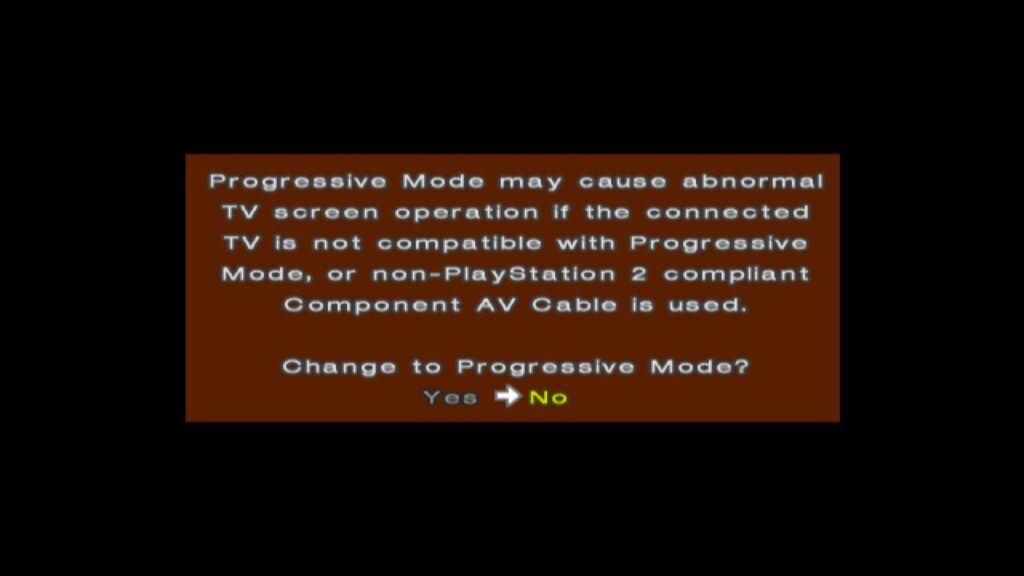
To utilize progressive scan, users typically required either component cables (in NTSC regions) or RGB SCART cables (in Japan and Europe), as composite and RF-AV connections did not support this feature. When booting a progressive scan-supported game, users could often activate the mode by holding specific button combinations (e.g., X and Triangle at startup), prompting a choice between standard interlaced and progressive scan modes. Progressive scan, by rendering full, non-interlaced frames, eliminated the characteristic interlacing artifacts and provided a cleaner, sharper image with full-height backbuffers.
However, even progressive scan modes often involved trade-offs. Some games, to ensure all data fit within the GS’s 4MB eDRAM, reduced the framebuffer depth to 16 bits per pixel (16bpp) or lower. While this avoided interlacing artifacts, it could introduce noticeable color banding, diminishing the overall image quality in terms of color fidelity. Despite this potential compromise, progressive scan generally offered a superior visual experience for most players.
A notable, albeit somewhat deceptive, development was the inclusion of "1080i" progressive scan modes in a few titles, such as Valkyrie Profile 2 and Gran Turismo 4. It is crucial to understand that these modes did not signify a true 1920×1080 native resolution. Instead, they involved advanced framebuffer manipulation and the GS’s CRTC zoom scaling capabilities. For example, Gran Turismo 4 internally rendered at 640×540. The GS’s CRTC would then magnify this horizontally by a factor of 3 (640 3 = 1920) and vertically by a factor of 2 (540 2 = 1080), or utilize an interlaced framebuffer switch, to output a 1080i signal. While this "looked" convincingly high-resolution on a CRT at the time, on modern displays, the native 480p progressive scan mode often provides a cleaner and more accurate representation.
Regional Disparities: The PAL vs. NTSC Divide
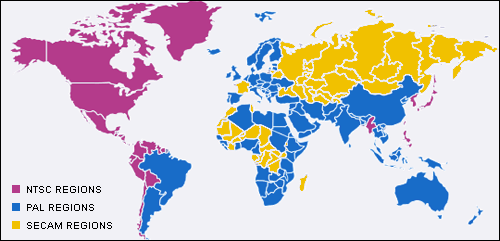
The experience of PS2 gaming varied significantly across different geographical regions, largely due to the prevailing television standards: NTSC in North America and Japan (60Hz), and PAL in Europe and other territories (50Hz). This 10Hz difference had profound implications for game performance and visual presentation.
When the PS2 launched, its predecessor, the Sega Dreamcast, had already established a precedent by offering European gamers a choice between native PAL 50Hz and "PAL60" modes. PAL60, while not a true PAL standard, provided a 60Hz image on compatible televisions, avoiding the approximately 16.7% framerate reduction common in many PAL conversions and the dreaded letterboxing that often accompanied them. PAL typically boasted a higher output resolution than NTSC, but developers frequently failed to leverage this, either due to resource constraints or a perceived lack of market importance for European audiences.
The situation on the PS2 was more complex. Sony’s official stance was to not endorse PAL60, as it wasn’t a recognized broadcast standard. This meant that most PS2 launch titles in Europe were initially locked to 50Hz, much to the chagrin of European gamers. While some UK developers, like Psygnosis (known for Wipeout and Destruction Derby), Core Design (Tomb Raider), and Rockstar/DMA Design (Grand Theft Auto), were adept at creating PAL-optimized versions that rendered more scanlines than their NTSC counterparts, these games still ran slower due to the 50Hz refresh rate. Although some developers attempted to compensate by adjusting game speed, the experience was almost invariably inferior to the 60Hz NTSC versions.
However, around 2002, a growing number of PS2 games, such as ICO, began to offer startup options allowing users to select between 50Hz and 60Hz modes. The PS2’s implementation differed from the Dreamcast’s PAL60 approach; instead, these games would switch to an NTSC 480i mode. This was largely feasible because many European televisions sold in the late 1990s and early 2000s were multi-standard, supporting both PAL and NTSC signals. For titles that still omitted these selectors, like Silent Hill 2 and Metal Gear Solid 2, developers generally put more effort into their PAL conversions, often avoiding the severe letterboxing seen in earlier titles. The 50Hz/60Hz toggle was not always straightforward for developers. Companies like Square Enix, known for their cinematic, FMV-heavy games, cited the prohibitive cost and storage requirements of shipping separate 50Hz and 60Hz versions of their extensive video assets as a reason for sticking to 50Hz for games like Final Fantasy X, despite acknowledging the demand for 60Hz. Over time, games lacking these crucial 50Hz/60Hz toggles became the exception rather than the rule.
The Rough Transition: PS2 on Early LCD/HDTVs
The mid-2000s marked a significant paradigm shift in consumer electronics: the industry-wide migration from CRTs to Liquid Crystal Display (LCD) televisions. This transition, which gained momentum around 2005 with the impending launch of the 7th generation consoles (PlayStation 3, Xbox 360), coincided with the PS2’s continued market presence, which lasted until late 2007. For the new HDMI-capable consoles, the move was largely advantageous, eliminating regional PAL/NTSC distinctions and promising native non-interlaced high resolutions (480p, 720p, 1080i/p) by default. For many consumers, this was their first experience with a progressive scan image on a television.
However, the early years of LCD HDTVs were fraught with technical limitations that severely hampered the experience of older, CRT-centric consoles like the PS2. Early LCD panels suffered from high input latency, pronounced ghosting, and poor motion clarity. Games designed with CRTs in mind, particularly those leveraging "feedback blur" for motion effects, looked disastrous on these new displays. What appeared as smooth motion blur on a CRT often devolved into a blurry, ghosted mess on early LCDs. Some developers attempted to mitigate these issues; for instance, Soul Calibur III included an in-game "Software Overdrive" setting designed to reduce afterimage effects on LCD screens.
Despite these efforts, fundamental problems like input latency and a lack of inherent motion clarity persisted for years, plaguing retro gaming experiences on modern displays. It is only in recent times, with advancements like BlurBusters’ "CRT beam racing simulator" shader, that modern OLED screens can finally offer a near-CRT-like experience. These sophisticated shaders, combined with the low latency of modern OLED technology, allow enthusiasts to enjoy the visual fidelity and motion clarity of a CRT on contemporary displays, effectively bridging a decades-long gap in display technology.
Conclusion: A Legacy Forged in Analog
The PlayStation 2’s immense success and enduring legacy are inextricably linked to its fundamental design around CRT televisions. From the clever management of limited VRAM through field rendering and aggressive 60fps targets to the complex dance of widescreen implementation and the gradual adoption of progressive scan, every technical decision was shaped by the constraints and characteristics of analog display technology. The regional disparities of PAL and NTSC further underscored the era’s technical fragmentation, creating distinct gaming experiences across continents. While the industry has since moved definitively into the digital realm, leaving CRTs largely in the past, understanding the PS2’s analog heart provides invaluable insight into the ingenuity of its developers and the unique charm that continues to captivate retro gaming enthusiasts today. The PS2 remains a testament to hardware design that, rather than fighting its limitations, embraced them to craft a truly iconic gaming experience.