
 Vera Clarissa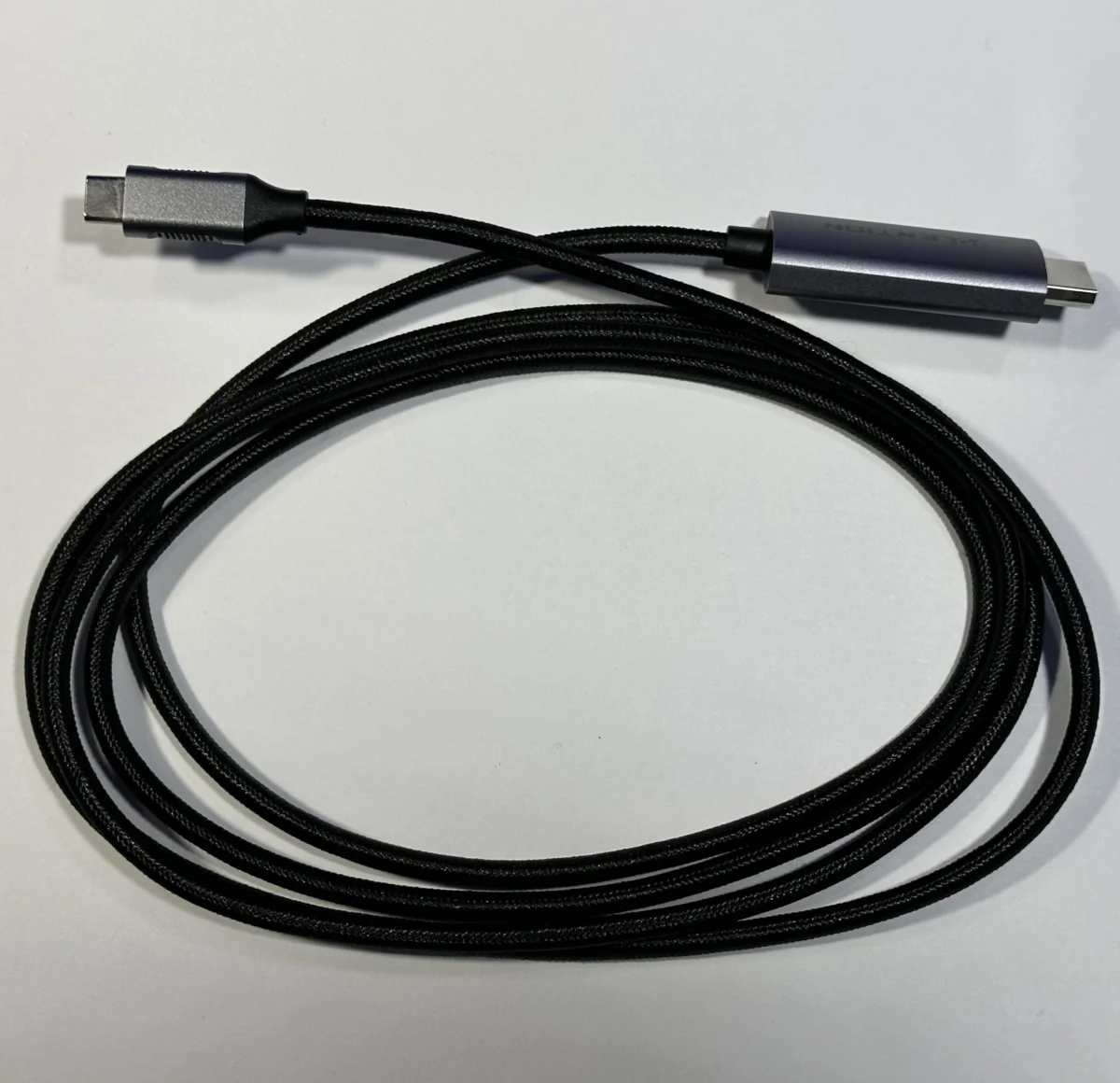
The evolution of Apple’s Mac lineup, from the early MacBook Air models to the latest M-series MacBook Pros and iPads, has been marked by a significant shift in connectivity standards. This transition, primarily driven by the widespread adoption of USB-C (also known as Thunderbolt 3 and 4), has necessitated a corresponding evolution in the accessories and adapters that users rely on. For many, the initial hesitation to invest in USB-C peripherals was rooted in perceived high costs and the gradual nature of accessory adoption. However, as device capabilities expand and user needs diversify, a curated collection of adapters and accessories has become indispensable for maximizing the functionality and portability of these powerful machines. This updated guide examines a range of essential items, building upon previous recommendations from 2025, to address the connectivity challenges and enhance the user experience across various Apple devices, including MacBook Air, MacBook Pro, and iPad models.
Adapting to the USB-C Ecosystem: The Indispensable USB-A Adapter
In an era dominated by USB-C, the continued prevalence of older USB-A devices remains a practical reality. For this reason, a simple USB-C to USB-A adapter stands out as one of the most universally useful and cost-effective accessories available. These compact adapters bridge the gap between legacy peripherals and modern Mac ports, ensuring compatibility with a vast array of existing hardware. Historically, such adapters were often bundled with new devices or were relatively inexpensive to acquire. Even now, reliable USB-C to USB-A adapters can be found on platforms like eBay for as little as $2, making them an almost negligible investment for significant utility.
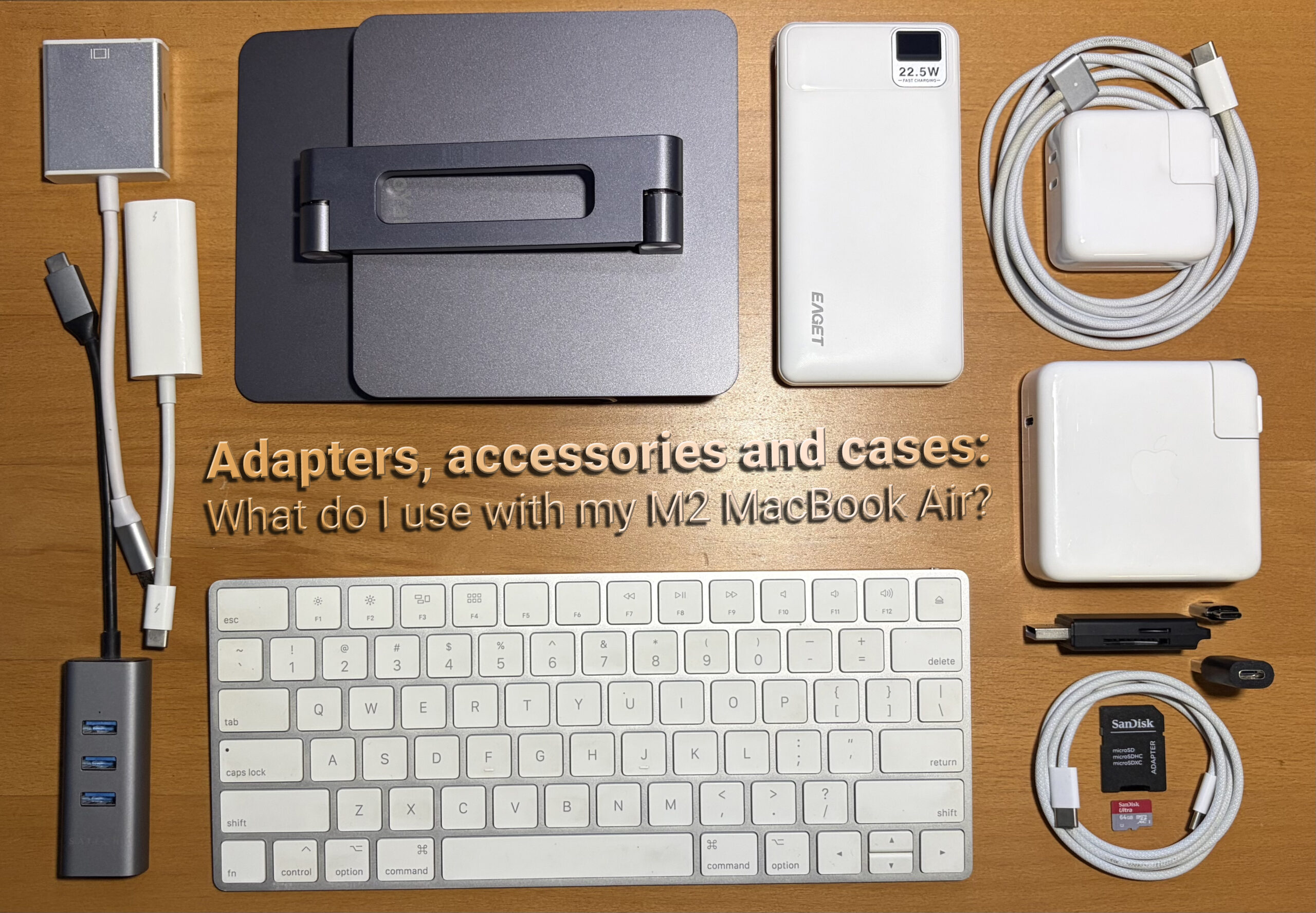
The enduring value of this adapter lies in its "just in case" utility. While daily use may not always require it, the ability to connect older flash drives, external hard drives, keyboards, mice, or even card readers without issue provides invaluable peace of mind. This is particularly relevant for users who maintain a diverse collection of technology or who frequently encounter situations where USB-A ports are the only option. The prevalence of USB-A ports in public spaces, older office environments, and even some car entertainment systems underscores the adapter’s continued relevance.
Protecting Your Investment: The Case for Durable MacBook Protection
The aesthetic appeal of Apple’s hardware is undeniable, and for many users, preserving that sleek design is paramount. Protective cases offer a crucial layer of defense against the inevitable wear and tear of daily use, from accidental drops to minor abrasions. The market offers a wide spectrum of cases, from minimalist clear shells that showcase the device’s original finish to more robust, ruggedized options.
A key consideration when selecting a clear case is its long-term durability and resistance to yellowing or brittleness. Over time, some materials can degrade, leading to cracks or a compromised fit, regardless of the initial price point. While premium cases may offer superior fit and finish, their susceptibility to damage can sometimes be comparable to less expensive alternatives. For instance, experiences with both $15 and $50 clear cases have shown that cracking can occur with similar frequency.
Historically, brands like Incase have been recognized for their well-crafted hardshell cases. An example is the Incase Edge Hardshell, which offered a precise fit and a refined feel for devices like the M4 MacBook Air, retailing around $49.95. However, more budget-friendly options have also proven effective. A $10 clear case from Amazon, while perhaps not as form-fitting as premium brands, effectively shields against direct impacts and scratches incurred during transport or daily handling. The slightly less rigid fit can also be advantageous, allowing for easier removal for cleaning without risking damage to the MacBook itself. This balance between protection, aesthetics, and practicality is a recurring theme in accessory selection.
Expanding Connectivity: The Utility of Mini-Hubs and Ethernet Adapters
For MacBooks equipped with a limited number of USB-C ports, a compact hub or docking station can dramatically expand connectivity options. A prime example of a well-designed and functional accessory in this category is the Satechi USB-C to 3x USB-A 3.0 + Gigabit Ethernet adapter. This device has proven its worth across multiple Mac generations, dating back to models like the 2018 15-inch MacBook Pro with Touch Bar.
The Satechi adapter distinguishes itself with its understated aesthetic, often available in finishes like space gray that complement Apple’s hardware. Its functionality extends beyond simply adding USB-A ports; the integrated Gigabit Ethernet port is a significant advantage for users who require stable, high-speed wired internet connections, a feature increasingly absent on ultra-thin laptops. Priced competitively, often around $29.99 on platforms like Amazon, it represents a cost-effective solution for enhanced connectivity. The durable aluminum casing, while occasionally showing signs of wear over extended use, typically holds up well.
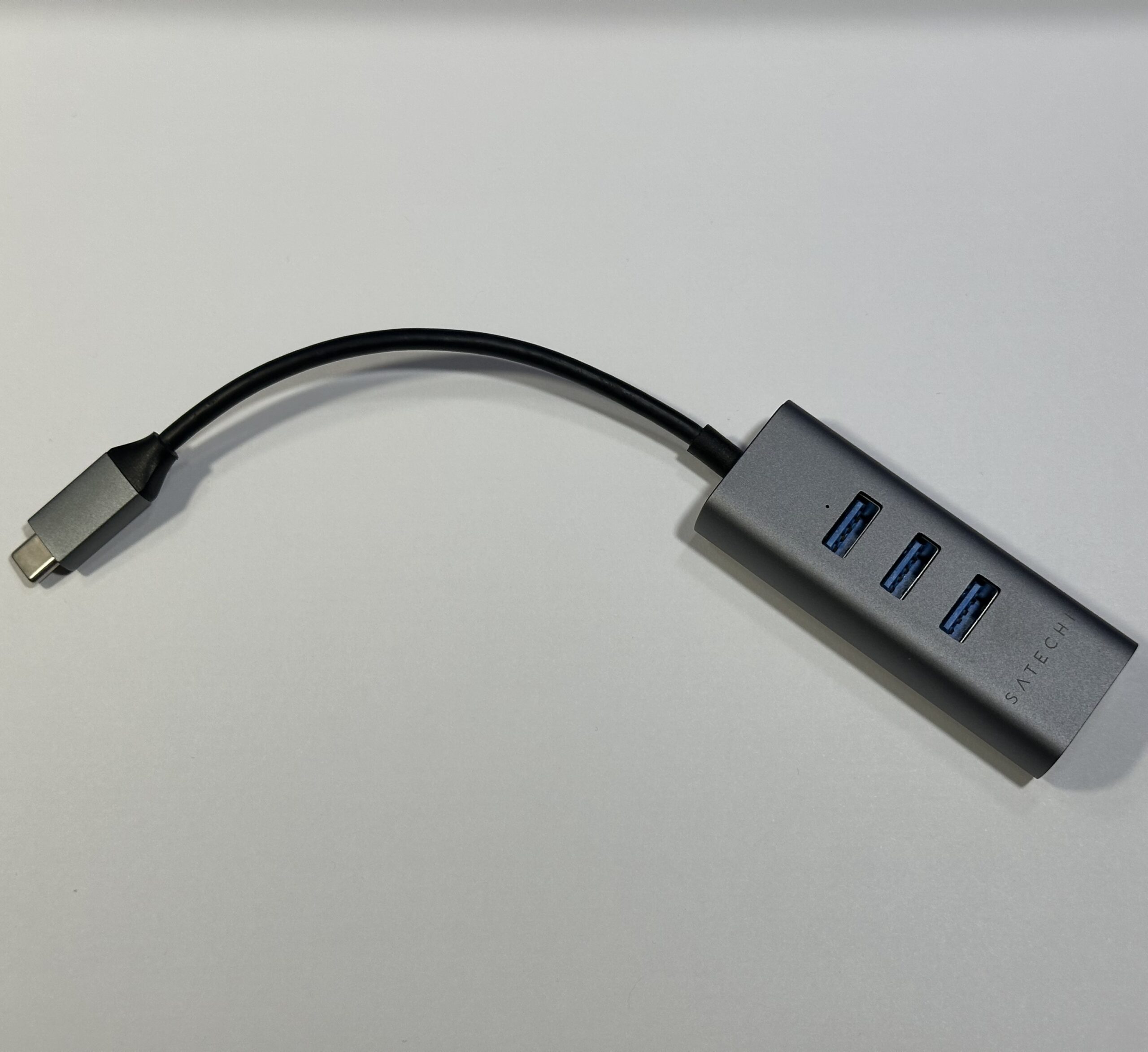
This type of adapter is particularly valuable for users who frequently connect to external peripherals or networks. While many modern Macs offer robust Wi-Fi capabilities, a wired Ethernet connection can provide greater reliability and speed, especially in environments with unstable wireless signals. The versatility of such a hub allows for simultaneous connection of multiple USB-A devices, such as external drives, mice, keyboards, and charging cables, alongside a wired network connection. This consolidation reduces the need for multiple individual adapters, streamlining a user’s setup.
Reviving Legacy Displays: Adapting Older Monitors to Apple Silicon
The transition to Apple Silicon has presented challenges for users seeking to connect older displays. However, a key innovation in adapter technology has allowed for the continued use of beloved legacy monitors, such as the Aluminum Cinema Display. Through the use of specific adapters, these displays can be seamlessly integrated with modern Macs.
For single-link DVI displays like the 20-inch Aluminum Cinema Display, a generic USB-C to single-link DVI adapter, often priced around $26, has proven effective. These adapters facilitate a straightforward connection, allowing users to leverage existing display hardware with newer Apple Silicon machines like the M1 Mac mini and M2 MacBook Air. The availability of these adapters significantly extends the lifespan of these displays, offering a more sustainable and cost-effective approach than purchasing entirely new monitor setups.
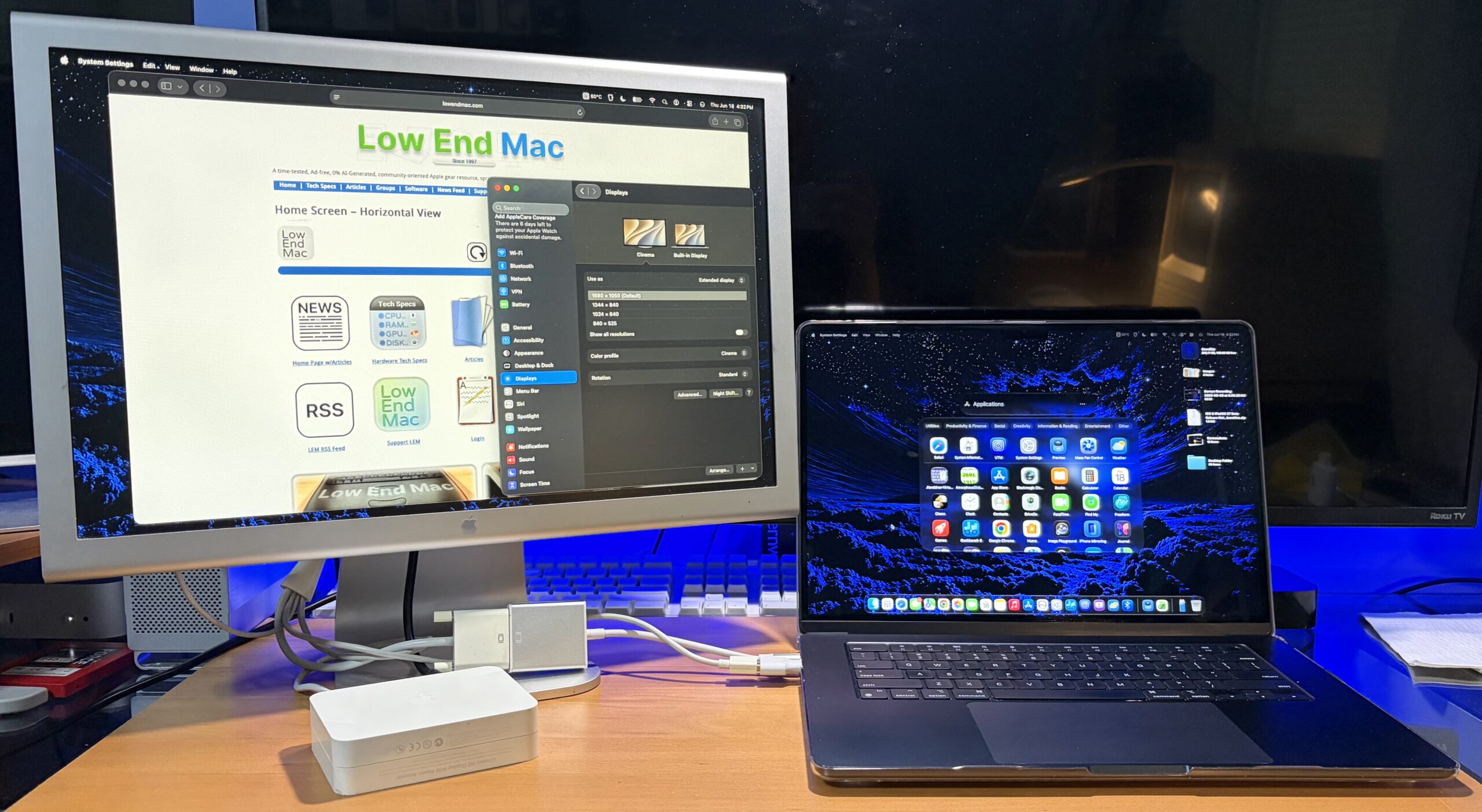
For displays requiring a dual-link DVI connection, the required adapters are generally more expensive. However, reports suggest that certain Amazon-sourced adapters, when combined with a mini-display port to dual-link DVI adapter, can achieve successful connectivity. This workaround demonstrates the ingenuity and adaptability of the accessory market in meeting user demands, even for older hardware standards. The ability to maintain a multi-monitor setup using existing equipment represents a significant cost saving and a testament to the backward compatibility efforts in adapter design.
Optimizing Power Delivery: Fast Charging and the Reuse of Power Bricks
The advent of fast charging technology has transformed the way users power their devices. The M2 MacBook Air, for example, supports fast charging when paired with higher-wattage power bricks, such as those designed for MacBook Pro models. While the Air ships with a more modest charging brick for standard charging speeds, utilizing a more powerful adapter can significantly reduce charging times.
A key insight for users is the practice of retaining older power accessories. When trading in an older MacBook at Apple, users are often permitted to keep their accessories, including power bricks. This practice offers a direct pathway to obtaining higher-wattage chargers without additional expense. For instance, an older 87W or 96W MacBook Pro charger can effectively fast-charge an M2 MacBook Air, which requires approximately 70W.
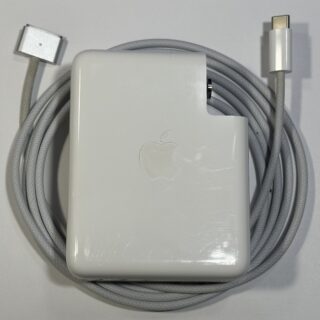
For those who need to purchase a new charger, reputable brands like Anker offer high-wattage options at competitive price points. A 100W Anker compact, foldable charger, recommended by publications like 9to5Mac, can be found on Amazon for around $29. This provides a powerful and portable charging solution for MacBooks and other USB-C devices. The author’s personal setup, for example, utilizes a 140W Apple USB-C brick for home use and a slightly smaller 87W Apple USB-C brick for travel, demonstrating a practical approach to power management across different environments.
Addressing the Lack of an SD Card Slot: Affordable External Readers
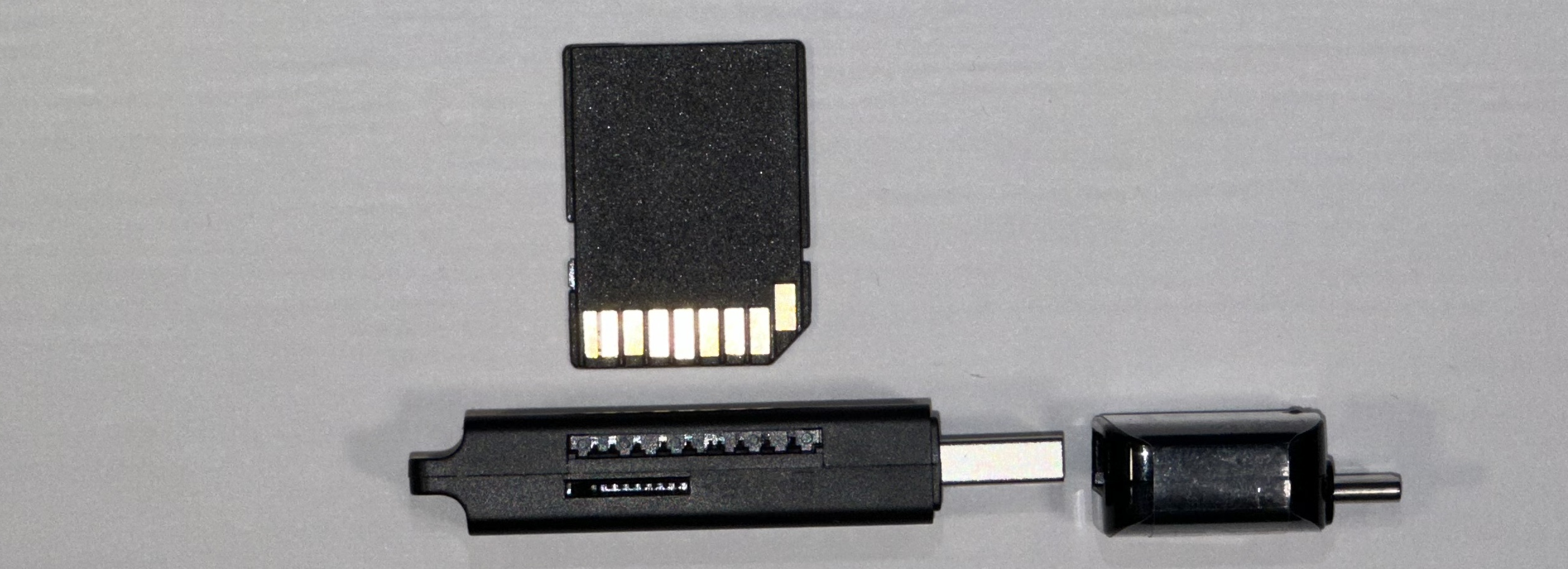
The trend towards sleeker, port-less designs has led many modern laptops, including some MacBook Air and MacBook Pro models, to omit built-in SD card readers. For photographers, videographers, and users who frequently transfer data from memory cards, this can be an inconvenience. Fortunately, external SD card readers are widely available and remarkably inexpensive.
USB-C SD card readers, and their USB-A counterparts, can be found in abundance on online marketplaces like eBay for very low prices. The cost is often negligible, especially when considering the convenience they offer. Even if a user accidentally purchases a reader with a USB-A connector, the previously discussed USB-C to USB-A adapter ensures compatibility. This dual approach—having a USB-C reader and the universal adapter—provides a robust solution for accessing memory cards across different Mac models and configurations. The affordability and ubiquity of these readers make them an essential tool for anyone who relies on SD card storage.
Ensuring Optimal Display Performance: Navigating External Monitor Connections
Connecting to external displays is a common requirement for many Mac users, whether for enhanced productivity, presentations, or immersive media consumption. However, the specifications of display adapters and cables can significantly impact performance, particularly regarding resolution and refresh rates.
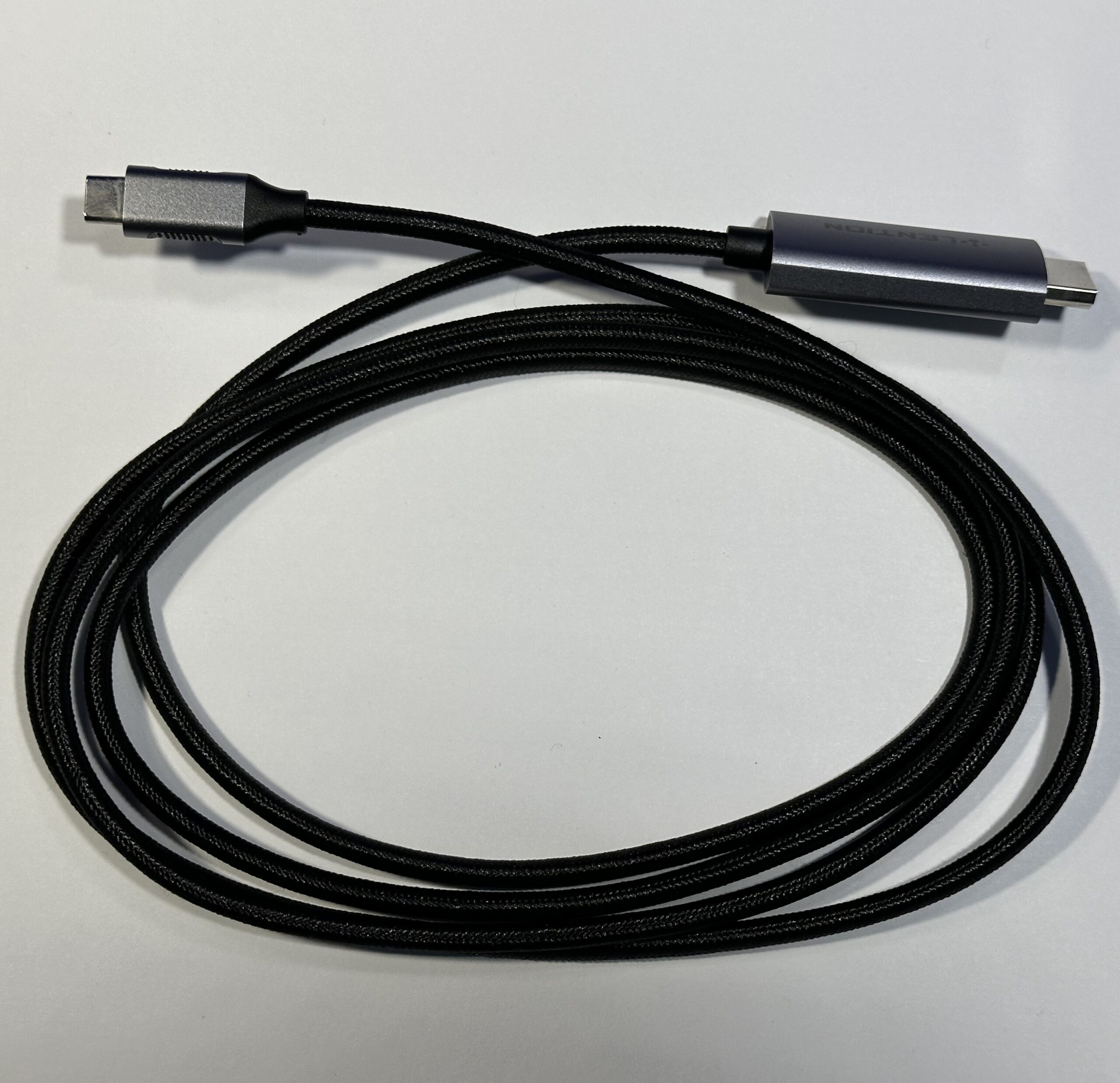
A common pitfall, as experienced by the author, is the purchase of a USB-C to HDMI cable that adheres to older HDMI 1.4 standards. Such cables are often limited to 4K resolution at a 30Hz refresh rate (4K30Hz). While this might seem adequate for basic screen expansion, it can lead to a suboptimal and even uncomfortable viewing experience. The author recounts experiencing "stomach-motion sickness" when attempting to use a 4K30Hz display for extended periods, a sensation that was entirely alleviated by switching to a cable supporting 60Hz at 4K resolution.
This experience highlights the importance of verifying adapter and cable specifications, specifically looking for support for HDMI 2.0 or higher standards to ensure 4K60Hz capabilities. While older, less capable cables may still function for basic tasks, investing in a higher-specification cable can significantly improve visual fluidity and user comfort. The older 4K30Hz cable, in this instance, found a secondary purpose connected to an M4 mini to drive a third display, demonstrating that even seemingly outdated accessories can retain utility.
Leveraging Older Drives: External Storage Solutions
The rapid advancement of storage technology means that older laptop hard drives (HDDs) are frequently retired as primary storage solutions, superseded by faster Solid State Drives (SSDs). However, these older drives can be repurposed into cost-effective external storage devices.
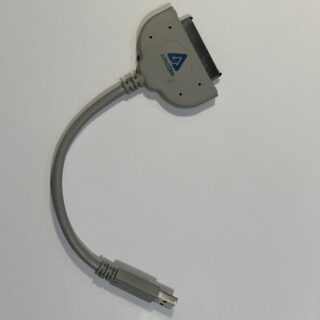
USB-C to SATA adapters are readily available and are as affordable and easy to find as their USB-A predecessors. Users can connect a retired 2.5-inch laptop drive to their Mac using such an adapter. The cost of acquiring a functional 500GB HDD from platforms like eBay can be as low as $10, offering substantial storage capacity at a minimal price. While these drives may not match the blistering speeds of modern SSDs, they are perfectly adequate for backups, archiving, or storing less frequently accessed files. The author’s use of an Apricorn SATA 6G USB 3.0 adapter, combined with a USB-C to Type-A adapter, exemplifies this approach to repurposing older hardware.
The Importance of a Versatile and Sturdy Laptop Bag
The choice of a laptop bag is crucial for protecting a Mac and organizing accessories. While high-end options exist, budget-friendly alternatives can be found through various retail channels. Off-price department stores, for instance, often stock new, overstocked, or closed-out laptop bags at significantly reduced prices. Similarly, yard sales can yield surprisingly good finds, often requiring only basic cleaning and sanitization.
However, it’s important to balance cost with functionality and protection. Many inexpensive fabric bags may lack the rigidity and padding necessary to adequately safeguard a laptop from drops or impacts. While a bag without a reinforced frame might be convenient, it may not offer the desired level of protection. For those prioritizing security, investing in a bag with dedicated padded compartments and a sturdy construction is advisable. The author’s current bag, while convenient, lacks structural integrity, prompting consideration for an upgrade.
Portable Power: Ensuring Charge Anywhere
In situations where access to power outlets is limited or unavailable, a portable power bank becomes an indispensable tool. For MacBooks, a power bank capable of delivering at least 35W is recommended to provide meaningful charging capabilities. Such power banks typically range in price from approximately $50 upwards.
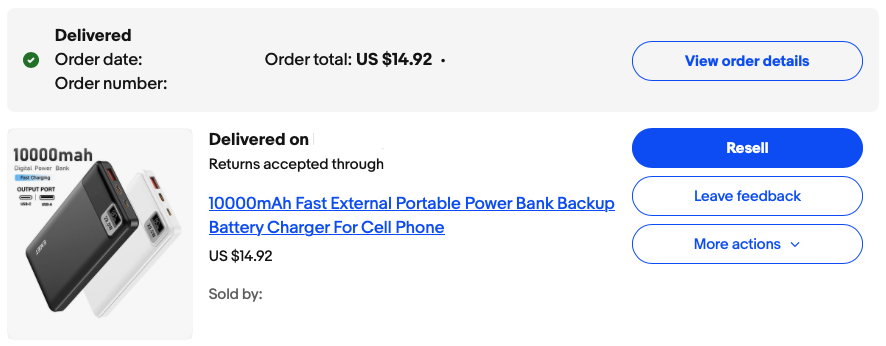
A practical approach, as demonstrated by the author, involves acquiring a more budget-friendly option. A $15 10,000 mAh power bank from eBay, advertised with 22.5W fast charging, may not provide full-speed charging for a MacBook while it’s in active use. However, it can effectively trickle-charge the MacBook Air when it’s in sleep mode, extending its battery life during travel or extended periods away from a power source. This capability, while not as robust as a higher-wattage bank, offers a valuable supplementary power source for essential device maintenance.
Desk Organization: Taming the Adapter Chaos
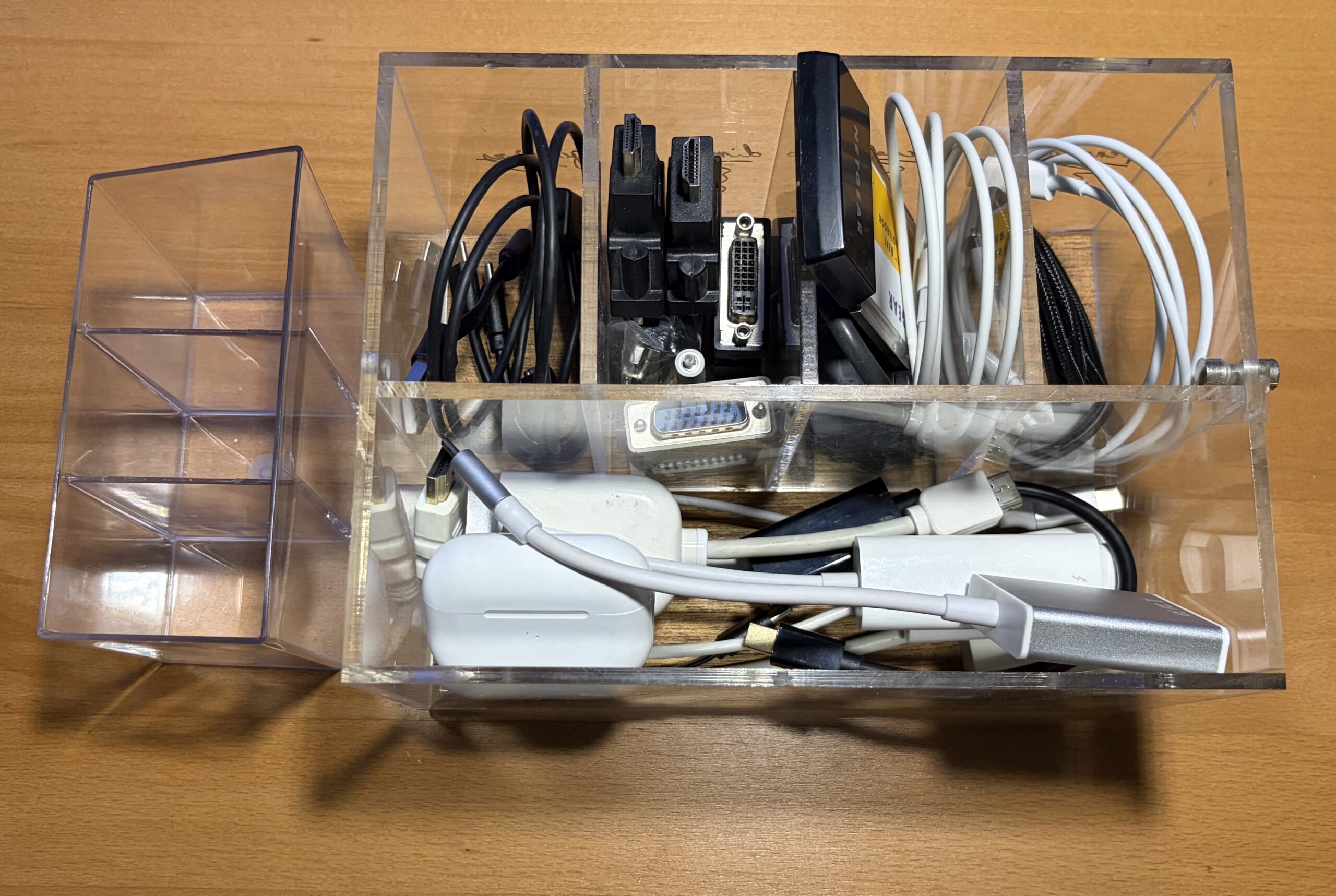
The proliferation of adapters and cables can quickly lead to a cluttered workspace. Small, low-cost plastic organizers, often available at dollar stores, off-price department stores, or even art supply stores, can significantly improve desk organization. These organizers allow users to categorize and store adapters and cables neatly, preventing them from becoming a tangled mess. This not only enhances the aesthetic appeal of the workspace but also makes it easier to locate the specific accessory needed at any given time.
The Convenience of an Ultra-Slim External Keyboard
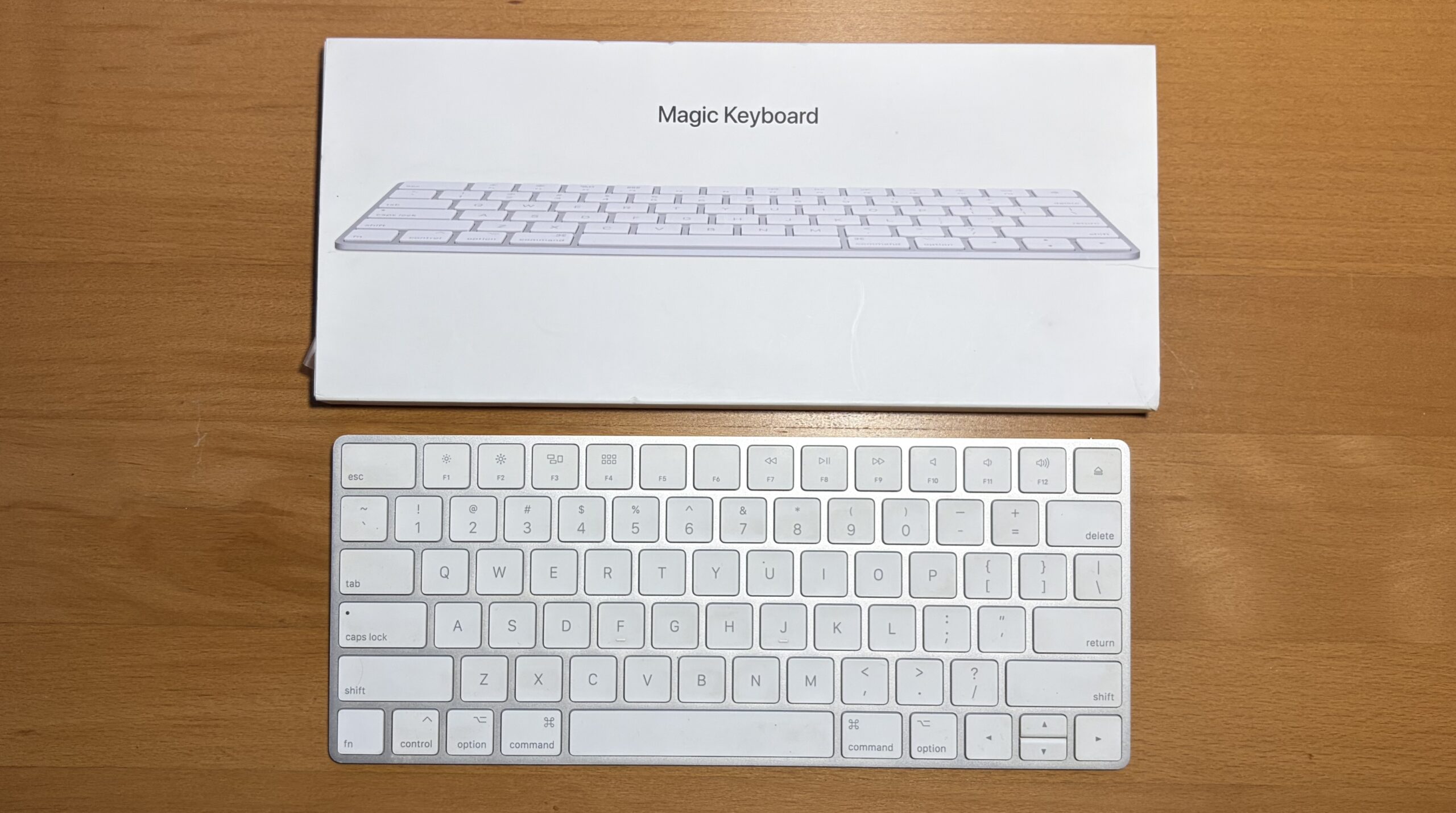
For users whose MacBook’s internal keyboard is not fully functional, or for those who prefer an external typing experience, a compact wireless Bluetooth keyboard is an essential accessory. Many older Apple wireless keyboards can be acquired secondhand at a fraction of their original cost, offering a cost-effective solution. These keyboards are typically slim enough to fit neatly into a laptop bag’s compartments, providing a convenient and portable typing solution.
Enhancing Workflow: iPad Stands and Clamshell Mode Support
An iPad stand, while designed for tablet use, can also serve a dual purpose for MacBook users. These stands can comfortably support a MacBook vertically, enabling "clamshell mode" when paired with an external monitor, keyboard, and mouse. Positioning the MacBook trackpad-down on the stand is generally recommended to avoid undue stress on the display assembly. While dedicated MacBook stands exist, a versatile iPad stand can offer a cost-effective alternative.
More commonly, the author utilizes an iPad stand as intended, supporting an iPad. This setup, with the MacBook Air positioned alongside, allows for seamless interaction between the two devices. Users can control the iPad using the MacBook’s trackpad or leverage Apple’s Sidecar feature to use the iPad as an extended display, thereby enhancing multitasking capabilities and workflow efficiency.
Conclusion: The Art of Efficient Mac Accessory Management
The modern Mac user’s accessory ecosystem is a testament to the evolving landscape of digital connectivity. The key to maximizing functionality and portability lies not in acquiring the most expensive or feature-laden gadgets, but in strategically selecting versatile and cost-effective solutions. As this guide illustrates, a carefully curated collection of adapters, protective cases, and connectivity tools can transform a MacBook into an even more powerful and adaptable computing device.
The core principle is to prioritize portability and practicality. A collection of essential accessories, when thoughtfully chosen, can occupy a surprisingly small physical footprint, often fitting within the space of a single sheet of paper. This emphasizes the value of compact, lightweight, and multi-functional items.
The items that can comfortably fit within a small organizational space, akin to a sheet of paper, include:
- USB-C to USB-A Adapter: Essential for legacy device compatibility.
- USB-C SD Card Reader: For quick and easy data transfer from memory cards.
- Compact USB-C Hub: Providing additional ports for peripherals.
- Slim Wireless Keyboard: For enhanced typing comfort and portability.
Items that require slightly more space but offer significant utility include:
- Protective MacBook Case: Safeguarding the device from daily wear and tear.
- External Hard Drive or SSD Enclosure: For expanded storage solutions.
- Portable Power Bank: Offering on-the-go charging capabilities.
- Laptop Bag: Ensuring secure and organized transport.
The overarching message is that building a comprehensive and functional accessory kit for a Mac does not necessitate exorbitant spending. By focusing on essential needs, exploring cost-effective alternatives, and leveraging existing hardware, users can create a personalized setup that enhances their productivity and computing experience without breaking the bank. The market is replete with affordable and multifunctional accessories, and a strategic approach to acquisition, rather than impulsive purchases of expensive, all-in-one solutions, yields the most rewarding results. This philosophy of smart, adaptable accessory management empowers users to get the most out of their Apple technology.