 Vera Clarissa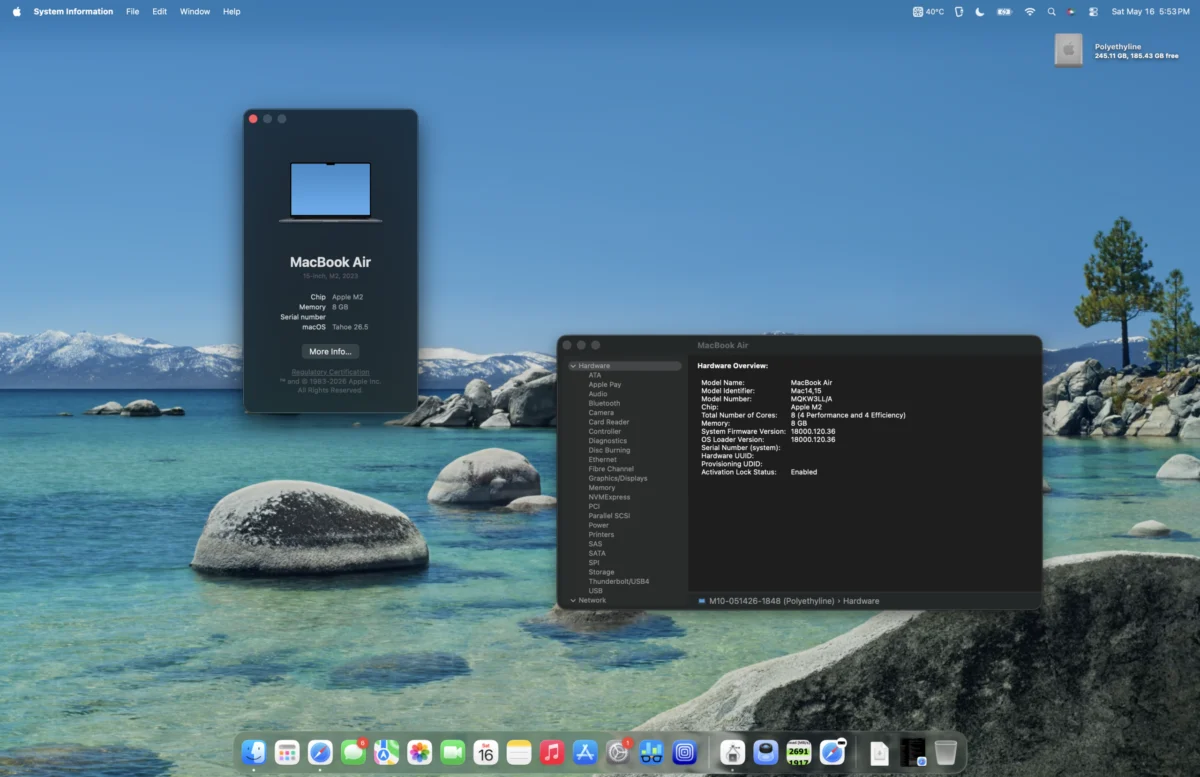
As the technology landscape continues its relentless march forward, the year is now Mid-2026. The latest innovations, such as the anticipated brand-new MacBook Neo, are capturing headlines. Alongside these cutting-edge devices, established models like the M1 MacBook Pro and M1 MacBook Air continue to hold their ground, offering compelling value. Then there are the M2 MacBook Airs, a generation that, despite variations in design, age, and form factor, consistently delivers a strong balance of performance and affordability. This analysis delves into the Mid-2023 15-Inch M2 MacBook Air, a device that, three years after its initial release, remains a noteworthy option for discerning consumers.
A Generational Leap in Design and Power
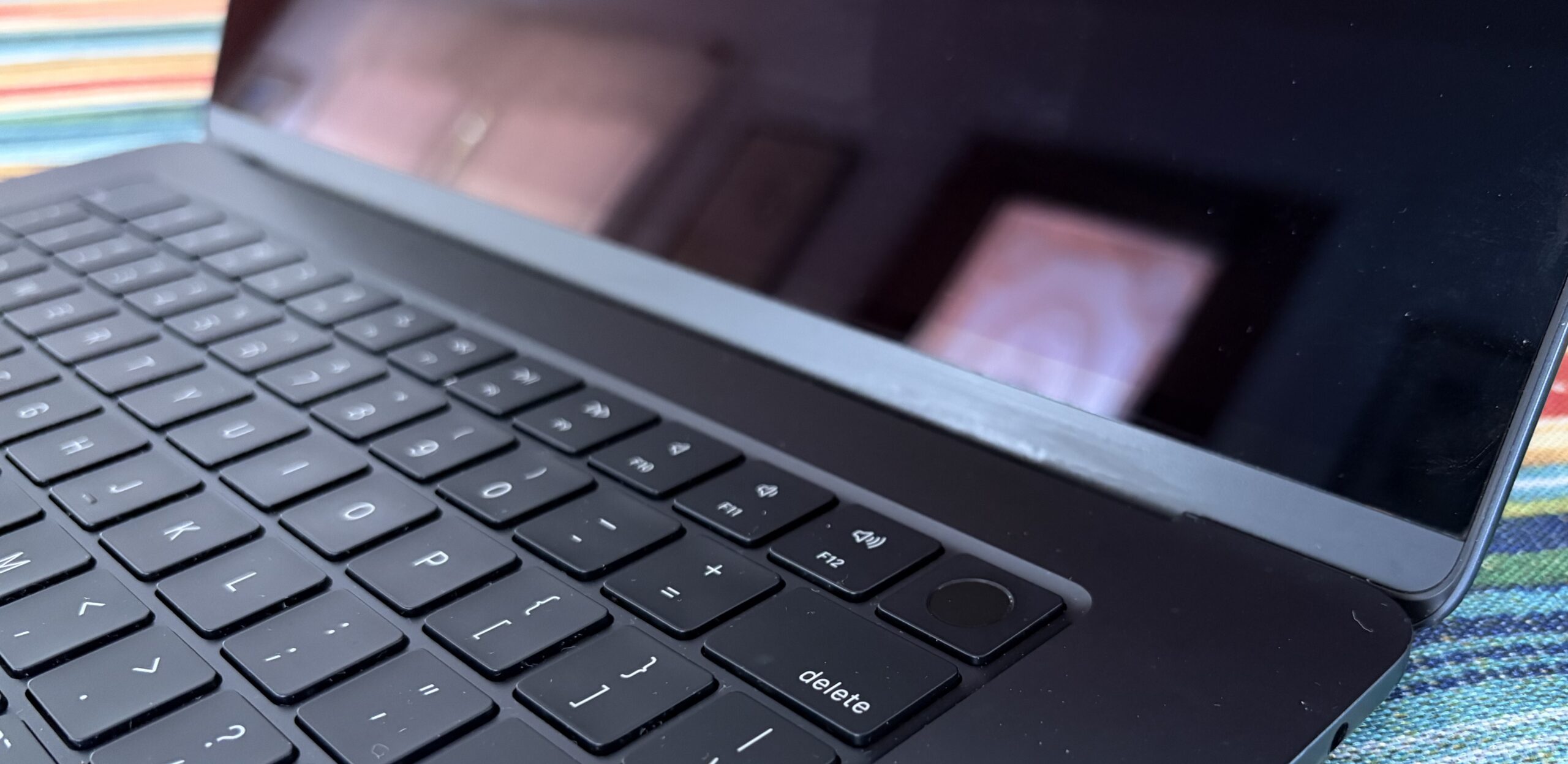
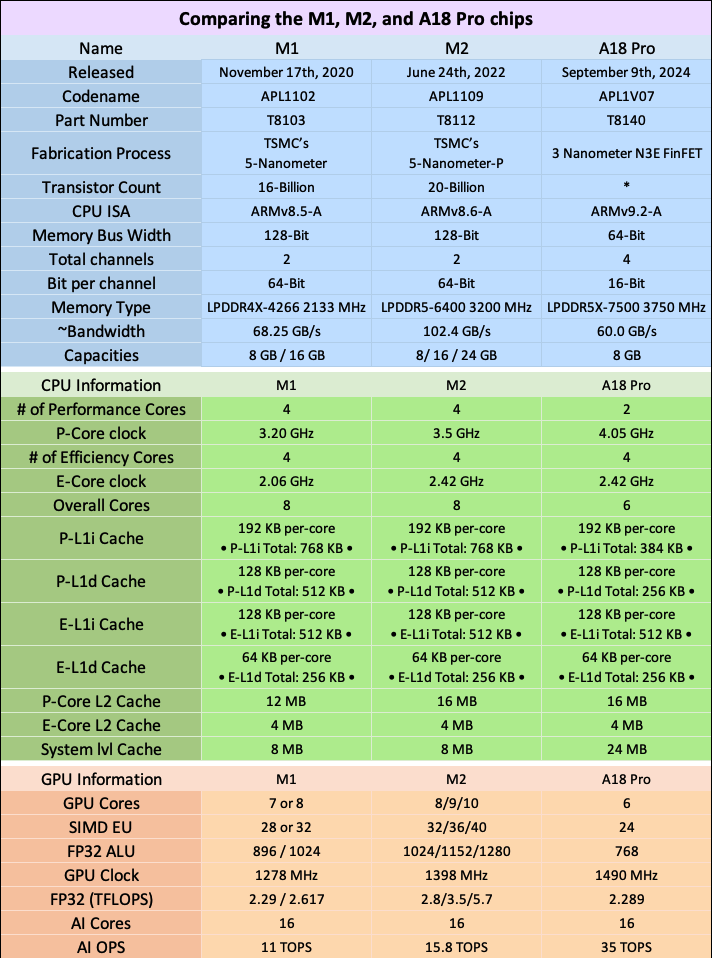
The introduction of the M2 MacBook Air in 2022 marked a significant design evolution, aligning its aesthetic with the more professional-grade M1 Pro MacBook Pro. This update wasn’t merely cosmetic; it was underpinned by the enhanced M2 chip. This silicon powerhouse brought notable improvements, including increased clock speeds for both the CPU and GPU, the integration of faster LPDDR5-6400 RAM (operating at 3200 MHz), and a bolstered L2 performance core cache. These advancements built upon the already impressive foundation laid by the M1 chip, a component that had previously redefined expectations for Apple’s portable computing solutions. The M2 chip further refined this winning formula, making the M2 MacBook Air an even more capable machine.
An Unforeseen Acquisition: A Testament to the Used Market’s Potential
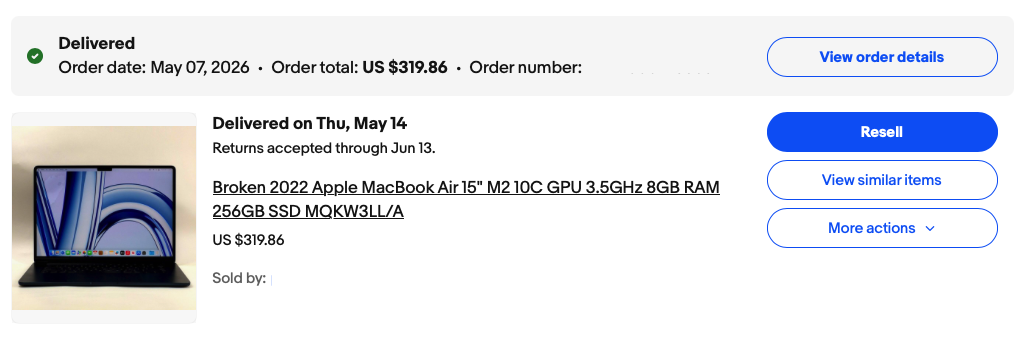
The impetus for this review originated from a particularly astute acquisition on eBay, a platform that continues to be a treasure trove for those seeking value in the pre-owned electronics market. Similar to a previous experience with a 2011 Mac mini, this purchase involved a degree of calculated risk. The seller listed the 15-inch M2 MacBook Air as having water damage, yet the accompanying photographs depicted a fully functional device. This discrepancy presented an element of uncertainty, although the description offered some reassurance. The final price of $319 transformed this gamble into what can only be described as a bargain of exceptional magnitude, highlighting the often-underestimated value available in the secondary market for well-maintained Apple hardware.
The user’s stated desire was for a machine that was both lightweight and portable, yet possessed sufficient power for demanding tasks. A crucial requirement was a screen size substantial enough to facilitate comfortable writing and design work. This led to a period of deliberation, weighing the merits of returning to a larger 16-inch M1 Pro MacBook Pro, considering a more recent M4 MacBook Air, or even exploring the efficiency of an M4 Mac mini setup. Ultimately, the discovery of this heavily discounted M2 MacBook Air presented an attractive middle ground, fulfilling the core requirements without the premium cost associated with newer generations.
Enduring Value Proposition: Affordable Technology with Longevity
The lifespan of software support for Apple devices typically extends to five to seven years, and in many instances, even longer. With the emergence of newer models like the MacBook Neo, the market value of refurbished and entry-level Apple Silicon MacBooks undergoes a significant shift. This devaluation, while potentially concerning for owners of the latest hardware, presents a golden opportunity for budget-conscious consumers. A three-year-old M2 MacBook Air, when acquired at a favorable price point, offers a compelling blend of modern performance and extended usability, making it a practical choice in Mid-2026.
Initial Impressions and Functional Assessment
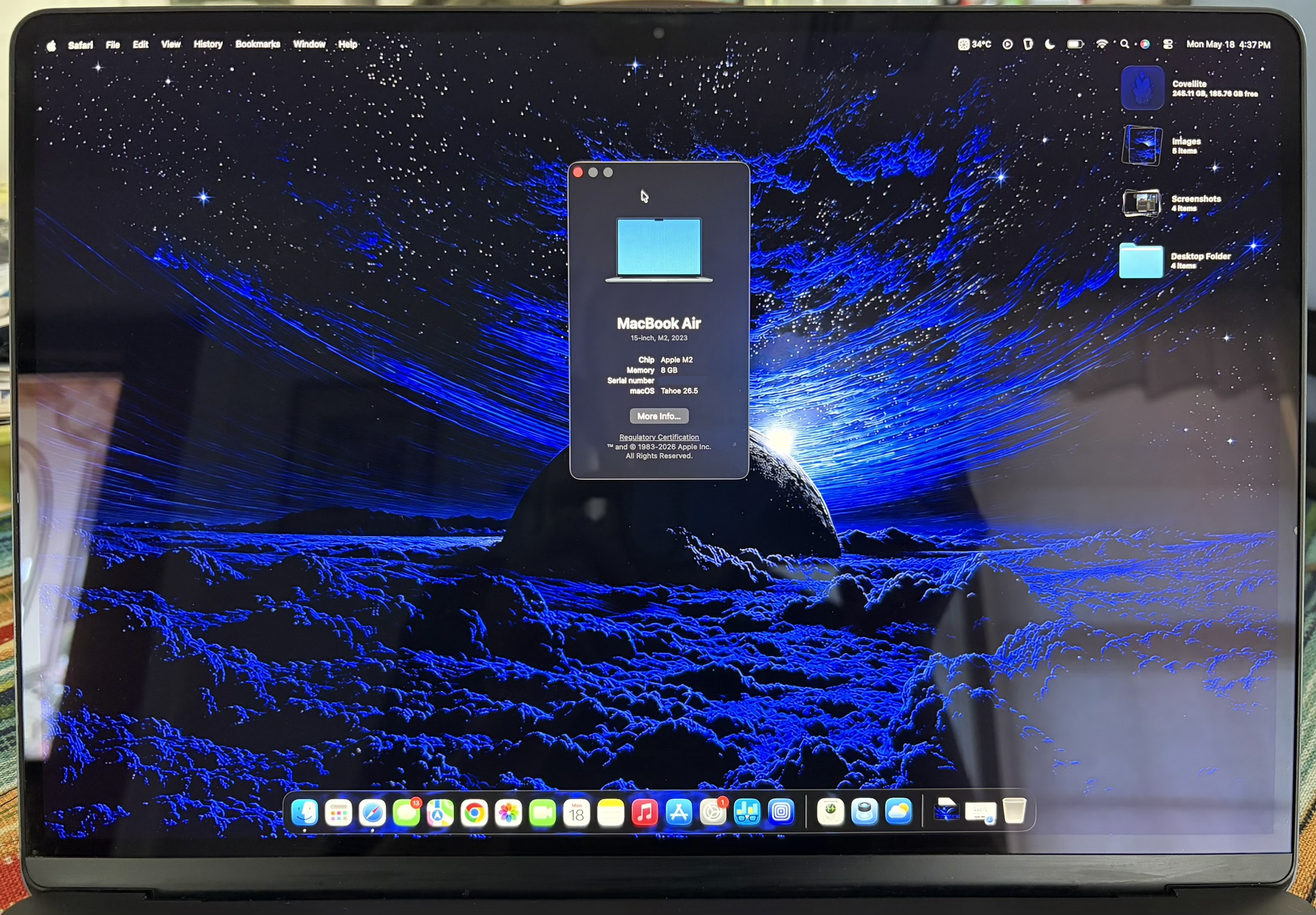
Nearly a full month into its operational use, the acquired M2 MacBook Air has largely exceeded initial expectations, validating the seller’s photographic evidence of its functionality. The device is operating as described, with only a minor caveat: certain keys on the keyboard are non-responsive. This issue, however, is readily addressed through the use of an external Bluetooth keyboard or can be resolved in the future with a replacement keyboard component.
The display remains in excellent condition, free from significant blemishes. While there is a single, minor dent and several imperceptible scratches, along with some superficial wear on the edges suggestive of minor abrasion, these cosmetic imperfections do not detract from the overall integrity of the unit. Crucially, the device shows no indication of having been dropped, a testament to its previous owner’s care or the robust build quality of the MacBook Air. The hinge mechanism is also in perfect working order, exhibiting smooth operation without any unusual noises or resistance when opening or closing the lid. This indicates that despite its age and apparent cosmetic flaws, the core structural components remain sound.
Perhaps the most surprising aspect of this acquisition was the condition of the Solid State Drive (SSD). With a mere 9.8 TB of data written and a reported 100% SSD health, the drive demonstrates remarkable longevity. Performance metrics reveal sustained read and write speeds of approximately 1650 MB/s, a speed that is roughly three times faster than the SATA III interface. This level of performance is particularly impressive for a device acquired at such a low cost.
In the 256 GB configuration, these speeds are achieved through a single NAND flash chip. Higher capacity models, such as the 512 GB variants and above, utilize dual NAND chips, enabling even faster speeds of around 3000 MB/s. Regardless of the specific configuration, the storage performance of the M2 MacBook Air is more than adequate for the vast majority of user tasks. Even running virtual machines, while occasionally leading to a warm processor, is handled with commendable smoothness.
Navigating the Latest macOS: A Surprisingly Smooth Transition
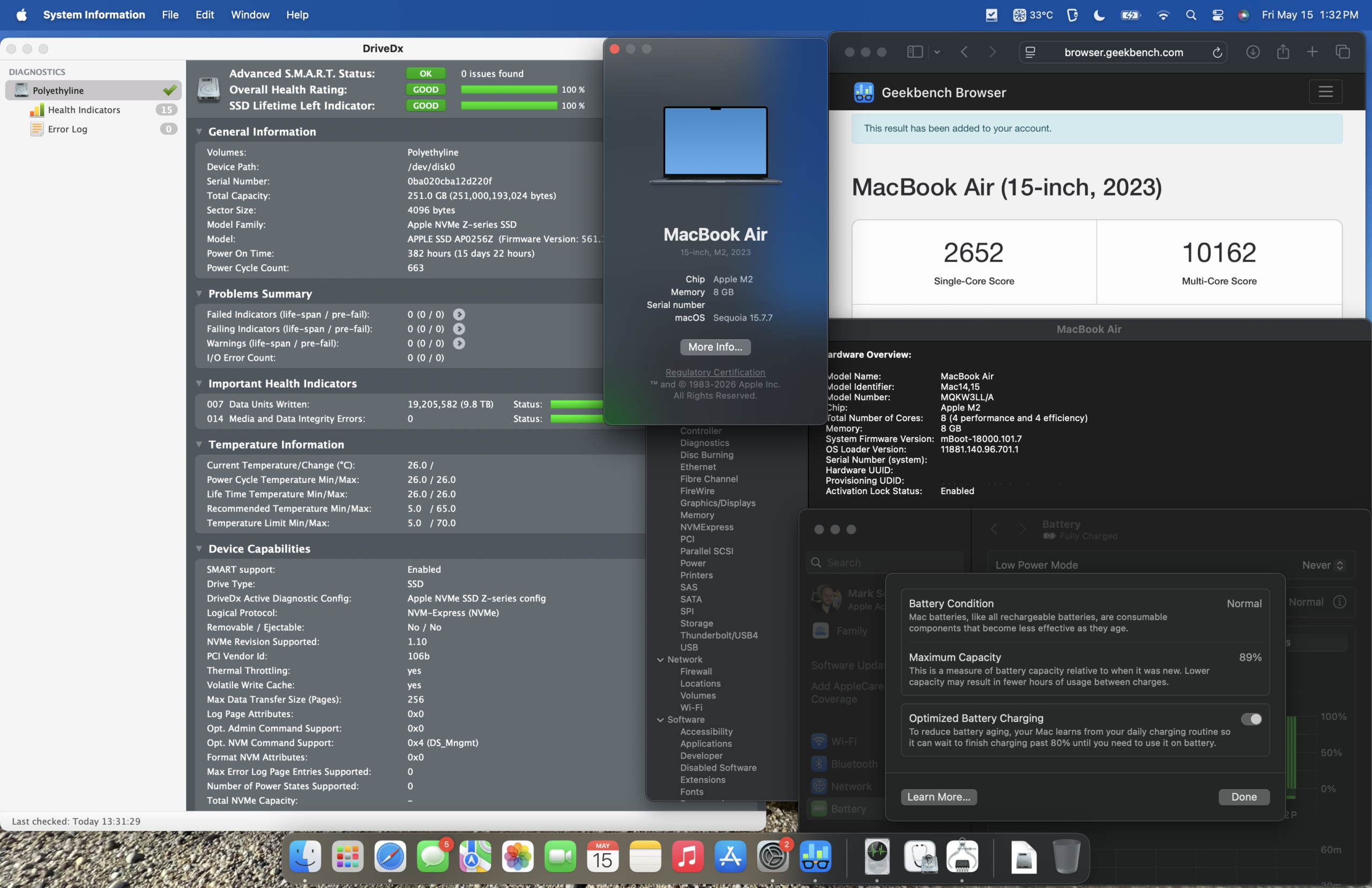
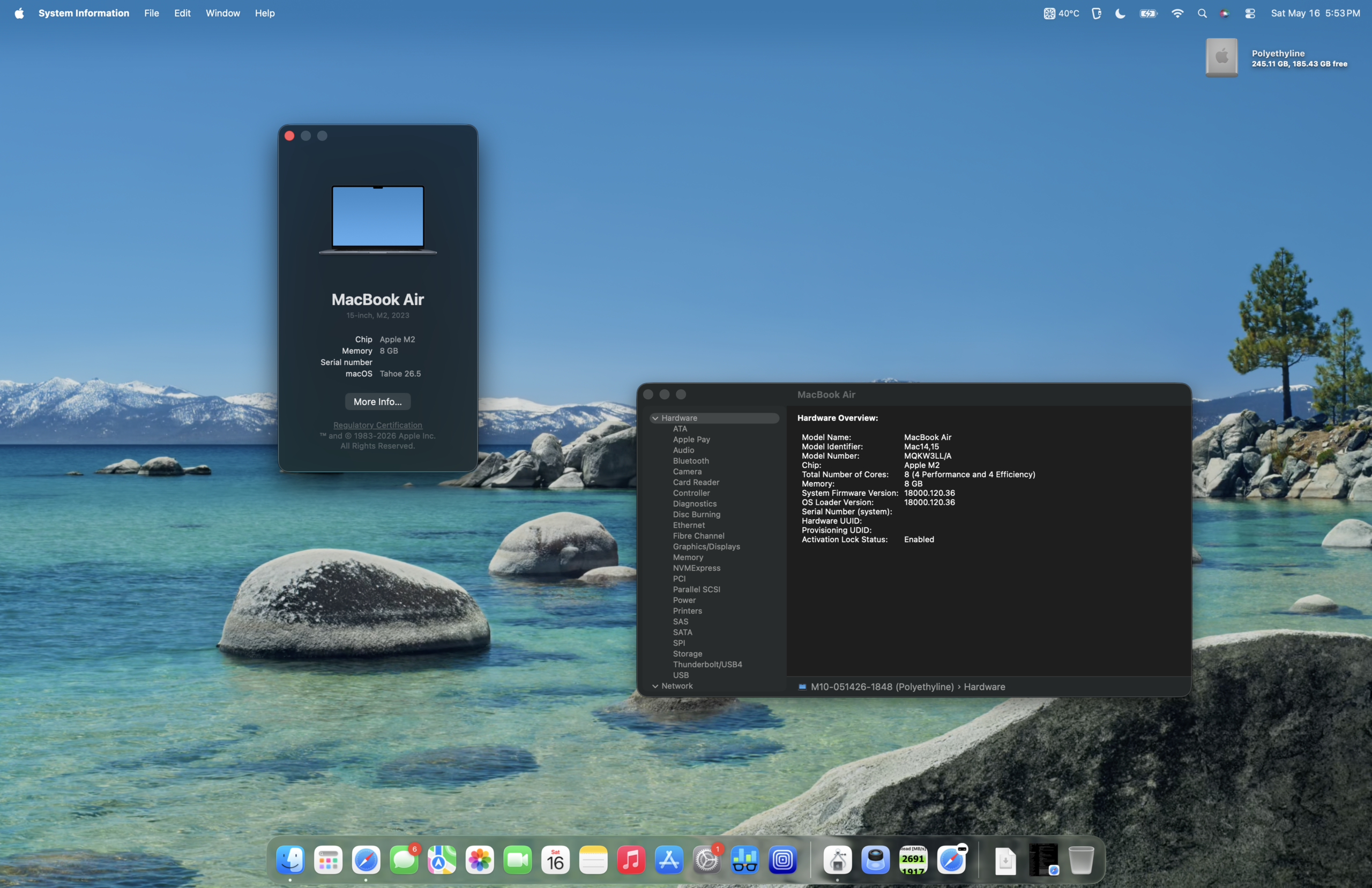
Despite reservations about upgrading to macOS Tahoe on a machine equipped with only 8 GB of RAM, the experience has been surprisingly positive. Recalling a prior experience with a base model M1 Mac mini running macOS Sequoia on 8 GB of RAM, where performance was adequate but not exceptional, the transition to Tahoe on the M2 Air has been smoother than anticipated. While macOS Sequoia might have offered a slightly snappier feel, macOS Tahoe proves to be sufficiently responsive on this hardware for daily use.
Benchmarking the Generations: Geekbench 6 Performance
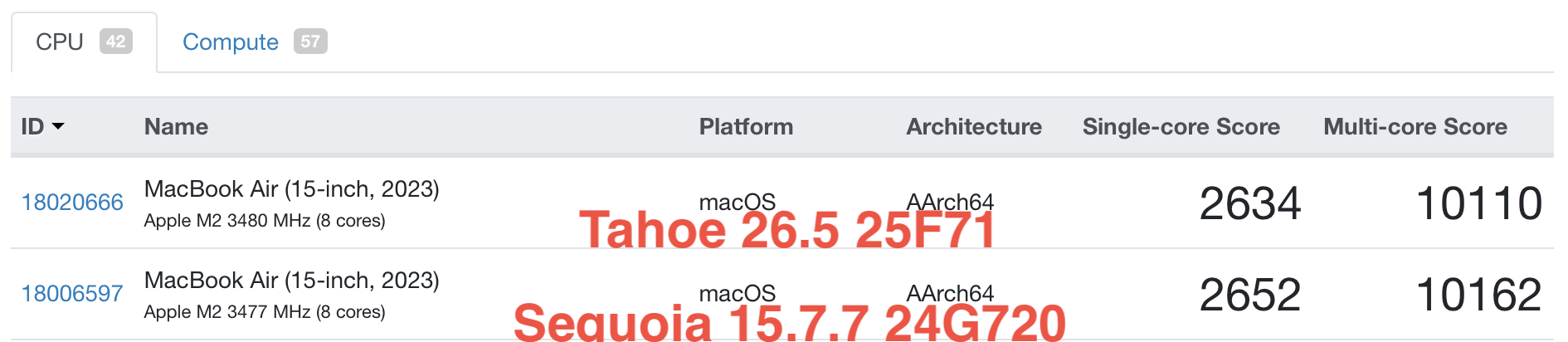
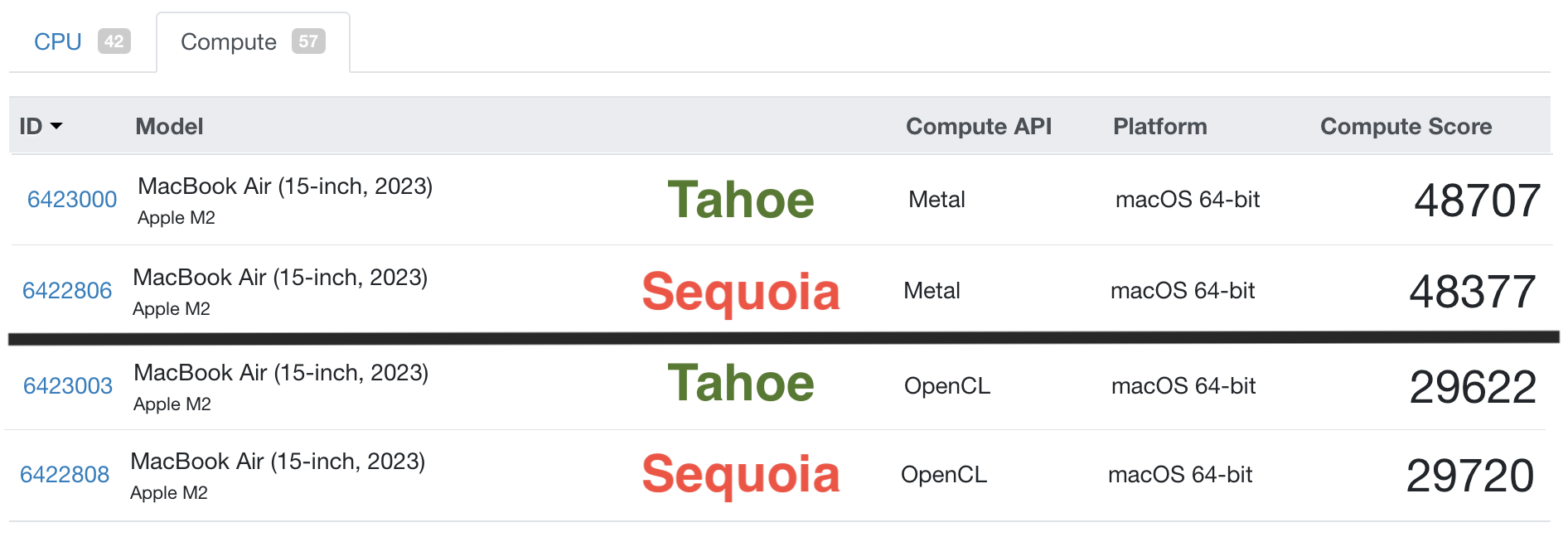
To provide a more concrete understanding of the M2 MacBook Air’s capabilities, performance benchmarks were conducted using Geekbench 6. These tests were performed on both macOS Sequoia and macOS Tahoe to assess any potential performance differences between the operating systems on this specific hardware.
The results indicate that the M2 MacBook Air delivers robust performance in both single-core and multi-core CPU tasks. The GPU performance also remains strong, capable of handling graphically demanding applications and workflows with relative ease.
Comparative Analysis: M1, M2, and the Future of Apple Silicon
When comparing the specifications of the M1, M2, and the projected A18 Pro chips, the evolutionary advancements become clear. However, for the average user in Mid-2026, the practical differences in daily use between Macs equipped with any of these processors may be minimal. Each chip architecture offers distinct advantages, catering to different user needs and priorities.
The M1 chip, introduced in late 2020, set a new benchmark for integrated performance and power efficiency. The M2 chip, released in mid-2022, refined this formula with higher clock speeds and improved memory bandwidth. Looking ahead, the A18 Pro, likely destined for future iPhone and potentially iPad Pro models, represents the next iteration in Apple’s custom silicon development, promising further gains in raw power and specialized processing capabilities.
Essential Protection: Safeguarding Your Investment
Regardless of whether one is investing in a brand-new device or a meticulously maintained pre-owned model, a protective case remains one of the most effective means of safeguarding against damage. The aesthetic appeal of one’s technology is often a significant consideration, leading many to opt for clear cases that showcase the device’s design. A common frustration with such cases over the years has been their tendency to become brittle with age or to crack with relative ease, irrespective of price point. Experiences with both inexpensive and premium cases have revealed that durability is not always correlated with cost.
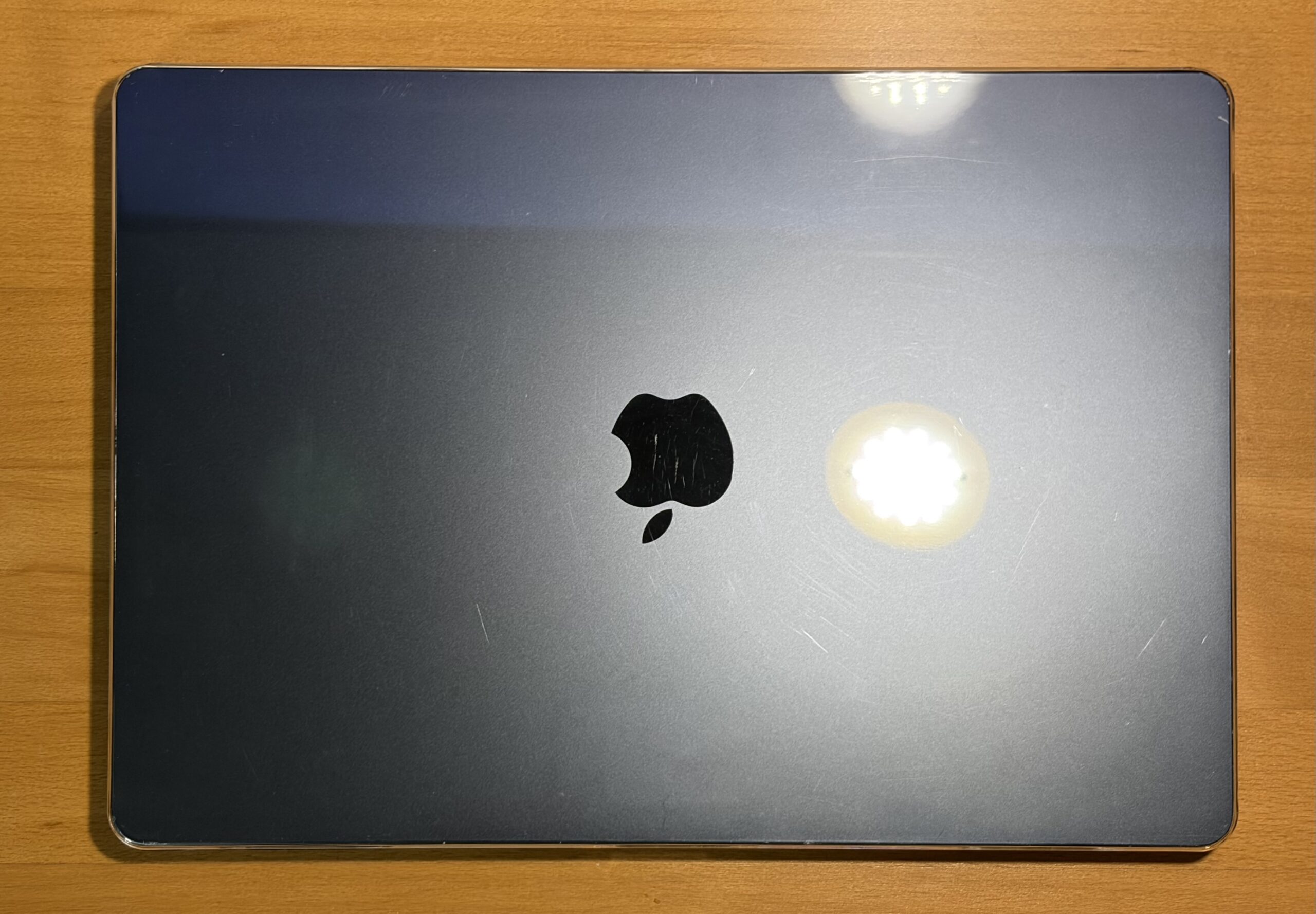
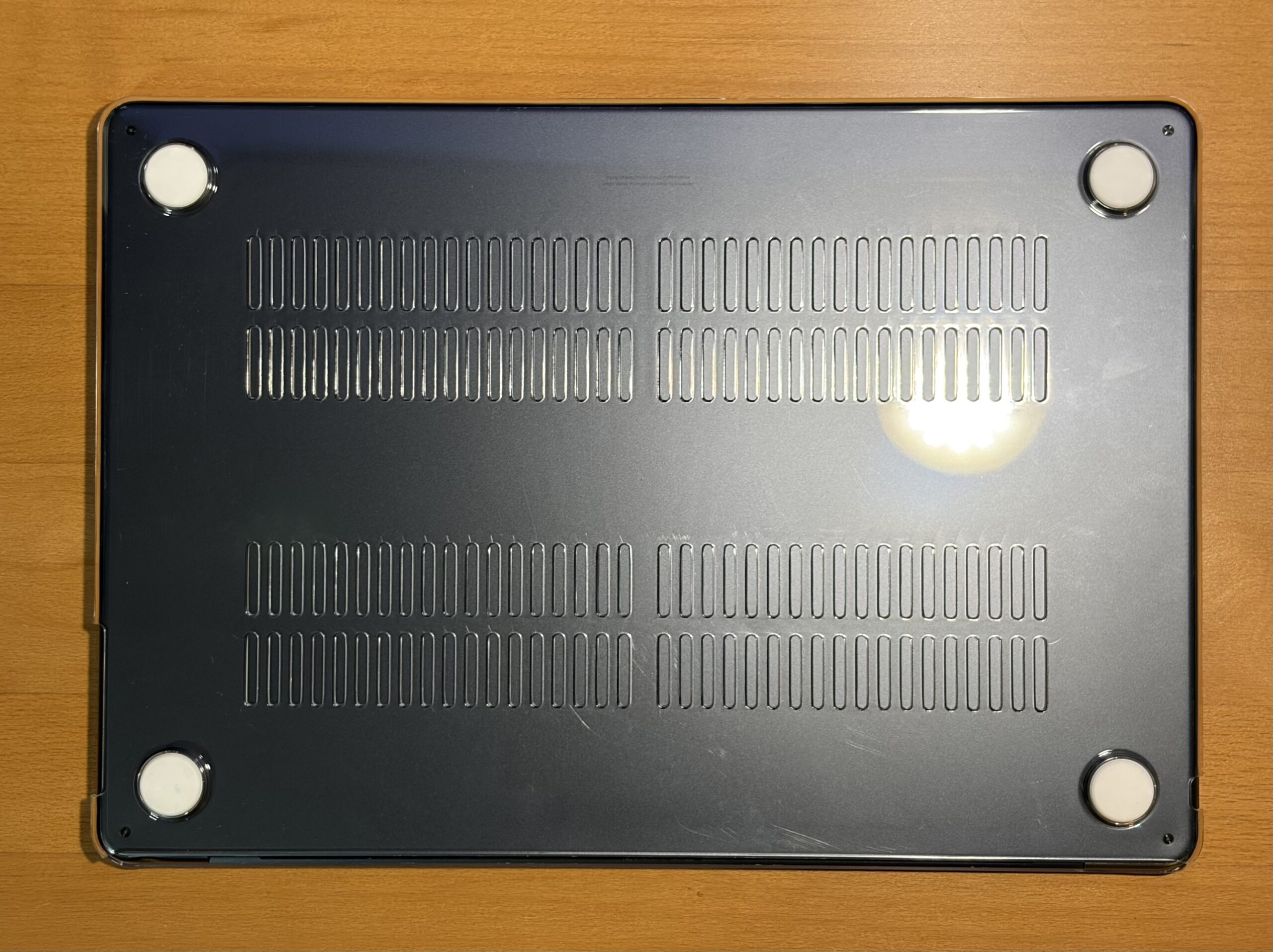
In this instance, a $10 clear case from Amazon was chosen primarily to mitigate further cosmetic wear, protect against direct impacts, and provide peace of mind during transport. Thus far, this budget-friendly option has proven effective, exhibiting no signs of chipping and successfully fulfilling its protective function.
While screen protectors are not typically a preferred accessory for the author, the unique usage scenario – involving an external keyboard and the occasional placement of the keyboard atop the MacBook Air while typing – has prompted consideration of this protective measure. The potential for accidental screen closure, with the keyboard in place, could lead to damage. Therefore, a screen protector may indeed be a prudent addition.
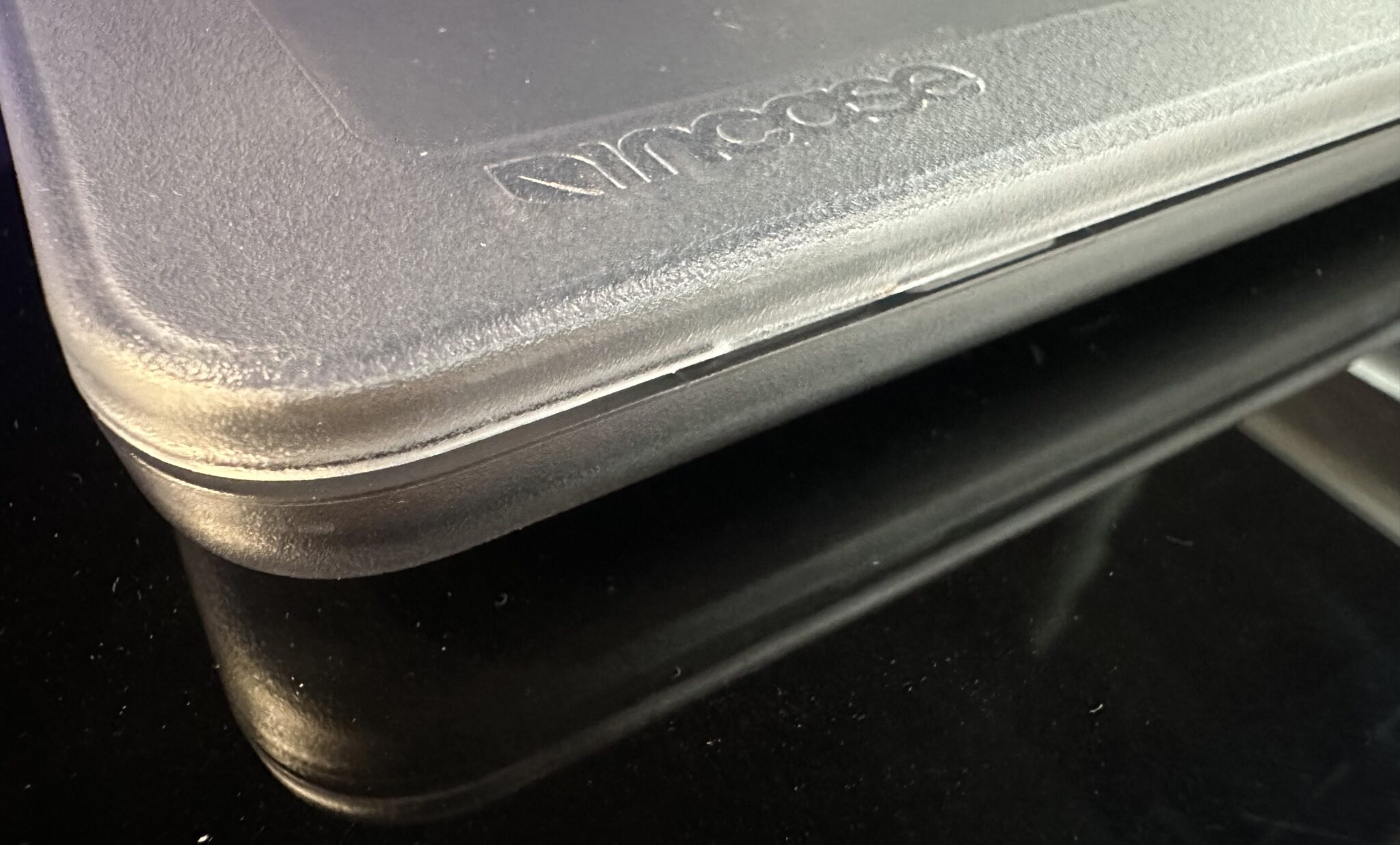
Recommendation for Protection: For those seeking robust protection coupled with a refined aesthetic, the Incase Edge Hardshell Case for the 15-inch MacBook Air is a noteworthy option. Based on prior experience with an Incase clear case for an M4 MacBook Air, these cases offer a sturdy feel and a more premium finish compared to many alternatives. The design often features thoughtfully engineered latching tabs that have demonstrated durability over time and avoid creating unsightly gaps when the case is closed.
A Versatile Workflow Machine: Redefining Productivity
The acquisition of this M2 MacBook Air has liberated the user from the confines of a desk, enabling seamless work on website management from any location. This newfound mobility is paramount. The next phase of integration involves establishing a graphic design workflow on the device, a task that requires adapting from years of experience with Photoshop CS4 on a Power Mac G5.
An experiment with running a macOS Leopard virtual machine in UTM proved successful, although it did push the CPU to a notable 72°C. This experience prompted reflection on potential thermal management solutions, such as the thermal pad modifications discussed by other users for this particular model. While Photoshop was usable within the VM, the absence of video hardware acceleration was a minor limitation. Furthermore, the virtual machine’s 50 GB footprint was deemed too substantial for the 256 GB SSD. Future exploration may involve installing an older macOS version with CS4 or a slightly newer macOS with CS6 within a virtual environment. While an external 240 GB USB 3.0 SSD was tested, its performance lagged significantly behind the internal PCIe NVMe SSD, reinforcing the advantages of the integrated storage solution.
Battery life on the M2 MacBook Air is consistently impressive, often lasting an entire workday, or even multiple days, depending on usage patterns. In some instances, the device has retained sufficient charge for extended periods of disuse without requiring a recharge. Extended sessions of website management with numerous tabs open are handled with ease, and multimedia consumption, such as watching YouTube videos or movies, results in particularly prolonged battery performance.
RAM Disk Speed Test: A Glimpse into Storage Performance
The following results from a RAM disk speed test offer insight into the storage performance of the M2 MacBook Air. This configuration comprises macOS Tahoe 26.5, a 256 GB SSD, 8 GB of RAM, and a 15-inch M2 MacBook Air with a 10-Core GPU.
These benchmarks illustrate the rapid data transfer capabilities of the M2 MacBook Air’s SSD, contributing significantly to its overall responsiveness and the speed at which applications load and files are accessed.
Diverse Use Cases and Practical Applications
The M2 MacBook Air proves to be a highly adaptable machine, suitable for a range of tasks and user profiles. Its blend of portability, performance, and affordability makes it a compelling choice for students, remote workers, and individuals seeking a reliable secondary computing device.
Boot Time Analysis: A Minor Quibble in an Otherwise Stellar Package
The only minor delay encountered during the startup process is attributed to the time required for an external keyboard to establish a Bluetooth connection. This is a temporary inconvenience, however, given that the device functions flawlessly otherwise, is expected to receive software support for an additional three to four years, and remains serviceable. The boot time to the desktop, once peripherals are connected, is swift and efficient.
The Verdict: An Enduringly Excellent Mac
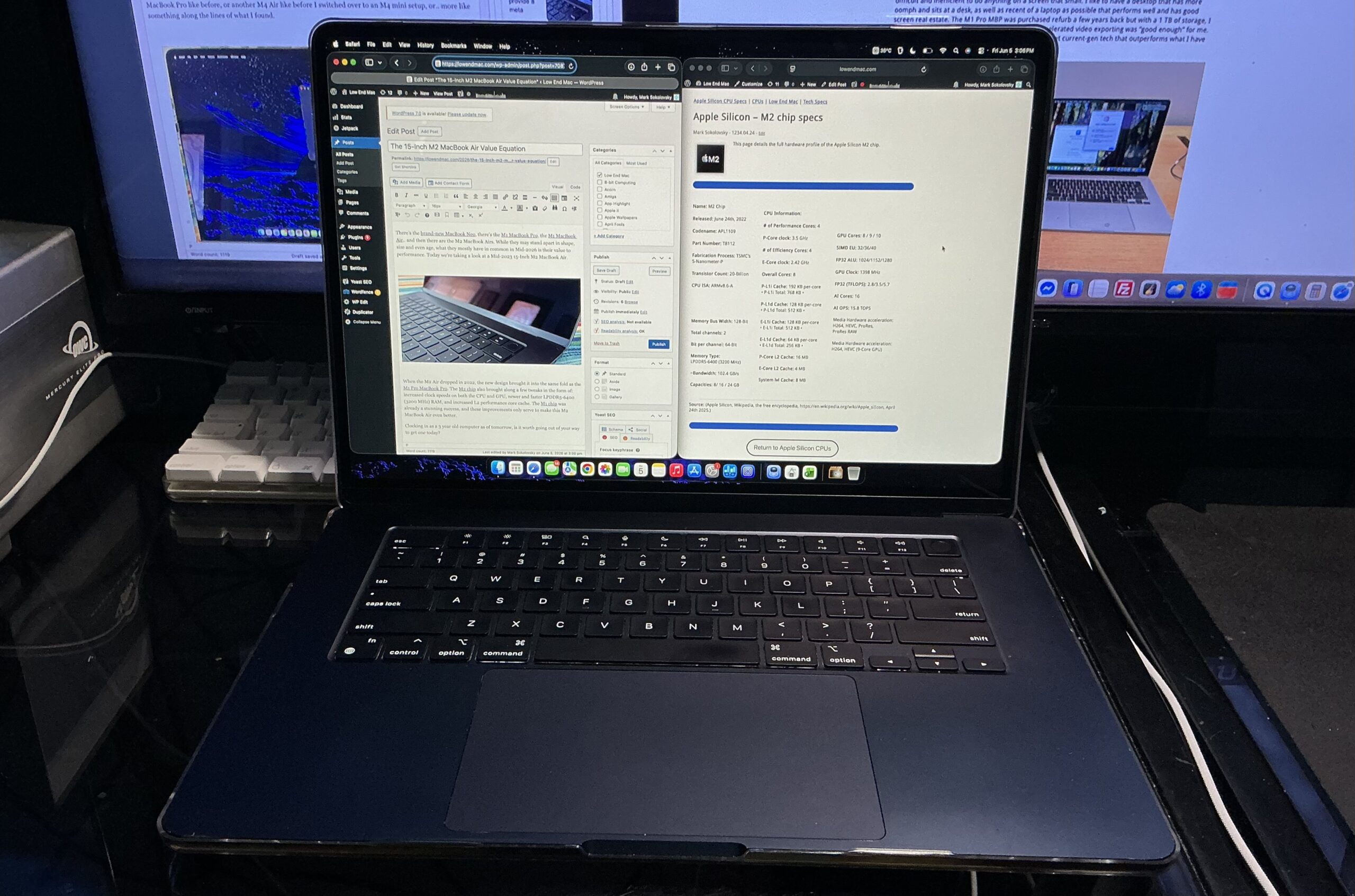
In conclusion, the M2 MacBook Air stands as an excellent Mac, particularly when considering its value proposition in Mid-2026. While there has been a long-standing discussion about 8 GB of RAM being a potential bottleneck in entry-level Macs, this limitation feels less pronounced in the M2 MacBook Air compared to previous base-model configurations like the M1 Mac mini. Nevertheless, for optimal performance and future-proofing, a minimum of 16 GB of RAM is still recommended in the current technological landscape. However, this does not diminish the fact that an entry-level M2 MacBook Air should not be overlooked by consumers seeking a capable and cost-effective Apple computing experience. Its robust performance, enduring design, and continued software support make it a wise investment for those who prioritize value and functionality.