 Vera Clarissa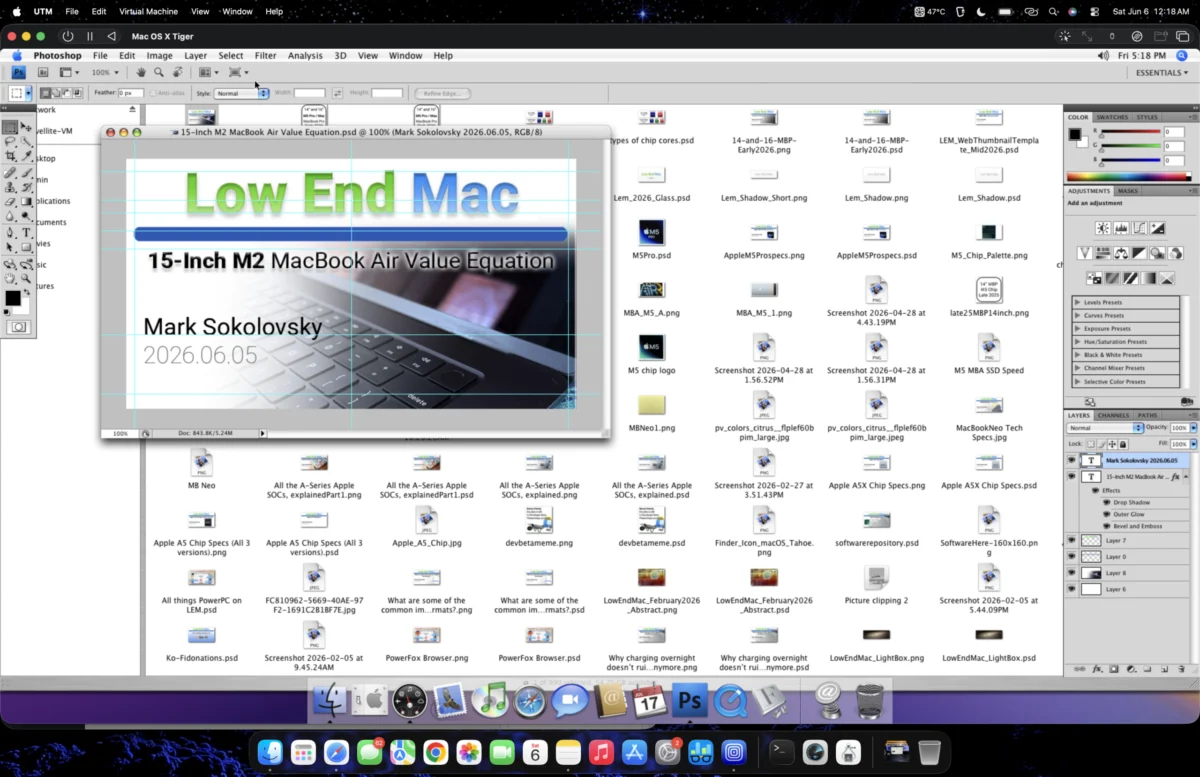
A user has reportedly discovered a viable method for running Adobe Photoshop CS4 on a modern Apple M2 MacBook Air, a configuration not officially supported by Adobe or Apple. This workaround involves utilizing virtualization software, specifically UTM, to create a virtual machine (VM) environment capable of hosting older macOS versions that natively support the legacy software. The breakthrough offers a potential solution for users who rely on the classic Photoshop interface and feature set, avoiding the subscription model of current Adobe Creative Cloud offerings.
The initial approach by the user involved an attempt to run Photoshop CS4 within a virtualized instance of Mac OS X Leopard (10.5) on their M2 Air. The primary challenge identified was the limited storage space on the base model M2 Air, equipped with a 256 GB SSD. Through a combination of UTM’s "reclaim space" feature and disk compression, the Leopard VM was successfully reduced to approximately 22 GB. However, upon initial testing, the Photoshop CS4 experience within this Leopard VM proved to be significantly hampered by usability issues. Users reported an inability to accurately place or select text boxes, and a general bugginess, which were attributed to the lack of proper video hardware acceleration in the virtualized environment, particularly within the older Leopard operating system. This lack of graphical performance is a common limitation when running graphics-intensive applications in virtual machines without direct hardware access.
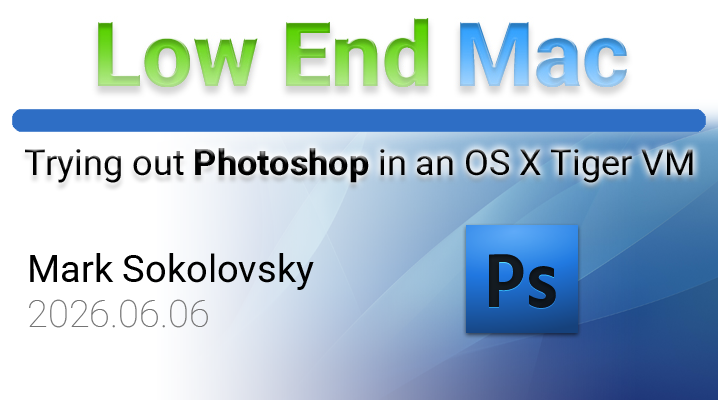
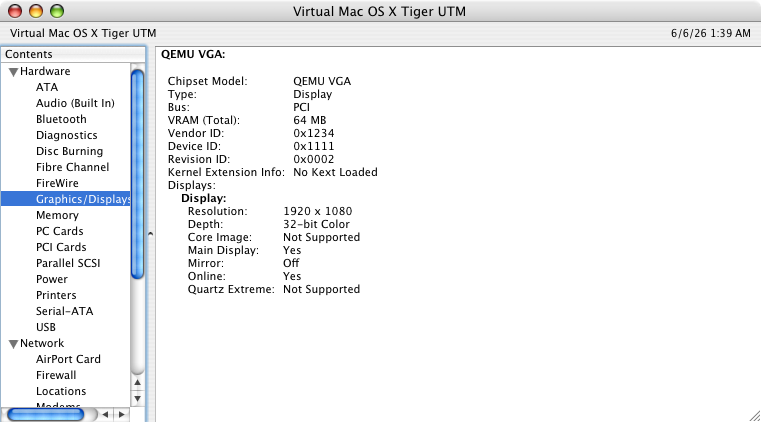
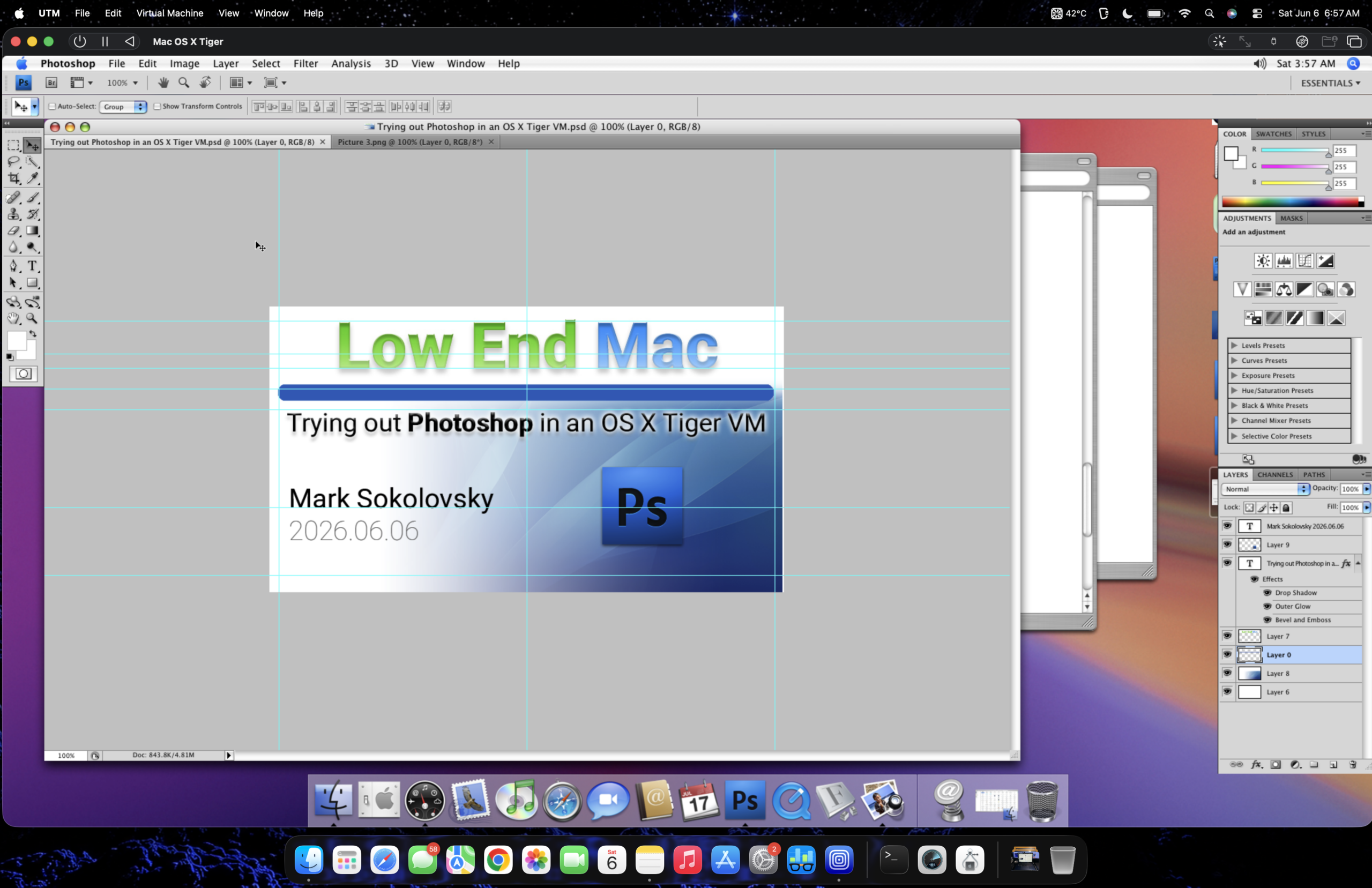
Further experimentation led to a more stable outcome by switching to Mac OS X Tiger (10.4) as the virtualized operating system. This shift proved crucial. After installing a comprehensive set of fonts, including Roboto, San Francisco, and Valera Round, and transferring the necessary graphic files, the user found that Photoshop CS4 functioned considerably better within the Tiger VM. The improved performance was attributed to a less demanding graphics rendering system in Tiger compared to Leopard. Specifically, the article notes that Quartz Compositor, prevalent in Tiger, exhibits less overhead than Core Animation, which was introduced later and became more prominent in Leopard and subsequent macOS versions. Although no specialized graphics drivers (kexts) are loaded in either VM, the stability and responsiveness of Photoshop CS4 were markedly superior in the Tiger environment. This finding suggests a critical dependency on the underlying graphics subsystem of the host operating system within the VM for optimal application performance.
The Evolution of the Workaround: From Leopard to Tiger
The journey to a functional Photoshop CS4 on the M2 Air began with a pragmatic approach to storage limitations and software compatibility. The user’s initial objective was to leverage a virtual machine to run Photoshop CS4, a version they are deeply familiar with and prefer due to its workflow and absence of subscription fees. The target machine, an M2 MacBook Air with a 256 GB SSD, presented a significant storage constraint for running a full operating system and the Photoshop suite.
Phase 1: Leopard VM and Initial Challenges
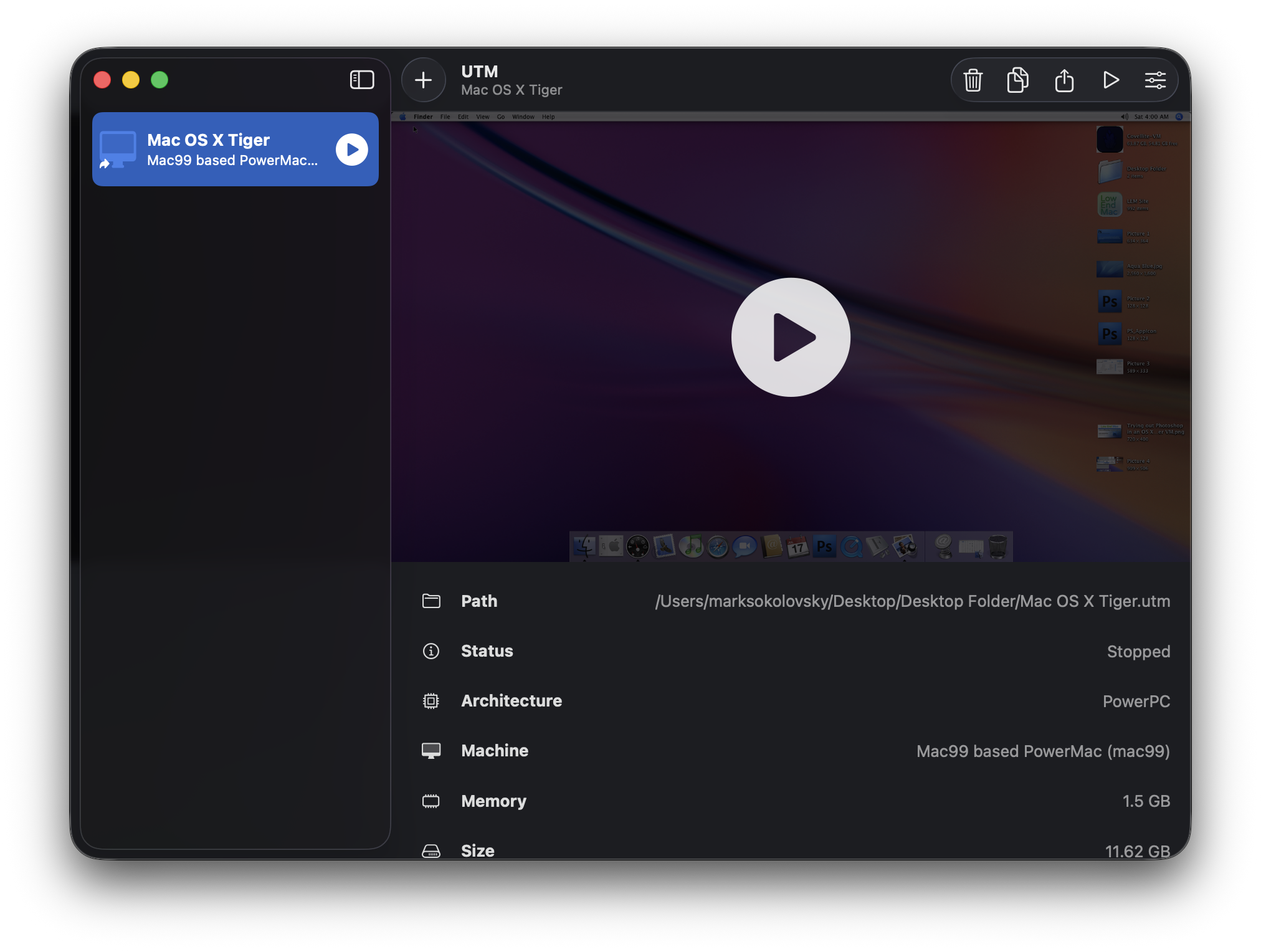
- Objective: Run Photoshop CS4 on M2 Air via Leopard VM.
- Method: Utilize UTM for virtualization, employing disk compression and space reclamation features.
- Outcome: VM size reduced to 22 GB. However, significant usability issues arose within Photoshop CS4, including imprecise click interactions and general instability. This was diagnosed as a likely consequence of the VM’s lack of hardware-accelerated graphics, a known limitation for older OS versions in virtualized environments.
Phase 2: Transition to Tiger VM and Performance Gains
- Hypothesis: A different, potentially less graphically demanding, older macOS version might offer better performance.
- Action: Transitioned to a virtualized instance of Mac OS X Tiger (10.4).
- Enhancements: Installation of essential fonts (Roboto, San Francisco, Valera Round) and transfer of project files.
- Result: A significant improvement in Photoshop CS4’s usability and stability. Text input and selection became accurate, and the overall application responsiveness increased. The article highlights the role of Quartz Compositor in Tiger, suggesting its lower overhead compared to newer graphics frameworks, as a key factor in this improvement.
This iterative process demonstrates a methodical troubleshooting approach, moving from a less successful configuration to one that yielded a more satisfactory user experience. The success with Tiger indicates that the specific graphics rendering architecture of an older macOS version can have a profound impact on the performance of legacy applications within a virtualized setting.
Enabling Essential Workflow and File Management
With the core functionality of Photoshop CS4 stabilized within the Tiger VM, the focus shifted to ensuring it could support typical graphic design workflows. This included the ability to open and edit existing website graphics and create new assets.
Opening Prior Working Files and Font Rendering
A critical step was ensuring that existing website graphic files rendered correctly. This was achieved by installing a comprehensive suite of fonts commonly used in web design. The article explicitly mentions the installation of:
- Roboto: A widely used sans-serif typeface developed by Google.
- San Francisco: Apple’s system font, often used for its clarity and legibility.
- Valera Round: A distinctive sans-serif font known for its rounded terminals.
The successful rendering of these fonts within the Tiger VM was essential for maintaining visual consistency and accuracy when working on website assets. The article posits that the reduced overhead of Quartz Compositor in Mac OS X Tiger, compared to the more complex Core Animation framework present in later macOS versions, plays a significant role in the improved performance and stability of Photoshop CS4. This technical distinction underscores the intricate relationship between operating system architecture and application performance, particularly in emulated or virtualized environments.
Editing and Asset Manipulation
The user reported successfully performing common graphic editing tasks, such as resizing, copying, and pasting images. A specific example cited was the customization of a web thumbnail preview for a recent article. The process involved opening the preview, manipulating it, and saving it as a new, distinct thumbnail. The VM reportedly handled opening, copying, and pasting a full-sized wallpaper image from a separate tab without any performance degradation, referred to as not even "sneezing." This indicates a level of responsiveness that allows for practical day-to-day graphic design tasks.
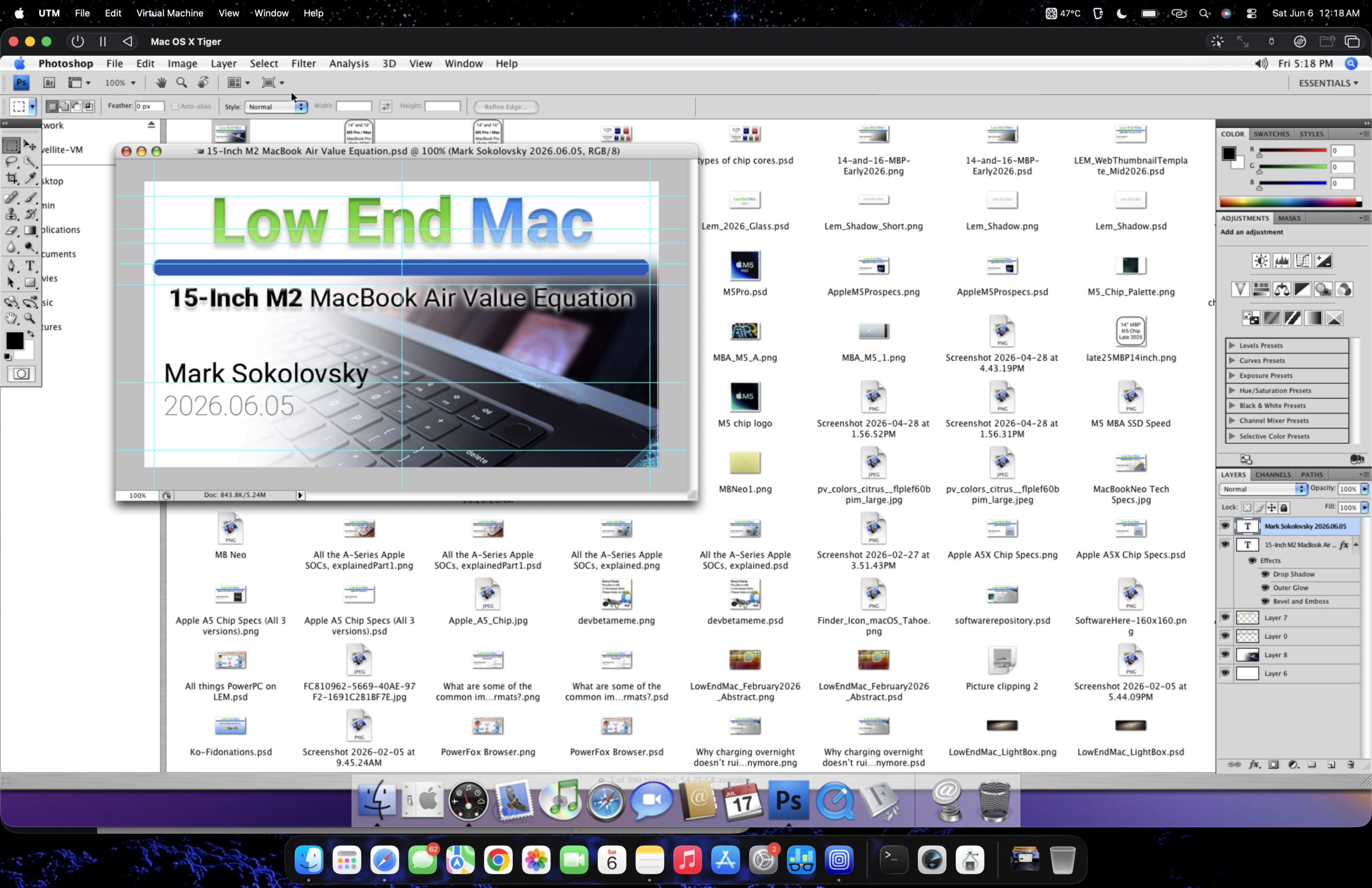
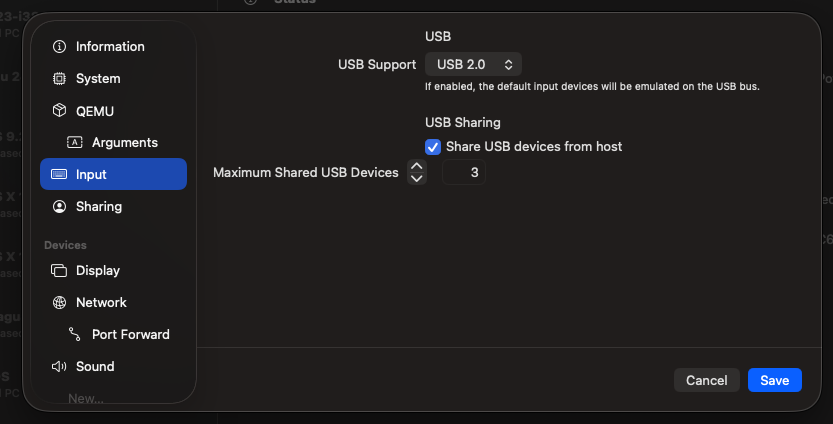
Furthermore, the integration of USB peripherals through UTM proved to be a significant convenience. The article notes that UTM’s ability to seamlessly integrate compatible USB devices, even with older macOS versions, works approximately 90% of the time. This feature facilitates the drag-and-drop transfer of files between the host M2 Air and the virtualized Tiger environment, streamlining the workflow and eliminating the need for manual file management through shared folders or cloud services. This bidirectional file transfer capability is a cornerstone of efficient virtual machine usage, bridging the gap between the host and guest operating systems.
Performance Analysis: The "How Does It Run?" Question
While the solution offers a functional workaround, a direct assessment of its performance is crucial for users considering this approach. The article acknowledges that running a legacy application within a virtualized environment on modern hardware, especially with an older operating system, will inherently involve performance trade-offs.
Key Observations on Performance:
- Boot-up Time: While not explicitly detailed, the initial setup and boot-up of the VM and Photoshop CS4 would likely take longer than native applications on the M2 Air.
- Application Responsiveness: The article suggests that basic editing tasks, including opening, copying, and pasting images, were handled without significant lag. This implies that for tasks that do not heavily tax the virtualized graphics subsystem, the performance is acceptable.
- Graphics-Intensive Operations: The user states that nothing will replace a dedicated graphics workstation like a Power Mac G5 for serious work, implying that highly complex operations, such as extensive filtering, 3D rendering (if supported by CS4), or working with extremely large, high-resolution files, might still be slow or encounter limitations due to the lack of true hardware acceleration.
- Font Rendering: The successful rendering of various fonts suggests that the VM’s graphics capabilities are sufficient for text and standard image display.
The embedded YouTube video, titled "Launching Photoshop CS4 in a Tiger VM on a M2 MacBook Air running Tahoe," serves as a visual demonstration of the setup and operation. While direct analysis of the video’s content is beyond the scope of this text-based rewrite, its presence indicates a commitment to providing empirical evidence of the workaround’s functionality. The title itself suggests the M2 Air is running macOS "Tahoe," which is likely a placeholder or internal reference by the user for their specific macOS installation on the M2 hardware.
Broader Implications and User Perspectives
The successful implementation of this workaround carries several implications for users who are invested in older software ecosystems or seek to avoid recurring subscription costs.
- Accessibility of Legacy Software: This method democratizes access to powerful legacy applications like Photoshop CS4 on modern hardware. For professionals who built their workflows around specific versions of software, this provides a pathway to continue using those tools without compromising on the capabilities of their current machines.
- Cost-Effectiveness: Adobe’s subscription model for Creative Cloud can be a significant ongoing expense. For individuals or small businesses with limited budgets, a one-time purchase of older software, coupled with this virtualization solution, offers a more economical alternative for essential graphic design needs.
- Hardware Longevity: This approach extends the useful life of older software by enabling its use on contemporary computing platforms. Users are not forced to upgrade their software solely due to hardware obsolescence.
- User Preference and Familiarity: The article highlights the user’s comfort and familiarity with Photoshop CS4. This emotional and practical connection to a specific software version is a powerful motivator for seeking such workarounds. The "growing up and learning around CS4" sentiment speaks to a generation of designers whose foundational skills were built on this particular iteration of the software.
However, it is crucial to note the inherent limitations and risks associated with such workarounds:
- No Official Support: Neither Adobe nor Apple officially supports running Photoshop CS4 on M2 Macs via virtualization. This means users are on their own for troubleshooting and bear responsibility for any potential issues.
- Security Risks: Running older operating systems, especially those no longer receiving security updates, can expose users to significant security vulnerabilities. While the VM is isolated, network access and data handling within the VM require careful consideration.
- Performance Ceiling: As discussed, the performance will ultimately be capped by the capabilities of the virtualized environment and the older operating system’s graphics stack. It will not match the performance of native, modern applications optimized for the M2 architecture.
- Legality of Software: Users must ensure they possess legitimate licenses for Photoshop CS4. The use of pirated software is illegal and unethical.
Despite these caveats, the discovery signifies an innovative approach to software compatibility in an era of rapid technological advancement and evolving software distribution models. It underscores the ingenuity of users in finding solutions to bridge the gap between legacy tools and cutting-edge hardware, demonstrating that powerful creative workflows can, in some instances, transcend the limitations imposed by official support structures. The preference for a physical PowerPC or early Intel Mac for graphics work, as stated by the user, suggests that while virtualization offers a functional compromise, it does not entirely replicate the nuanced experience of working with dedicated hardware. Nonetheless, for situations where remote work or the absence of a dedicated older machine is a factor, this UTM-based Photoshop CS4 solution on an M2 MacBook Air presents a compelling and practical option.