 Hartono Sudibyo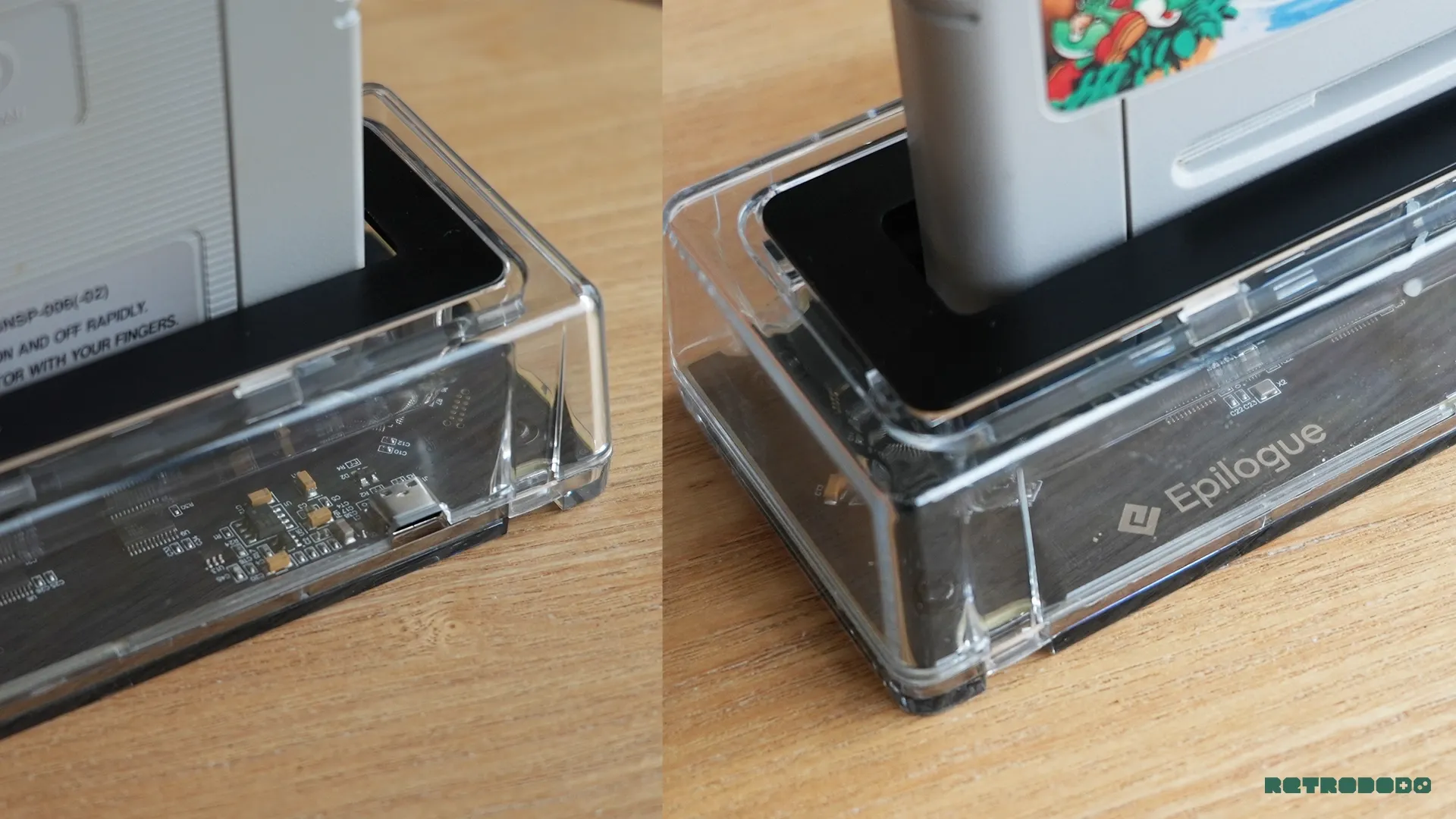
Epilogue, a company known for its high-quality retro gaming hardware, has officially launched its second product, the SN Operator. Following the significant success of its predecessor, the GB Operator, the SN Operator aims to provide Super Nintendo and Super Famicom collectors and enthusiasts with a sophisticated tool for interacting with their physical game collections. This new device offers an array of features designed for playing, managing, preserving, and even exploring fan-made content for one of gaming’s most beloved consoles. The SN Operator represents a significant step in Epilogue’s mission to empower retro gamers with greater control and appreciation for their physical media.
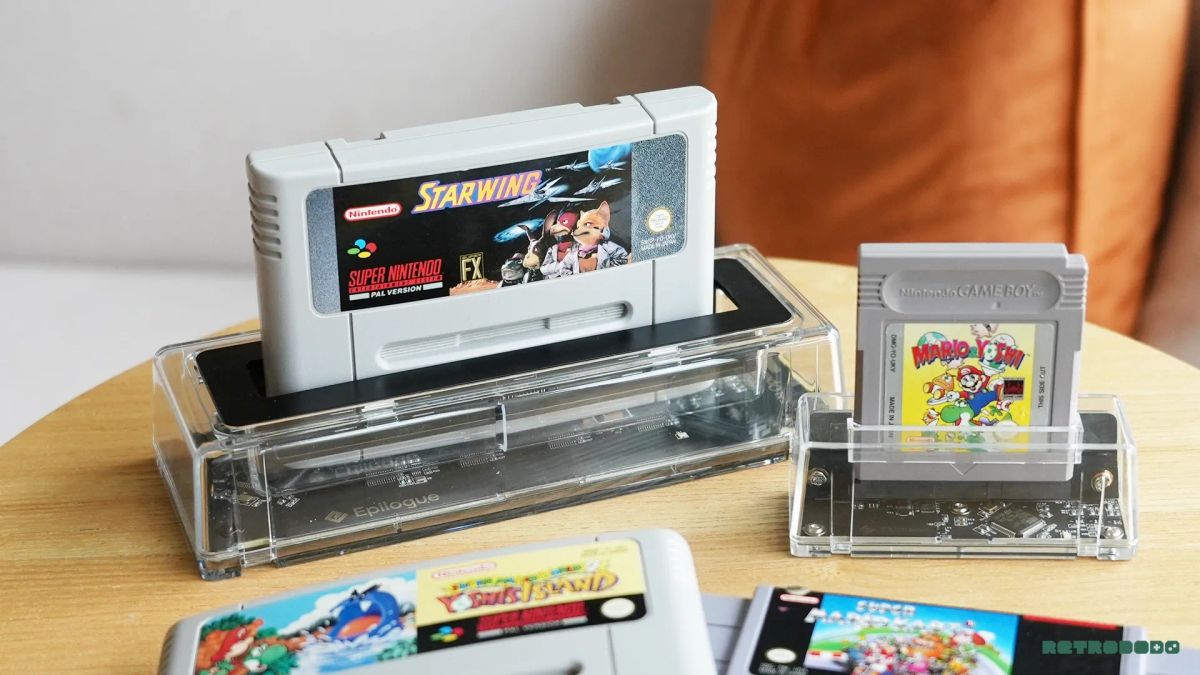
The GB Operator, released in 2021, set a high bar by offering a premium cartridge reading experience for Game Boy titles, allowing users to play games on modern platforms, back them up, and verify their authenticity. The SN Operator builds upon this foundation, extending its capabilities to the vast library of Super Nintendo Entertainment System (SNES) and Super Famicom cartridges. This expanded functionality targets a dedicated segment of the retro gaming community: collectors who possess substantial physical libraries and gamers interested in the preservation of their gaming heritage. The device’s feature set is designed to cater to both the nostalgic enjoyment of playing classic games and the forward-thinking need for digital archiving and the exploration of the burgeoning homebrew and ROM hack scene.
The Design: A Blend of Modern Aesthetics and Functional Transparency
In line with Epilogue’s commitment to a modern and minimalist design philosophy, mirroring the sleek presentation of brands like Analogue, the SN Operator features a transparent shell. This design choice is not merely aesthetic; it offers users a glimpse into the internal workings of the device, a feature likely to appeal to the technically inclined and enthusiasts who appreciate the engineering behind their hardware. The transparent casing reveals Epilogue’s motherboard, the core technology enabling the device’s advanced functionalities, all housed within a compact and aesthetically pleasing unit.
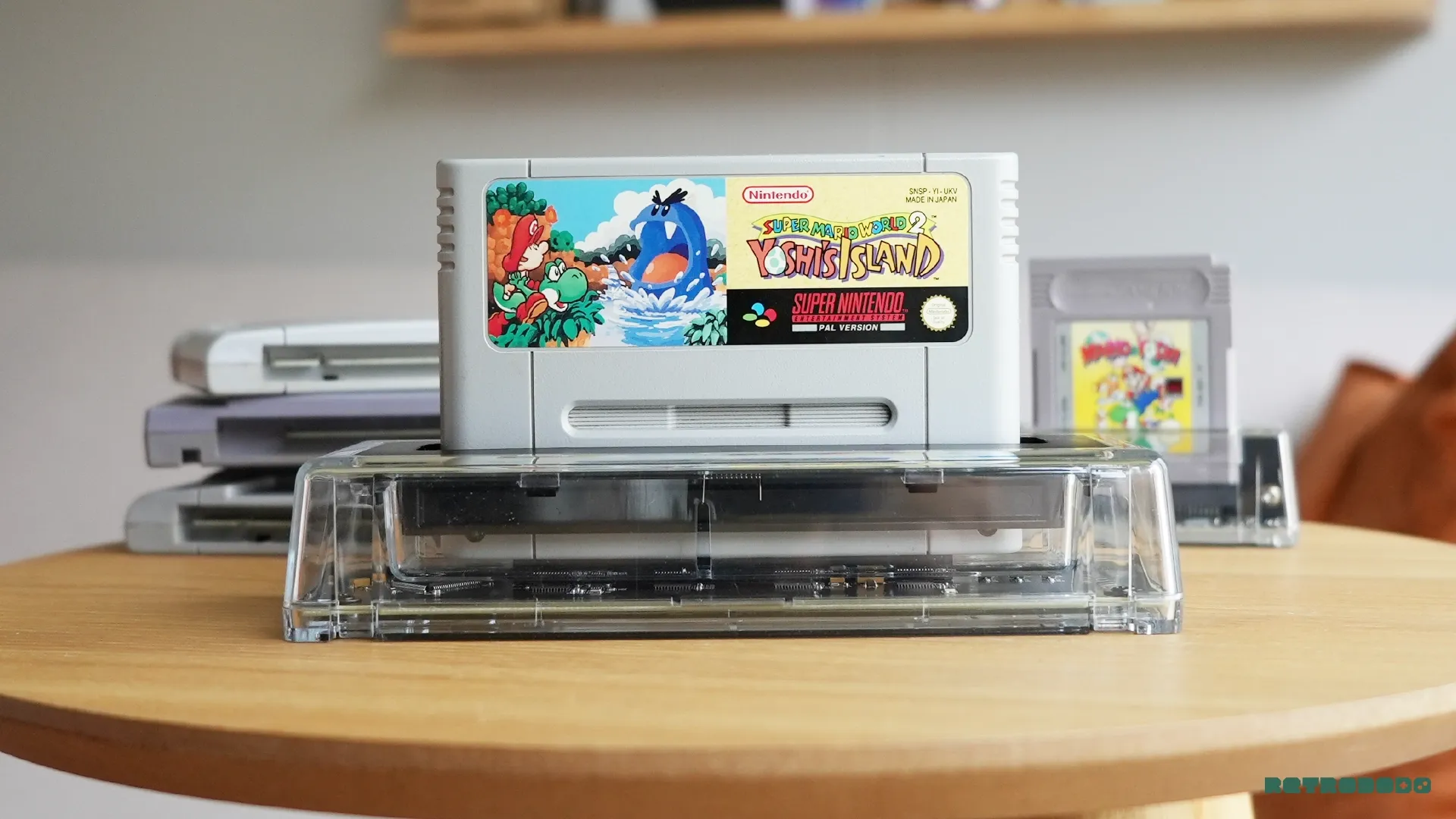
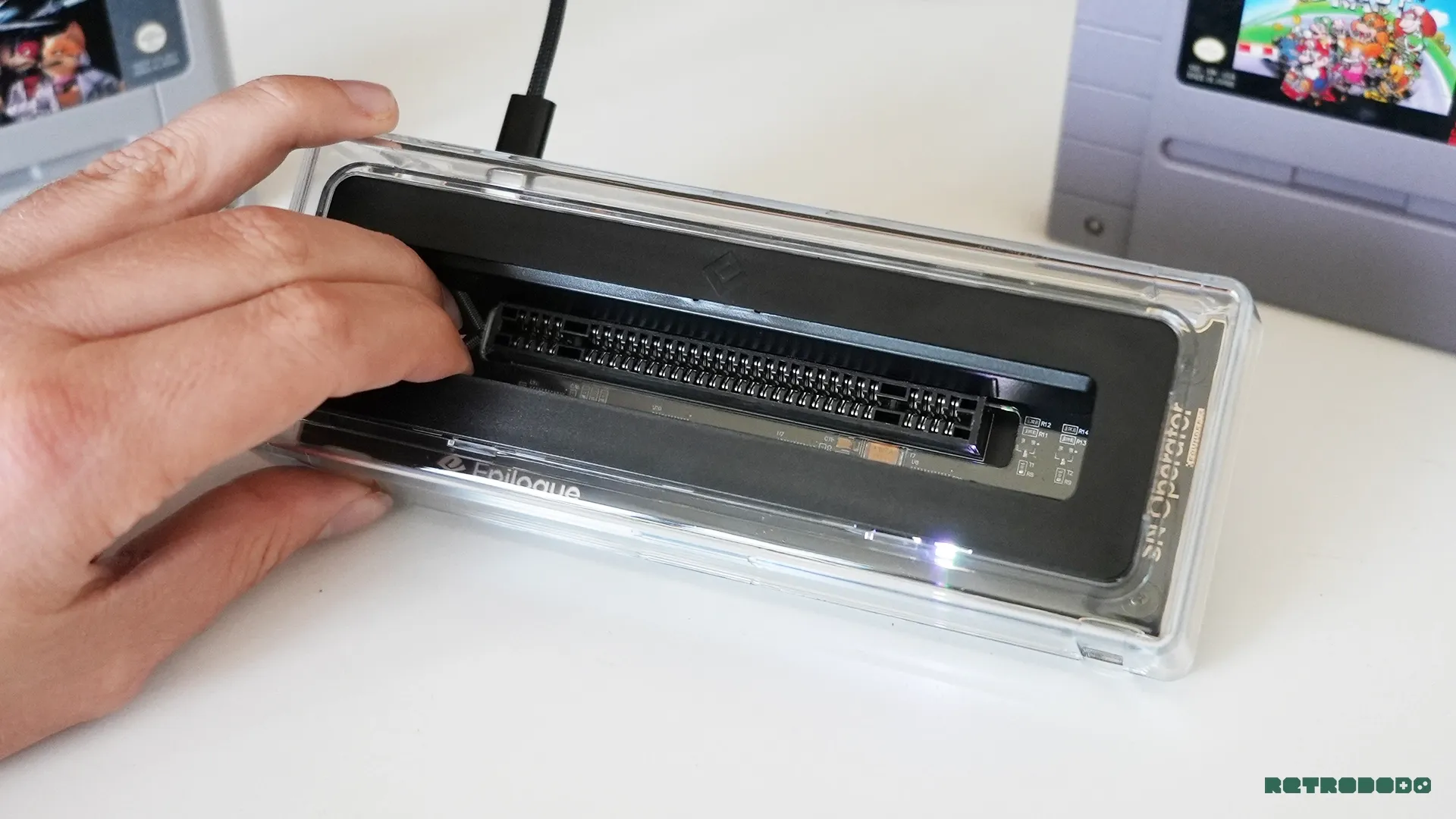
The SN Operator is engineered to be compatible with both Super Nintendo and Super Famicom cartridges, accommodating both PAL and NTSC regional variations. This broad compatibility ensures that collectors worldwide, regardless of their specific cartridge formats, can utilize the device. The physical interaction with the cartridge slot is designed for ease of use. Light flaps guide the cartridge into place with a gentle push when inserted at the correct angle, facilitating a smooth connection.
However, the design, while visually appealing and functional in many aspects, has presented some early challenges. The cartridge slot, while accommodating various cartridge types, has been noted to allow for a slight wiggle, approximately a few millimeters, which can produce unsettling sounds as pressure is applied to the cartridge pins. This minor degree of play, particularly audible with some cartridge insertions and removals, has raised concerns for some users regarding potential long-term wear on both the cartridges and the SN Operator itself. The removal process, in particular, has been described as requiring significant force for PAL cartridges, possibly due to their slightly larger pin configuration, prompting apprehension about the stress placed on the hardware.
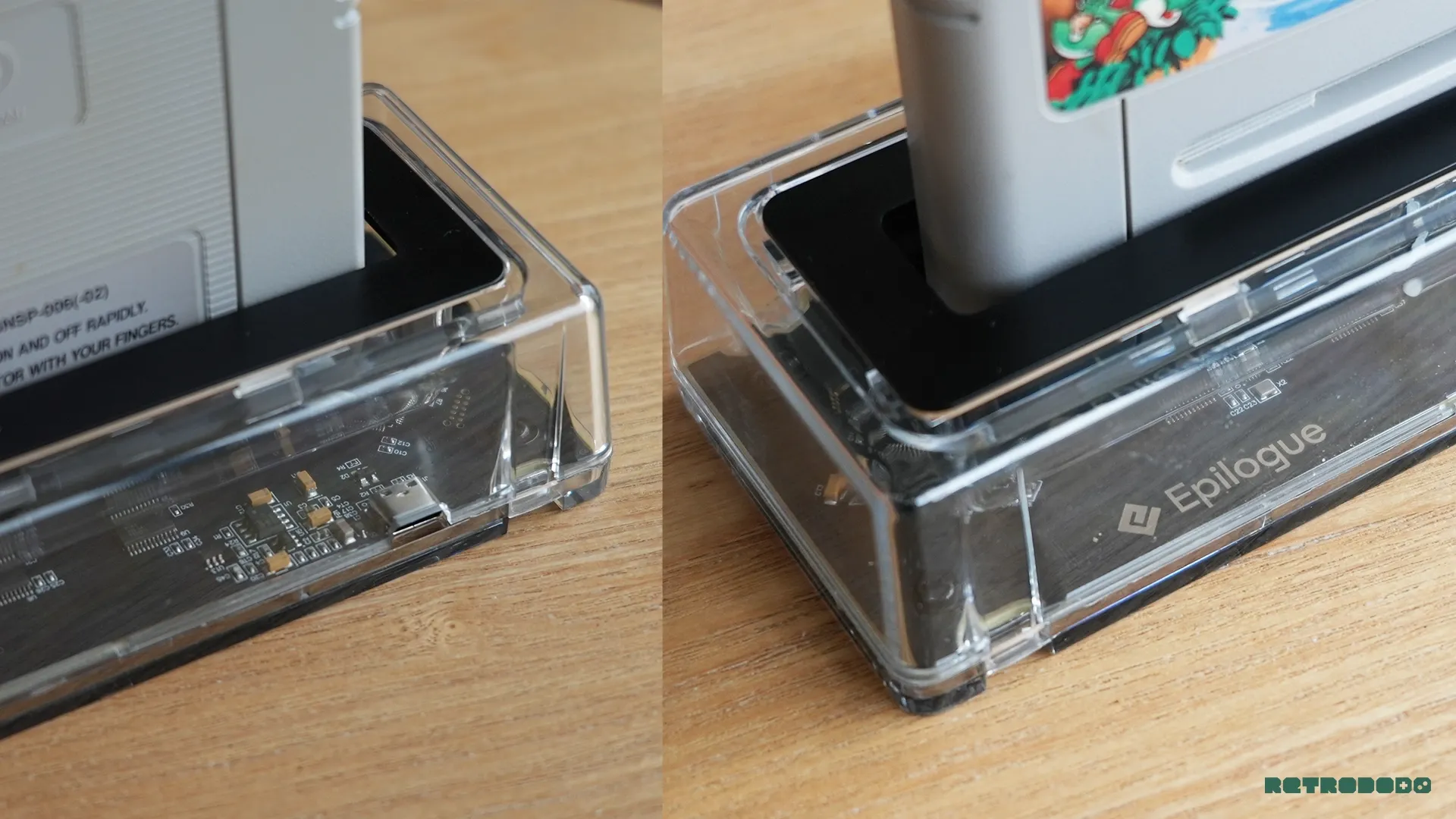
These concerns have led to suggestions for design improvements, such as the inclusion of a cartridge eject mechanism or an assisted removal system, similar to what is being developed for other retro hardware platforms. Additionally, the idea of an integrated LED strip to illuminate cartridge artwork has been proposed, acknowledging the aesthetic appeal of SNES cartridge designs. Despite these minor drawbacks related to cartridge handling, the overall construction is praised for its clean appearance and desk-friendly form factor, further enhanced by a robust padded grip at the base for stability during more forceful cartridge extractions.
Playback: Epilogue’s Unified Software Ecosystem
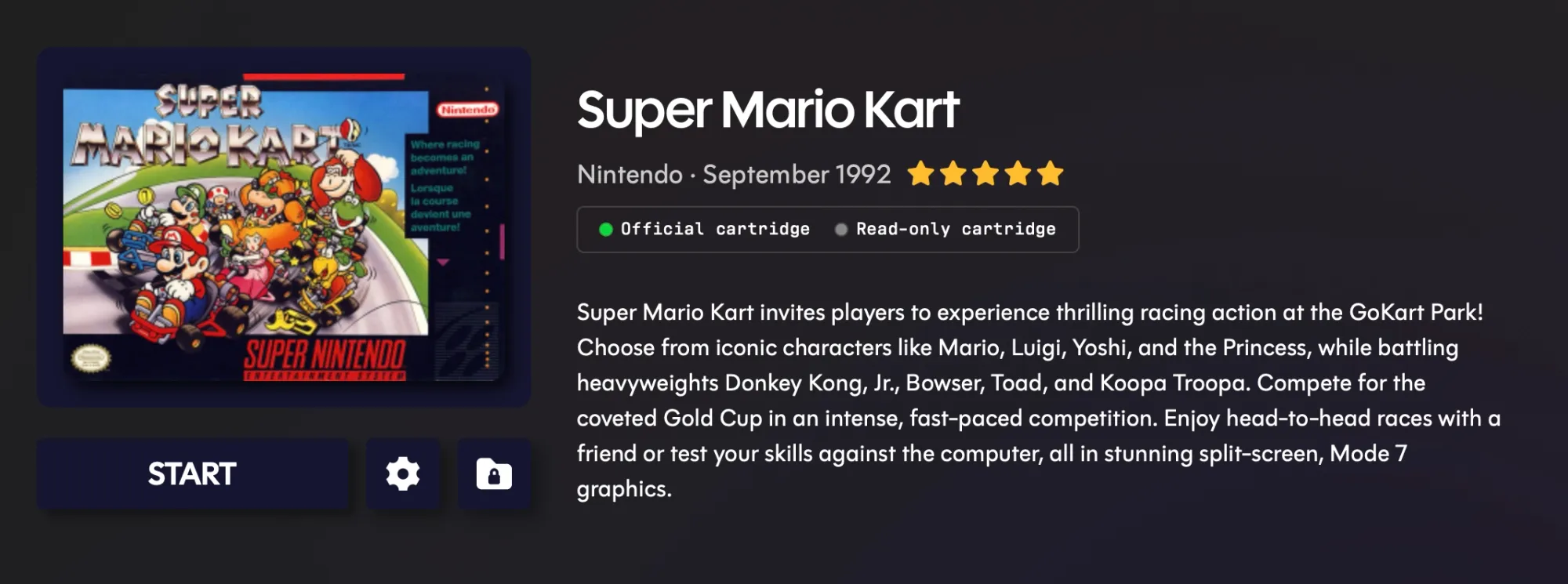
The functionality of the SN Operator is powered by Epilogue’s proprietary software, "Playback." This application, available for PC, Mac, and Linux, is central to the user experience and embodies Epilogue’s commitment to a minimalist and intuitive interface. Upon launching Playback, the user is prompted to connect the SN Operator via USB-C. The software then guides the user to insert a cartridge, with most functionalities locked until a cartridge is recognized, thereby focusing the user experience on immediate interaction with their games.
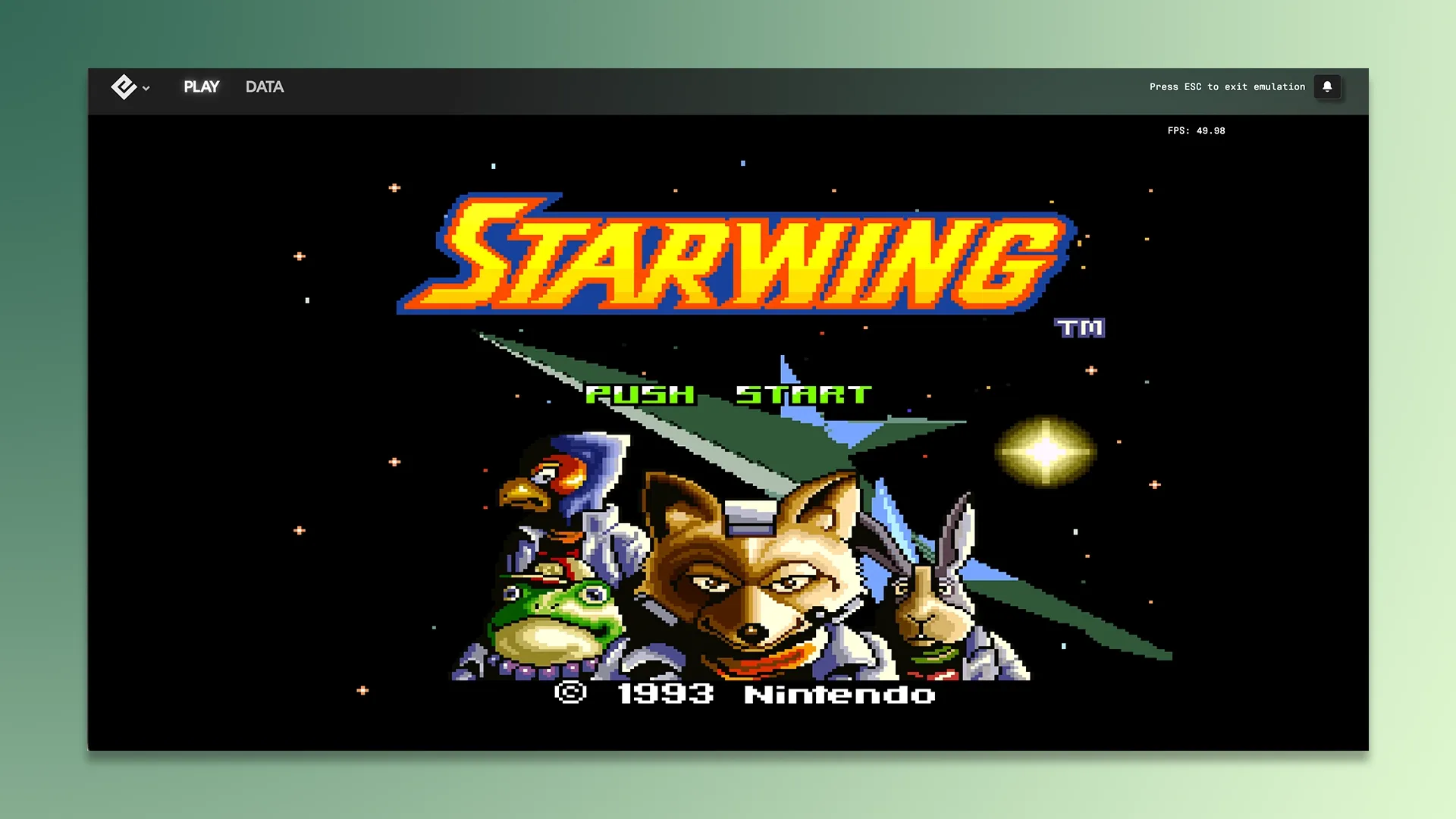
Once a cartridge is inserted and read, Playback performs an authenticity check and presents a clear set of options. The "Play" function allows users to launch their game directly, with on-screen controls mapped to the keyboard (arrow keys and Z+X keys serving as primary inputs). This feature provides an immediate gateway to experiencing SNES titles on a modern display.
Beyond immediate gameplay, the "Data" option is crucial for the preservation aspect of the SN Operator. It allows users to create digital backups of their game ROMs and save states, securely storing them on their computer. The backup process is remarkably swift, reportedly taking less than five seconds, and includes an integrity test to ensure the fidelity of the archived file. This feature is invaluable for safeguarding against the physical degradation of cartridges or potential data loss.
Playback also offers utility for the homebrew and ROM hacking community. Users can upload fan-made games or custom ROMs to their cartridges, as well as transfer save data from their computer back to the physical cartridge. A built-in photo gallery allows users to view screenshots captured during gameplay.
The "Settings" menu within Playback provides an extensive suite of customization options, catering to both casual players and dedicated enthusiasts. These include advanced emulation settings such as fast-forward capabilities, auto-save functions, integer scaling for pixel-perfect display, various visual filters, overclocking options for performance adjustments, and on-screen displays for FPS and controller inputs. The depth of customization is notable, with settings that even delve into technical aspects of emulation, such as "DSP Cubic Interpolation," indicating a sophisticated level of control for users seeking to fine-tune their gaming experience. An option to disable internal LEDs is also provided for users who prefer a less visually distracting environment.
Enhanced Features: Retro Achievements, Cheat Codes, and Discord Integration
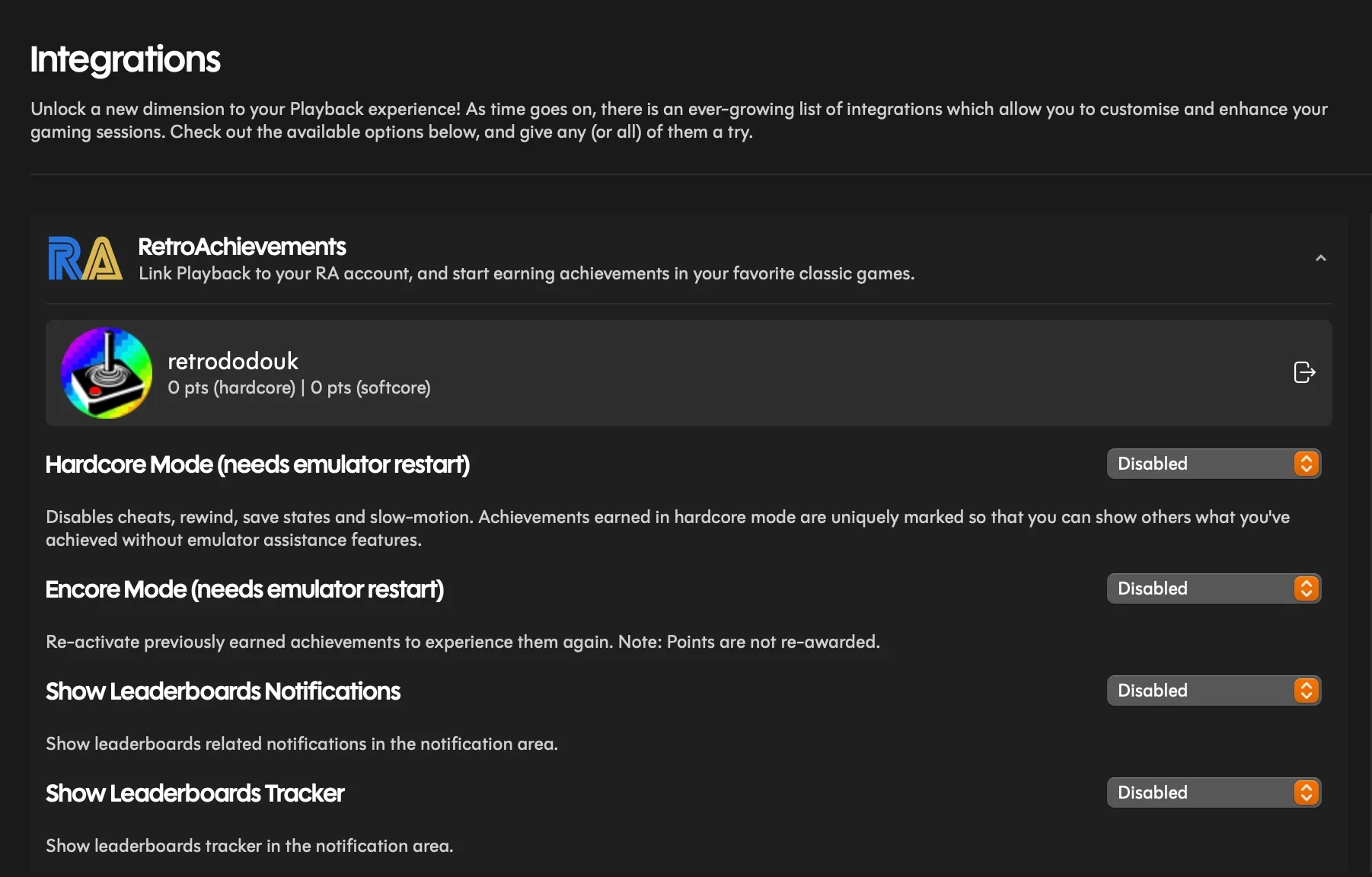
A particularly exciting feature integrated into the Playback application is support for Retro Achievements. Users can log into their Retro Achievements accounts directly within the software, enabling them to pursue in-game achievements while playing their physical SNES cartridges. This integration bridges the gap between physical retro gaming and modern achievement hunting communities.
However, early reports indicate that the Retro Achievements integration may be experiencing some initial bugs. Specifically, the unit under review was unable to successfully sync completed challenges with the RetroAchievements platform, nor did it provide on-screen notifications for completed achievements. This issue appears to be related to the compatibility or setup of the snes9x emulator on macOS, which the reviewer encountered difficulties installing manually. While this may be an isolated issue for macOS users or a specific configuration problem, it highlights that some advanced features may require further refinement.

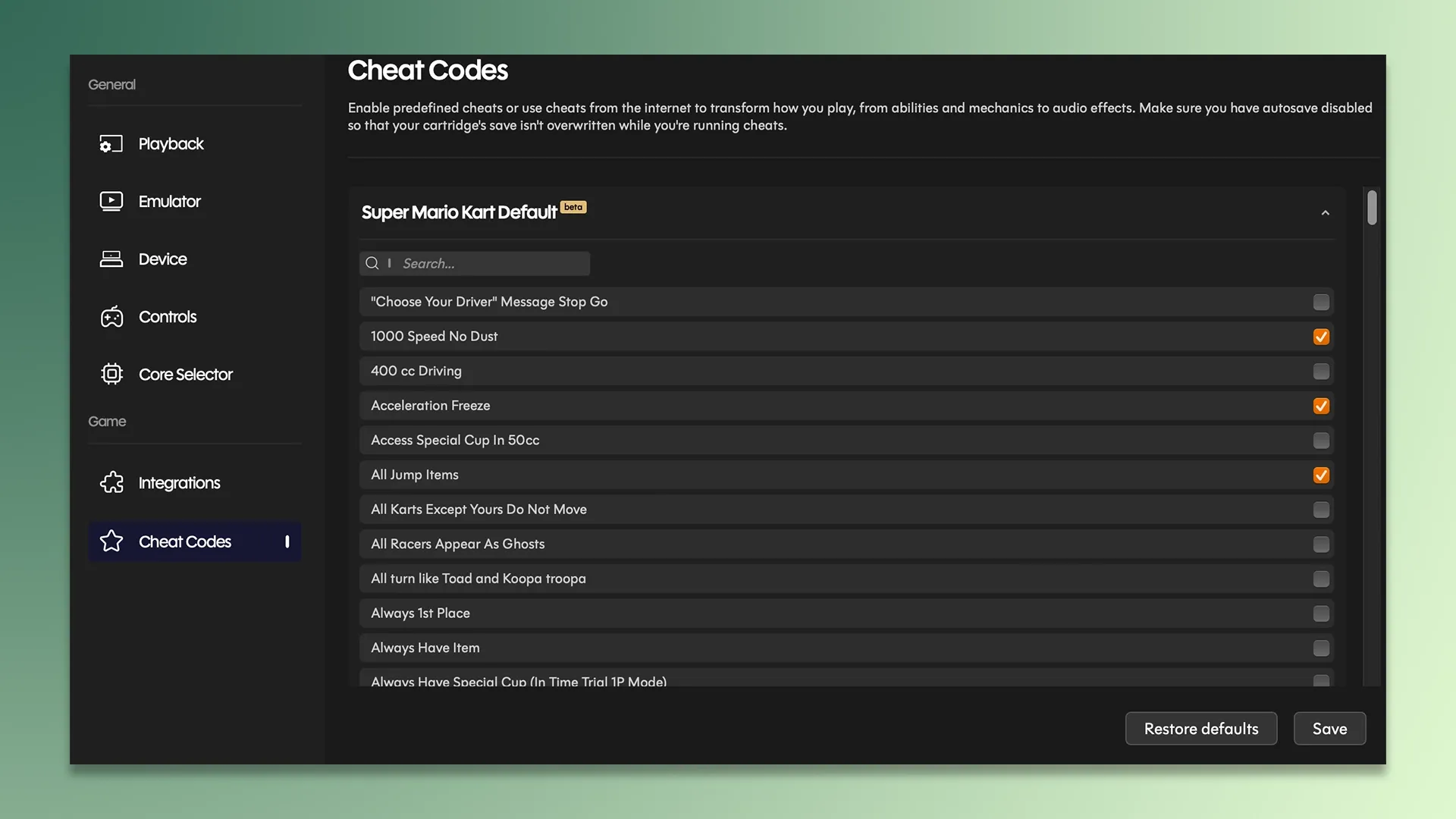
Playback also includes a comprehensive cheat code functionality. Users can easily enable or disable cheats for their games directly through the application, eliminating the need to manually input complex code sequences. Playback automatically identifies the game being played and populates a list of available cheats, a feature that significantly streamlines the process of experimenting with game modifications and exploring different gameplay scenarios.
Furthermore, Discord integration allows users to share their current gaming activity with friends, displaying which cartridge they are currently playing. This social element adds another layer to the modern retro gaming experience.
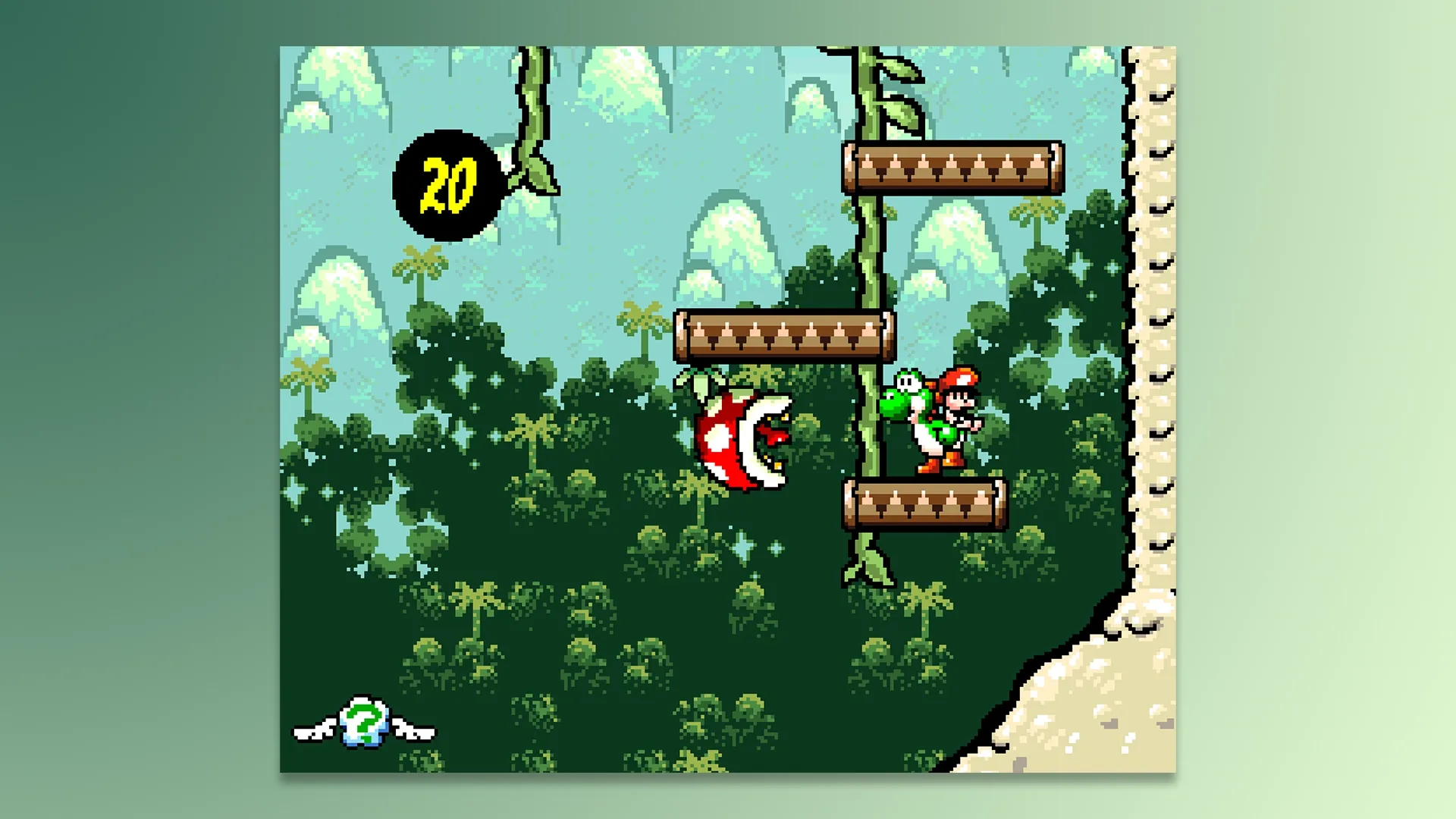
While many of the beta features within Playback are functioning well, the noted issues with Retro Achievements syncing and the complexities of snes9x emulator setup on certain platforms suggest that further software updates will be necessary to ensure a seamless experience for all users.
Emulation Quality and Core Flexibility
The emulation quality delivered by the SN Operator is described as exceptionally high, closely mirroring the performance of original SNES and Super Famicom hardware. The speed at which games launch and the overall responsiveness of the emulation contribute to an enjoyable and user-friendly experience. The quality of emulation is attributed to the sophisticated "cores" that the SN Operator utilizes, which are developed by talented emulation programmers.
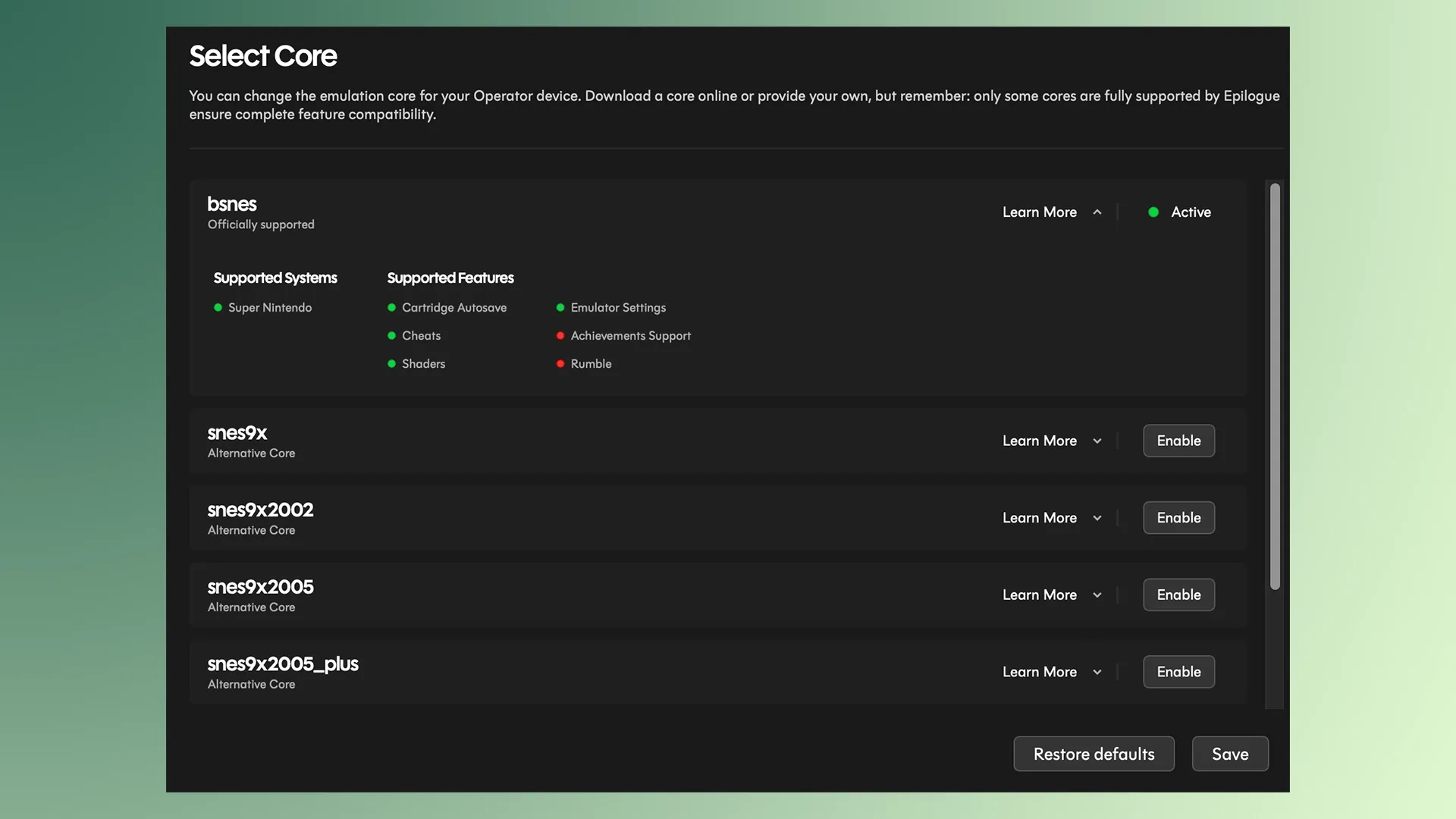
A key advantage of the SN Operator is its support for multiple emulation cores, which can be switched on the fly. This flexibility allows users to select the core that best suits their needs and preferences. For instance, the bsnes core is known for its high accuracy but may not support Retro Achievements, whereas the snes9x core offers broader compatibility with achievement tracking but, as noted, can present setup challenges. Users are required to install these cores individually.
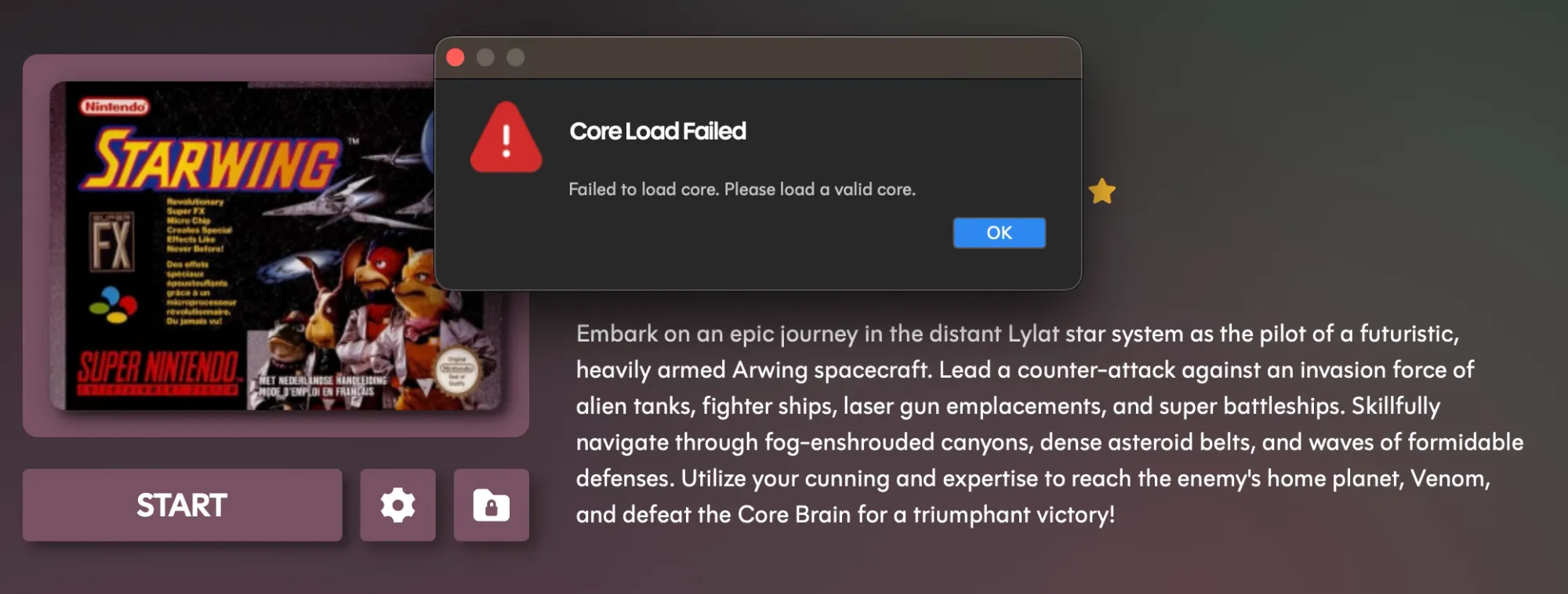
The reviewer encountered significant difficulty in manually installing the snes9x core on their Mac, even when using versions specifically designed for ARM architecture. This hurdle prevented the use of Retro Achievements. While acknowledging that this could be a user-specific issue, it raises the possibility of compatibility bugs within the Playback software on macOS concerning file type recognition for core uploads. If and when these installation challenges are resolved, the ability to select and utilize different cores is seen as a powerful feature, enhancing user customization and personal ownership of the gaming experience.
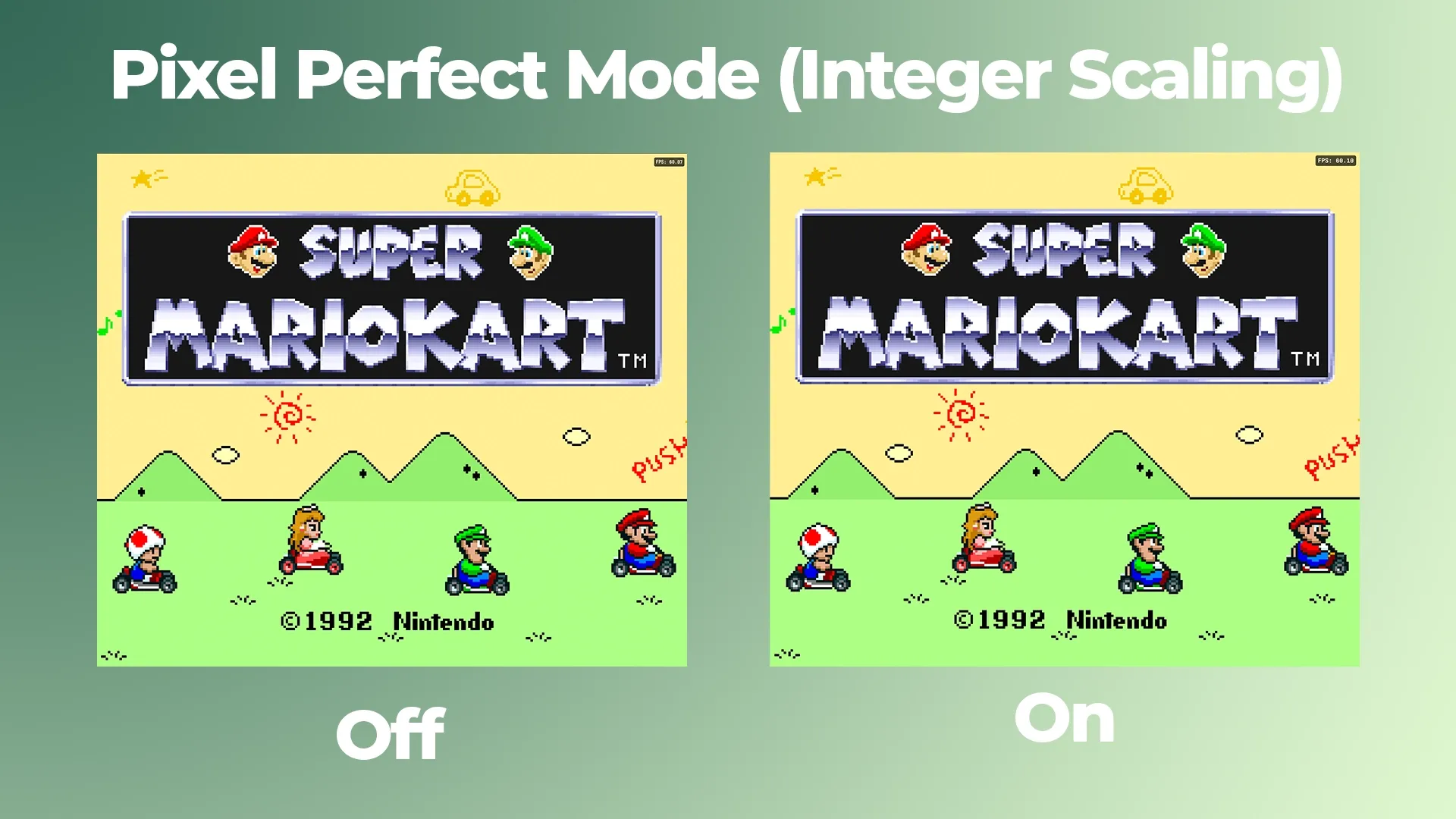
For those prioritizing visual fidelity, the SN Operator offers a pixel-perfect mode that employs integer scaling. This technique upscales lower-resolution games to higher resolutions in a manner that preserves the crispness and sharpness of original pixel art, preventing the distortions or artifacts often associated with less sophisticated scaling methods. This feature is particularly effective on modern, high-resolution displays.
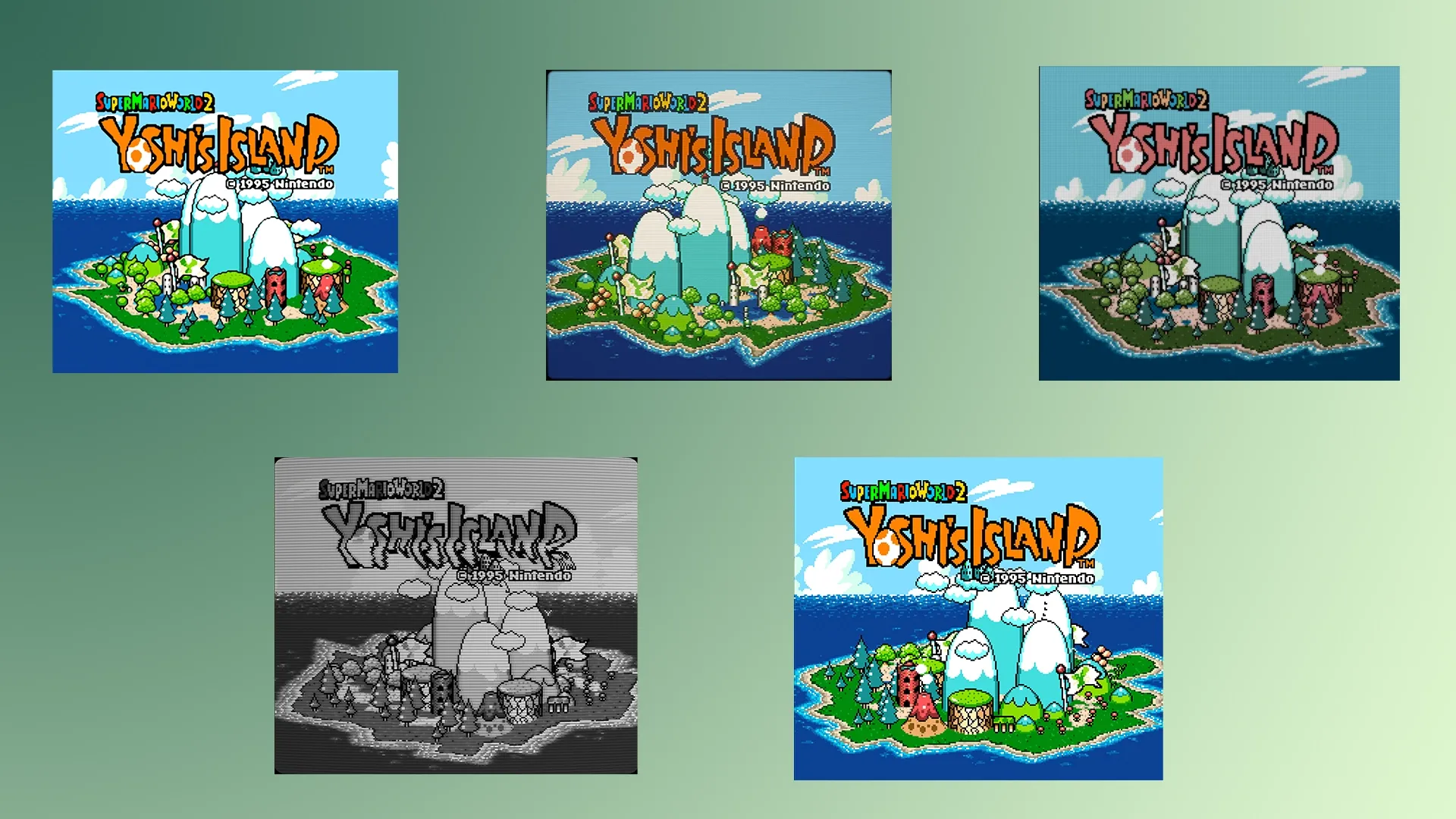
The device also boasts a selection of 12 different visual filters, offering a diverse range of aesthetic options. Filters such as "zero pixels" for smoothed edges and a CRT simulation are highlighted as appealing choices, alongside options like black and white, Game Boy Advance filters, and various NTSC filters. This extensive selection provides users with considerable control over the visual presentation of their games.
Performance-wise, the emulation is largely flawless. The only observed instance of slowdown was with a PAL version of Star Wing, which is inherently locked at 50FPS. This slowdown was noticeable even when the FPS counter indicated high performance. However, this was effectively mitigated by overclocking the emulation by approximately 150%, demonstrating the utility of the overclocking feature for smoothing out occasional performance hiccups inherent in emulation. Overall, the SN Operator is reported to emulate official cartridges with remarkable accuracy and provides an extensive array of customization options for enthusiasts.
Compatibility with SNES Accessories and Early Software Quirks
The SN Operator’s compatibility with SNES accessories is a key area of interest for many potential users. The reviewer tested a Super Game Boy Adapter, which, despite being recognized by the Playback software, consistently caused the application to crash upon attempting to launch a game. While the software correctly identifies the accessory and displays relevant settings for Super Game Boy functionality, the inability to launch games through it is a significant drawback. This issue, along with the aforementioned Retro Achievements and emulator setup problems, suggests that some advanced features are still in their beta stages and require further development and testing. Epilogue’s lack of direct communication regarding these specific issues, despite inquiries, has led to the review being published with the current known limitations.
Further complicating the early user experience is the status of the Retrace smartphone application. Epilogue recently introduced Retrace, a mobile app designed to authenticate game cartridges, provide resale value estimates, and function as a portable accessory reader. While Retrace has proven useful for the reviewer’s Game Boy collection, it currently fails to recognize SNES cartridges when connected via the SN Operator. This incompatibility, even though the accessory itself is detected, indicates that the software integration between Retrace and the SN Operator is not yet finalized. The reviewer speculates that the review unit may not be a final customer-ready version, given the prevalence of minor bugs.
The current situation with the SN Operator highlights a common challenge with newly released hardware: the software ecosystem often requires iterative updates to reach full stability and functionality. Epilogue’s proactive approach to software development, as evidenced by the GB Operator’s ongoing support, suggests that these issues are likely to be addressed in future updates. However, the immediate experience for early adopters may involve navigating these early-stage bugs.
Overall Assessment: A Promising Device with Room for Refinement
The SN Operator emerges as a premium accessory for Super Nintendo and Super Famicom collectors who value the preservation, enhanced playback, and modification of their physical game collections. The hardware design is lauded for its clean, modern, and sturdy aesthetic, fitting seamlessly into contemporary desk setups. While the physical interaction with cartridge slots, particularly for PAL cartridges, presents a minor area for improvement regarding stability and perceived strain on pins, the overall build quality is deemed excellent for a cartridge reader.
The Playback software is a standout feature, praised for its intuitive design and extensive customization options. The seamless integration of gameplay, data management, and advanced emulation settings creates a compelling user experience. The software’s ability to offer features like pixel-perfect scaling, a wide array of visual filters, and overclocking capabilities significantly enhances the enjoyment of retro games on modern hardware.
However, the SN Operator is not without its early challenges. The reported bugs, including the non-functional Super Game Boy adapter, the complex snes9x emulator setup on macOS, and the incompatibility with the Retrace app, indicate that the device is approximately 90% complete in terms of its software maturity. These issues, while potentially fixable through timely updates, could lead to frustration for early adopters.
Epilogue has established a strong reputation with its previous products, and the SN Operator represents a significant addition to their lineup. The device is beautiful, functional, and offers a level of control and customization previously unavailable for SNES cartridges. With a few critical software updates to address the existing bugs, the SN Operator has the potential to become one of the most essential and highly regarded SNES accessories on the market, offering a truly kingly experience for retro gaming enthusiasts. The company’s commitment to its product ecosystem, as seen with the GB Operator, suggests that these early-stage issues will likely be resolved, paving the way for a truly exceptional retro gaming tool.