Vera Clarissa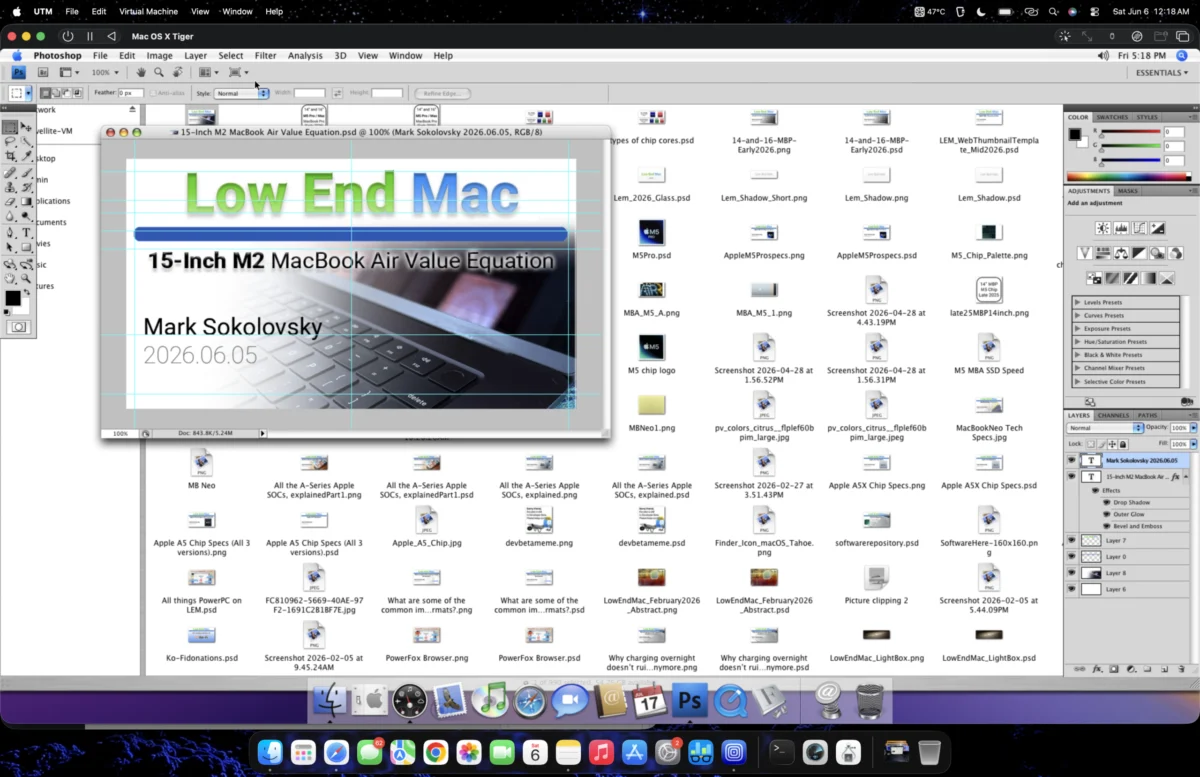
The quest for legacy software compatibility on modern hardware often leads to innovative workarounds, and a recent exploration has demonstrated a surprising feasibility for running Adobe Photoshop CS4 on Apple’s M2 MacBook Air through virtualization. This solution, achieved using the UTM virtual machine application, targets users who rely on the older, subscription-free version of Photoshop but are transitioning to Apple’s latest ARM-based silicon. The process involves virtualizing older macOS versions, specifically Mac OS X Tiger (10.4), to host the venerable graphics editing suite, with initial tests revealing promising, albeit not perfect, results.
The genesis of this endeavor stemmed from a desire to avoid the subscription model of modern Adobe Creative Cloud applications while still needing access to Photoshop’s core functionalities. The M2 MacBook Air, with its powerful M2 chip and efficient design, presents a compelling platform for everyday computing, but its native architecture poses a barrier to older Intel or PowerPC-based applications like Photoshop CS4. The solution hinges on creating a virtual environment that mimics the hardware and operating system requirements of Photoshop CS4, thereby circumventing direct compatibility issues.
The Virtualization Journey: From Leopard to Tiger
The initial approach involved attempting to run Photoshop CS4 within a virtual machine emulating Mac OS X Leopard (10.5). The author experimented with space-saving techniques within UTM, including a "reclaim space" feature and compression, successfully reducing the virtual machine’s footprint to approximately 22 GB. This allowed for its transfer and operation on the M2 Air’s typically more constrained SSD storage, particularly on models with 256 GB.
However, this initial configuration with Leopard proved problematic. Upon launching Photoshop CS4, significant usability issues emerged. Text boxes were not responsive to precise clicks, and the overall performance was described as "buggy." These glitches are commonly attributed to a lack of proper video hardware acceleration within virtual machines, especially when running older operating systems like Leopard, which were not designed with ARM architecture virtualization in mind. While the author had not previously undertaken extensive editing tasks in this setup, the observed performance rendered it impractical for serious graphic design work.
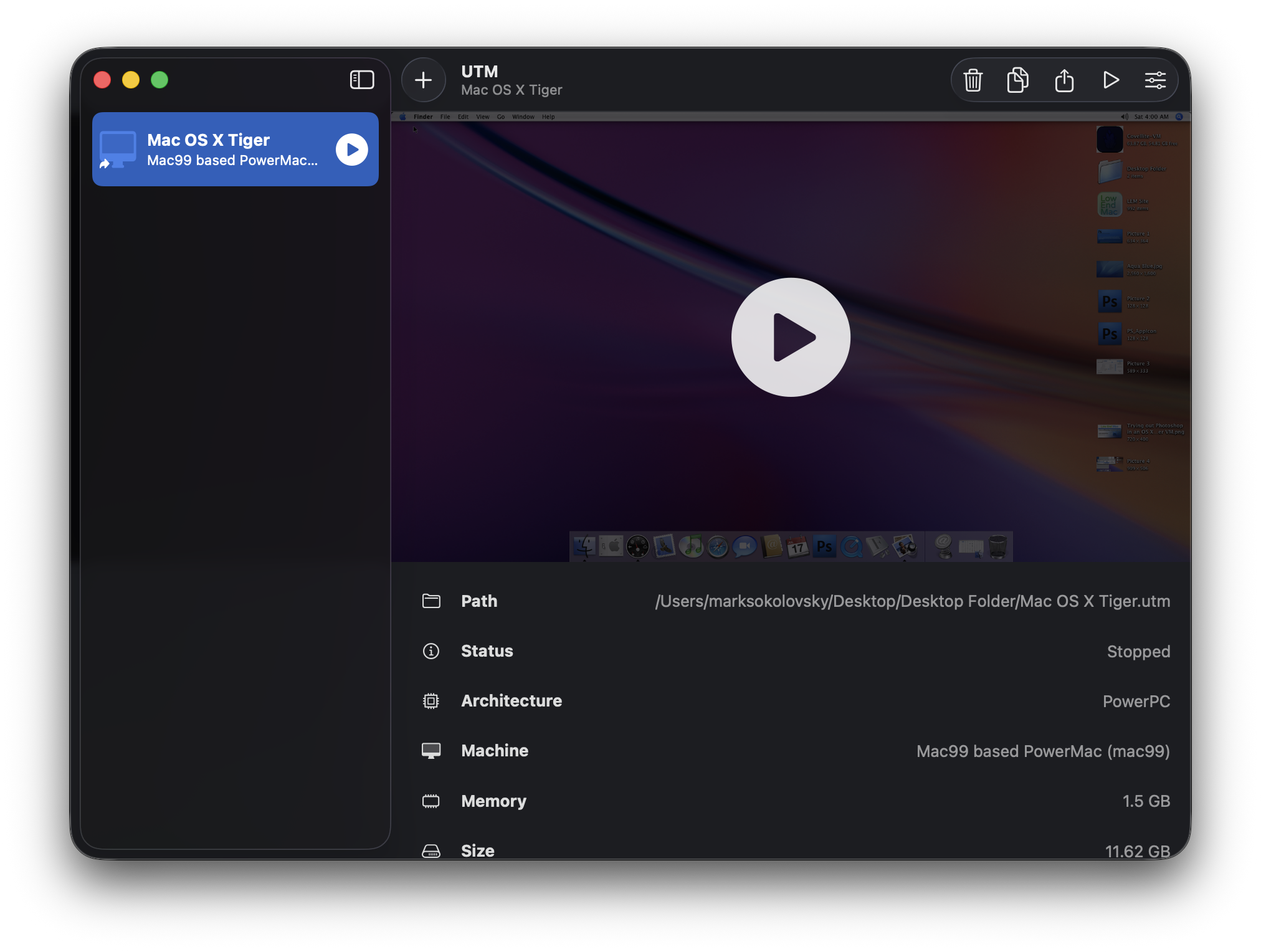
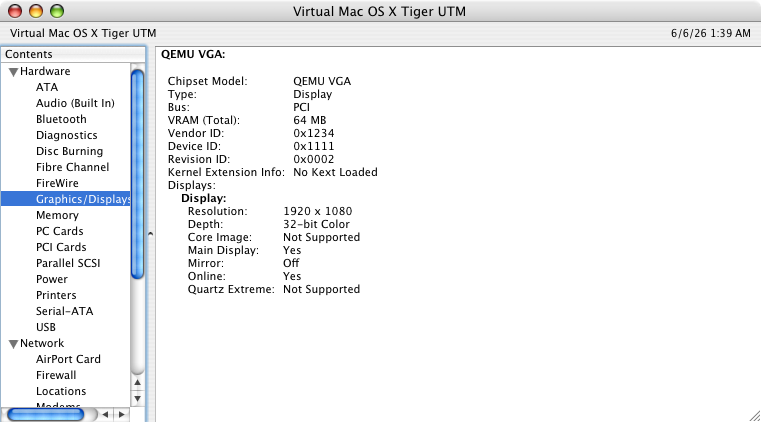
A pivotal shift occurred when the focus moved to Mac OS X Tiger (10.4). This older operating system proved to be a more stable host for Photoshop CS4 within the UTM environment. The transition to Tiger not only addressed the erratic behavior of text input but also enabled the proper rendering of graphic files. The author reported that after installing essential fonts such as Roboto, San Francisco, and Valera Round, website graphics began to display correctly within the virtualized Tiger instance. This improvement is partly explained by the lower overhead of Quartz Compositor, a graphics rendering engine used in Tiger, compared to the more resource-intensive Core Animation found in later macOS versions. While neither the Tiger nor Leopard VMs utilized kernel extensions (kexts) for graphics acceleration, Photoshop demonstrated a marked preference for the Tiger environment.
Performance Benchmarks and Usability Assessment
To gauge the practical utility of this setup, the author conducted several tests. The primary objective was to ascertain if Photoshop CS4 could perform essential graphic design tasks, such as creating and editing website assets, without significant performance degradation.
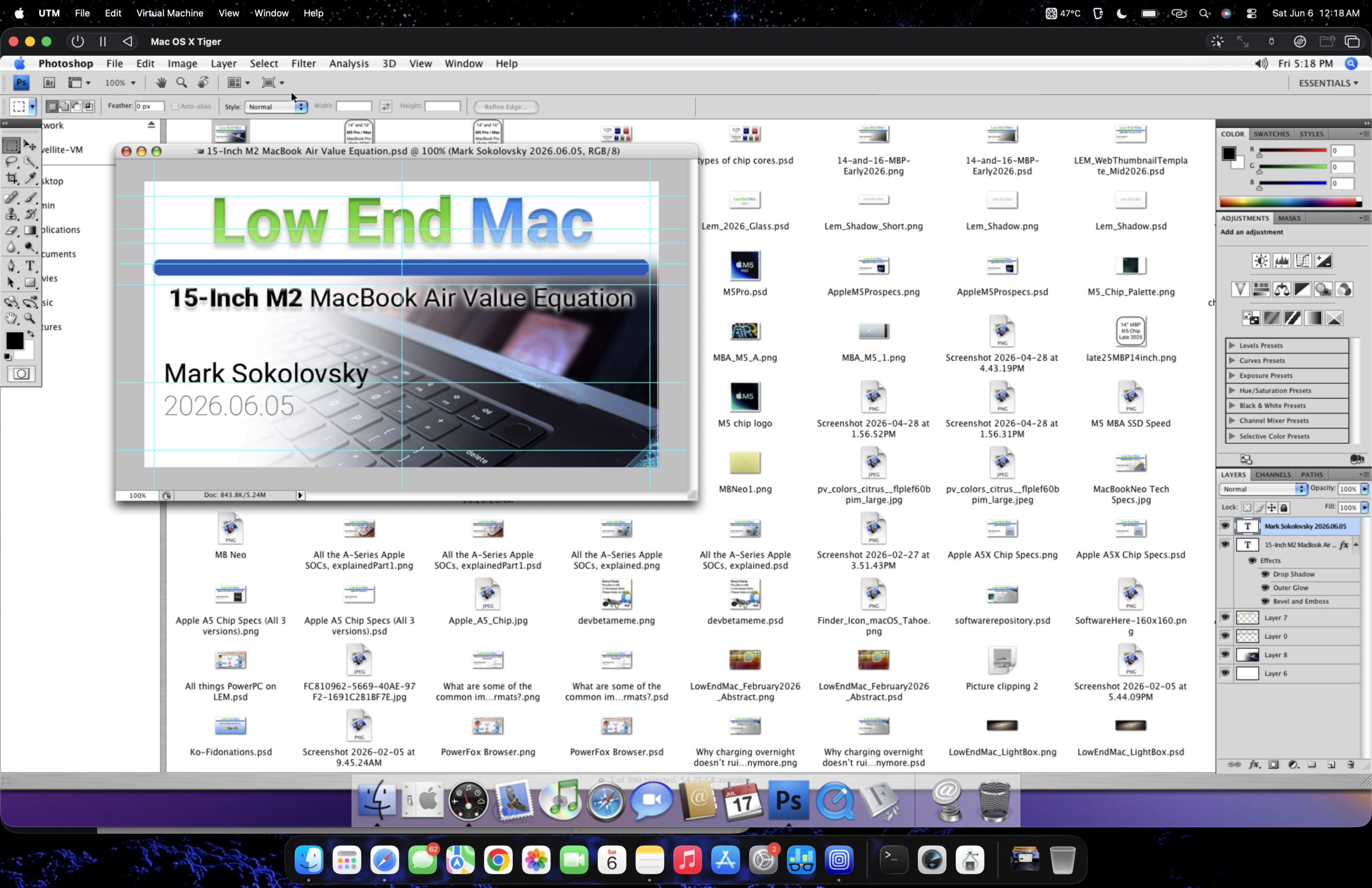
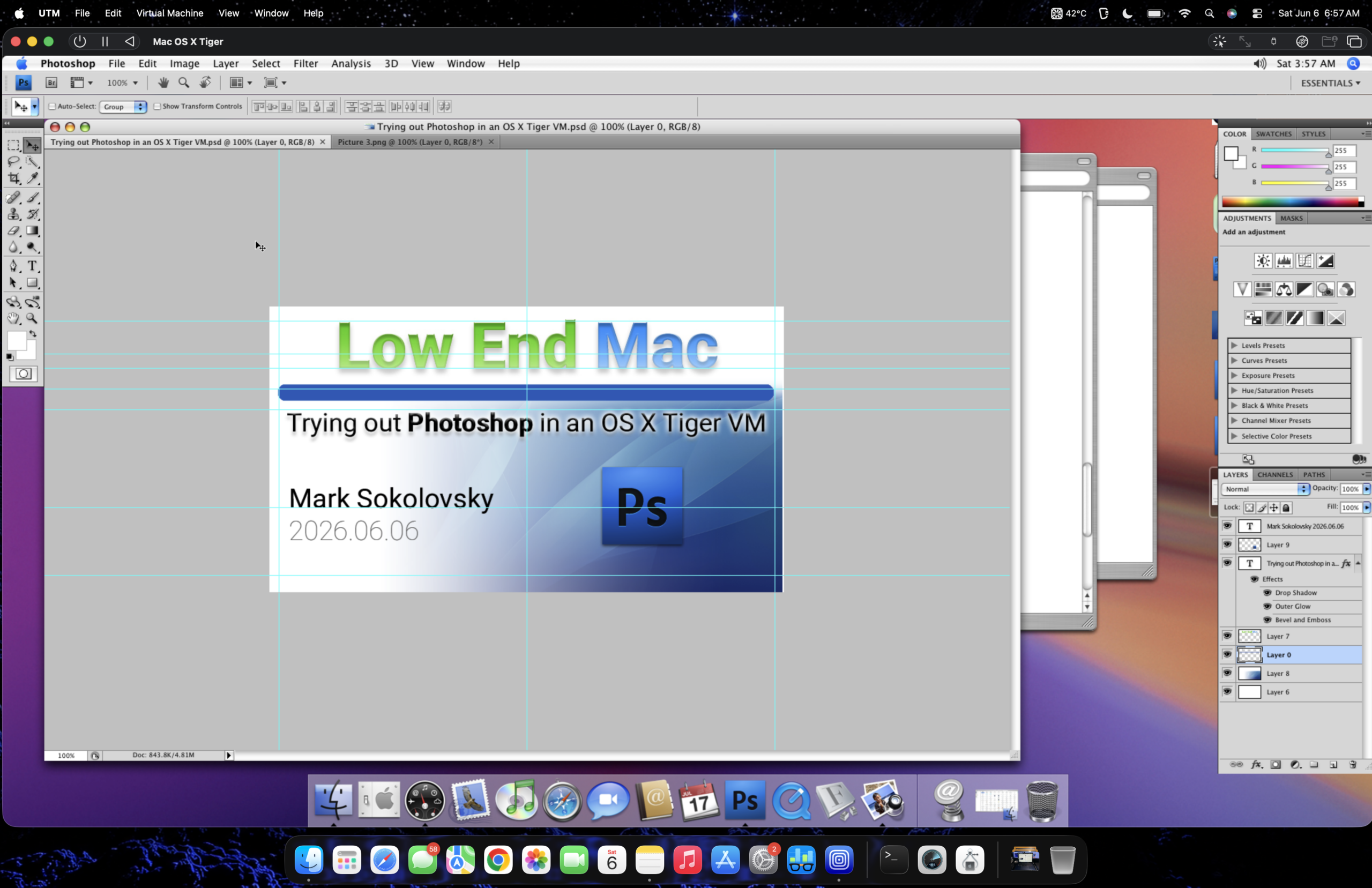
One key test involved customizing a web thumbnail preview. The process, which involved opening, copying, and pasting elements from different tabs, including a full-sized wallpaper, was reportedly handled without notable performance dips. The virtual machine did not exhibit any "sneezing," a colloquial term for performance stutters or freezes, during these operations. This suggests that for moderately complex image manipulation tasks, the Tiger VM within UTM on the M2 Air is capable of delivering a usable experience.
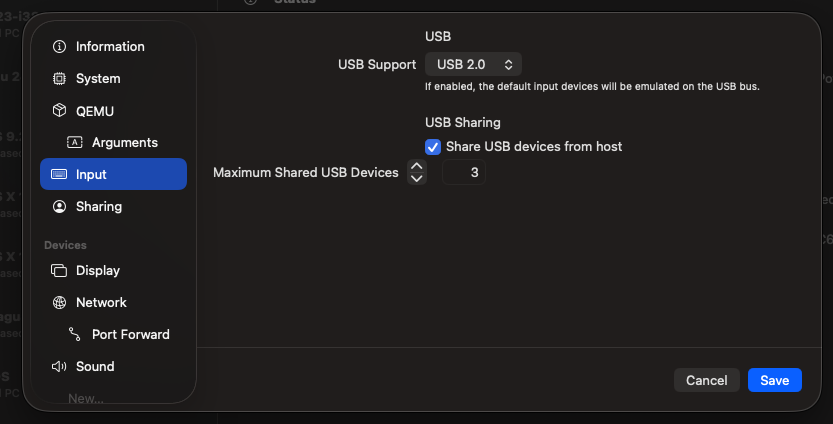
Furthermore, the integration of USB peripherals through UTM was highlighted as a significant advantage. The ability to seamlessly connect and utilize USB devices, such as external drives or input devices, within the virtualized macOS environment, even an older version, enhances the workflow. This feature allows for direct file transfer between the host M2 Air and the virtual machine, mirroring a more native file management experience. The author noted that this functionality worked reliably about 90% of the time, further contributing to the practicality of the solution for users needing to move files between their modern Mac and the virtualized legacy environment.
The author also shared visual evidence of the setup through screenshots and a YouTube video. The screenshots illustrate the Photoshop CS4 interface running within the Tiger VM, showcasing the successful rendering of fonts and graphic elements. The accompanying video, titled "Launching Photoshop CS4 in a Tiger VM on a M2 MacBook Air running Tahoe," provides a direct demonstration of the application’s startup and basic functionality, allowing viewers to assess the performance in real-time. The video’s inclusion serves as a crucial piece of supporting data, offering tangible proof of the described capabilities.
The Enduring Appeal of Legacy Software and Hardware
Despite the successful implementation of this virtualization workaround, the author maintains a preference for dedicated legacy hardware for intensive graphics work. The Power Mac G5 is cited as an ideal workstation, reflecting a sentiment among some creative professionals who value the specific performance characteristics and tactile experience of older, robust systems. This perspective underscores that while virtualization offers a compelling solution for accessibility, it may not fully replicate the nuanced performance and user experience of native hardware.
The reliance on Photoshop CS4 is further contextualized by its "freed" status, meaning it does not incur ongoing subscription fees, a significant draw for individuals or small businesses managing tight budgets. The author’s personal familiarity and comfort with this version, having learned graphic design on it, also contribute to its continued use. This sentiment reflects a broader trend of users seeking cost-effective and familiar tools in an era of increasingly expensive software subscriptions.
Technical Underpinnings and Implications
The success of running Photoshop CS4 on an M2 MacBook Air via UTM is a testament to the advancements in virtualization technology. UTM, which leverages Apple’s Virtualization Framework and QEMU, allows for emulation and virtualization of various architectures, including ARM and x86, on Apple Silicon Macs. The ability to virtualize older macOS versions is particularly noteworthy, as it opens doors for users who need to run applications that have not been updated for modern operating systems or hardware.
The implications of this workaround are significant for several user groups:
- Creative Professionals: Those who rely on specific features or workflows within older versions of Photoshop can continue to do so without being forced into costly upgrades or subscriptions. This is particularly relevant for industries where specific software versions are deeply integrated into established workflows.
- Educational Institutions: Schools and universities that may have licensed older software for their curriculum can continue to utilize these resources on newer hardware, extending the lifespan of their investments.
- Hobbyists and Enthusiasts: Individuals who prefer the simplicity and cost-effectiveness of older software can now access it on the latest Apple hardware, bridging the gap between modern computing and nostalgic software.
However, it is crucial to acknowledge the limitations. The absence of full hardware acceleration means that demanding tasks, such as complex 3D rendering or high-resolution video editing, might still be sluggish or impractical within the virtualized environment. Furthermore, relying on legacy operating systems can introduce security vulnerabilities, as older OS versions may no longer receive security updates from Apple. Users must exercise caution and implement appropriate security measures on both the host and guest operating systems.
Future Outlook and Community Contributions
The exploration of running Photoshop CS4 on Apple Silicon through virtualization is an ongoing process. As virtualization software like UTM continues to evolve, and as the community shares its experiences and optimizations, further improvements in performance and compatibility are likely. The willingness of users to experiment and document their findings is invaluable in pushing the boundaries of what is possible with modern hardware and legacy software. This particular case study serves as an encouraging example of how users are creatively adapting to the rapid pace of technological change, ensuring that valuable tools from the past remain accessible in the present. The successful emulation of older macOS environments on Apple Silicon not only preserves access to beloved applications but also fosters a deeper understanding of the evolution of computing platforms and software architecture.