Vera Clarissa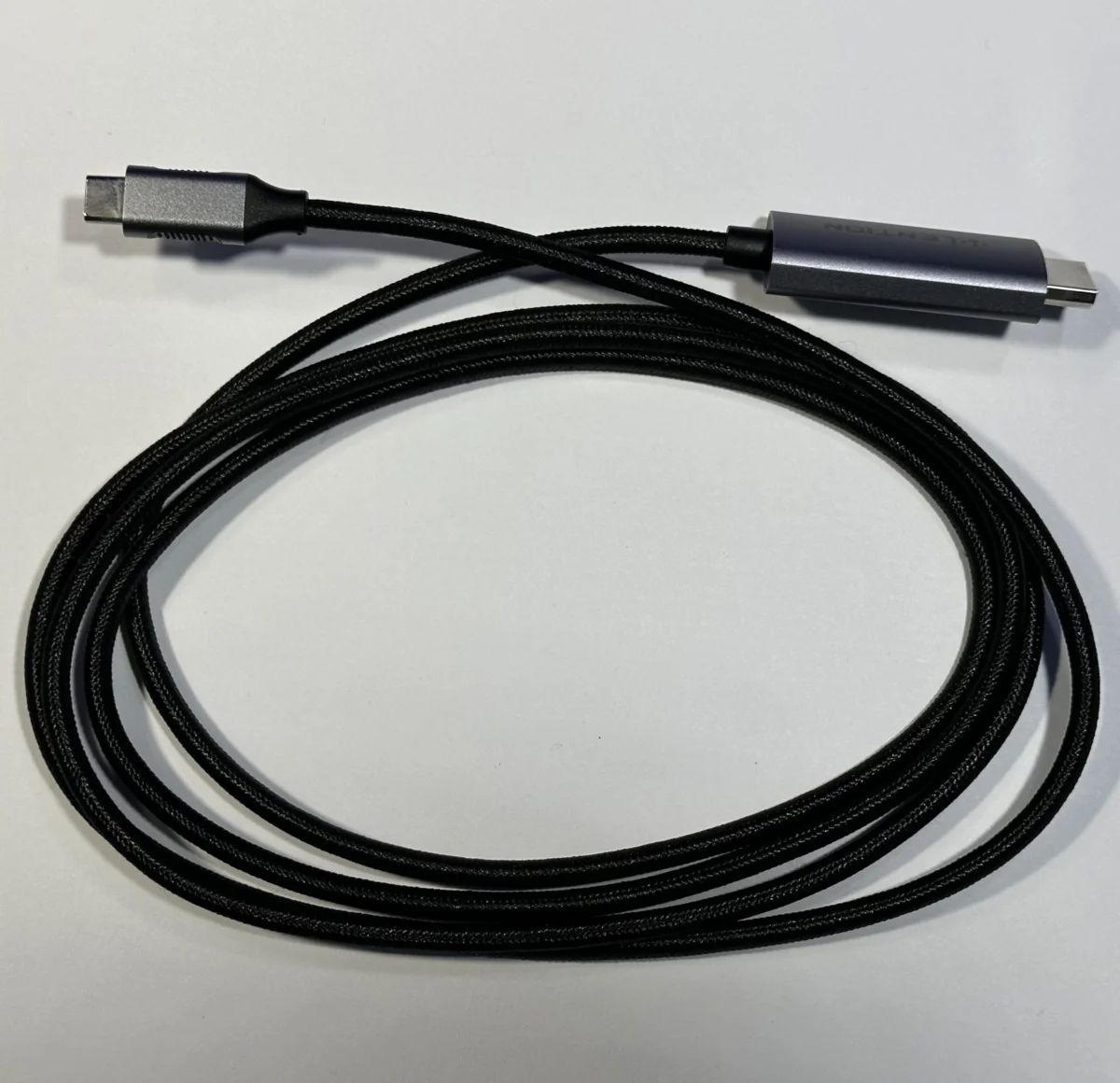
The landscape of personal computing has seen a dramatic shift with the widespread adoption of USB-C ports across a range of Apple devices, from the sleek MacBook Air to the versatile iPad. This evolution necessitates a corresponding adaptation in the accessories and cables users employ. While the initial transition to USB-C may have been met with some hesitation due to perceived high costs of compatible peripherals, a pragmatic approach to acquiring these items has revealed a cost-effective and highly functional ecosystem. This updated guide explores essential accessories and adapters that enhance the utility and longevity of various Mac models, including the MacBook Air, iPads, and Intel-based MacBook Pros, building upon insights from a previous analysis in 2025.
The Ubiquitous USB-C to USB-A Adapter: Bridging Generations of Connectivity
In the realm of indispensable accessories, the USB-C to USB-A adapter stands out as arguably the most universally useful item. Its significance lies in its ability to seamlessly connect older peripherals and devices that rely on the now-legacy USB-A standard to modern MacBooks equipped solely with USB-C ports. This small but mighty adapter, often available for as little as $2 on platforms like eBay, ensures that a vast array of existing hardware remains compatible. The author’s own experience highlights this, recalling receiving such an adapter with a Samsung Galaxy S7 Edge years ago, a testament to its enduring relevance even before the widespread adoption of USB-C on laptops.
The value of this adapter transcends its nominal cost. It represents an investment in continued functionality for a user’s existing technological arsenal. While not an accessory used daily by all, its availability "just in case" can prevent significant inconvenience or the premature obsolescence of perfectly functional devices. For businesses or individuals with a mixed fleet of older and newer technology, maintaining a stock of these adapters is a prudent strategy for ensuring operational continuity and avoiding the expense of replacing perfectly good peripherals. The proliferation of USB-A ports in environments such as older conference rooms, public charging stations, and legacy computer peripherals makes this adapter a critical tool for mobile professionals.
Protecting Your Investment: Cases for Every Mac
The protection of portable computing devices is paramount, whether one is safeguarding a brand-new purchase or a well-maintained vintage model. A protective case acts as a crucial buffer against the daily wear and tear that can compromise a device’s aesthetic appeal and functional integrity. The author expresses a preference for clear cases, valuing the inherent design of their chosen Apple devices. However, this preference is tempered by a common frustration: the tendency of some clear cases to become brittle with age or to crack with minimal impact, regardless of their price point. Both inexpensive and premium cases have demonstrated this susceptibility, suggesting that material quality and design longevity are not always correlated with cost.
A notable example of a premium case was the Incase Edge Hardshell, purchased for $49.95 at an Apple Store for an M4 MacBook Air. This case was lauded for its precise fit, high-quality construction, and refined aesthetic, offering a superior feel compared to other cases available for the same model at the time. Despite its positive attributes, the author notes that even such a well-regarded case eventually succumbed to the general issue of material degradation.
Currently, the author utilizes a $10 clear case from Amazon for their M4 MacBook Air. While not as form-fitting as the Incase model, it effectively provides protection against minor impacts and scratches encountered during transit or when sliding the device into a backpack. The slightly looser fit, while sacrificing some of the snugness of premium options, offers the advantage of easier removal for cleaning. This pragmatic choice underscores the principle that effective protection does not always necessitate a significant financial outlay. The market for MacBook cases is vast, with options ranging from ultra-thin hardshells to robust folio cases, catering to diverse needs for protection, functionality, and style.
Expanding Connectivity: The Mini-Hub and Ethernet Port Solution
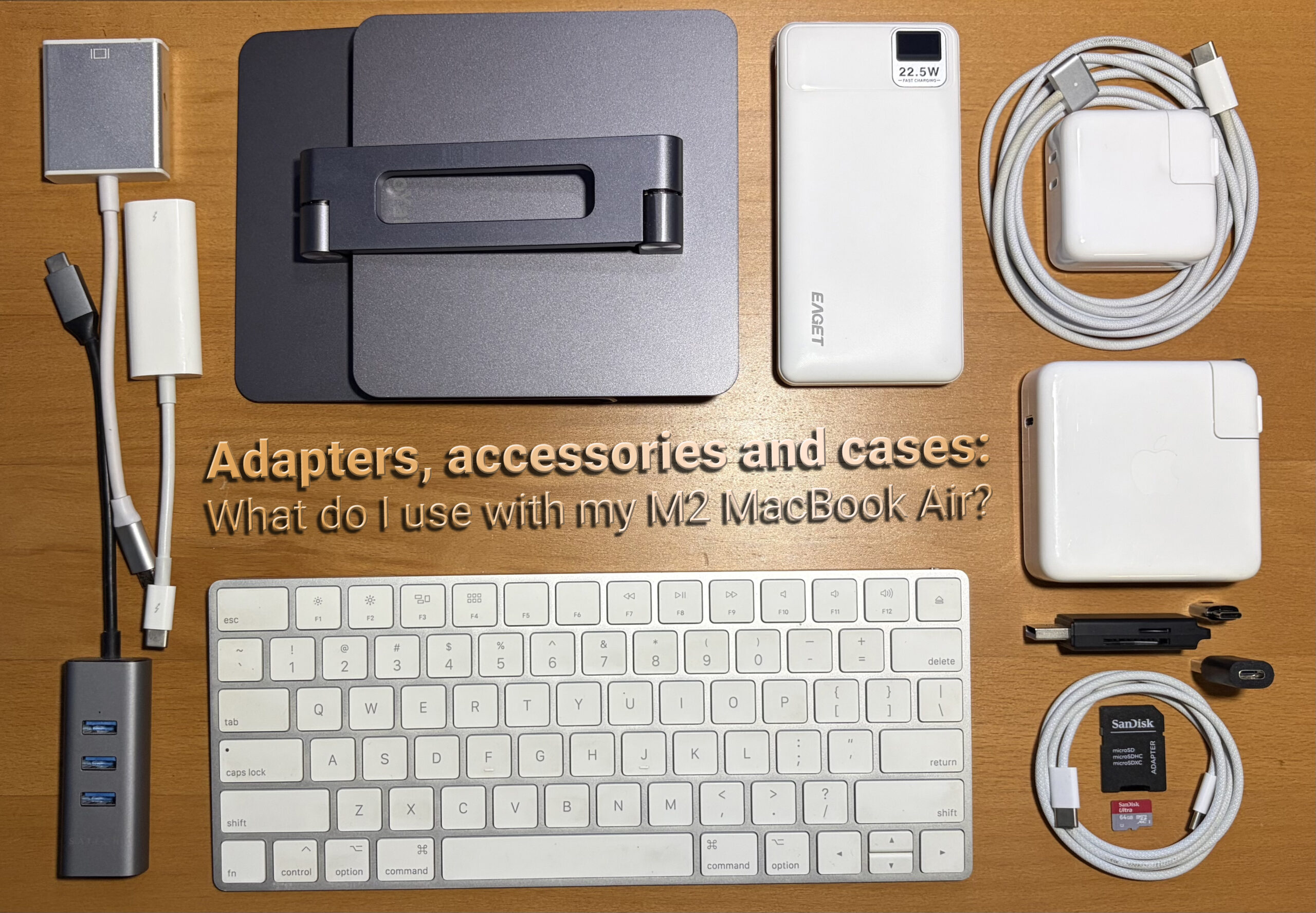
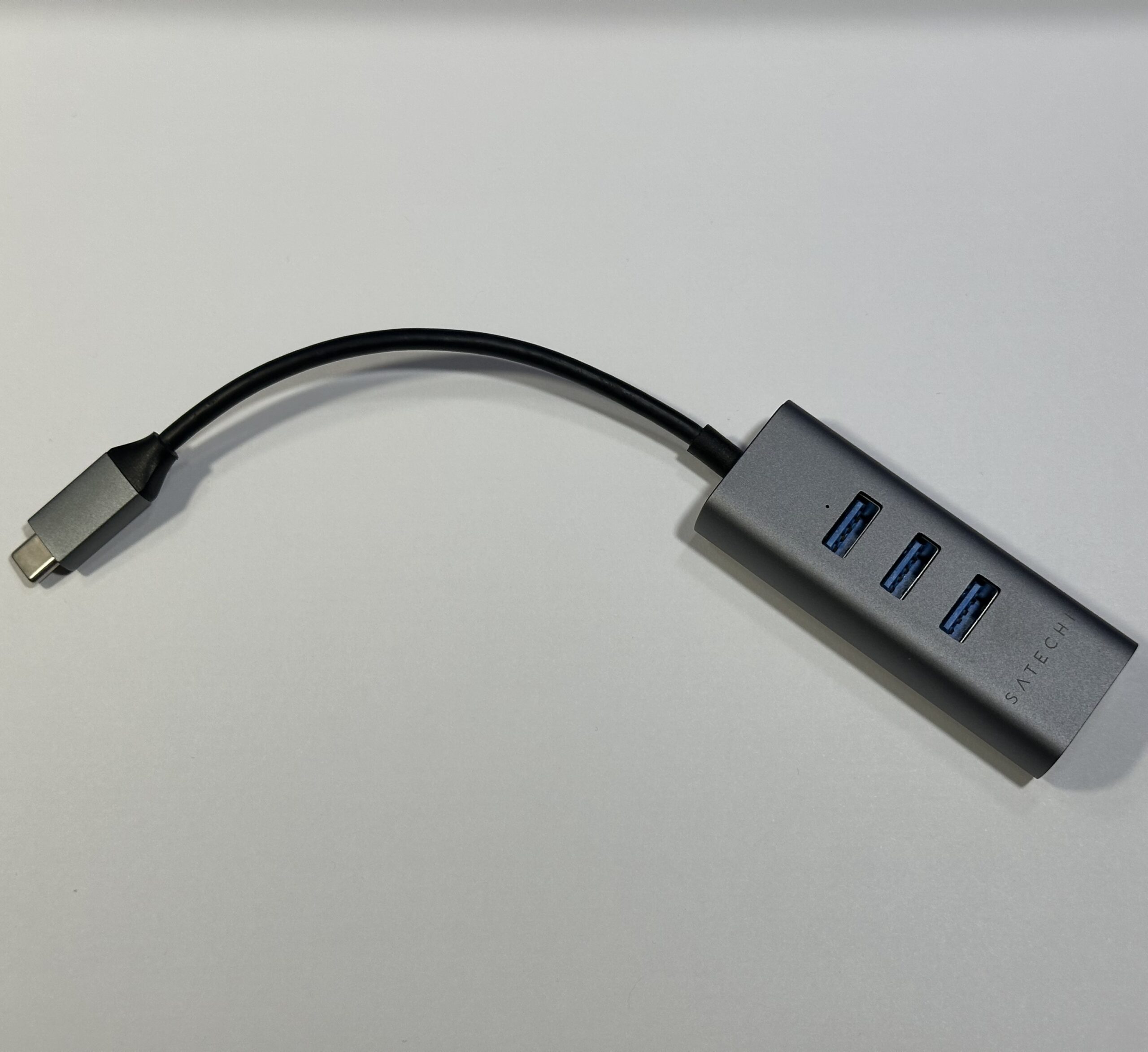
For users who require more than the standard USB-C ports offer, a mini-hub provides a versatile solution. The Satechi USB-C to 3x USB-A 3.0 + Gigabit Ethernet adapter, a long-standing accessory in the author’s collection since their 2018 15-inch MacBook Pro with Touch Bar, exemplifies this category. This hub, priced competitively around $29.99 on Amazon, strikes a balance between functionality and aesthetic appeal, its space-gray finish complementing Apple’s design language.
The inclusion of multiple USB-A ports ensures compatibility with a wide array of peripherals, from external hard drives and keyboards to older mice and card readers. The integrated Gigabit Ethernet port is particularly valuable for users who require a stable and high-speed wired internet connection, a feature increasingly absent from modern ultra-thin laptops. While the author notes a minor issue with the metal casing beginning to separate, a common occurrence with heavily used accessories, this is a repairable cosmetic flaw rather than a functional defect. The continued utility of this hub, even with a slightly aging chassis, speaks to its robust design and the essential nature of its integrated ports. As connectivity needs evolve, hubs with additional ports such as HDMI, DisplayPort, and SD card readers have become increasingly sophisticated, offering a single point of connection for a multitude of peripherals.
Reviving Legacy Displays: Adapting Vintage Monitors for Modern Macs
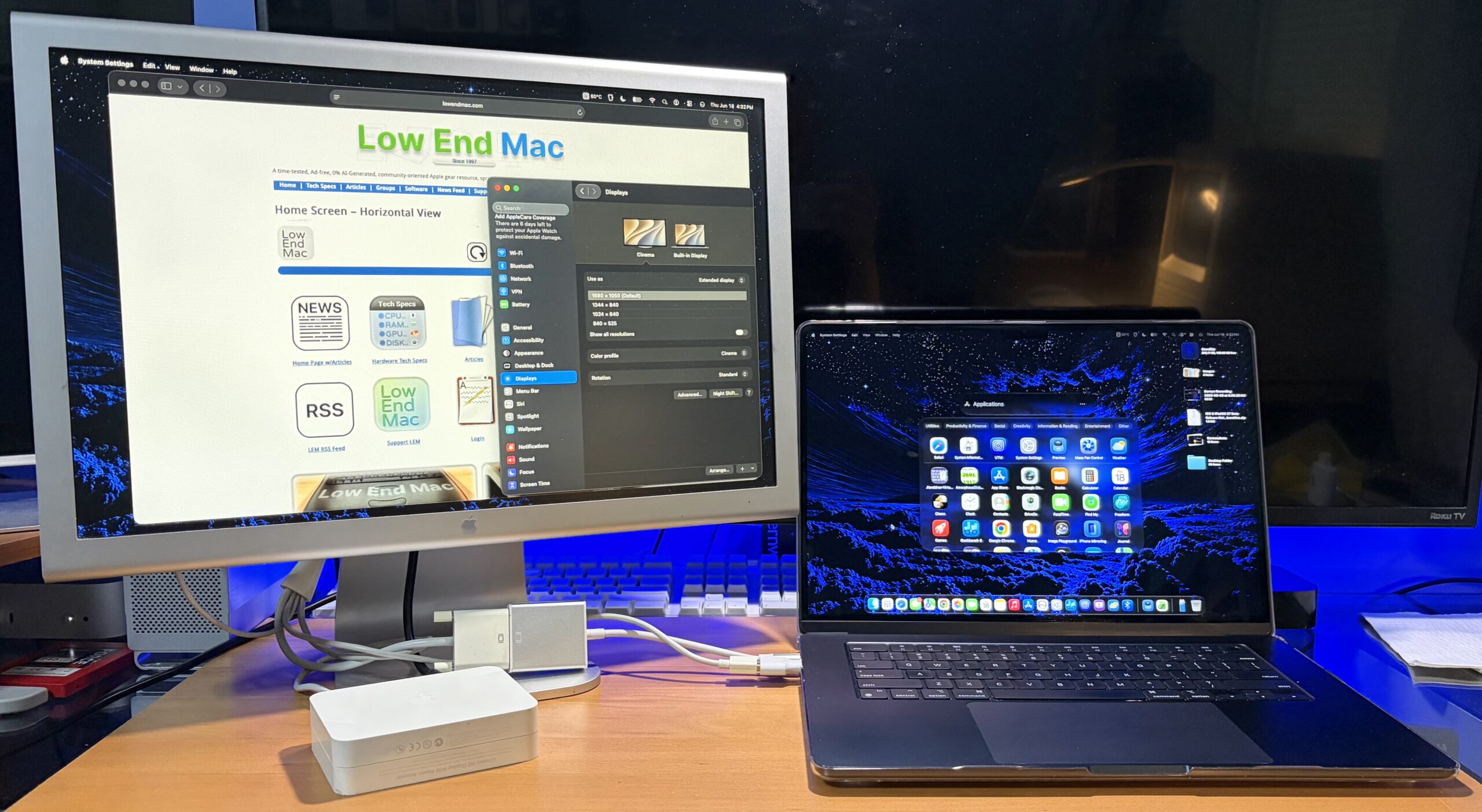
The transition to Apple Silicon has introduced new considerations for users wishing to connect older external displays. Fortunately, adapters now exist that allow devices like the Aluminum Cinema Display to function with contemporary Macs. A generic $26 single-link DVI adapter, initially acquired for setting up an M1 Mac mini, proved effective for connecting a 20-inch Aluminum Cinema Display to an M2 MacBook Air. This demonstrates that even older, high-quality displays can be integrated into a modern workflow with relatively inexpensive hardware.
For users with dual-link DVI displays, the cost of adapters tends to be higher. While the author has not personally acquired a dual-link adapter, anecdotal evidence suggests that certain Amazon-sourced adapters, when combined with a Mini DisplayPort to Dual-Link DVI adapter, can provide a functional connection. The availability of such adapters bridges the gap between older display technology and the latest Mac hardware, offering an environmentally conscious and cost-effective alternative to purchasing entirely new display setups. The demand for such adapters is driven by a segment of users who value the aesthetic and build quality of older Apple displays and wish to extend their useful life.
Maximizing Charging Efficiency: Leveraging Older Power Bricks and Fast Charging
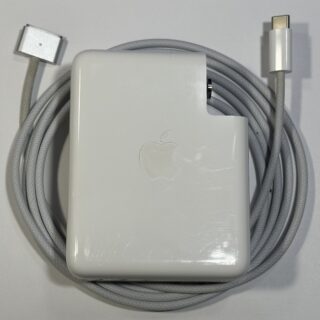
The M2 MacBook Air, while shipping with a standard charging brick, supports fast charging when connected to higher-wattage power adapters, such as those designed for MacBook Pro models. This capability presents an opportunity to utilize older, more powerful chargers. Apple’s policy of allowing users to retain their old accessories when trading in a device further facilitates this. Keeping older, higher-wattage chargers avoids the need for new purchases and ensures optimal charging speeds.
For those who do need to acquire a new charging brick, Anker offers a 100W compact, foldable charger for approximately $29, a recommendation that has gained traction from reputable tech publications. The author’s personal setup utilizes a 140W Apple USB-C brick at home for maximum power delivery and a slightly smaller 87W Apple USB-C brick for travel, recognizing that the MacBook Air’s 70W requirement for fast charging is well within the capacity of both. This strategy optimizes both home and portable charging needs. The advent of GaN (Gallium Nitride) technology in chargers has led to smaller, more efficient, and higher-wattage power adapters, making it easier to carry powerful charging solutions without significant bulk.
The SD Card Conundrum: Affordable Solutions for Card Readers
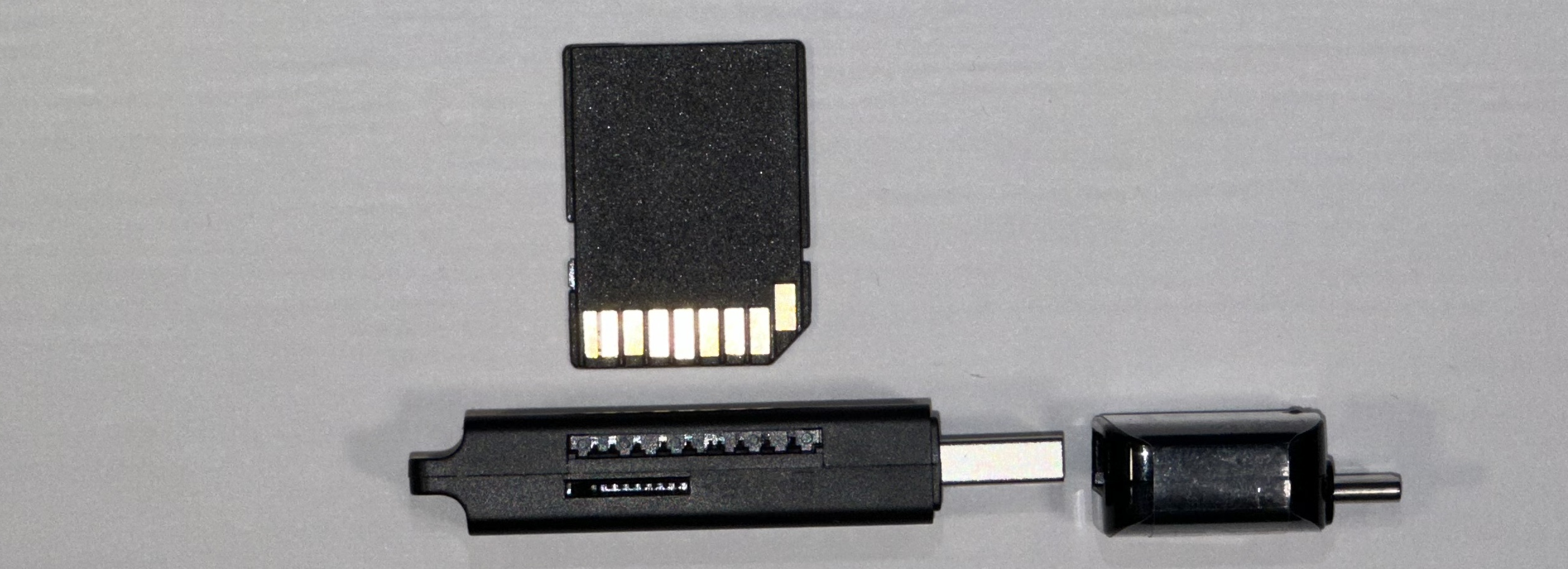
The omission of built-in SD card slots in many modern laptops, including recent MacBook Air models, presents a challenge for photographers, videographers, and other professionals who regularly transfer data from memory cards. Fortunately, external SD card readers are widely available and exceptionally affordable. The author notes that these adapters are "plentiful and cheap" on platforms like eBay.
The convenience of these small, inexpensive devices cannot be overstated. Even if one accidentally acquires a reader with a USB-A connector, the aforementioned USB-C to USB-A adapter readily resolves the compatibility issue. This accessibility ensures that users can maintain their established workflows without the significant expense or inconvenience of replacing entire card reader setups. The variety of form factors, from compact dongles to multi-port hubs with integrated readers, provides options for every preference and need.
External Display Connectivity: Ensuring Optimal Refresh Rates and Resolution
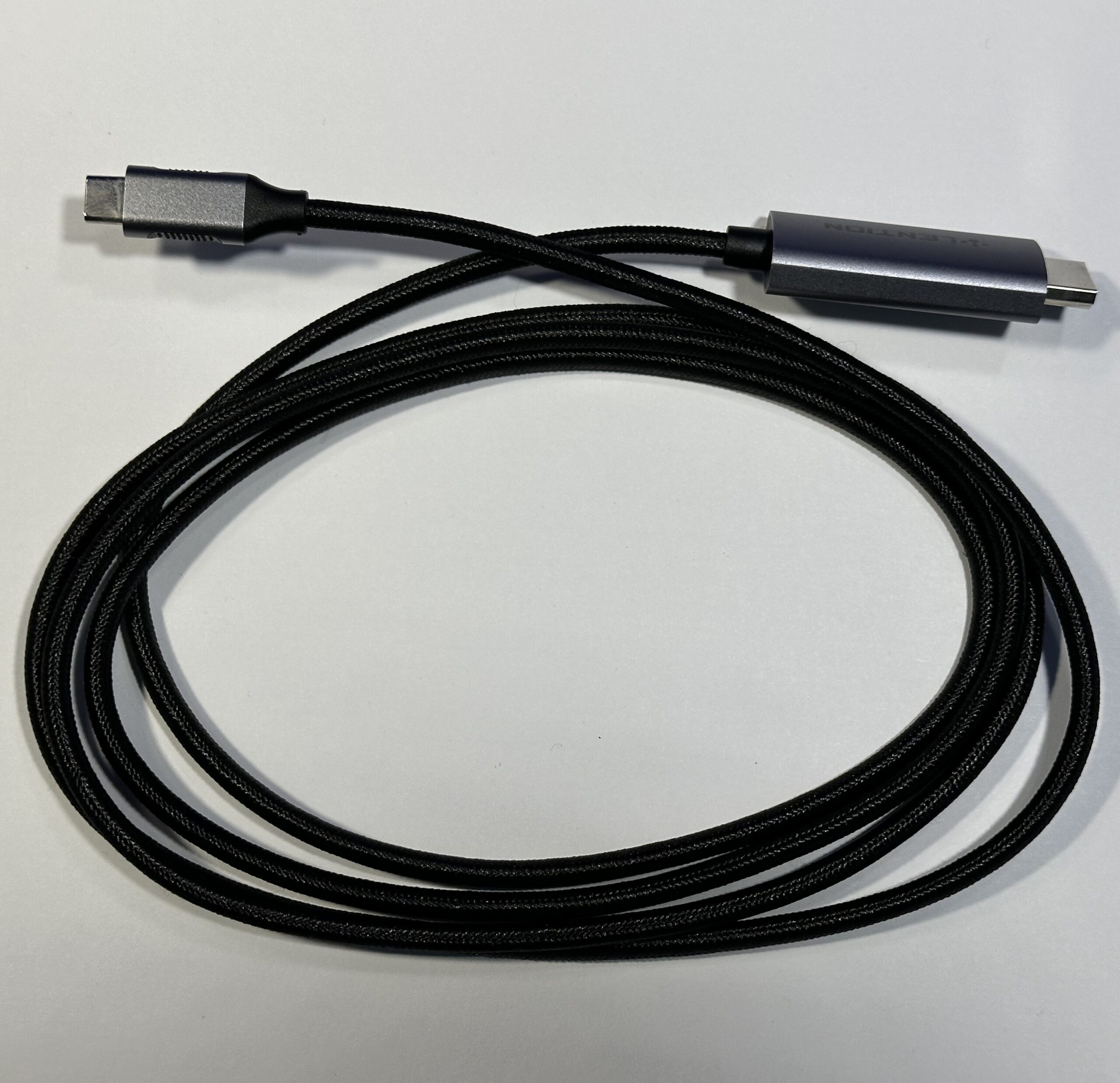
Connecting to external displays is a common requirement for enhancing productivity, and the quality of the adapter plays a crucial role. It is essential to be aware that not all adapters are created equal, and specifications can vary significantly. The author recounts a personal misstep: purchasing a USB-C to HDMI cable with HDMI 1.4 specifications. This resulted in a limitation of 30 Hz at 4K resolution, a rate that proved problematic. The author experienced significant "stomach-motion sickness" when attempting to work with the display at this refresh rate, a stark reminder that even seemingly minor technical specifications can have a profound impact on user experience.
Upon switching to a cable supporting a higher refresh rate (60 Hz), the discomfort subsided. The erroneous HDMI 1.4 cable was repurposed for a third display on an M4 Mac mini, illustrating that even mispurchased adapters can find a secondary use. This experience underscores the importance of verifying specifications, particularly refresh rate and resolution support, when purchasing display adapters. The evolution of HDMI standards (1.4, 2.0, 2.1) and DisplayPort versions has led to significant improvements in bandwidth, enabling higher resolutions and refresh rates, which are critical for demanding visual tasks and immersive experiences.
Cost-Effective Storage: Repurposing Old Hard Drives
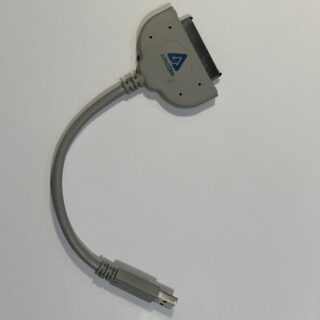
The rapid advancement of Solid State Drives (SSDs) has led to a decline in the prominence of traditional Hard Disk Drives (HDDs) as primary storage. However, old laptop drives often become obsolete and are discarded. These drives represent a valuable and inexpensive source of mass storage when paired with a USB-C to SATA adapter. The author utilizes an Apricorn SATA 6G USB 3.0 adapter, which, when combined with the ubiquitous USB-C to Type-A adapter, allows for the seamless connection of these older drives.
The cost-effectiveness of this solution is remarkable. A 500 GB HDD can be acquired from platforms like eBay for as little as $10, offering substantial storage capacity at a fraction of the cost of a new external SSD. While not matching the blistering speeds of modern SSDs, these repurposed HDDs provide adequate performance for backups, media storage, and general file archiving. This approach not only saves money but also promotes sustainability by giving new life to discarded hardware. The market for USB-to-SATA enclosures is extensive, offering various designs from basic adapters to more robust docking stations, catering to different user needs and preferences.
The Humble Laptop Bag: Portability and Protection on a Budget
The selection of a laptop bag is a personal decision, balancing factors of protection, capacity, and cost. The author suggests that off-price department stores and even yard sales can be valuable sources for finding suitable laptop bags without significant financial strain. These venues often offer discounted new-old-stock or gently used items.
While many budget-friendly bags exist for under $30, the author notes a common drawback: a lack of rigidity and perceived safety from drops. The current bag, while convenient, lacks a structural frame. This observation highlights a trade-off in the budget segment, where affordability may come at the expense of superior protective qualities. The ideal laptop bag should offer adequate padding, a sturdy construction, and sufficient compartments for accessories, ensuring that the device and its accompanying gear are both organized and protected during transit. The market for laptop bags is vast, with specialized designs for various professions and travel styles, from minimalist sleeves to ruggedized travel backpacks.
On-the-Go Power: Portable Power Banks for Extended Use
A portable power bank can be an invaluable asset, particularly in situations where access to power outlets is limited or inconvenient. Whether the issue is a short charging cable, a lack of available outlets, or being away from a power source, a power bank ensures continued device operation. To effectively charge a Mac, particularly for maintaining active usage, a power bank with a minimum rating of 35W is recommended, typically falling in the $50 price range.
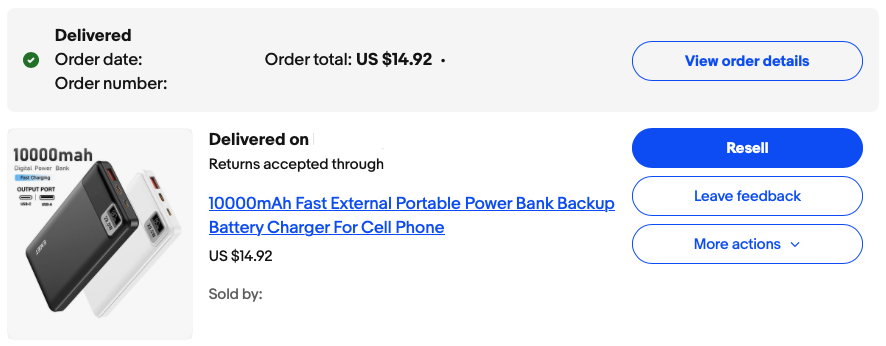
The author’s experience with a $15, 10,000 mAh portable power bank purchased on eBay, advertised with 22.5W fast charging, offers a more budget-conscious perspective. While direct wattage testing is not available, this unit successfully charges an iPhone multiple times and can provide a trickle charge to a MacBook Air when it is in sleep mode. While not capable of powering the MacBook Air during intensive use, this demonstrates that even lower-wattage power banks can offer some utility for maintaining battery levels. The evolution of power bank technology, including the integration of USB Power Delivery (PD) standards, has led to increasingly powerful and efficient portable charging solutions capable of charging laptops at speeds comparable to wall chargers.
Desk Organization: Taming the Adapter Tangle
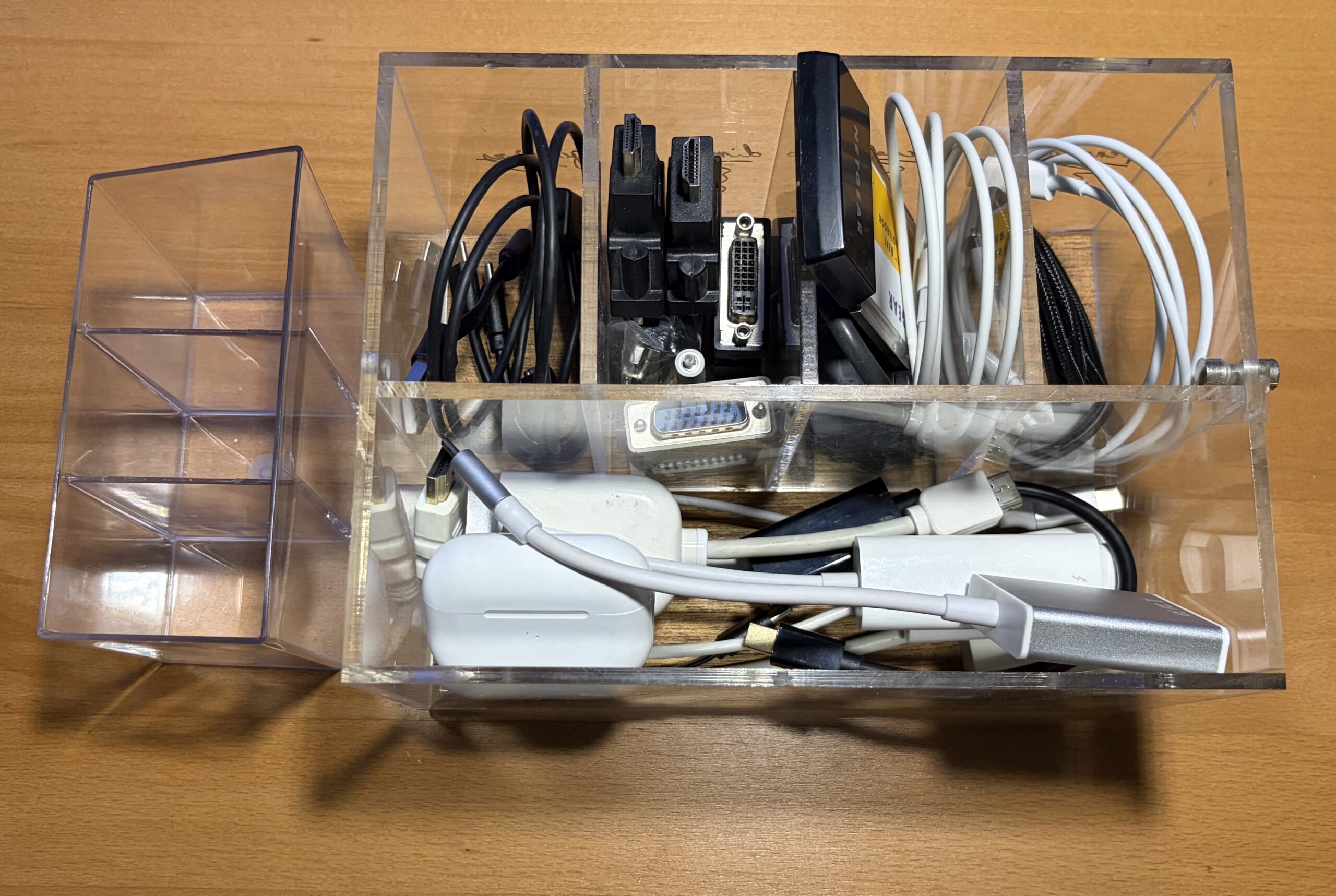
For users with an accumulation of adapters and cables, effective organization is key to maintaining a functional and uncluttered workspace. Local dollar stores, off-price department stores, and even art supply stores can offer inexpensive plastic organizers that are ideal for categorizing and storing these small but essential items. Such organization prevents the frustration of searching through drawers or boxes for the correct adapter.
The Extended Keyboard: Enhancing Typing Comfort and Workflow
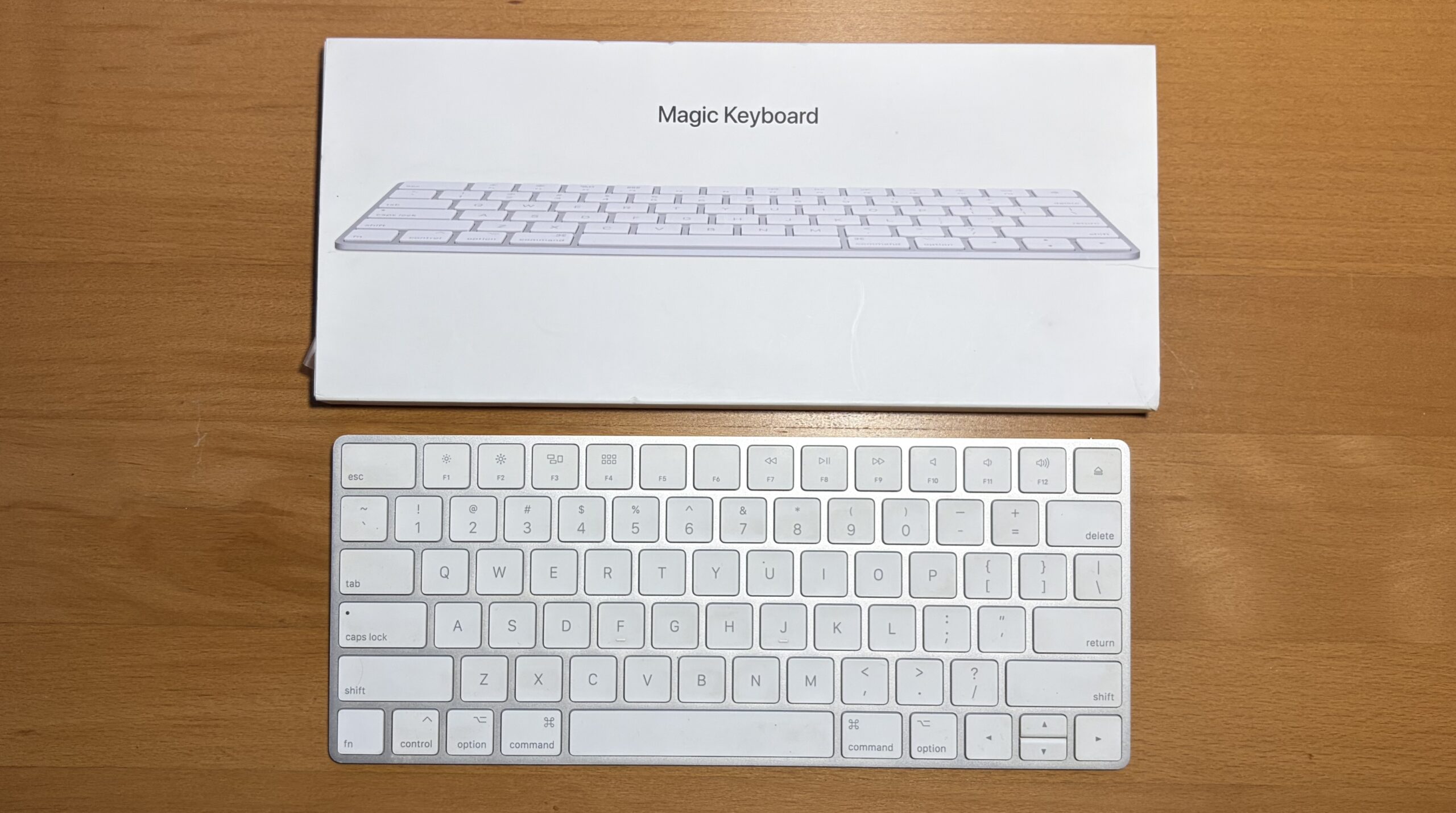
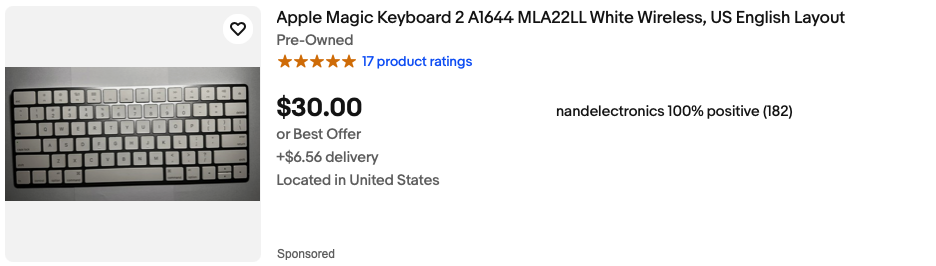
In cases where the built-in keyboard of a MacBook Air is not fully functional or for users who prefer an external typing experience, a wireless Bluetooth keyboard is an essential accessory. The author’s preference for an ultra-slim OEM keyboard that fits neatly into a laptop bag compartment highlights the importance of portability and unobtrusive design. Secondhand markets often provide older Apple wireless keyboards at significantly reduced prices, offering a cost-effective solution for enhancing typing comfort and productivity. The availability of compact, low-profile keyboards, both wired and wireless, caters to a wide range of preferences and ergonomic needs.
Versatile Stands: iPad Support and MacBook Clamshell Mode
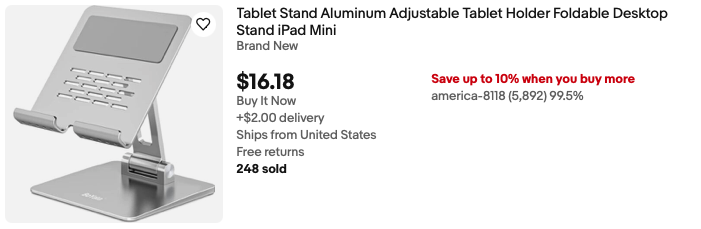
An iPad stand, while designed for a specific purpose, can also serve as a versatile accessory for a MacBook. The author found an iPad stand capable of supporting a MacBook vertically in an upright position. For clamshell mode operation, where the laptop is used with an external display and closed, placing the MacBook trackpad-down on the stand is recommended to avoid undue stress on the display. While dedicated MacBook stands exist, this adaptation demonstrates a resourceful use of existing accessories. In practice, the stand primarily serves its intended purpose for the iPad, allowing it to be used alongside the MacBook Air as an extended display via SideCar or controlled with the MacBook’s trackpad, further enhancing multitasking capabilities. The market for laptop stands is diverse, offering ergonomic solutions that improve posture and airflow, ranging from simple folding designs to elaborate multi-monitor setups.
Conclusion: The Art of Efficient and Affordable Mac Augmentation
The journey of assembling a functional and cost-effective suite of accessories for a MacBook Air, or indeed any modern Mac, is an ongoing process. By strategically selecting versatile and affordable items, users can significantly enhance their computing experience without incurring exorbitant costs. The author’s approach of acquiring accessories incrementally, rather than investing in expensive all-in-one solutions, has proven effective. The collective footprint of these essential items, when thoughtfully organized, can be remarkably compact, fitting comfortably within the space of a standard sheet of paper. This emphasis on portability and space efficiency is crucial for the modern mobile professional.
Essential Accessories Fitting Within a Sheet of Paper:
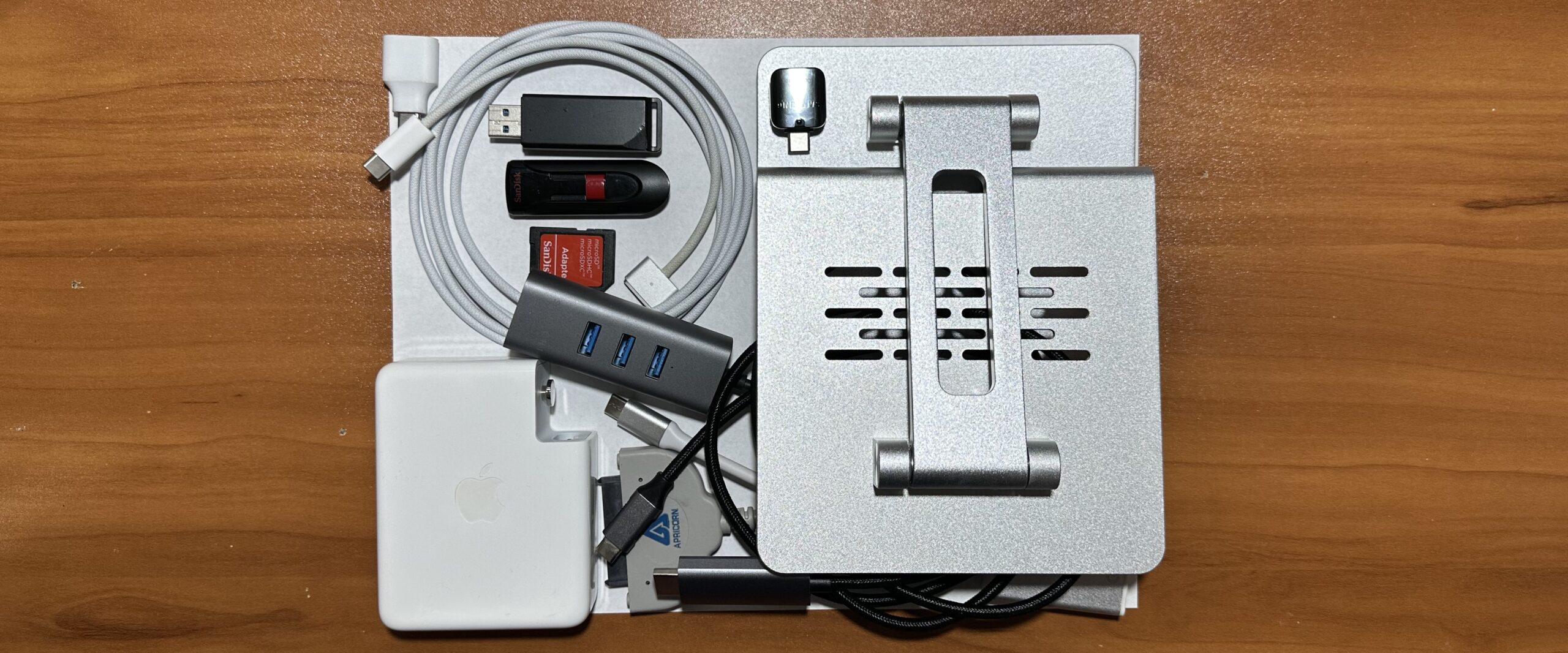
- USB-C to USB-A Adapter
- USB SD Card Reader
- Compact USB-C to HDMI or DisplayPort Adapter
- Portable Power Bank (for trickle charging)
Accessories Requiring Slightly More Space:
- Mini USB-C Hub with multiple ports and Ethernet
- External Hard Drive (repurposed HDD with adapter)
- Wireless Bluetooth Keyboard
- Laptop Stand (optional, but beneficial for ergonomics)
The overarching principle is that adapters and accessories do not need to be prohibitively expensive. The market offers a plethora of multifunction and budget-friendly options. By prioritizing practicality and incremental acquisition, users can build a personalized toolkit that maximizes the utility of their Mac devices, demonstrating that smart technology augmentation is achievable without breaking the bank. This philosophy of resourcefulness extends beyond mere cost savings, promoting a more sustainable approach to technology consumption by leveraging existing hardware and opting for versatile, long-lasting solutions.