Edi Durjana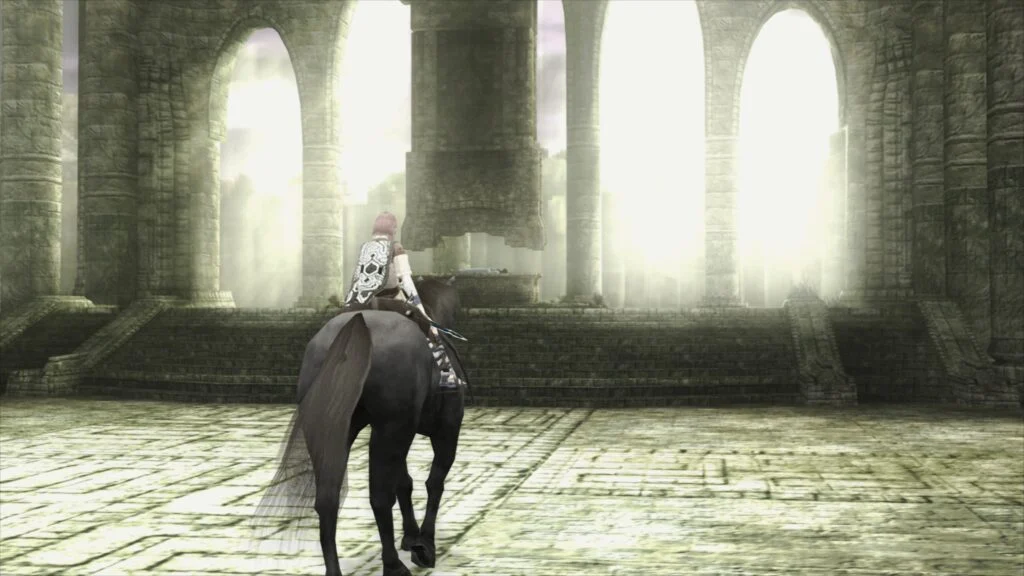
The world of retro gaming emulation has received a significant upgrade with Libretro’s announcement of LRPS2, a completely new PlayStation 2 (PS2) core for its versatile frontend, RetroArch. This innovative core, a heavily modified version of the acclaimed PCSX2 emulator, has been custom-engineered to integrate seamlessly with the Libretro API, promising a vastly improved and modernized PS2 emulation experience for users across Windows, macOS, and Linux platforms. This release marks a pivotal moment for digital preservation and enhanced gameplay for one of the most beloved console generations.
The Enduring Legacy of the PlayStation 2 and the Quest for Perfect Emulation
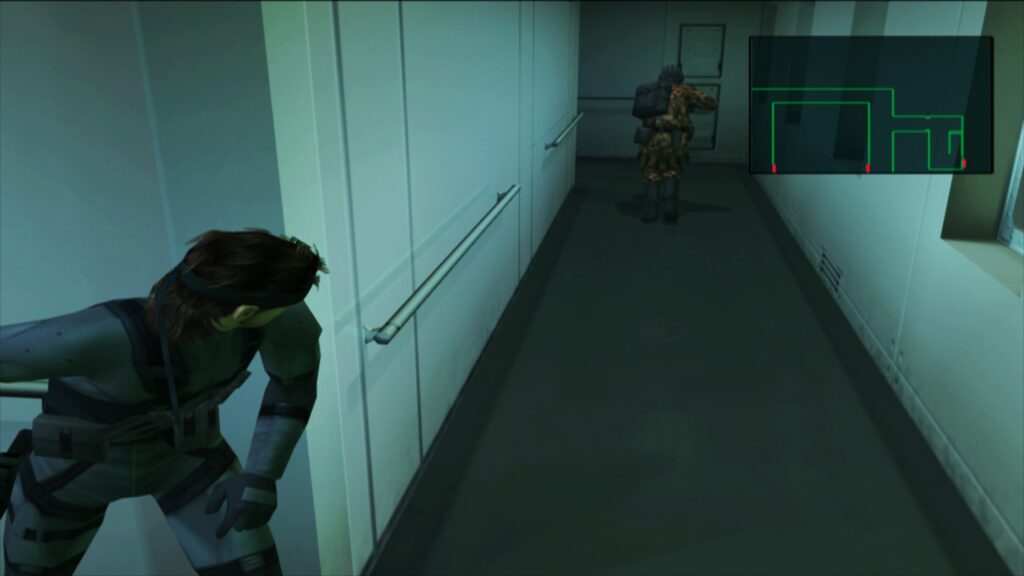
The PlayStation 2, launched in 2000, stands as the best-selling video game console of all time, boasting an immense library of over 3,800 titles that shaped a generation of gamers. From groundbreaking epics like Grand Theft Auto III and Metal Gear Solid 2: Sons of Liberty to genre-defining classics such as Final Fantasy X and God of War, the PS2’s influence is undeniable. However, the console’s complex and unique hardware architecture, featuring the Emotion Engine CPU and Graphics Synthesizer (GS), presented formidable challenges for early emulators. Replicating its intricate timings and custom components accurately while achieving playable performance on contemporary hardware has been a long-standing quest for the emulation community.
For years, PCSX2 has been the gold standard in standalone PS2 emulation, a testament to the dedication of its development team. Its continuous evolution has allowed millions to revisit their favorite PS2 titles with various enhancements. Libretro, with its RetroArch frontend, has aimed to bring a unified and accessible emulation experience across numerous platforms and systems. The previous PS2 core within RetroArch, while functional, suffered from limitations inherent in its older codebase, often leading to compatibility issues, performance bottlenecks, and a less-than-ideal user experience compared to the standalone PCSX2. The introduction of LRPS2 directly addresses these challenges, ushering in a new era for PS2 emulation within the Libretro ecosystem.
LRPS2: A Modern Foundation for Unparalleled Performance
The core distinction of LRPS2 lies in its modern and up-to-date codebase. Unlike its predecessor, which grappled with an aging foundation, LRPS2 leverages the latest advancements from PCSX2 development, meticulously adapted for the Libretro API. This modernization effort has eradicated many of the "serious drawbacks" that plagued the older core, paving the way for superior stability, compatibility, and performance.
One of the most significant improvements is the extensive support for various rendering backends via the integrated GSdx renderer. Users now have a wealth of options to optimize their visual experience based on their hardware and operating system:
- Vulkan: Available on Windows, macOS, and Linux, offering high performance and modern graphics capabilities.
- Direct3D 11 and 12: Exclusively for Windows users, providing robust performance and wide compatibility with DirectX-enabled hardware.
- OpenGL: Supported on Windows and Linux, a reliable and widely compatible API for diverse system configurations.
This broad renderer support ensures that a wide array of systems can achieve optimal performance and visual fidelity, accommodating everything from powerful gaming rigs to more modest setups.
ParaLLEl-GS: Redefining Visual Fidelity with Compute Shaders
While the modernized GSdx renderer brings substantial improvements, the true "star of the show" is paraLLEl-GS. Developed by Themaister, a renowned figure in the emulation scene, paraLLEl-GS is a groundbreaking, entirely new renderer built from the ground up using compute shaders and exclusively targeting the Vulkan graphics API. This innovative approach mirrors the success of paraLLEl-RDP for Nintendo 64 emulation, demonstrating a commitment to pushing the boundaries of accuracy and enhancement.
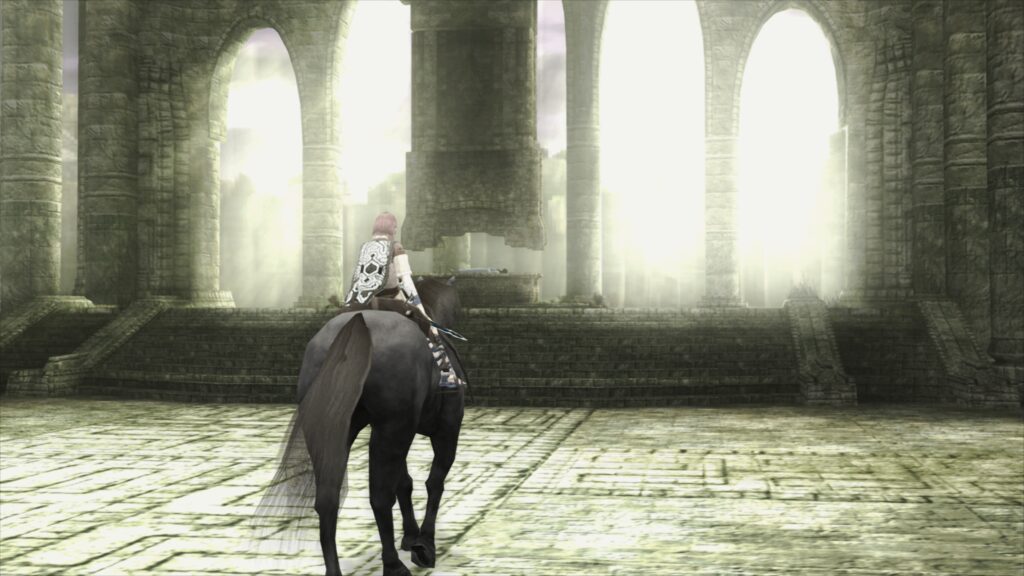
The fundamental goal of paraLLEl-GS is to achieve the pixel-perfect accuracy typically associated with software renderers, but with the added benefits of modern hardware acceleration and advanced graphical enhancements. This fusion results in an output image quality that often surpasses even GSdx rendering at significantly higher internal resolutions, all while requiring minimal game-specific hacks.
Key features of paraLLEl-GS include:
- 16x SSAA (Super-Sampling Anti-Aliasing): This aggressive anti-aliasing technique dramatically reduces aliasing artifacts (jaggies) and shimmering on 3D geometry and textures, resulting in an exceptionally clean and smooth image.
- ParaLLEl Experimental High-Res Scanout: When enabled, this feature effectively doubles the resolution, providing a crisper and more detailed picture.
- Reduced Need for Hacks: Unlike traditional hardware renderers that often require numerous game-specific workarounds to address visual glitches, paraLLEl-GS’s compute-based architecture inherently mimics the PS2’s Graphics Synthesizer more accurately, leading to higher compatibility out-of-the-box.
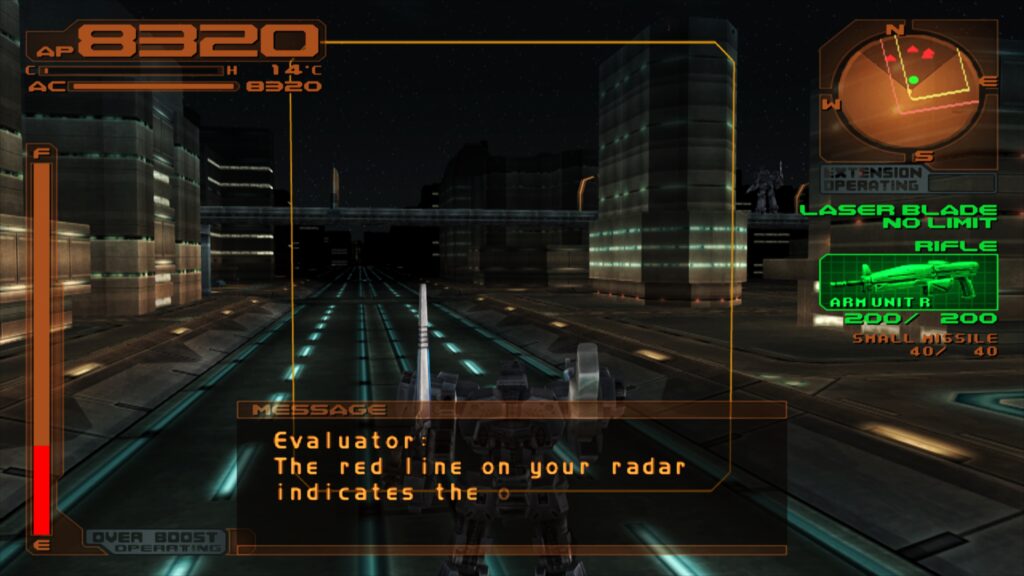
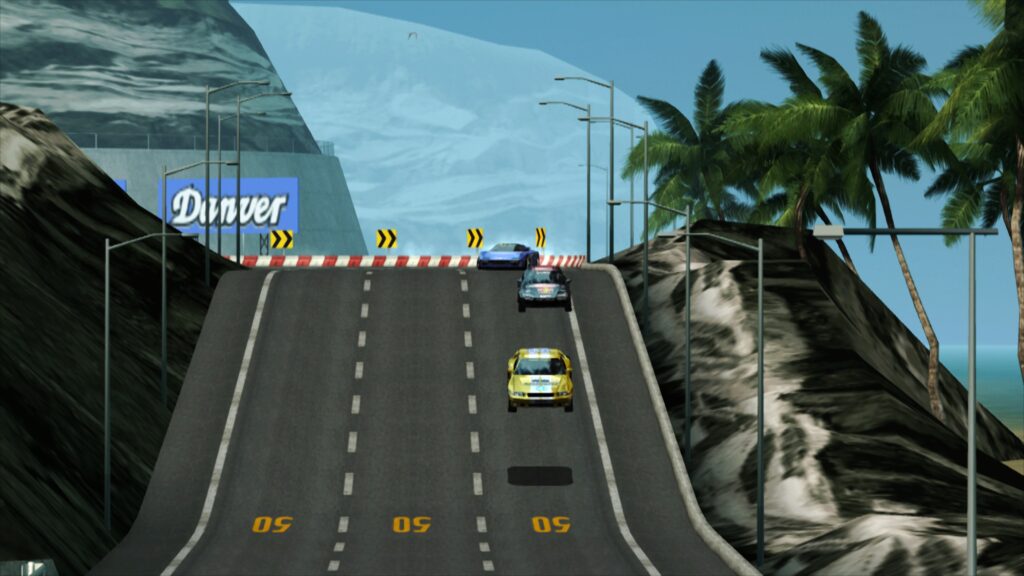
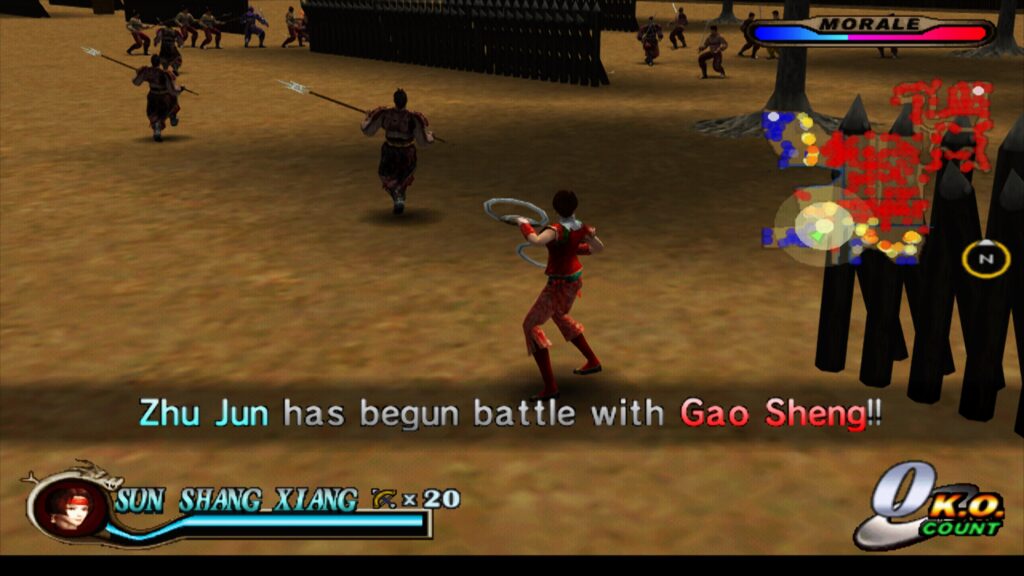
The technical depth behind paraLLEl-GS is profound, as detailed in Themaister’s earlier blog article, which outlines the intricate process of reimplementing the Graphics Synthesizer in compute shaders. This advanced rendering paradigm represents a significant leap forward, not just for PS2 emulation but potentially for future emulation core development across various platforms. Screenshots provided by Libretro, showcasing titles like Armored Core 3, Shadow of the Colossus, and Silent Hill 3 with 16x SSAA and high-res scanout, vividly illustrate the stunning visual improvements achievable with paraLLEl-GS, often utilizing shader presets like fsr/fsr-aa-lv2-bspline-4taps.slangp for further refinement.
Accessibility and Setup: Integrating PS2 Emulation into RetroArch
One of the primary advantages of LRPS2 within RetroArch is the streamlined setup process, making PS2 emulation more accessible than ever for users already familiar with the frontend. The core is currently available for Windows, Linux (x86_64), and macOS, though it is not yet supported on Android, iOS, or ARM Linux platforms, a detail explicitly noted by the developers to manage user expectations.
To set up LRPS2, users simply navigate to RetroArch’s Online Updater:
- Update Core Info Files: This ensures the core appears correctly in the menu.
- Core Downloader: Select "Sony – Playstation 2 (LRPS)" to download the core itself.
- Core System Files Downloader: Download the
LRPS2.zipbundle. This bundle automatically creates thepcsx2directory within RetroArch’ssystemdirectory and populates it withGameIndex.yaml. This YAML file is crucial, containing various per-game hacks and settings that the core and GSdx renderer utilize for enhanced compatibility. It also creates abiosdirectory where users must place their PS2 BIOS set – a legally required component for PS2 emulation.
Once these steps are completed, users are ready to scan and load their PS2 games. LRPS2 supports various game formats, including CHD, but users are advised against using compressed archives like .7z, .rar, or *.zip, as these are not directly supported for game loading.
Specific Considerations for macOS (Apple Silicon) Users
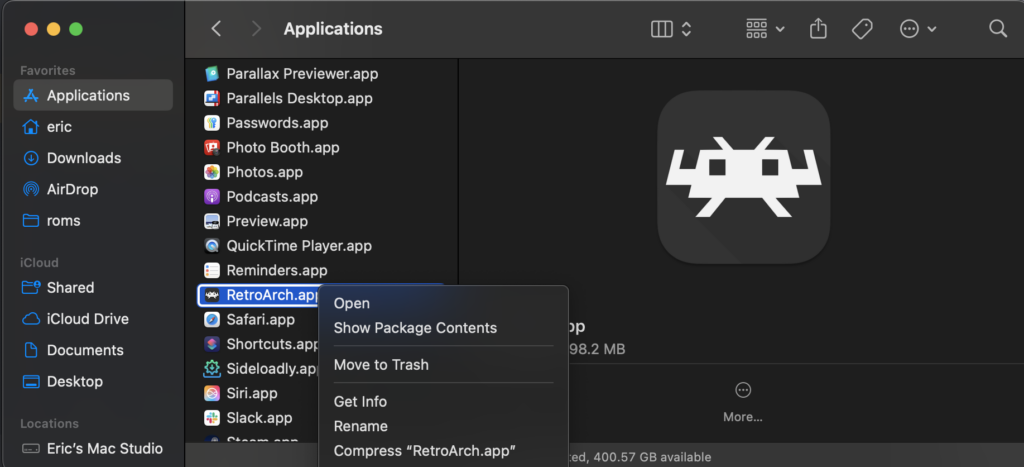
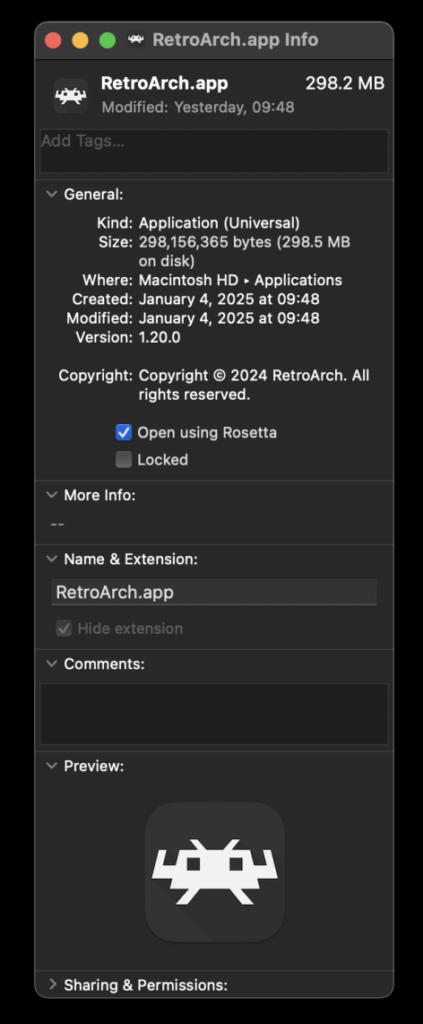
For macOS users running on Apple Silicon (M1/M2/M3 chips), a specific compatibility layer is required due to the core being compiled for x86_64 architecture. RetroArch must be run using Apple’s Rosetta 2 translation layer. This involves:
- Exiting RetroArch.
- Locating the RetroArch application in Finder.
- Right-clicking and selecting "Get Info."
- Checking the "Open using Rosetta" checkbox in the Info screen.
Once RetroArch is configured to run via Rosetta, the LRPS2 core will become visible in the Core Downloader, enabling Apple Silicon users to enjoy PS2 emulation, albeit with a potential performance overhead from the translation layer.

Fine-Tuning the Experience: Core Options and Troubleshooting
LRPS2 provides a comprehensive suite of core options, categorized for ease of use, allowing enthusiasts to fine-tune their emulation experience. These include:
- System Options: Managing aspects like region, language, and memory card settings.
- Video Options: Controlling aspect ratio, interlacing, upscaling, and texture filtering for visual customization.
- GSdx-specific Options: Detailed settings for hardware rendering fixes, depth buffer accuracy, and blending modes, crucial for addressing game-specific visual quirks.
- Manual Hardware Rendering Fixes (GSdx): A dedicated section for advanced users to apply specific patches for problematic games, ensuring broader compatibility.
- Emulation Options: Adjusting CPU cycle rates and enabling speedhacks to balance performance and accuracy.
- Input Options: Configuring controllers, including potential future support for analog face buttons, which are a notable PS2 controller feature currently under development.
- ParaLLEl-GS Options: Dedicated settings for its unique enhancements, such as SSAA levels, high-res scanout, and other compute shader-related parameters.
The Libretro team has also proactively addressed several frequently asked questions and common troubleshooting scenarios:
- Black Screen with D3D11: A known issue on Windows where D3D11 users may encounter audio without video. The recommended solution is to switch the video driver to D3D12 (either globally or via core override) and restart the content.
- ParaLLEl-GS Performance on Intel Integrated Graphics: Users with Intel Integrated Graphics Processors (IGPs) may experience slow performance with paraLLEl-GS due to their limited compute shader capabilities. For these systems, the software renderer or the GSdx renderer are recommended alternatives. Newer discrete Intel GPUs are expected to perform well.
- Software Renderer Crashes with Vulkan: Acknowledged bug where the software renderer may crash when using the Vulkan video driver. Users are advised to switch to the
glcoredriver on Linux or a D3D driver on Windows for reliable software rendering. - Analog Face Buttons: Currently a work-in-progress, but developers assure that all games remain playable and completable without this feature.
- Identifying Per-Game Patches: To see which internal patches are applied via
GameIndex.yaml, users need to enable logging in RetroArch and review the log output. This database is continually expanding. - Core Not Appearing: Beyond platform limitations (Windows, Linux x86_64, macOS only), users are advised to update their core info files via the online updater.
- Improving Frame Pacing: For optimal smoothness, users can try "Sync to Exact Content Framerate" in RetroArch’s video synchronization settings. For VRR displays, turning VSync off in RetroArch and enabling it in the GPU driver control panel (e.g., Nvidia) is suggested, though mileage may vary with certain games.
Broader Implications and Future Outlook
The launch of LRPS2 represents a significant milestone for the Libretro project and the broader emulation community. By integrating a heavily modified and modernized PCSX2 core, Libretro has made high-quality PlayStation 2 emulation more accessible than ever within its unified frontend. This move not only enhances the user experience for existing RetroArch enthusiasts but also positions RetroArch as a premier platform for comprehensive retro gaming, drawing in new users interested in robust PS2 emulation.
The development of paraLLEl-GS, in particular, showcases Libretro’s commitment to innovation. By pushing the boundaries of what’s possible with compute shaders, Themaister and the team are setting new standards for accuracy and visual enhancement in emulation, potentially influencing future core development across other demanding platforms. This advancement ensures that the vast and culturally significant library of PlayStation 2 games can be preserved and enjoyed with unprecedented fidelity for generations to come.
As LRPS2 continues to evolve, with ongoing improvements to compatibility, performance, and features like analog face button support, the future of PlayStation 2 emulation within Libretro appears exceptionally bright. This release is not just an update; it is a declaration of intent, affirming Libretro’s dedication to delivering the ultimate retro gaming experience.