 Vera Clarissa
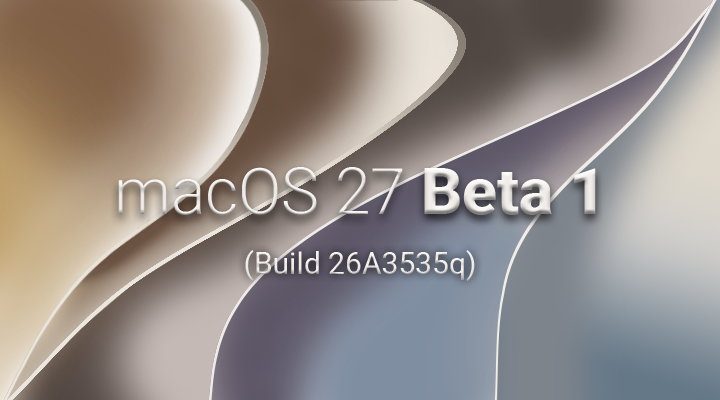
Following its recent unveiling at WWDC, Apple has released the first developer beta of macOS Golden Gate (version 27), offering a glimpse into the future of its desktop operating system. While an initial glance at the user interface might reveal a familiar landscape reminiscent of macOS Tahoe, subtle yet significant refinements are present, indicating a strategic evolution driven by user feedback and a continued focus on performance and usability. This beta provides an early opportunity to assess the direction Apple is taking, with implications for both seasoned Mac users and new adopters.
Evolutionary UI Tweaks and Design Philosophy
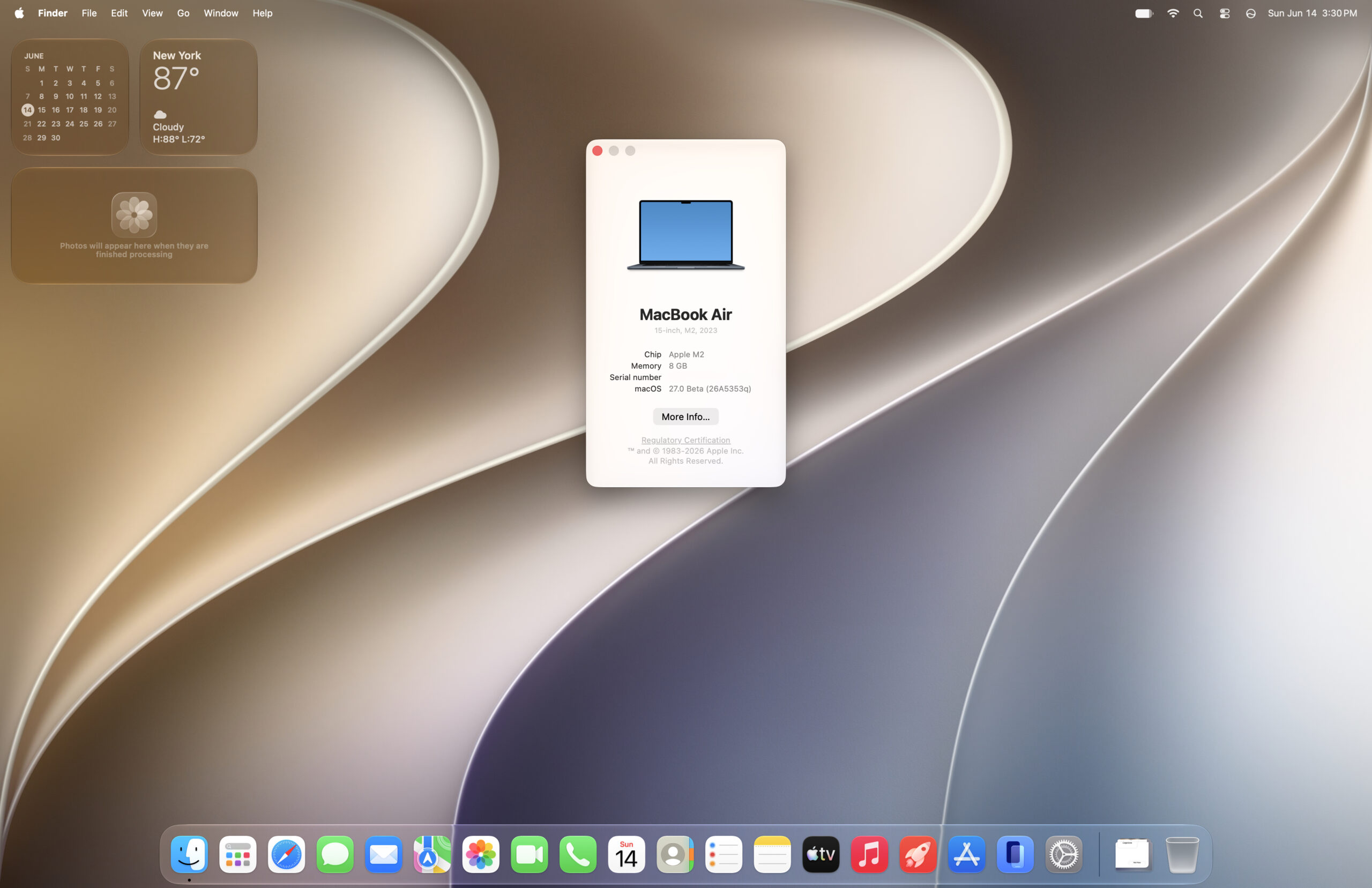
At first glance, the desktop environment of macOS Golden Gate beta 1 presents a visual continuity with its predecessor, macOS Tahoe. However, upon closer inspection, the UI has undergone a series of considered adjustments. These changes, while not revolutionary, suggest a deliberate effort to refine the user experience based on extensive user input. The overall aesthetic appears to lean towards a cleaner, more streamlined interface, subtly optimizing visual elements for enhanced clarity and efficiency.
The setup process, a critical first impression for any new operating system, has also seen notable updates. The navigation buttons within the initial setup screens exhibit a stylistic shift that harkens back to Apple’s iconic Aqua interface, albeit with a more restrained color palette. Observers have noted a resemblance to the Graphite Aqua theme prominent in earlier macOS versions like Leopard, suggesting a thoughtful integration of classic design elements with modern sensibilities. This blend of nostalgia and contemporary design aims to create a familiar yet refreshed onboarding experience.
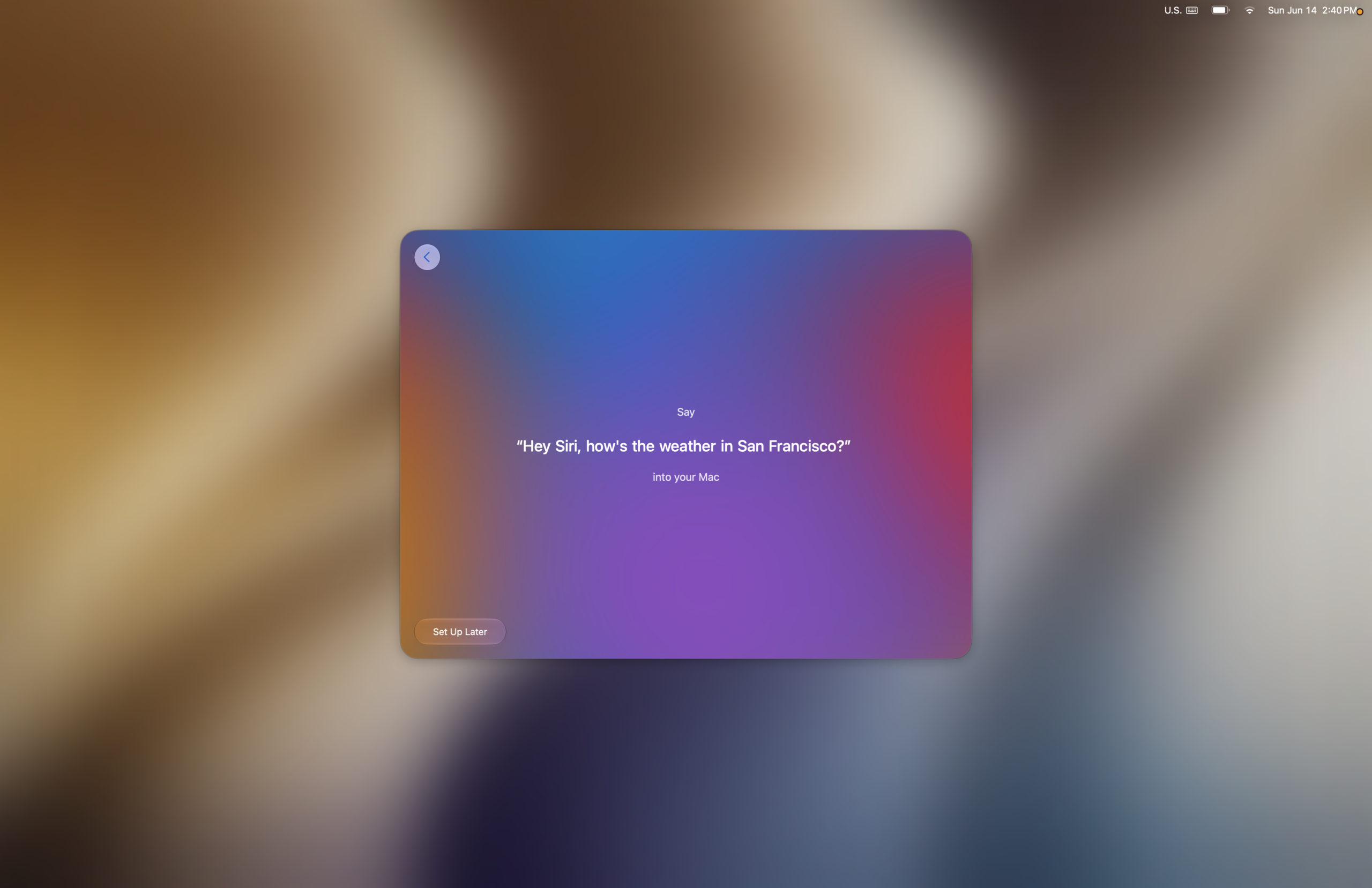
The initial setup screens maintain a standard flow, guiding users through essential configurations such as accessibility features and Data & Privacy settings. A particularly noteworthy addition is the enhanced Siri setup. Users opting to personalize Siri’s voice recognition are now greeted with a series of pleasing musical notes that accompany the progression through each training step. This auditory feedback is a subtle yet effective design choice, enhancing the user’s engagement and providing positive reinforcement during the setup process.
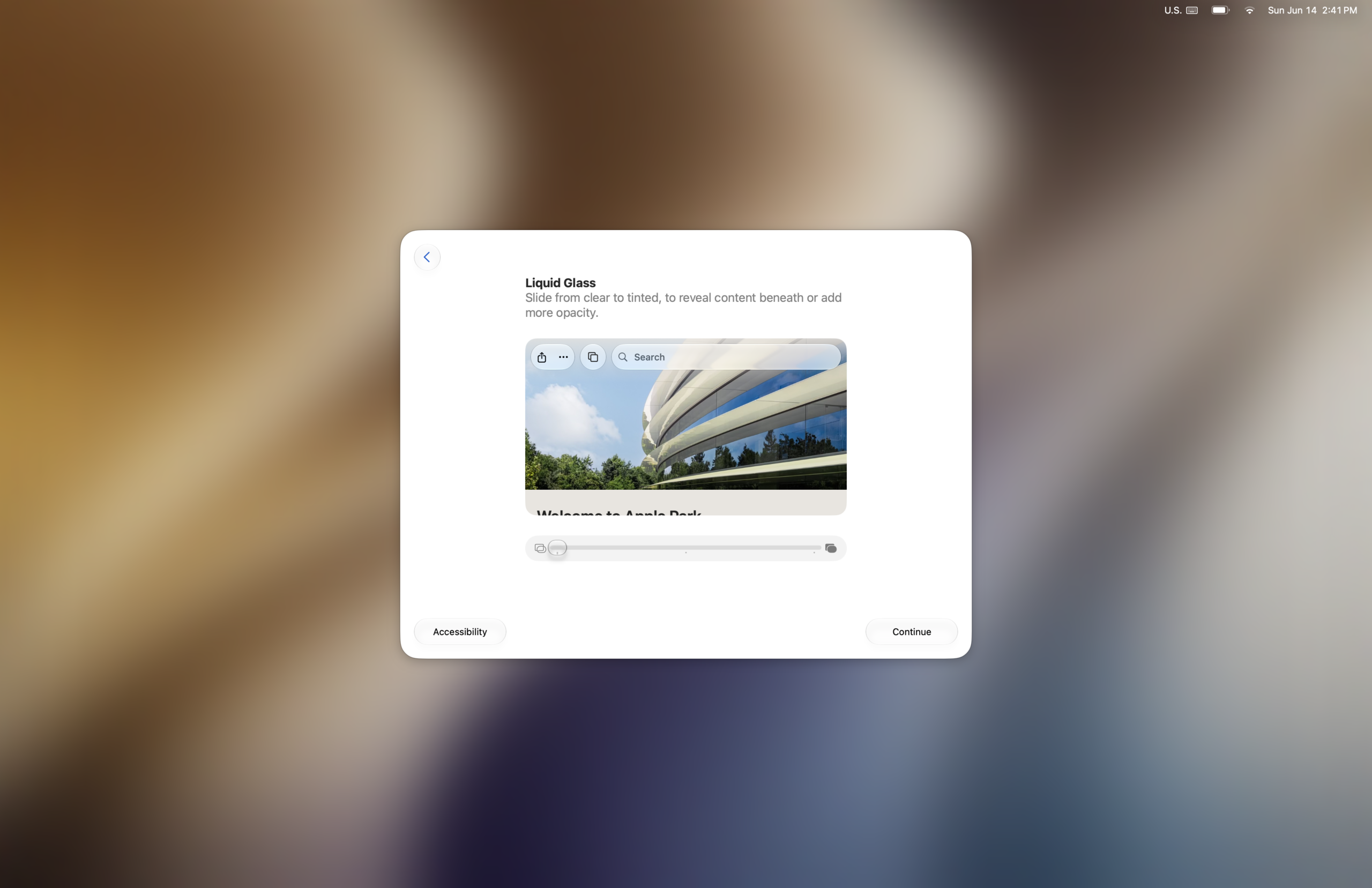
Further into the setup, users encounter screens dedicated to features like Image Playground and reframe functionalities. Following these, a crucial element of the new OS emerges: the translucency adjustment slider. This screen provides users with their first opportunity to fine-tune the system’s transparency effects, a setting that can later be accessed and modified within System Settings. The ability to customize transparency levels speaks to Apple’s ongoing commitment to user personalization and accessibility.
The editor’s note highlights the tactful implementation of transparency effects. When cranked to its maximum setting, the transparency lends a sophisticated, almost ethereal quality to elements like the dock, enhancing the overall aesthetic without compromising legibility in critical areas. Conversely, in sections where content clarity is paramount, the translucency is reduced, demonstrating a balanced approach that prioritizes both visual appeal and functional usability. This nuanced application of transparency suggests a mature design philosophy aimed at creating a visually pleasing yet highly functional operating system.
Performance Enhancements and Benchmarking Insights
Beyond the visual refinements, macOS Golden Gate beta 1 appears to bring significant performance improvements to the table. Animations throughout the system are reported to be noticeably faster. While some animation styles have evolved, such as the removal of the fade effect for desktop widgets when the wallpaper is clicked to show the desktop, the overall speed and responsiveness are a key takeaway. The rounded corners on the dark frame that appears when the desktop is revealed also contribute to a more polished visual experience.

To quantify these perceived improvements, initial benchmarking was conducted using Geekbench 6, comparing macOS Golden Gate beta 1 against its predecessors, Tahoe and Sequoia. The results, while preliminary, indicate a general uplift across most performance benchmarks, with a notable increase in single-core CPU performance. This is particularly significant as single-core speed directly impacts application launch times and the responsiveness of everyday tasks. While multicore CPU performance showed less dramatic gains, the overall trend suggests a real-world performance boost.
The benchmarks, represented by figures such as the provided Geekbench 6 scores, paint a promising picture. For instance, the reported increase in Single Core CPU scores suggests that applications will launch faster and the overall user experience will feel more fluid. The OpenCL and Metal benchmarks, which measure graphics performance, also indicated positive movement, hinting at improved capabilities for graphics-intensive applications and games.
It is important to acknowledge that benchmark results can be influenced by various factors and can fluctuate. However, the consistent upward trend observed in these early tests, coupled with anecdotal reports from early adopters on online forums describing a faster experience compared to macOS Tahoe, lends credence to the performance claims. This suggests that Apple has likely made substantial optimizations under the hood, translating into tangible benefits for Mac users.
Navigating the New Setup and Feature Integration
The new setup process for macOS Golden Gate beta 1 offers a structured approach to configuring the operating system. After the initial standard screens, users are guided through optional accessibility features and data privacy settings. The integration of Siri training, with its engaging auditory cues, marks a step forward in making the initial setup more interactive and user-friendly.

The introduction of features like Image Playground and reframe, alongside the immediate access to translucency adjustments, indicates a proactive approach to onboarding users with new functionalities. This early exposure allows users to begin customizing their experience from the outset, fostering a sense of control and personalization. The ability to adjust translucency directly during setup, rather than solely within System Settings, streamlines the initial configuration and allows users to tailor the visual appearance of their Mac to their preferences from the very beginning.
Addressing Connectivity and File Sharing Changes
A significant change noted in this beta release pertains to file sharing protocols. Apple File Sharing Protocol (AFP) has reportedly been dropped. This deprecation will render existing networked file sharing configurations that rely on AFP, particularly those originating from older PowerPC Macs, unusable. This move signals a broader industry trend towards modern, cross-platform compatible protocols.

However, the impact of this change is mitigated by the continued robust support for the Server Message Block (SMB) protocol. Users who still utilize PowerPC Macs or prefer SMB file sharing will find that these functionalities remain intact. The author’s successful mounting of a file share from a Power Mac G5 running Sorbet Leopard via a guest login, despite initial authentication challenges with a user account, demonstrates that SMB connectivity is functional. This ensures that many existing network setups can continue to operate, albeit with a necessary migration away from AFP. The continued support for SMB is crucial for maintaining compatibility with legacy hardware and for users who prefer its established functionality.
Potential Quirks and Future Expectations
As with any early beta release, macOS Golden Gate beta 1 is not without its quirks. A reported issue involves the app drawer not opening as expected, as highlighted by an accompanying video demonstration. Such minor bugs are common in beta software and are typically addressed in subsequent updates as Apple refines the operating system.
Looking ahead, the initial release of macOS Golden Gate beta 1 suggests a development trajectory akin to that of macOS Snow Leopard – an iterative release focused on refinement, performance, and stability rather than radical new features. The observed improvements in speed and responsiveness, coupled with the thoughtful UI adjustments, point towards an operating system that prioritizes a smooth and efficient user experience.
The anticipation surrounding the new Siri AI, though not yet available for testing in this beta, adds another layer of excitement. Being on a waitlist for access indicates that this advanced AI integration will be a key component of the final release, promising to further enhance the capabilities of macOS.

The author’s personal experience with an M2 MacBook Air suggests a tangible improvement in the machine’s "snappiness" during day-to-day use. While extensive stress testing, such as running multiple virtual machines, has not yet been conducted, the immediate subjective feeling of improved performance is a strong indicator of the optimizations at play.
The removal of AFP support, while a point of concern for some, underscores Apple’s strategic direction towards modernizing its network protocols. The continued functionality of SMB provides a viable alternative, and further exploration into alternative solutions may yield even more robust options for network file sharing.

In conclusion, macOS Golden Gate beta 1 presents a compelling vision for the future of Apple’s desktop operating system. It is an evolutionary step, characterized by subtle yet impactful UI refinements, significant performance enhancements, and a strategic focus on core usability. While early beta releases naturally come with their share of minor issues, the overall impression is one of a stable and promising platform, poised to deliver a refined and more powerful Mac experience upon its official release. The blend of familiar design elements with cutting-edge performance optimizations suggests that Golden Gate will build upon the strengths of its predecessors, offering a compelling upgrade for the Mac ecosystem.